Best Laser Engraver for Metal: 5 Machines That Mark Bare Steel
Five fiber, infrared and dual laser machines that engrave bare stainless, brass and aluminum, and why most "metal" laser listings only mean coated metal.
 By LaserEngraveHQ Editorial
Updated October 5, 2026
By LaserEngraveHQ Editorial
Updated October 5, 2026
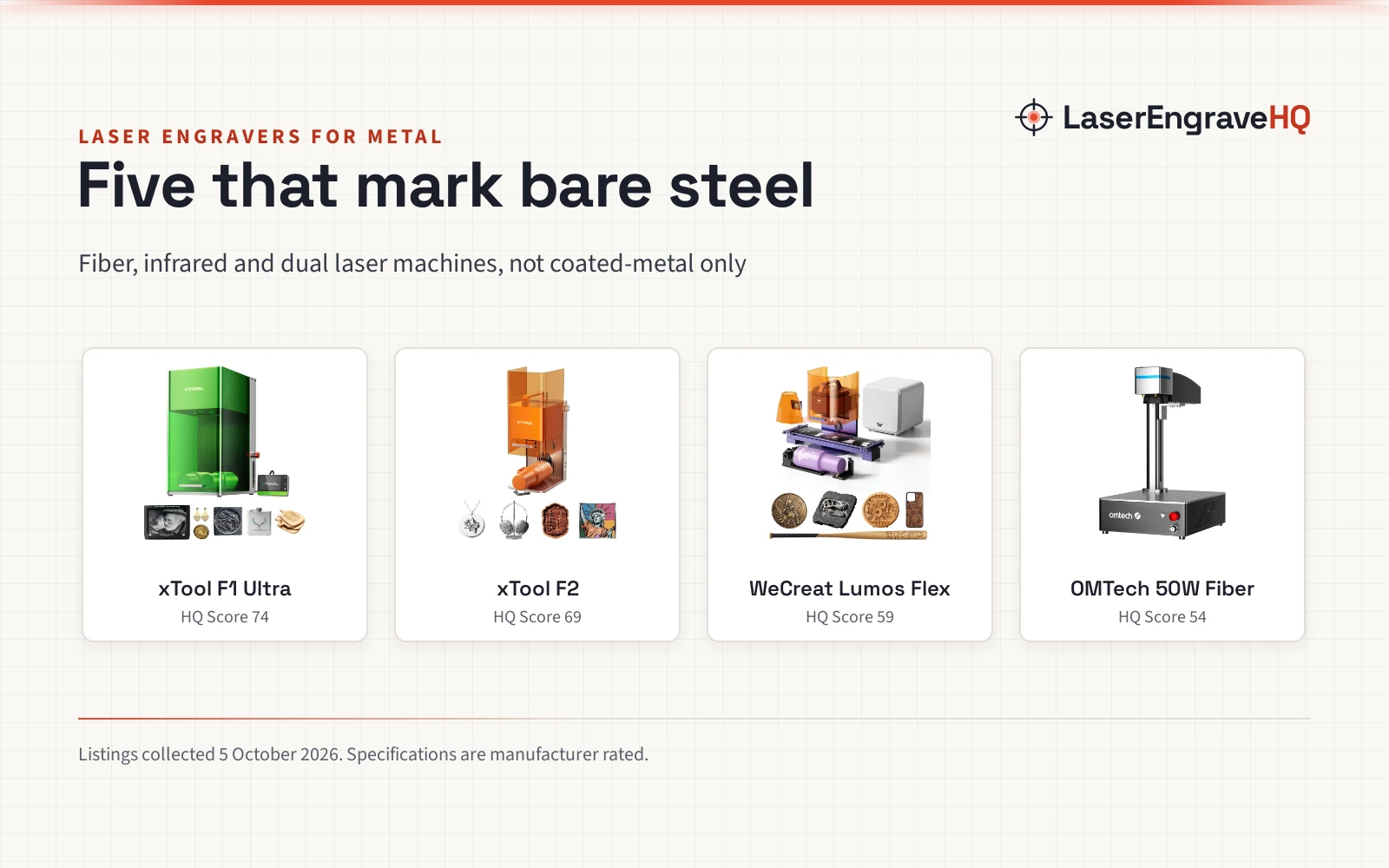
Most laser engravers sold “for metal” only mark coated metal: painted tumblers, anodized aluminum, or steel sprayed with a marking compound. To engrave bare stainless steel, brass or titanium you need light near 1064 nm, from a fiber or infrared laser. This guide is for crafters, jewelry makers and sellers who want that, and it compares five machines that carry a metal-capable laser, from a 1W infrared module to a 50W fiber source.
LaserEngraveHQ earns a commission when you buy through links on this page, at no extra cost to you. Read our affiliate disclosure.
Quick picks
- Best Overall xTool F1 Ultra: 20W fiber and 20W diode in one enclosed machine, a 220 x 220 mm field, a fire alarm and a 1 year warranty. Check price
- Best Value xTool F2: 5W infrared plus 15W diode in a fully enclosed 10 lb machine, with 129 ratings averaging 4.5 stars. Check price
- Best Kit for Markets WeCreat Lumos Flex: 15W fiber and 15W diode, bundled with a rotary, slide extension and fume extractor. Check price
- Best Fiber-Only OMTech 50W Fiber: A 50W fiber source with LightBurn and EzCad2, for metal work only. Check price
- Best Budget Carverall K15 Pro IR: A 1W 1064 nm infrared engraver with a 200 x 300 mm area and a stated 1 year warranty. Check price
Compare the picks
| Model | HQ Score | Metal laser | Second laser | Work area | Enclosed | Cuts metal | Warranty |
|---|---|---|---|---|---|---|---|
| xTool F1 Ultra | 74 | 20W fiber | 20W diode | 220 x 220 mm | Yes | 0.3 mm stainless, 0.4 mm brass | 1 year |
| xTool F2 | 69 | 5W infrared | 15W diode | Not stated | Yes | Not stated | 1 year |
| WeCreat Lumos Flex | 59 | 15W fiber | 15W diode | Not stated | Yes, with cone | 0.3 mm stainless | Not stated |
| OMTech 50W Fiber | 54 | 50W fiber | None | 5.9 x 5.9 in | No | Not stated | 2 years support (no warranty term) |
| Carverall K15 Pro IR | 51 | 1W infrared, 1064 nm | None | 200 x 300 mm | No | No | 1 year |
Specifications are manufacturer rated, as published on each listing and collected 5 October 2026.
The picks
| Award | Product | HQ Score About the HQ ScoreThe HQ Score runs from 0 to 100 and weighs rated performance, build, value, safety listing, and warranty, using only what the manufacturer and the listing publish. How we pick › | |
|---|---|---|---|
 xTool F1 Ultra 20W Fiber & Diode Dual Laser
|
74/100 | Buy | |
 xTool F2 5W IR & 15W Diode Dual Laser Engraver
|
69/100 | Buy | |
 WeCreat Lumos Flex 15W Fiber & 15W Diode Dual
|
59/100 | Buy | |
 OMTech 50W Fiber Laser Engraver Machine
|
54/100 | Buy | |
 K15 Pro Infrared Laser Engraver for Metal
|
51/100 | Buy |
xTool F1 Ultra 20W Fiber & Diode Dual Laser
An enclosed dual laser with a 20W fiber source for metal and a 20W diode for wood, acrylic and leather.
Pros
- 20W fiber and 20W diode in one machine, so metal and wood jobs share one setup
- 220 x 220 mm field, expandable to 220 x 500 mm with the conveyor sold separately
- Listing rates thin cuts in 0.3 mm stainless, 0.4 mm brass and 0.2 mm aluminum
- Enclosed cover, smoke extraction, fire alarm and emergency stop
Cons
- Costs more than many fiber-only machines
- 4.1 stars from 139 ratings, lower than the cheaper xTool F2
- No FDA accession number in the listing
- Auto conveyor for batch work is sold separately
xTool F2 5W IR & 15W Diode Dual Laser Engraver
A fully enclosed 10 lb dual laser with a 5W infrared source for metal and a 15W diode for everything else.
Pros
- 5W infrared laser marks bare metal, including color marking per the listing
- 15W diode for wood, leather and 3D embossing
- Fully enclosed and arrives assembled, with a built-in fan
- The most ratings of any pick here: 129, averaging 4.5 stars
Cons
- The listing does not state the work area
- 5W infrared is much slower than a 20W fiber for deep metal engraving
- No FDA accession number
- Air purifier, slide extension and RA3 rotary are extras
WeCreat Lumos Flex 15W Fiber & 15W Diode Dual
A portable 15W fiber and 15W diode dual laser bundled with a rotary, slide extension and fume extractor.
Pros
- 15W fiber for metal and 15W diode for wood, leather and acrylic
- Bundle includes Rotary Pro, slide extension and a fume extractor
- Rotary plus extension takes cylinders up to 34 in long
- Rated for 0.3 mm stainless steel cutting and color marking
Cons
- No ratings yet; first listed April 2026
- Most expensive pick in this guide
- No warranty term in the listing
- Work area not stated as a number
OMTech 50W Fiber Laser Engraver Machine
A 50W fiber marker with a 5.9 x 5.9 in field, LightBurn and EzCad2 support, and an unclear safety statement.
Pros
- 50W fiber source for faster deep engraving than the infrared picks
- Ships with LightBurn and EzCad2 software
- Red dot focus guide and labeled controls
- OMTech lists US-based service and demo rooms
Cons
- Says Class 2 with 0.874 mW output, which does not describe a 50W source
- Offers 2 years of support, not a stated warranty term
- No ratings yet
- Metal only: not suited to wood or clear materials
K15 Pro Infrared Laser Engraver for Metal
A 1W 1064 nm infrared engraver with a 200 x 300 mm area, Wi-Fi app control and a stated 1 year warranty.
Pros
- 1064 nm infrared marks bare stainless, aluminum, copper and brass
- 200 x 300 mm work area, close to A4
- Wi-Fi app control, plus LightBurn and LaserGRBL
- Goggles and review metal sheets in the box, with a 1 year manufacturer warranty
Cons
- 1W is surface marking only, not deep engraving
- Says Class 1 with 1000 mW output on an open frame
- Only two ratings so far
- Drivers need installing before the app and PC software work, per the listing
How we scored them
Each machine is scored out of 100 on performance, build, value, safety and warranty, with the weights published on our How We Pick page. A spec the listing does not publish scores nothing.
| Product | HQ Score | Perf. | Build | Value | Safety | Warranty |
|---|---|---|---|---|---|---|
| xTool F1 Ultra | 74 | 27 | 18 | 13 | 9 | 7 |
| xTool F2 | 69 | 22 | 16 | 16 | 8 | 7 |
| WeCreat Lumos Flex | 59 | 24 | 17 | 11 | 7 | 0 |
| OMTech 50W Fiber | 54 | 24 | 12 | 14 | 2 | 2 |
| Carverall K15 Pro IR | 51 | 13 | 12 | 16 | 3 | 7 |
Most “metal” laser listings mean coated metal
We read 18 listings that came up for laser engravers for metal. Only 6 carried a fiber or infrared laser that can mark bare metal. Eleven were blue diode machines, which mark coated or anodized metal but need a marking spray for bare steel, and one was a hand-held diamond-tip engraving pen with no laser at all.
One infrared listing we left out shows what to check: the AlgoLaser Pixi states its 1064 nm wavelength but not its power or work area, so it cannot be compared with the machines above.
| Machine type | Engrave | Cut |
|---|---|---|
| Diode | With coating | No |
| CO2 | With coating | No |
| Fiber | Yes | No |
| CNC router | No | Limited |
Fiber lasers mark and deep engrave bare stainless, brass, steel and other metals directly. Diode and CO2 machines need a metal marking spray or paste. Hobby fiber markers engrave; they do not cut sheet metal.
Safety: Bare metal reflects laser light. Wear glasses rated for the laser's exact wavelength, and ventilate fumes from marking sprays and coatings.
Buying guide: lasers for metal
Bare metal or coated metal
Blue diode lasers (around 450 nm) are reflected by bare metal. They mark powder-coated tumblers, painted metal and anodized aluminum well, and they can mark stainless with a marking spray. Fiber and infrared lasers at about 1064 nm mark bare metal directly. Decide which of these you actually sell before you pay for a fiber source.
Infrared module or fiber source
The 1W to 5W infrared modules on gantry machines mark the surface over a large area. Fiber sources of 20W and up, on galvo heads, mark much faster and can engrave depth, cut thin sheet and, with MOPA sources, mark in color. Our fiber laser engraver guide covers the fiber-only options in more depth.
Dual laser machines
The xTool F1 Ultra, xTool F2 and WeCreat Lumos Flex add a diode laser alongside the metal laser, so one machine handles wood, leather and acrylic too. That costs more than a fiber-only marker, and it is worth it only if you sell both kinds of product.
Read the safety line carefully
Two of the five listings here state a laser class that does not fit their power: Class 1 at 1000 mW on an open frame, Class 2 at 0.874 mW on a 50W source. A metal-marking laser in this power range is a Class 4 laser in use. Use the enclosure if your machine has one, and 1064 nm rated glasses if it does not.
Infrared and fiber light near 1064 nm is invisible, and polished metal reflects it. Wear glasses rated with an optical density for 1064 nm (glasses for blue diode lasers do not protect against it), vent fumes from coatings and marking sprays, and never leave a job running unattended. See the FDA guidance on laser products.
Frequently Asked Questions
Can a diode laser engrave metal?
A blue diode laser marks coated metal, powder-coated tumblers and anodized aluminum. For bare stainless steel it needs a marking spray or paste. To engrave bare metal directly you need a fiber or infrared laser.
What is the cheapest laser that engraves bare metal?
Among the listings we read, the Carverall K15 Pro IR, a 1W 1064 nm infrared engraver, was the lowest priced. It marks the surface; it does not engrave depth.
Can these machines cut metal?
Only very thin sheet. The xTool F1 Ultra listing rates 0.3 mm stainless steel and the WeCreat Lumos Flex listing rates 0.3 mm stainless. For anything thicker you need a dedicated metal cutting machine.
Do I need a dual laser machine?
Only if you also work in wood, leather or acrylic. A fiber-only machine gives more metal-marking power for the price.
What glasses do I need for a metal engraving laser?
Glasses rated with an optical density for 1064 nm. Check the wavelength range printed on the frame; glasses sold for 450 nm blue diode lasers do not cover it.
Related: how to choose a laser engraver, best fiber laser engraver, best laser engraver for tumblers, best laser engraver for small business, the fiber laser hub, material notes for metal and the Machine Finder.
About the author
LaserEngraveHQ Editorial is the editorial team behind LaserEngraveHQ. We research product listings, published specifications, material lists, safety statements and warranty terms, score every pick with the published HQ Score method, and correct errors when readers report them. We do not run our own workshop trials; see How We Pick for exactly how picks are made.