How to Color Engrave Stainless Steel with a MOPA Laser: A Practical Step-by-Step Guide
A practical step-by-step guide on how to color engrave stainless steel with a MOPA laser, covering machine setup, parameter control, and surface preparation.

On this page
Top picks at a glance
As an Amazon Associate I earn from qualifying purchases.
- 1
 xTool F2 Ultra Single 60W MOPA Fiber Laser Engraver 100+9.5/10View on Amazon
- 2
 xTool F2 Ultra + Conveyor9.6/10View on Amazon
- 3
 100W JPT M7 MOPA Fiber Laser Marking Machine Fiber Laser9.5/10View on Amazon
- 4
 YOUKE OLA 16 Pack Stainless Steel Skinny Tumblers BulkView on Amazon
- 5
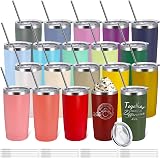 YOUKE OLA 20 Pack Stainless Steel Tumbler Bulk 20oz InsulatedView on Amazon
- 6
 20 oz Skinny Tumblers Bulk with Lids and Straws BlackView on Amazon
- 7
 YOUKE OLA 16 Pack Stainless Steel Tumbler Bulk InsulatedView on Amazon
- 8
 20 oz Tumbler Bulk Stainless Steel Tumblers with Lids andView on Amazon
- 9
 YOUKE OLA 8 Pack Rainbow Plated Stainless Steel TumblerView on Amazon
How to color engrave stainless steel with a mopa laser requires controlling surface oxidation by adjusting pulse duration, frequency, speed, power, and line spacing. When a MOPA fiber laser heats the metal, a thin, transparent chromium oxide layer forms on the surface. Ambient light reflecting off this oxide film and off the underlying steel creates vibrant colors through optical thin-film interference. Systematically dialing in settings on sample stock produces rich shades of yellow, red, purple, blue, and green without inks or chemical sprays.
Other machines to compare
 YOUKE OLA 16 Pack Stainless Steel Skinny Tumblers BulkCheck price on Amazon
 YOUKE OLA 20 Pack Stainless Steel Tumbler Bulk 20oz InsulatedCheck price on Amazon
 20 oz Skinny Tumblers Bulk with Lids and Straws BlackCheck price on Amazon
 YOUKE OLA 16 Pack Stainless Steel Tumbler Bulk InsulatedCheck price on Amazon
 20 oz Tumbler Bulk Stainless Steel Tumblers with Lids andCheck price on Amazon
 YOUKE OLA 8 Pack Rainbow Plated Stainless Steel TumblerCheck price on Amazon
LaserEngraveHQ earns a commission from purchases made through these links, at no extra cost to you. Read our affiliate disclosure.
Color marking depends on oxide layer thickness rather than pigment. Because alloy variation, cleanliness, and focal drift alter the resulting hue, always run a calibration matrix on scrap material before marking final pieces.
Why MOPA lasers can produce color on stainless steel
Unlike standard fiber lasers where pulse duration is coupled to frequency, a MOPA source decouples pulse duration from repetition rate. In standard Q-switched machines, pulse duration cannot be adjusted independently. A MOPA architecture allows setting pulse duration from nanosecond bursts to wider intervals while adjusting repetition rates independently.
When laser energy strikes stainless steel, localized heating promotes rapid surface oxidation. As ambient light hits this transparent oxide layer, reflections from the film surface and underlying metal undergo optical interference, reinforcing specific wavelengths to produce vivid colors from pale yellow to vibrant blues and greens.
MOPA machine specifications and pulse control
ComMarker lists a 1064 nm laser wavelength on its Titan1 200W fiber machine to heat bare metal surfaces.
The defining capability of a MOPA laser is variable pulse duration and wide repetition rates. Monport lists an adjustable pulse width of 2 to 500 ns and a frequency range of 1 to 3000 kHz on its 60W MOPA system. Ovsuqu publishes a pulse duration of 2 to 500 ns with a repetition rate frequency from 1 to 4000 kHz on its 100W JPT M7 MOPA unit, while Oabduz specifies a pulse duration of 200 ns with a frequency of 1 to 600 kHz on its 60W model.
Marking speed and power dictate thermal input. OMTech lists a rated speed of 10000 mm/s across its 30W, 60W, and 100W MOPA systems. Units like the xTool F2 Ultra 60W MOPA and ComMarker Titan1 200W rate speeds up to 15,000 mm/s. In addition, xTool lists capability for over 100 consistent colors on metal with structured color parameter files. To explore dedicated metal marking gear, read our guide to the best fiber laser engraver models and our category overview of fiber laser engravers.
Core MOPA color settings and parameter relationships
Dialing in consistent coloration requires understanding how laser parameters interact on the workpiece:
- Pulse duration (pulse width): Shorter pulses limit heat diffusion for pale tones without distortion. Longer pulses increase energy coupling, promoting thicker oxide growth for saturated hues.
- Pulse repetition frequency: Higher frequencies produce smooth pulse overlap for uniform color fields. Lower frequencies increase peak pulse energy and surface disruption.
- Marking speed: Fast speeds reduce heat buildup for pale straw and gold tones. Slower speeds allow heat accumulation, shifting colors toward violet, blue, and green.
- Laser power: Higher power raises surface temperature, while lower power preserves delicate oxidation. Power must balance against galvo speed to avoid scorched marks.
- Line interval and hatch pattern: Dense hatch spacing allows adjacent passes to overlap into a continuous oxide plane. Cross-hatching ensures uniform heat distribution without directional banding.
- Focal position: Precise focus is critical for repeatable color. Keeping the beam focused on the metal surface maintains consistent power density and spot size.
Preparing stainless steel blanks for uniform coloration
Consistent coloration requires an immaculate metal surface. Contaminants alter thermal conductivity and disrupt uniform oxidation, producing blotchy marks.
Select flat stainless steel blanks with a uniform finish. Brushed sheets yield soft metallic tones, while mirror-polished blanks deliver reflective jewel colors. For sourcing stock, see our guide to stainless steel blanks for laser engraving.
Degrease the blank with isopropyl alcohol and a microfiber cloth to remove oils and fingerprints. Avoid touching the clean surface with bare hands, as skin oils block oxidation. Allow the solvent to evaporate completely before engraving.
Secure the workpiece against clamps or positioning bars to prevent vibration under galvo airflow. Listings for OMTech and Oabduz specify workbeds with built-in grid and positioning bars to keep flat blanks aligned with the focal plane.
Step-by-step: how to color engrave stainless steel with a mopa laser
Follow these steps to establish predictable color outcomes on your machine:
Step 1: Set precise focal height
Proper focus is essential for repeatable color. Use your machine’s focal alignment system, such as the three-point red light alignment system on the Monport or dual red dot pointers, to set exact focal distance to the blank surface.
Step 2: Build a color calibration matrix
Construct a calibration matrix in your software, such as LightBurn or EzCad2. Create a grid of small solid squares where each square represents a parameter combination, such as incrementing pulse duration along one axis and frequency along the other at constant speed and power.
Step 3: Run the calibration grid on sample stock
Place a scrap piece of the identical alloy on the workbed. Execute the calibration matrix file while observing through protective shielding. As the laser marks each square, the steel shifts through colors: pale bronze, gold, rose, violet, blue, and green. Allow the coupon to cool naturally.
Step 4: Inspect and catalog your color palette
Wipe the marked grid with a microfiber cloth. Inspect swatches under natural and workshop light. Record winning parameters for each target shade in a logbook or save them to your software material library.
Step 5: Apply parameters to your final design
Import your vector artwork. Group design elements by color and assign each color group to a software layer with its verified parameters. Secure your finished blank, confirm focal height, and run the job.
Workshop safety and ventilation requirements
Color marking stainless steel produces microscopic particulate and vaporized residues that require workshop controls:
- Fume extraction and ventilation: Operate your laser with outdoor exhaust or a multi-stage fume purifier with HEPA and carbon filtration. For filter picks, see our guide to the best fume extractor for laser engraver models. Follow OSHA ventilation guidance calmly without unverified health claims.
- Laser eye protection: ComMarker lists a 1064 nm wavelength for its Titan1 fiber laser. Near-infrared emissions cause irreversible eye damage. Wear certified safety glasses marked with an Optical Density (OD) specification covering the machine’s wavelength. Tinted plastic or standard sunglasses offer no protection. Review our laser safety glasses guide for eyewear selection.
- Material hazard warning: Never laser PVC, vinyl, PVC-based faux leather, polycarbonate, or ABS. When heated, PVC and vinyl release toxic hydrogen chloride gas that damages lungs and corrodes laser optics and chassis. Polycarbonate and ABS release heavy smoke and present fire risks. Stick strictly to approved metals such as stainless steel, brass, titanium, and aluminum.
- Laser safety classifications: Laser classifications vary across published listings. ComMarker lists Class 1 compliance under IEC 60825-1 with FDA accession numbers for its enclosed Titan1. The xTool F2 Ultra listing states it is a Class 4 laser engraver, while listings for OMTech, Ovsuqu, and Oabduz publish Class 2 classifications with 0.874 mW output power. Operating open Class 4 laser systems requires controlled access, perimeter barriers, and eye protection for everyone present.
Common color engraving mistakes to avoid
- Allowing excessive heat buildup: running consecutive engraving passes without letting the blank cool overheats the metal, turning colors dull gray or brown. Allow blanks to cool between passes.
- Skipping surface cleaning: oils and fingerprints block uniform oxidation, creating blotchy colors.
- Inconsistent focal distance: tilted blanks cause color shifts as spot size drifts.
- Marking on warped metal: bowed blanks lose focal height. Use flat stock or magnetic clamps.
- Relying on unverified online settings: alloy compositions vary between batches. Always verify settings with a local calibration swatch.
How to color engrave stainless steel with a mopa laser: the short version
- Clean the stainless steel blank thoroughly with isopropyl alcohol.
- Set exact focal height using red dot alignment guides.
- Create a calibration grid in software varying pulse duration, frequency, and speed.
- Mark the grid on scrap metal of the exact same alloy.
- Inspect the colors under clear lighting and record optimal parameters.
- Assign verified parameter layers to your artwork and engrave the final piece.
Once dialed in, achieving predictable colors on stainless steel becomes a reliable workshop technique.
FAQ: lasers and CNC
Can standard Q-switched fiber lasers produce color on stainless steel?
In standard Q-switched fiber lasers, pulse duration is linked to pulse frequency and cannot be adjusted independently. While a standard Q-switched laser can generate dark marks or limited brownish-gold tones by adjusting frequency and speed, it lacks independent pulse width control needed to build specific oxide film thicknesses. A MOPA laser decouples pulse duration from frequency, giving the precise thermal control needed for a broad spectrum of repeatable colors.
Will color engraving on stainless steel fade or wear off over time?
Because these colors are genuine surface oxide layers, they will not peel, flake, or chip like paint. However, because the oxide film is microscopic, aggressive abrasive friction or strong acids can wear it away. For everyday carry items, applying a clear protective ceramic coating helps preserve the finish.
Why did my engraving turn dull gray or brown instead of bright color?
Dull brown or gray results indicate excessive heat accumulation, causing uncontrolled oxidation and surface melting. To restore vibrant color, reduce laser power, increase marking speed, or shorten pulse duration. Also ensure the steel surface is completely free of oils.
Do I need a 60W or 100W MOPA laser to produce colors, or is 30W sufficient?
Color marking is a surface oxidation process rather than deep metal ablation. OMTech lists a 30W MOPA model specifically for color marking on metals. While 60W, 100W, or 200W models listed by OMTech, Monport, Ovsuqu, xTool, and ComMarker provide faster speeds and deeper cutting capability, a 30W MOPA machine provides the pulse control needed to produce a wide color spectrum.
What software is used to set up MOPA color grids?
Most operators use LightBurn or EzCad2. Listings for OMTech, Monport, Ovsuqu, ComMarker, and Oabduz confirm support for both platforms. LightBurn includes automated grid tools that generate parameter matrices across ranges of speed, power, frequency, and pulse width for streamlined calibration.
Related: the fiber laser engraver category, our guide to the best fiber laser engraver, and what is a fiber laser engraver. For project materials, see stainless steel blanks for laser engraving, our overview of the laser engraver hub, and fiber laser engraving ideas.