Metal for Laser Cutting: Best Metals, Thickness Limits and Machine Guide
A practical workshop guide to metal for laser cutting: compare suitable metals, understand fiber laser power and thickness limits, and set up cutting safely.

On this page
Top picks at a glance
As an Amazon Associate I earn from qualifying purchases.
- 1
 ATOMSTACK 48W Laser Engraver9.6/10View on Amazon
- 2
 xTool S1 40W Laser Cutter and Laser Engraver for Tumblers9.7/10View on Amazon
- 3
 ATOMSTACK Swift 12W Laser Engraver Cutter for Wood & Metal9.7/10View on Amazon
- 4
 100 Pcs Metal Business Cards for Laser EngravingView on Amazon
- 5
 weparmeety 100 Pcs Metal Business Cards Aluminum LaserView on Amazon
- 6
 weparmeety 100Pcs 0.45 Metal Business Cards Aluminum LaserView on Amazon
- 7
 Twotrees TTC450 Pro All-Metal CNC Router Machine with NEMA 57View on Amazon
- 8
 Brilliance Laser Inks Black Metal Liquid-Ready Laser MarkingView on Amazon
- 9
 12 Pcs 0.4mm 304 Stainless Steel Metal Business Card BlankView on Amazon
Metal for laser cutting requires a beam that bare metal surfaces absorb efficiently, combined with enough concentrated power density to melt through the sheet. Standard diode and hobby CO2 machines cannot cut bare metal sheets because diode lasers lack the concentrated power density and glass-tube CO2 wavelengths reflect off bare metal surfaces. In contrast, fiber laser systems operating at 1064nm deliver high beam quality and absorption on bare metals, allowing them to cut thin sheets of stainless steel, carbon steel, brass, copper, and aluminum. Clean separation depends on matching fiber laser wattage to sheet thickness, selecting a compact focal lens, and configuring multi-pass vector settings.
Other machines to compare
 100 Pcs Metal Business Cards for Laser EngravingCheck price on Amazon
 weparmeety 100 Pcs Metal Business Cards Aluminum LaserCheck price on Amazon
 weparmeety 100Pcs 0.45 Metal Business Cards Aluminum LaserCheck price on Amazon
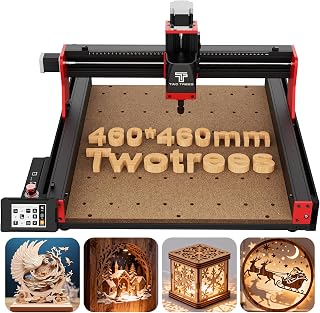 Twotrees TTC450 Pro All-Metal CNC Router Machine with NEMA 57Check price on Amazon
 Brilliance Laser Inks Black Metal Liquid-Ready Laser MarkingCheck price on Amazon
 12 Pcs 0.4mm 304 Stainless Steel Metal Business Card BlankCheck price on Amazon
LaserEngraveHQ earns a commission from purchases made through these links, at no extra cost to you. Read our affiliate disclosure.
Cutting metal requires far more energy than surface marking. Desktop fiber lasers excel at high-speed marking and deep engraving, but cutting is practical only on thin sheet metal and shim stock. If you plan to cut thick plate stock, industrial cutting tables with high-pressure gas delivery are required.
Step 1: Identify which metals cut cleanly
Different metals react differently to laser heat, thermal expansion, and beam reflection. Before setting up a job, identify your alloy and its cutting characteristics:
- Stainless steel: Stainless steel is among the most reliable metals for fiber cutting. It absorbs the 1064nm wavelength readily, maintains structural integrity around the kerf, and produces clean edges when repeated passes ablate through the cut line. For marking projects, see our guide on stainless steel blanks for laser engraving.
- Carbon steel: Mild and carbon steels cut predictably because iron oxidizes and melts cleanly under laser heat. They require less power than reflective alloys of equal thickness.
- Aluminum: Aluminum conducts heat away rapidly and reflects laser energy. While a fiber laser to cut aluminum is effective on thin stock, the beam requires higher energy density to overcome thermal dissipation.
- Brass and copper: Brass and copper are yellow metals with high thermal conductivity and strong optical reflectance. They need concentrated beam pulses to pierce, and back-reflection can risk optical components if the beam reflects straight upward.
- Titanium: Titanium cuts with clean definition, though atmospheric oxygen exposure at high heat causes surface oxidation and edge discoloration.
To understand how fiber sources compare with other workshop tools on raw stock, read our breakdown of fiber vs diode laser for metal.
Step 2: Match laser power to metal thickness
Laser power dictates cutting capability. While surface marking works at low power, cutting metal demands concentrated beam energy to penetrate the entire material thickness.
While Monport’s product listing claims cutting capability for thin metal sheets typically under 3 mm on its 30W fiber machine, practical workshop cutting on desktop fiber units is concentrated on thin sheet stock and foils. For example, WeCreat lists its 15W fiber model for cutting sheet metal up to 0.3 mm. A 20W or 30W fiber laser cuts thin foils and craft blanks faster, while higher wattage units such as the 100W fiber source listed by Ovsuqu deliver greater pulse energy for deeper penetration.
For deep work on metal, OMTech lists a maximum depth of 0.1 mm on its 60W fiber model, demonstrating that material removal on galvo lasers happens in minute increments rather than deep single-cut slices. To explore capable machines, check our best fiber laser engraver and best laser engraver for metal guides.
Step 3: Select the right field lens and focal setup
In galvo-based fiber lasers, the field lens determines both the marking field and the spot size of the beam. A smaller focal length creates a tighter spot size with higher energy concentration, which aids in piercing metal.
For example, ComMarker lists a 110x110mm lens alongside a 200x200mm lens for its B4 30W fiber system. The 110x110mm field lens concentrates beam intensity into a smaller area, making it far more capable of cutting thin metal than a wide-field 200x200mm lens or a 300x300mm lens like the one listed by Ovsuqu. When maximum cutting penetration is your objective, install the smallest lens that accommodates your workpiece.
Precise focal height is critical. Even a slight defocus spreads the beam, drops energy density below the melting threshold, and causes burning or dross rather than a clean cut. Use focus sticks, red-light locators, or motorized columns to verify focus before every run.
Step 4: Configure speed, frequency, and multi-pass settings
Cutting metal on a galvo fiber laser differs from cutting wood on a gantry laser. Rather than cutting through the sheet in one pass, galvo systems cut metal by repeating vector contours across multiple controlled passes.
Galvo systems are capable of high rapid travel for surface marking: GWEIKE lists marking speeds up to 15000 mm/s on its 30W fiber galvo, and ComMarker lists up to 15000mm/s on its B6 60W model. However, cutting through metal requires reducing the linear marking speed to ensure adequate dwell time and thermal energy per millimeter along the vector path. Listings for MOPA fiber sources, including OMTech and Ovsuqu, feature adjustable frequencies from 1-4000 kHz and pulse widths from 2-500 ns. Short pulse durations minimize the heat-affected zone on delicate brass or aluminum parts, while longer pulses deliver heavier thermal impact for piercing carbon steel.
Set your software to repeat the vector contour multiple times. Wobble functions, available in compatible software packages like LightBurn, expand the kerf width slightly so the beam can reach deeper layers without getting pinched by re-solidified slag.
Step 5: Use kerf clearing and auxiliary airflow
When a laser beam melts metal, the molten material must be cleared from the cut trench to prevent it from re-solidifying and bridging the kerf.
On desktop galvo systems, widening the beam path using software wobble geometry helps prevent molten dross from fusing behind the beam. Directing auxiliary airflow from an external nozzle across the workpiece helps blow away ejected spatter and smoke particulate. On industrial gantry cutting tables, high-pressure coaxial assist gas such as nitrogen or oxygen is delivered directly through the cutting head, where nitrogen preserves a bright oxide-free edge on stainless steel or aluminum, and oxygen provides exothermic energy on carbon steel. For desktop fiber setups, combining wobble passes with auxiliary air clears the path effectively.
Step 6: Secure stock and manage heat buildup
Thin sheet metal warps quickly when exposed to concentrated laser heat. If the sheet buckles upward during cutting, the focal distance changes and cutting fails.
Clamp thin sheets firmly to a steel honeycomb bed or sacrificial aluminum spoilboard. Ensure clear space underneath the cut line so ejected sparks and slag do not bounce back onto the underside of your stock. Allow brief pauses between passes on intricate parts so residual heat does not distort fine geometric details.
Step 7: Set up workspace safety, ventilation, and fire protection
Cutting metal produces intense optical radiation, hot sparks, and airborne metallic particulate. Safety precautions must be established before running your initial cut:
- Eye protection: Fiber laser beams operate at 1064nm, which passes through the cornea and focuses directly on the retina. Wear protective glasses only if their listing certifies an adequate optical density (OD) rating for 1064nm. Uncertified tinted plastic or orange diode shields offer no protection against fiber beams. Review our laser safety glasses guide for details.
- Enclosure ratings: Machines listed as Class 1 include fully interlocked, certified protective enclosures. Open-frame models are Class 4 devices that require full perimeter shielding and strict workshop access control. See our laser classes explained guide.
- Fire prevention: Metal cutting creates flying incandescent sparks. Clear flammable debris from the enclosure area, use an all-metal cutting support, and keep an approved fire extinguisher nearby. See our fire extinguisher guide.
- Ventilation: Vaporized metal produces airborne particulate. Use outdoor ducting or a dedicated filter unit. Compare options in our fume extractor for laser cutting guide. Calm workshop protocols aligned with OSHA standards help maintain a clean workspace.
- Dangerous materials: Never cut PVC, vinyl, PVC-based faux leather, polycarbonate, or ABS. These materials release corrosive fumes that degrade machinery and endanger workshop occupants. Consult our guide to materials you should never laser cut.
Common mistakes to avoid
- Attempting to cut metal sheets using a standard diode or hobby CO2 engraver that lacks suitable power density or wavelength absorption.
- Using a large field lens rather than a compact focal lens when high energy density is required.
- Cutting narrow vector lines without wobble enabled, allowing molten slag to bridge the kerf.
- Failing to clamp thin sheet metal flat, leading to focal shift and incomplete separation.
- Skipping eye protection calibrated specifically for the 1064nm fiber wavelength.
Metal for laser cutting: the short version
- Choose compatible metals such as stainless steel, carbon steel, brass, copper, or aluminum.
- Match material thickness to fiber laser power, using higher wattage units for sheet stock.
- Install a compact field lens to concentrate beam intensity into a small spot size.
- Configure multiple vector passes in software with wobble settings enabled.
- Clear molten dross from the cut trench using wobble geometry and auxiliary airflow.
- Clamp sheet stock flat and operate inside a safe, well-ventilated enclosure with 1064nm eyewear.
FAQ: lasers and CNC
What is a fiber laser?
A fiber laser is a solid-state laser system that uses an optical fiber doped with rare-earth elements as its active gain medium. It generates a high-quality beam at a 1064nm wavelength, which is absorbed exceptionally well by bare metals. Learn more in our guide on what is a fiber laser engraver.
How fiber laser works on metal?
A fiber laser delivers a tightly focused 1064nm beam to the metal surface. The metal absorbs the optical radiation, converting it rapidly into intense thermal energy. In cutting applications, this concentrated heat vaporizes and melts through the sheet along the programmed path, while multi-pass sweeps and airflow clear the molten pool from the kerf.
What materials can a fiber laser cut?
Fiber lasers can cut stainless steel, carbon steel, brass, copper, aluminum, titanium, silver, and gold sheet stock. They are also widely used on opaque industrial plastics and coated surfaces. Review our guide on can a fiber laser cut metal for detailed thickness breakdowns.
Can a fiber laser cut aluminum and reflective metals?
Yes, but reflective yellow metals like brass and copper, as well as highly conductive aluminum, require higher peak pulse power to pierce cleanly. Using a smaller field lens concentrates beam energy to overcome optical reflectivity and rapid heat dissipation.
Can fiber laser engrave metal as well as cut it?
Yes. In fact, most desktop fiber systems are optimized primarily for surface annealing, dark marking, deep engraving, and color marking on stainless steel. Fiber laser engraving stainless steel requires fewer passes and lower energy density than cutting through the sheet. See our article on how deep can a fiber laser engrave.
Can a diode or CO2 laser cut metal sheets?
Standard workshop diode lasers and hobby CO2 lasers cannot cut bare metal sheets. Bare metal reflects standard CO2 wavelengths, and diode lasers lack the optical power density and beam quality to penetrate steel or aluminum. To understand these limits, read our guide on can a CO2 laser cut metal.
Related: the laser engraver hub, fiber laser engravers and best fiber laser engraver. Also see our guide on can a fiber laser cut metal. Also see our best laser engraver for metal.



