Laser Engraver vs Sublimation Printer: Which One Should You Buy?
A laser engraver marks and cuts materials with a beam, while a sublimation printer prints designs for heat transfer; this comparison puts two of each side by side.

On this page
Top picks at a glance
As an Amazon Associate I earn from qualifying purchases.
- 1
 xTool S1 40W Laser Cutter and Laser Engraver for Tumblers9.7/10View on Amazon
- 2
 Brother Sublimation Printer DIY crafting printer to make9.4/10View on Amazon
- 3
 Epson SureColor F170 Dye-Sublimation Printer9.4/10View on Amazon
- 4
 Pinckney Cartridge-Free Super-Tank Printer with SublimationView on Amazon
- 5
 Sawgrass SG500 Sublimation PrinterView on Amazon
- 6
 Artilume U1 Laser Engraver 3000mW APP Control & USBView on Amazon
- 7
 Ortur R1 5000mW Portable Laser Engraver and CutterView on Amazon
- 8
 xTool M2 10W Color Craft Laser EngraverView on Amazon
- 9
 xTool M2 20W Color Craft Laser EngraverView on Amazon
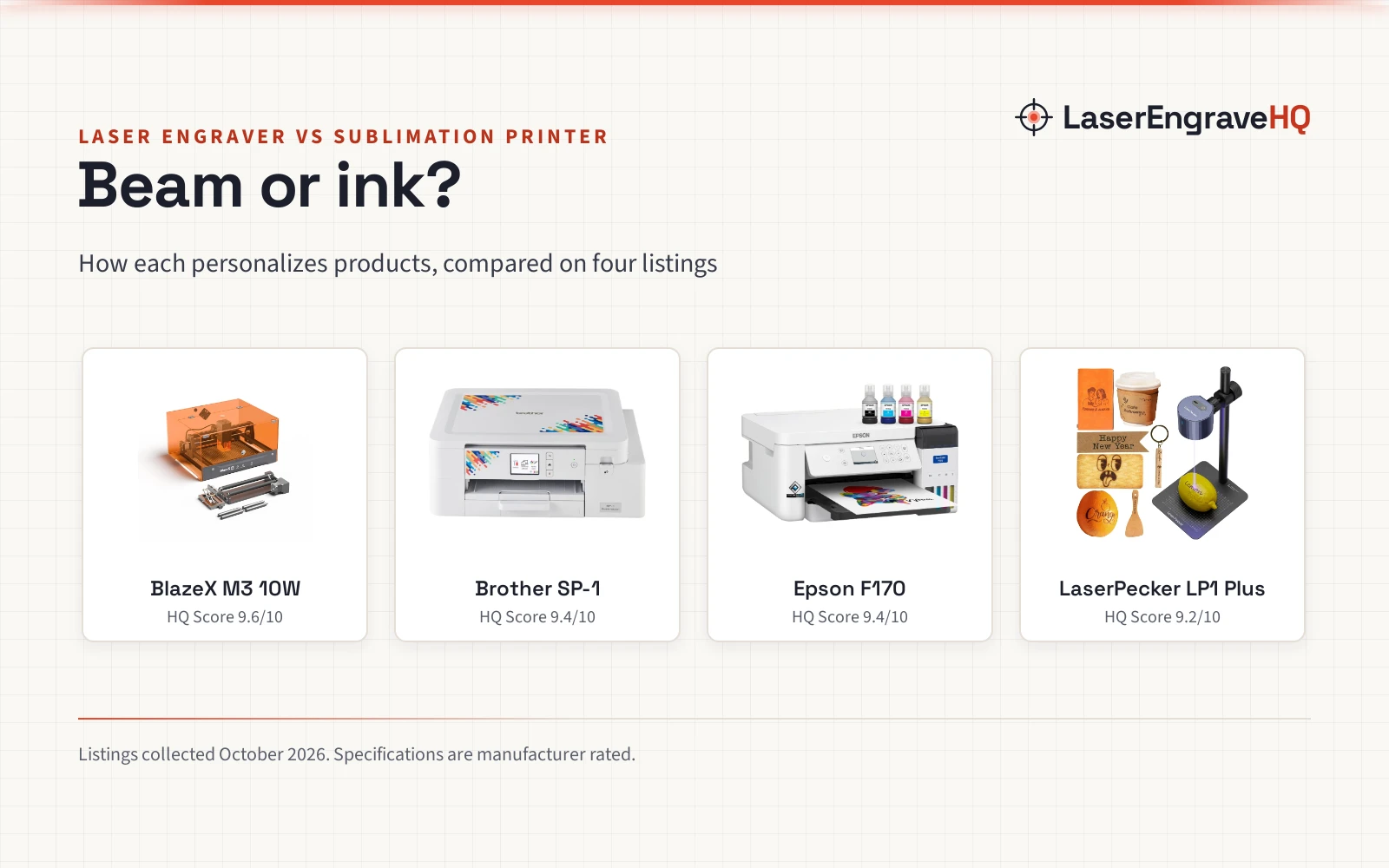
You want to sell personalized tumblers, shirts and signs, and two machines keep coming up: a laser engraver and a sublimation printer. The laser engraver vs sublimation printer question is really about the method: a laser marks or cuts the material itself with a beam, while a sublimation printer prints a design on paper that you transfer onto the product with heat. This comparison puts two laser engravers and two sublimation printers side by side, using what each listing states.
LaserEngraveHQ earns a commission from purchases made through these links, at no extra cost to you. Read our affiliate disclosure.
Verdict: pick the laser engraver if you want to mark wood, leather, glass or coated metal directly and cut shapes; pick the sublimation printer if you want full-color designs on shirts, mugs and tumblers via heat transfer. The BlazeX M3 10W is the most complete laser listing here, with an enclosure, rotary set and Class 1 rating, while the Brother SP-1 is the more beginner-friendly sublimation pick with its Artspira app and 2 year warranty.
Machines on the list


BlazeX M3 10W Laser Engraver Machine with Rotary
An enclosed Class 1 laser engraver with a 10W diode, rotary set with height risers, honeycomb bed and 13 included materials.
Pros
- 10W diode with 0.01mm accuracy stated
- Class 1 enclosure with tilt and lid sensors
- Rotary roller with height risers for 360-degree cylindrical engraving
- LightBurn, LaserGRBL and CutLabX across four platforms
Cons
- Weight is inconsistent in the listing: 16.22 lb vs 22 lb
- Work area not stated in the listing
- No warranty term stated
- Air assist listed as an add-on

Brother Sublimation Printer DIY crafting printer
A dye sublimation printer driven by the Artspira phone app, with Brother genuine inks, a paper starter pack and a 2 year limited warranty.
Pros
- Artspira app with over 100 sublimation designs
- 2 year limited warranty stated
- Brother genuine inks in four colors plus starter paper
- Wi-Fi, USB and Ethernet connectivity
Cons
- Heat press required and sold separately
- Artspira desktop version still coming
- Maximum media 8.5 x 11 in
- No stated power consumption

Epson SureColor F170 Dye-Sublimation Printer
A compact dye sublimation printer with a PrecisionCore printhead, 150-sheet tray and genuine Epson inks, for macOS and Windows.
Pros
- PrecisionCore printhead, up to 5760 x 1440 dpi stated
- 150-sheet auto-feed tray
- Genuine Epson inks with auto-stop bottles
- 13W power consumption stated
Cons
- Full manufacturer warranty states no term
- No mobile device support
- Heaviest here at 16 lb
- No heat press mentioned in the bundle

LaserPecker LP1 Plus Mini Laser Engraver
A pocket-sized laser engraver at 2.4 pounds with an adjustable stand for 360-degree engraving, powered by any power bank.
Pros
- Pocket-sized at 2.4 lb, runs on a power bank
- Adjustable stand for 360-degree multi-angle engraving
- Box to first engraving in under 2 minutes stated
- Clear limits: no metal engraving, per the listing
Cons
- No laser wattage stated
- No work area stated
- No warranty term stated
- No safety listing stated
Other machines to compare
 Pinckney Cartridge-Free Super-Tank Printer with SublimationCheck price on Amazon
 Sawgrass SG500 Sublimation PrinterCheck price on Amazon
 Artilume U1 Laser Engraver 3000mW APP Control & USBCheck price on Amazon
 Ortur R1 5000mW Portable Laser Engraver and CutterCheck price on Amazon
 xTool M2 10W Color Craft Laser EngraverCheck price on Amazon
 xTool M2 20W Color Craft Laser EngraverCheck price on Amazon
Laser engraver vs sublimation printer: side by side
| Spec | BlazeX M3 10W | Brother SP-1 | Epson F170 | LaserPecker LP1 Plus |
|---|---|---|---|---|
| HQ Score | 71 | 63 | 58 | 46 |
| Side | Laser engraver | Sublimation printer | Sublimation printer | Laser engraver |
| Power | 10W laser module (stated) | Not stated | 13W power consumption (stated) | Not stated |
| Materials | Wood, leather, glass, coated metal; over 300 stated | Shirts, mugs, tumblers, bags, hats | Textiles, apparel, mugs, mousepads | Wood, leather, acrylic, paper; no metal |
| Media size | Not stated | Up to 8.5 x 11 in, 100 sheets | Up to 8.5 x 11 in, 150-sheet tray | Not stated |
| Software | LightBurn, LaserGRBL, CutLabX | Artspira app, phone or tablet | macOS and Windows, no mobile | Cross-platform app |
| Safety | Class 1, enclosure, tilt and lid sensors | Not stated | Not stated | Not stated |
| Warranty | After-sales support, no term stated | 2 year limited | Full manufacturer warranty, no term stated | Not stated |
| Heat press | Not needed | Required, sold separately | Not stated | Not needed |
Specifications are manufacturer rated, as published on each listing and collected 23 October 2026.
How they personalize
A laser engraver works the material directly. The BlazeX M3 10W listing describes engraving complex patterns on metal and glass and cutting wood and acrylic, and the LaserPecker LP1 Plus engraves wood, leather, acrylic and paper, with a note that metal engraving is not supported. Nothing is printed and nothing is transferred.
A sublimation printer works through transfer. The Brother SP-1 prints the design, then you heat-press it onto the product; the listing states a heat press is required and sold separately. The Epson F170 prints onto sublimation paper for transfer onto textiles, apparel, mugs and mousepads. The color lives in the ink, not the machine.
Materials
On the laser side, the BlazeX listing names wood, leather, glass and coated metal among over 300 materials, while the LaserPecker lists wood, leather, acrylic and paper and rules out metal. On the sublimation side, the Brother names polyester-coated items such as shirts, mugs, tumblers, bags and hats, and the Epson names textiles, apparel, mugs and mousepads. Match the machine to the blank you plan to sell most; see our diode vs CO2 guide for how laser types handle different materials.
Software
The BlazeX listing names LightBurn, LaserGRBL and CutLabX across Windows, macOS, iOS and Android. The LaserPecker runs a cross-platform app for importing photos or doodles. The Brother SP-1 is driven by the Artspira app for phone or tablet, with a desktop version coming soon, while the Epson F170 works with macOS and Windows and does not support mobile devices. Check the app situation against the computer you own.
Safety
The BlazeX M3 10W is the only listing here with a stated safety rating: Class 1, with a protective enclosure, a fan that exhausts smoke and odors, and sensors that stop the machine if it tilts or the lid opens. The other three listings state no safety listing. Laser work still makes smoke: vent the workspace, stay with the machine while it runs, and never laser PVC or vinyl. See our laser safety guide.
Running costs and consumables
A laser’s consumable is mostly electricity and replacement materials. The Epson F170 states 13W power consumption, and the BlazeX listing states a 10W laser module but no power consumption; the Brother and LaserPecker listings state no wattage at all, so their running costs cannot be figured from the listings. A sublimation printer’s consumables are ink and paper: the Brother bundle includes Brother genuine ink in black, cyan, magenta and yellow plus a sublimation paper starter pack, and the Epson includes a full set of OEM inks with auto-stop bottles. The Brother listing states a heat press is required and sold separately, which is the real extra cost on that side.
Choose the laser engraver if
- You want to mark wood, leather, glass or coated metal directly, or cut shapes from wood and acrylic.
- You sell tumblers and bottles: the BlazeX kit includes a rotary roller with height risers for 360-degree cylindrical engraving; see our tumbler size guide.
- You want a Class 1 enclosed machine with tilt and lid sensors, per the BlazeX listing.
Choose the sublimation printer if
- You want full-color designs on shirts, mugs, tumblers, bags and hats.
- You prefer an app-driven start: the Brother SP-1 works through the Artspira phone app with over 100 sublimation designs.
- You accept the extra purchase: the Brother listing states a heat press is required and sold separately.
For more laser options, see our best laser engraver for beginners guide.
Class 1 holds only while the enclosure is intact. Never defeat the lid, stay with the machine while it runs, keep a fire extinguisher nearby, ventilate, and never laser PVC or vinyl.
FAQ: lasers and CNC
Can a laser engraver print on shirts?
A laser marks or cuts the material itself; it does not print full-color designs. For colorful shirt graphics you need the sublimation route: print the design, then heat-press it onto the shirt, per the Brother listing.
Do I need a heat press with a sublimation printer?
Yes, for the Brother SP-1: the listing states a heat press is required and sold separately. The transfer needs heat and pressure to move the ink from paper into the product, so budget for the press as well as the printer.
Which side is better for tumblers?
Both, in different ways. The BlazeX laser side includes a rotary roller with height risers for 360-degree engraving on tumblers and bottles. The sublimation side prints full-color designs for tumblers, mugs and hats, per the Brother listing; the Epson names mugs and mousepads among its projects. Pick engraving for a permanent mark, sublimation for full-color artwork.
Can a sublimation printer engrave wood or metal?
No. A sublimation printer prints onto paper for heat transfer into polyester-coated items; it does not cut or engrave. Engraving wood, glass or coated metal is the laser side’s work, per the BlazeX listing.
Which side is safer for a home setup?
Only the BlazeX M3 10W listing states a safety rating, Class 1 with an enclosure and tilt and lid sensors. The other three listings state no safety listing. Whichever side you pick, ventilate the workspace, stay with the machine while it runs, and check our how to choose a laser engraver guide before you buy.
Related: how to choose a laser engraver, best laser engraver for beginners and ceramic mug blanks.



