CO2 vs Fiber Laser: Which One Should You Buy?
A practical comparison of CO2 and fiber lasers: understand beam wavelengths, material compatibility, cutting limits and marking speeds to pick the right machine.

On this page
Top picks at a glance
As an Amazon Associate I earn from qualifying purchases.
- 1
 OMTech 100W CO2 Laser Engraver with 4 Way Pass Through Air9.7/10View on Amazon
- 2
 LaserPecker LP5 Smart Dual 20W Fiber + Diode Laser Engraver9.5/10View on Amazon
- 3
 xTool P2S 55W CO2 Laser Cutter9.7/10View on Amazon
- 4
 OMTech K40+ 45W CO2 Laser Engraver & Cutter with Rotary AxisView on Amazon
- 5
 CO2 Laser Lens 20mm FL:2.5" or 63.5mm Mirror ZnSe Focus FocalView on Amazon
- 6
 Cloudray CO2 Laser Lens Dia 20mm FL50.8mm Mirror Focal LensView on Amazon
- 7
 TEN-HIGH 40W CO2 Laser Tube 700mm D50mmView on Amazon
- 8
 MCWlaser CO2 PVD ZnSe Laser Lens Focal Focus Lens Dia: 18mmView on Amazon
- 9
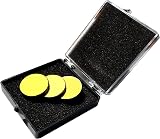 25mm CO2 Laser Mirror Si Reflective Lens 3PCS CO2 Laser LensView on Amazon
When deciding between a co2 vs fiber laser for signs, tumblers, leather patches or metal tags, your choice depends on material compatibility and cutting needs. Buy a CO2 laser to cut and engrave non-metallic materials like wood, leather, fabric and acrylic, or etch glass. Choose a fiber laser for direct marking on bare metals like steel, brass, aluminum and titanium, or deep engraving at high speeds. Neither machine replaces the other because their beam wavelengths target different materials. The guide below breaks down each difference step by step.
Other machines to compare
 OMTech K40+ 45W CO2 Laser Engraver & Cutter with Rotary AxisCheck price on Amazon
 CO2 Laser Lens 20mm FL:2.5" or 63.5mm Mirror ZnSe Focus FocalCheck price on Amazon
 Cloudray CO2 Laser Lens Dia 20mm FL50.8mm Mirror Focal LensCheck price on Amazon
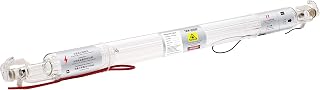 TEN-HIGH 40W CO2 Laser Tube 700mm D50mmCheck price on Amazon
 MCWlaser CO2 PVD ZnSe Laser Lens Focal Focus Lens Dia: 18mmCheck price on Amazon
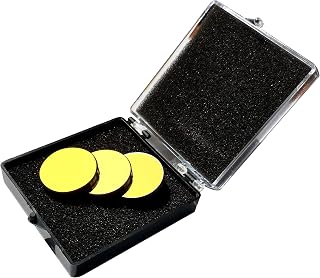 25mm CO2 Laser Mirror Si Reflective Lens 3PCS CO2 Laser LensCheck price on Amazon
LaserEngraveHQ earns a commission from purchases made through these links, at no extra cost to you. Read our affiliate disclosure.
No single machine covers every job. Standard workshop CO2 lasers cut thick acrylic and wood but cannot mark bare metal without specialized sprays. Fiber lasers engrave bare metals at high speed but cannot cut clear acrylic or wood. Base your choice on your primary material.
Step 1: Compare materials and beam absorption
The divide between CO2 and fiber lasers begins at the beam source. A CO2 laser generates its beam inside a sealed tube containing a carbon dioxide gas mixture, emitting a long infrared wavelength. A fiber laser uses a solid-state optical fiber source doped with rare-earth elements, emitting a much shorter infrared wavelength. This wavelength determines which materials absorb the beam.
Non-metallic materials absorb long infrared light efficiently. When a CO2 beam hits natural materials like wood, paper and leather, or synthetics like cast acrylic, the surface absorbs the energy and vaporizes along the cut line. Minerals like slate, ceramic and glass also absorb this wavelength for clean etching, while acrylic produces flame-polished cut edges. See our guide on what is a CO2 laser engraver.
Bare metals reflect long infrared beams, making CO2 lasers bounce off raw steel, aluminum, brass and copper without marking unless treated with marking paste. In contrast, bare metals readily absorb the shorter infrared wavelength of a fiber laser, enabling direct annealing and deep engraving on titanium, steel and brass. However, fiber lasers cannot cut sheet goods: clear acrylic transmits the beam without cutting, while wood chars rather than vaporizing cleanly. See our overview on what is a fiber laser engraver.
Step 2: Cutting capability and thickness limits
If your shop produces cut parts from sheet stock, a CO2 laser is the required tool. Its wavelength couples efficiently with non-metallic sheets, delivering clean through-cuts in plywood, hardwoods, leather and acrylic.
Manufacturer listings show these limits across power tiers. OMTech lists its K40+ 45W CO2 machine as slicing through 0.4″ (10mm) acrylic and 0.31″ (8mm) wood. For thicker materials, OMTech lists a 60W CO2 machine with autofocus, while VEVOR lists an 80W CO2 model capable of cutting materials up to 0.59 in thick in one pass. Makers producing wooden decor, displays and custom signage rely on CO2 power for clean cuts. Browse our guide to the best CO2 laser cutter for home use.
Standard workshop fiber lasers are built for surface marking and deep metal engraving, not for slicing sheet stock. While high-power fiber units can cut thin metal foil with repeated passes, a workshop fiber laser cannot slice wooden boards or acrylic sheets. If your focus is branding metal goods or engraving jewelry blanks, review our picks for the best laser engraver for metal.
Step 3: Marking speed, detail and motion systems
Motion systems dictate processing speeds. Most workshop CO2 lasers use a gantry system where motors move a carriage along X and Y axes over a flatbed.
Because a gantry moves mechanical mass, speeds reflect mechanical inertia. OMTech lists rated speeds of 300 mm/s on its K40+ model and up to 600 mm/s on its 60W unit, while VEVOR lists speeds up to 19.7 ips on its 80W machine. These speeds handle cutting and moderate engraving, but dense raster engraving over large batches takes significant time.
Most workshop fiber lasers bypass gantry limits with a galvanometer scanning head. Two motorized mirrors inside a compact head steer the beam across the workpiece. With minimal moving mass, a galvo head sweeps across the surface at extreme velocity, marking logos, serial numbers and barcodes in seconds. However, galvo marking areas are compact. Gantry CO2 machines offer broader beds: the desktop OMTech K40+ has a 12″ × 8″ work area, while larger cabinet models offer a 28″ × 20″ (500×700 mm) bed on the OMTech 60W unit or a 20 x 28 in bed (560 in² of workspace) on the VEVOR 80W unit. See our recommendations for the best fiber laser engraver.
Step 4: Machine footprint, chilling and workspace setup
Workshop integration requires planning for dimensions, cooling and maintenance.
Glass-tube CO2 lasers need liquid cooling to prevent thermal cracking and tube degradation. OMTech lists water protection sensors and provides packages with CW-3000 water chillers to stabilize temperatures. Flying-optic CO2 setups also require periodic mirror alignment. Footprints vary: compact desktop units like the OMTech K40+ weigh 89.8 pounds with a 12″ × 8″ bed, while cabinet units take floor space. OMTech lists its 60W model at 249 pounds and VEVOR lists its 80W unit at 282 pounds, though pass-through doors (such as the 4-way pass-through on OMTech or the 2-way pass on VEVOR) accommodate longer boards.
Benchtop fiber lasers use air-cooled solid-state engines requiring no water chillers, pumps or plumbing. The beam travels through a sealed fiber cable directly to the galvo head, eliminating mirror alignment. A benchtop fiber unit sits on a standard workbench ready for production. For further selection advice, read our guide on how to choose a laser engraver.
Step 5: Laser safety, enclosures and ventilation
Both laser types require safety measures tailored to their wavelengths.
CO2 lasers emit long infrared light absorbed by the eye surface, while fiber lasers emit short infrared light that focuses directly onto the retina. Protective glasses must match the machine: eyewear only protects if the listing states an optical density (OD) value and wavelength range matching your laser. Review our guide to laser safety glasses for density standards.
Enclosures reflect safety standards. VEVOR lists Class 1 compliance under IEC60825-1:2014 with an interlocked cabinet and emergency stop, while OMTech lists a Class 2 visible red-dot pointer with 0.827 mW output on its K40+ model. Enclosed cabinets shield operators from diffuse reflections.
Ventilation is vital. Cutting wood, acrylic and leather produces smoke and vapors. Vent exhaust outdoors or use a multi-stage filter from our best fume extractor for laser engraver guide. Never cut PVC, vinyl, PVC-based faux leather, polycarbonate or ABS: burning vinyl produces corrosive hydrogen chloride gas that harms machines and operators. Check our list of materials you should never laser cut.
Common mistakes to avoid
- Buying a fiber laser expecting to cut plywood or acrylic sheets.
- Buying a CO2 laser to mark bare metals without specialized marking paste.
- Using unrated eyewear lacking an optical density value for your laser wavelength.
- Neglecting water cooling and temperature monitoring on glass CO2 tubes.
- Attempting to cut PVC or vinyl that releases corrosive acidic fumes.
- Operating without exterior ventilation or certified fume extraction.
CO2 vs fiber laser: the short version
- Match materials: choose CO2 for wood, acrylic, glass and leather; choose fiber for bare metals and hard plastics.
- Match operations: choose CO2 to cut parts from sheets; choose fiber for fast surface marking and deep metal engraving.
- Evaluate speeds: pick a gantry CO2 machine for larger beds; pick a galvo fiber unit for rapid marking on compact parts.
- Plan maintenance: budget for a water chiller and mirror checks with CO2; use air-cooled solid-state fiber for simpler setup.
- Enforce safety: wear wavelength-matched eyewear, vent exhaust outdoors, and avoid hazardous vinyl or PVC.
FAQ: lasers and CNC
Can a CO2 laser mark bare metal?
A standard workshop CO2 laser cannot mark bare reflective metal directly. To mark steel, brass or aluminum, you must apply a ceramic marking paste that bonds under the beam. Alternatively, a CO2 laser can vaporize the coating on anodized aluminum or coated drinkware, exposing bare metal underneath without etching the substrate. For direct bare metal engraving, a fiber laser is required. See our guide to the laser engraver for metal parts.
Can a fiber laser cut wood or acrylic?
No. Workshop fiber lasers cannot cleanly cut wood or acrylic. Clear acrylic is transparent to short infrared light, letting the beam pass through without cutting. While wood absorbs the energy, a fiber beam scorches and chars the grain rather than vaporizing cleanly. For cutting wood and acrylic, use a CO2 laser. Our guide on what materials a laser engraver can cut details compatible sheets.
Which laser is faster for engraving?
For compact items, text, logos and serial numbers, a galvo fiber laser is significantly faster. Lightweight galvanometer mirrors steer the beam at extreme speed. A gantry CO2 laser physically moves a carriage on rails, which takes longer per piece, but provides a larger bed for oversized signs.
Do I need a water chiller for a fiber laser?
Most desktop workshop fiber lasers use air-cooled solid-state sources that do not need chillers or water pumps. In contrast, glass-tube CO2 lasers generate internal heat and require active liquid cooling to prevent tube cracking. For cooling details, check our guide on CO2 laser water chillers.
Which laser should a small business buy first?
It depends on your catalog. If you make wooden gifts, signs, acrylic displays, leather patches and glassware, a CO2 laser offers the versatility to launch. If you focus on custom knives, metal cards, serialized tags and jewelry, a fiber laser is the better investment. Many shops eventually run both. See our recommendations in our best laser engraver for small business guide.
Related: explore our laser engraver hub, our guide to the best fiber laser engraver, and our roundup of the best CO2 laser cutter for home use. Also see our guides on diode vs CO2 laser, fiber vs diode laser for metal, and how to choose a laser engraver.



