Best Fiber Laser Engraver: 6 Picks for Metal Marking
Six fiber laser engravers from 10W to 100W, compared by source power, lens field, rotary support and what each listing says about safety and warranty.
 By LaserEngraveHQ Editorial
Updated October 5, 2026
By LaserEngraveHQ Editorial
Updated October 5, 2026
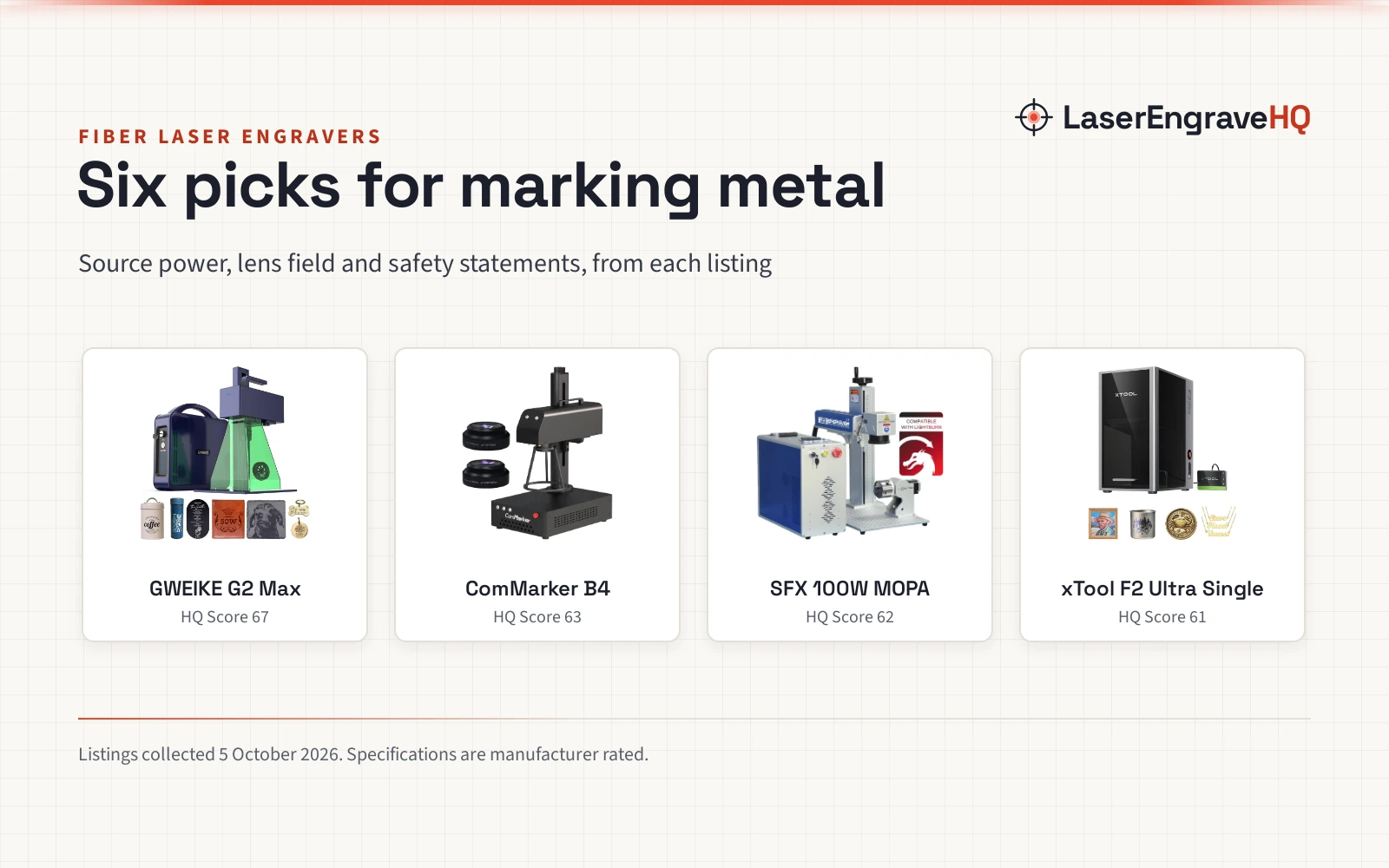
A fiber laser is the tool for marking and engraving bare metal: stainless steel, brass, titanium, aluminum, gold and silver. This guide is for jewelry makers, Etsy sellers and small shops choosing a desktop or handheld fiber marker, and it compares six machines from 10W to 100W on the numbers that decide what they can do: source power, lens field, rotary support, and what each listing actually says about safety and warranty.
LaserEngraveHQ earns a commission when you buy through links on this page, at no extra cost to you. Read our affiliate disclosure.
Quick picks
- Best Overall GWEIKE G2 Max: A 50W source, a 150 x 150 mm field, Wi-Fi and LightBurn support, and an FDA accession number printed in the listing. Check price
- Best Value ComMarker B4: Ships with two lenses (110 and 200 mm fields), a foot switch and 1064 nm goggles, at the lowest price of the desktop picks. Check price
- Best for Color Marking xTool F2 Ultra Single: A 60W MOPA source the listing rates for 100+ colors on metal, with dual 48MP cameras. Check price
- Best Large Field SFX 100W MOPA: A 300 x 300 mm lens, an 80 mm rotary axis and a stated 2 year warranty for shop work. Check price
- Best Budget TOIREISX H1: A 10W handheld marker with a 7 inch touchscreen that runs without a computer, and a stated 1 year warranty. Check price
Compare the picks
| Model | HQ Score | Source | Field | Rated speed | Rotary | Software | Safety statement | Warranty |
|---|---|---|---|---|---|---|---|---|
| GWEIKE G2 Max | 67 | 50W fiber, 1064 nm | 150 x 150 mm | 15,000 mm/s | Not stated | LightBurn, GLaser | Class 4, FDA accession no. | Not stated |
| ComMarker B4 | 63 | 20W fiber, 1064 nm | 110 x 110 or 200 x 200 mm (2 lenses) | 15,000 mm/s | Supported | LightBurn, EzCad2 | FDA accession no., IEC 60825-1 report; says Class 1 | Not stated |
| SFX 100W MOPA | 62 | 100W JPT M7 MOPA | 300 x 300 mm | 7,000 mm/s | 80 mm axis included | EzCad2, LightBurn | Says Class 1 | 2 years |
| xTool F2 Ultra Single | 61 | 60W MOPA | 8.7 x 8.7 in | 15,000 mm/s | Not stated | Not stated | Class 4 | Not stated |
| TOIREISX H1 | 58 | 10W fiber, 1064 nm | 110 x 110 mm | 12,000 mm/s | Not stated | Built-in touchscreen | Class 4, FDA claim without number | 1 year |
| Monport 60W with Rotary | 51 | 60W fiber | 150 x 150 mm | 10,000 mm/s | Included | LightBurn, bundled software | Says Class 5 (no such class) | Not stated |
Specifications are manufacturer rated, as published on each listing and collected 5 October 2026. Field is the marking area of the lens supplied.
The picks
| Award | Product | HQ Score About the HQ ScoreThe HQ Score runs from 0 to 100 and weighs rated performance, build, value, safety listing, and warranty, using only what the manufacturer and the listing publish. How we pick › | |
|---|---|---|---|
 GWEIKE G2 Max 50W Fiber Laser Engraver with 3D
|
67/100 | Buy | |
 ComMarker B4 20W Fiber Laser Engraver,LightBurn
|
63/100 | Buy | |
 100W JPT M7 MOPA Fiber Laser Marking Machine Fiber
|
62/100 | Buy | |
 xTool F2 Ultra Single 60W MOPA Fiber Laser
|
61/100 | Buy | |
 H1 10W Fiber Laser Engraver, 7" Smart Touchscreen
|
58/100 | Buy | |
 Monport 60W Fiber Laser Engraver&Rotary Axis
|
51/100 | Buy |
GWEIKE G2 Max 50W Fiber Laser Engraver with 3D
A 50W desktop fiber marker with a 150 x 150 mm field, electric lift column and an FDA accession number in the listing.
Pros
- 50W 1064 nm source with a 150 x 150 mm marking field
- Electric lift column focuses at the push of a button
- Wi-Fi and USB, with LightBurn and GLaser support
- Lists Class 4, an FDA accession number, an emergency stop, glasses and a protective cover
Cons
- No warranty term in the listing
- The model field reads G2 Pro/Max, so confirm which version ships
- The 0.001 mm accuracy claim is a marketing figure with no review method
- At 22 lb it is portable, but the open galvo head needs a shield around it
ComMarker B4 20W Fiber Laser Engraver,LightBurn
A 20W fiber marker that ships with two lenses, a foot switch and 1064 nm goggles, and works as a desktop or handheld unit.
Pros
- Two lenses in the box: 110 x 110 mm for detail and 200 x 200 mm for larger parts
- Works with LightBurn or the bundled EzCad2
- Supports a rotary for rings and tumblers
- Lists an FDA accession number and an IEC 60825-1 report number
Cons
- No warranty term in the listing
- Says Class 1 with 1.95 mW output, which does not describe a 20W marking source
- 20W is slower for deep engraving than the 50W and 60W picks
- Rotary is supported but not included
100W JPT M7 MOPA Fiber Laser Marking Machine Fiber
A 100W JPT M7 MOPA marker with a 300 x 300 mm lens, an 80 mm rotary axis and a stated 2 year warranty.
Pros
- 100W JPT M7 MOPA source with adjustable pulse width (2 to 500 ns)
- 300 x 300 mm lens, the largest field in this guide
- 80 mm rotary axis and an 800 mm tall tower included
- Listing table states a 2 year manufacturer and seller warranty
Cons
- The most expensive pick here by a wide margin
- Says Class 1 with 0.39 mW output, which does not describe a 100W source
- Rated speed of 7,000 mm/s is lower than the smaller machines claim
- Only four ratings, and no first-listed date
xTool F2 Ultra Single 60W MOPA Fiber Laser
A 60W MOPA fiber engraver with dual 48MP cameras and a listing rating of 100+ colors on metal.
Pros
- 60W MOPA source rated for color marking, deep engraving and cutting 2 mm metal
- Dual 48MP cameras for positioning and focus
- 8.7 x 8.7 in field, expandable to 8.7 x 19.7 in with a conveyor sold separately
- Preset color files for color marking
Cons
- No warranty term in the listing
- Lowest rating in this guide at 3.9 stars from 22 ratings
- No FDA accession number, only a Class 4 statement
- Heaviest machine here at 66.9 lb
H1 10W Fiber Laser Engraver, 7" Smart Touchscreen
A 10W handheld fiber marker with a 7 inch touchscreen that runs without a computer.
Pros
- Runs offline from a 7 inch touchscreen, no computer needed
- Autofocus and a red light path preview
- Handheld head for marking parts that will not fit under a tower
- Listing table states a 1 year manufacturer warranty
Cons
- 10W is the lowest power here and slow for deep engraving
- Small 110 x 110 mm field
- Claims FDA compliance without giving an accession number
- Only one rating so far
Monport 60W Fiber Laser Engraver&Rotary Axis
A 60W fiber marker bundled with a rotary axis and LightBurn support, with no usable safety statement.
Pros
- 60W source for deep engraving and thin sheet cutting, per the listing
- Rotary axis included for rings, cups and tubes
- Works with LightBurn or the free software on the included USB drive
- 150 x 150 mm field, which Monport says it tuned for even power at the edges
Cons
- States "Class 5", a laser class that does not exist
- No FDA accession number and no warranty term
- Only two ratings
- No weight in the listing
How we scored them
Each machine is scored out of 100 on performance, build, value, safety and warranty, with the weights published on our How We Pick page. A spec the listing does not publish scores nothing.
| Product | HQ Score | Perf. | Build | Value | Safety | Warranty |
|---|---|---|---|---|---|---|
| GWEIKE G2 Max | 67 | 26 | 15 | 13 | 13 | 0 |
| ComMarker B4 | 63 | 20 | 15 | 16 | 12 | 0 |
| SFX 100W MOPA | 62 | 27 | 13 | 9 | 4 | 9 |
| xTool F2 Ultra Single | 61 | 28 | 17 | 10 | 6 | 0 |
| TOIREISX H1 | 58 | 16 | 12 | 15 | 8 | 7 |
| Monport 60W Rotary | 51 | 24 | 12 | 15 | 0 | 0 |
What the listings tell you, and what they leave out
We read 16 fiber laser listings for this guide. Only 4 stated a warranty term, and only 4 printed an FDA accession number, the registration number a laser maker files with the FDA’s Center for Devices and Radiological Health. Two of those four were GWEIKE models sharing the same number. 11 of the 16 stated a laser class, but three of those stated a class that does not fit a marking laser: two said Class 1 next to a milliwatt output figure, and one said Class 5, which does not exist.
Treat every machine here as a Class 4 laser unless the label on the machine itself says otherwise.
Buying guide: choosing a fiber laser engraver
Fiber vs MOPA
A standard fiber source (often called Q-switched) marks metals in black, gray and white and engraves depth with repeated passes. A MOPA source lets you change the pulse width, which is what makes color marking on stainless steel and titanium and clean black marks on anodized aluminum possible. If you only need text and logos on tags and tools, a standard fiber source does the job for less.
Watts and depth
On a fiber laser the wattage is optical output from the source, not electrical input, so the numbers compare directly. More power mainly buys speed on deep and 3D engraving. A 20W machine marks a dog tag quickly; a 50W or 60W machine finishes deep engraving and thin sheet cutting in far fewer passes.
Lens field
Fiber lasers mark through a galvo head and a fixed lens, so the lens sets the work area. A 110 x 110 mm lens gives the finest detail. Larger lenses (150, 200 or 300 mm) cover bigger parts but spread the energy, which is why Monport describes 150 x 150 mm as the right size for a 60W source.
Rotary for rings and tumblers
Round items need a rotary axis. Two picks include one (SFX and Monport) and the ComMarker supports one sold separately. If tumblers are your main product, see our tumbler material notes.
What a fiber laser will not do
Fiber lasers are poor at wood, clear acrylic and glass, and the desktop machines here do not cut sheet material beyond thin metal. If you work mostly with wood, leather or acrylic, a diode or CO2 machine fits better. The Machine Finder walks through the choice.
Fiber lasers emit invisible infrared light at about 1064 nm, and polished metal reflects it. Wear glasses rated with an optical density (OD) for 1064 nm, shield the beam path, never leave a job running unattended, and vent fumes from coatings and plastics. Never mark PVC. See the FDA guidance on laser products and OSHA laser hazards.
Frequently Asked Questions
Can a fiber laser engrave wood?
It can mark some woods, but poorly. The 1064 nm wavelength is absorbed far better by metal than by wood. For wood, a diode or CO2 laser is the better tool.
What is the difference between a fiber and a MOPA laser?
Both are fiber lasers. A MOPA source adds adjustable pulse width, which enables color marking on stainless steel and titanium and black marking on anodized aluminum.
Can a desktop fiber laser cut metal?
Only thin sheet. The xTool F2 Ultra Single listing rates 2 mm metal cutting, and the Monport listing says “some metal sheet cutting”. These are marking machines first, not sheet metal cutters.
Do I need special safety glasses for a fiber laser?
Yes. Glasses must be rated with an optical density for 1064 nm. Glasses made for blue diode lasers do not protect against fiber laser light. The ComMarker B4 and GWEIKE G2 Max listings include glasses.
What does an FDA accession number mean?
It is the number the FDA assigns when a manufacturer files a report on a laser product. It shows a report was filed; it is not an FDA approval. Four of the 16 listings we read printed one.
Related: how to choose a laser engraver, best laser engraver for metal, best laser engraver for tumblers, best laser engraver for small business, the fiber laser engraver hub, which lasers work on metal and the Machine Finder.
About the author
LaserEngraveHQ Editorial is the editorial team behind LaserEngraveHQ. We research product listings, published specifications, material lists, safety statements and warranty terms, score every pick with the published HQ Score method, and correct errors when readers report them. We do not run our own workshop trials; see How We Pick for exactly how picks are made.