What Wattage Laser to Engrave Metal: How to Choose
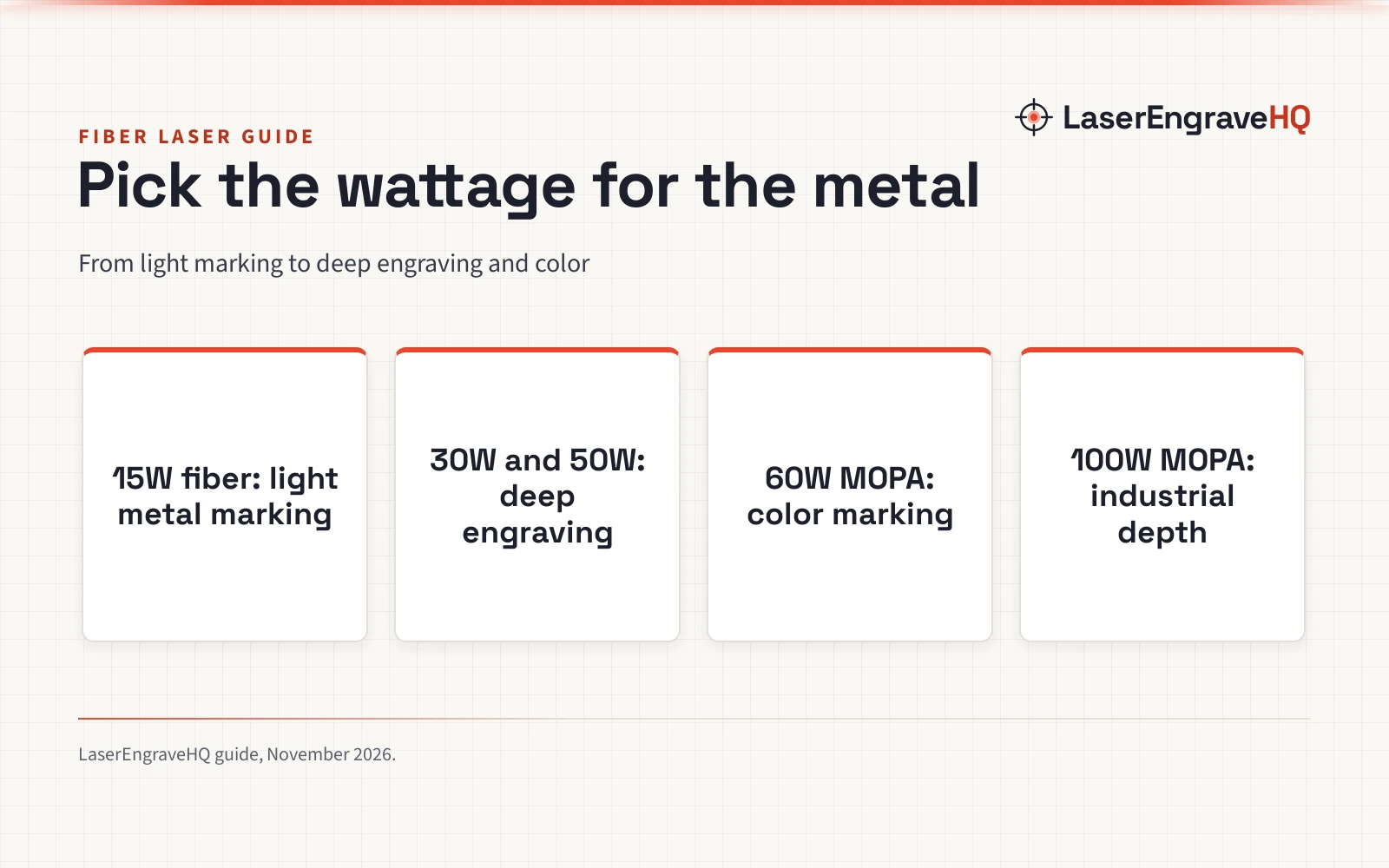
The wattage you need to engrave metal depends on the job: a 15W fiber laser marks light metal, 30W and 50W machines handle deep engraving, and 60W and 100W MOPA lasers add color marking and industrial depth.

On this page
Top picks at a glance
As an Amazon Associate I earn from qualifying purchases.
- 1
 OMTech 50W Fiber Laser Engraver with LightBurn and Rotary AxisView on Amazon
- 2
 Monport 60W Fiber Laser Engraver with 3D & Deep EngravingView on Amazon
- 3
 Monport 50 W Fiber Laser Engraver with 3D and Deep EngravingView on Amazon
- 4
 Monport 30W Fiber Laser Engraver with 3D & Deep EngravingView on Amazon
- 5
 GWEIKE G2 Pro 30W Fiber Laser Engraver 15000mm/s LaserView on Amazon
- 6
 Cloudray 60W JPT MOPA Fiber Laser EngraverView on Amazon
A sign, a tumbler, a leather patch or a cut part all start the same way: a design, a blank, and a laser with enough power to mark the metal. What wattage laser to engrave metal is the question that decides the machine, because the wattage and the laser type decide whether the laser marks the surface, cuts into it, or adds color. The sections below match each wattage to the metal work it handles, from light marking to deep engraving and color.
Other machines to compare
 OMTech 50W Fiber Laser Engraver with LightBurn and Rotary AxisCheck price on Amazon
 Monport 60W Fiber Laser Engraver with 3D & Deep EngravingCheck price on Amazon
 Monport 50 W Fiber Laser Engraver with 3D and Deep EngravingCheck price on Amazon
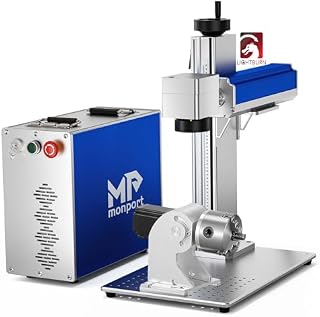 Monport 30W Fiber Laser Engraver with 3D & Deep EngravingCheck price on Amazon
 GWEIKE G2 Pro 30W Fiber Laser Engraver 15000mm/s LaserCheck price on Amazon
 Cloudray 60W JPT MOPA Fiber Laser EngraverCheck price on Amazon
LaserEngraveHQ earns a commission from purchases made through these links, at no extra cost to you. Read our affiliate disclosure.
What wattage laser to engrave metal: the short answer
For light marking on metal, a 15W fiber laser is enough: the WeCreat Lumos Flex (on Amazon) lists a 15W fiber laser for metal and a 15W diode laser for wood, leather, and acrylic, with 0.3mm stainless steel clean cutting. For deep engraving, 30W is the common starting point: the Monport 30W (on Amazon) and the GWEIKE G2 Pro 30W both list deep engraving on metal. For regular metal work, 50W is the workhorse: the ComMarker B4 (on Amazon), the OMTech and the Monport 50W machines all list 50W fiber sources. For color marking, 60W and 100W MOPA machines add wider control: the Cloudray 60W (on Amazon) and the AchiPrin 100W (on Amazon) list color marking on metal.
| Wattage | Metal work | Listing |
|---|---|---|
| 5.5W diode | Carving ceramics and stainless steel | SCULPFUN S9 |
| 15W fiber | Light metal marking, 0.3mm stainless steel cutting | WeCreat Lumos Flex |
| 30W fiber | Deep engraving, 3D embossing | Monport 30W, GWEIKE G2 Pro |
| 50W fiber | Regular metal engraving, jewelry, tumblers | ComMarker B4, OMTech, Monport |
| 60W fiber and MOPA | Color marking and deep engraving to 0.5mm (Cloudray); deep engraving (Monport 60W) | Cloudray 60W MOPA, Monport 60W |
| 100W MOPA | Industrial marking, deep engraving, color | AchiPrin 100W |
What changes as wattage rises
Higher wattage does not just mark faster: it changes what the laser can do to the metal. The ComMarker B4 50W lists an engraving depth of 0.3-0.5mm, and the Cloudray 60W MOPA lists deep engraving of 0.5mm. The GWEIKE G2 Pro 30W lists 8K engraving resolution with accuracy of up to 0.001mm, while the OMTech 50W lists 0.1mm accuracy and speeds up to 275.6 ips (7000 mm/s). The WeCreat Lumos Flex lists speeds up to 10,000mm/s, and the ComMarker B4 lists a marking speed of 0-15000mm/s. Wattage, speed and accuracy do not move together: the GWEIKE G2 Pro 30W lists accuracy of up to 0.001mm while the OMTech 50W lists 0.1mm accuracy, so compare all three before choosing.
Diode vs fiber for metal
A diode laser can mark metal, but fiber is the metal laser. The SCULPFUN S9 lists a 5.5W diode laser with an ultra-fine 0.06mm focus, and its bullets say it can carve ceramics and stainless steel. Every fiber listing in this guide lists a higher wattage and a metal-first purpose: the WeCreat Lumos Flex pairs a 15W fiber laser for metal with a 15W diode laser for wood, leather, and acrylic. The S9 listing claims its 5.5W beam shaping gives a 90W effect, almost beyond the effect of a 90W CO2 laser; the listing states that claim, and the 5.5W figure is the stated output. If the work is mostly metal, a fiber laser is the direct pick; if the work is mostly wood and leather with occasional metal, a diode laser that lists metal carving is the compromise.
How to choose
Start from the metal and the job, not the wattage. Light marking on stainless steel, gold, silver and brass suits a 15W or 30W fiber laser: the Monport 30W lists stainless steel, gold, silver, and brass, and the GWEIKE G2 Pro 30W lists stainless steel and titanium for color engraving. Regular engraving on jewelry, tags and tumblers suits a 50W fiber laser: the ComMarker B4 lists jewelry, silver and gold, and the OMTech 50W lists metal, steel, gold and jewelry. Color marking on metal is most often tied to a MOPA source: the Cloudray 60W lists 100+ color markings and the AchiPrin 100W lists stainless steel color marking. The GWEIKE G2 Pro 30W also lists color engraving on stainless steel and titanium, so check the listing rather than the source type. Industrial parts suit the 100W class: the AchiPrin 100W lists industrial parts, and the Cloudray 60W lists a 0.5mm deep engraving capability.
Work area matters too: the ComMarker B4 ships with 110x110mm and 200x200mm lenses, the Cloudray 60W ships with the same two sizes, and the AchiPrin 100W ships with 175mm and 300mm lenses for marking areas of about 175x175mm and 300x300mm. A larger lens covers more of the part in one pass. Rotary support matters for tumblers and rings: the ComMarker B4, the OMTech 50W and the AchiPrin 100W all list rotary support, and the WeCreat Lumos Flex lists rotary support with a rotary and extension that are not included.
If the choice is still open, read how to choose a laser engraver first, then compare models in the best fiber laser engraver guide. For drinkware sellers, the best laser engraver for tumblers page covers rotary support, and the best laser engraver for metal guide compares metal machines directly.
Safety
Laser class matters as much as wattage. The ComMarker B4 lists Class 1 with an FDA accession number, the Cloudray 60W lists Class 2 with an FDA accession number, and the WeCreat Lumos Flex and the GWEIKE G2 Pro list Class 4. The GWEIKE G2 Pro lists an emergency stop button, protective glasses and a protective cover, and the AchiPrin 100W lists protective goggles with OD6+ for 1064nm, a foot switch and an emergency stop. Use eyewear only if its listing states an optical density and a wavelength range that matches the laser. Never laser PVC, vinyl, PVC-based faux leather, polycarbonate or ABS. Ventilate the workspace and keep a suitable extinguisher within reach. See the fume extractor guide.
FAQ: lasers and CNC
What wattage laser to engrave metal?
For light marking, 15W fiber is enough: the WeCreat Lumos Flex lists a 15W fiber laser for metal. For deep engraving, start at 30W. For regular metal work, 50W is the common choice, and color marking is listed on the 60W and 100W MOPA machines and on the 30W GWEIKE G2 Pro.
Can a 5.5W diode laser engrave metal?
It can mark some metals: the SCULPFUN S9 lists a 5.5W diode laser and says it can carve ceramics and stainless steel. For regular metal work, a fiber laser is the direct pick.
Is 30W enough to engrave metal?
Yes, for deep engraving: the Monport 30W and the GWEIKE G2 Pro 30W both list deep engraving on metal, and the GWEIKE lists 8K resolution with accuracy of up to 0.001mm.
What is the difference between a fiber laser and a MOPA laser?
A MOPA fiber laser gives wider pulse control: the AchiPrin 100W MOPA lists adjustable Q pulse width among its marking parameters, and the listings link MOPA machines to color marking. The Cloudray 60W MOPA lists 100+ color markings and the AchiPrin 100W MOPA lists stainless steel color marking. A standard fiber laser marks and engraves metal, and color depends on the listing: the GWEIKE G2 Pro 30W also lists color engraving on stainless steel and titanium.
Is a rotary axis needed to engrave tumblers?
For round objects, yes: the ComMarker B4, the OMTech 50W and the AchiPrin 100W all list rotary support, and the WeCreat Lumos Flex lists rotary support with a rotary and extension that are not included.
What laser class is needed for metal engraving?
The listings in this guide run from Class 1 to Class 4: the ComMarker B4 lists Class 1, the Cloudray 60W lists Class 2, and the WeCreat Lumos Flex and the GWEIKE G2 Pro list Class 4. Check the class and the FDA accession number on the listing before buying.
Related: the laser engraver hub, best laser engraver for small business and best fiber laser engraver. Also see the how to choose a laser engraver guide.