xTool F2 Ultra Review: Pros, Cons and Who It Is For
A research-based look at the xTool F2 Ultra, a 60W MOPA fiber and 40W diode desktop laser: what the specs mean, which bundle to buy, and who should skip it.

On this page
Top picks at a glance
As an Amazon Associate I earn from qualifying purchases.
- 1
 xTool F1 Ultra 20W Fiber & Diode Dual Laser Engraver 16MP9.7/10View on Amazon
- 2
 xTool F2 5W IR & 15W Diode Dual Laser Engraver9.7/10View on Amazon
- 3
 xTool F2 Ultra UV Laser Engraver9.6/10View on Amazon
- 4
 xTool F2 Ultra 60W MOPA & 40W Diode Dual Laser Engraver 100+View on Amazon
- 5
 Laser Engraving Alignment Jig for xTool F1 UltraView on Amazon
- 6
 xTool F2 Ultra Single 60W MOPA Fiber Laser Engraver 100+View on Amazon
- 7
 xTool M1 Ultra Riser Base with Honeycomb PanelView on Amazon
This xTool F2 Ultra review comes down to one point: the F2 Ultra is a strong choice for a small business that engraves both metal and wood, because it puts a 60W MOPA fiber laser and a 40W diode laser in one desktop machine. Buyers who only work in wood, or who need a big bed, will get more for the money elsewhere. We have not used the machine ourselves; this review is based on xTool’s Amazon listings and the specs xTool publishes there.
LaserEngraveHQ earns a commission from purchases made through these links, at no extra cost to you. Read our affiliate disclosure.

xTool F2 Ultra + Conveyor
The dual-laser F2 Ultra bundled with the auto conveyor, which stretches the 8.7 in square bed to 8.7 x 19.7 in for batch runs.
Pros
- 60W MOPA fiber and 40W diode in one machine, both stated as output power
- Over 100 metal colors with preset color files, plus 3D embossing and deep engraving
- Dual 48MP cameras with AI material detection and one-click focus
- Conveyor in the box lengthens the bed to 8.7 x 19.7 in for batches
Cons
- No warranty term on the listing
- Class 4 laser: eyewear and supervision rules apply
- Small square bed without the conveyor
- Diode light will not cut clear or blue acrylic
Other machines to compare
 xTool F2 Ultra 60W MOPA & 40W Diode Dual Laser Engraver 100+Check price on Amazon
 Laser Engraving Alignment Jig for xTool F1 UltraCheck price on Amazon
 xTool F2 Ultra Single 60W MOPA Fiber Laser Engraver 100+Check price on Amazon
 xTool M1 Ultra Riser Base with Honeycomb PanelCheck price on Amazon
xTool F2 Ultra review: the short verdict
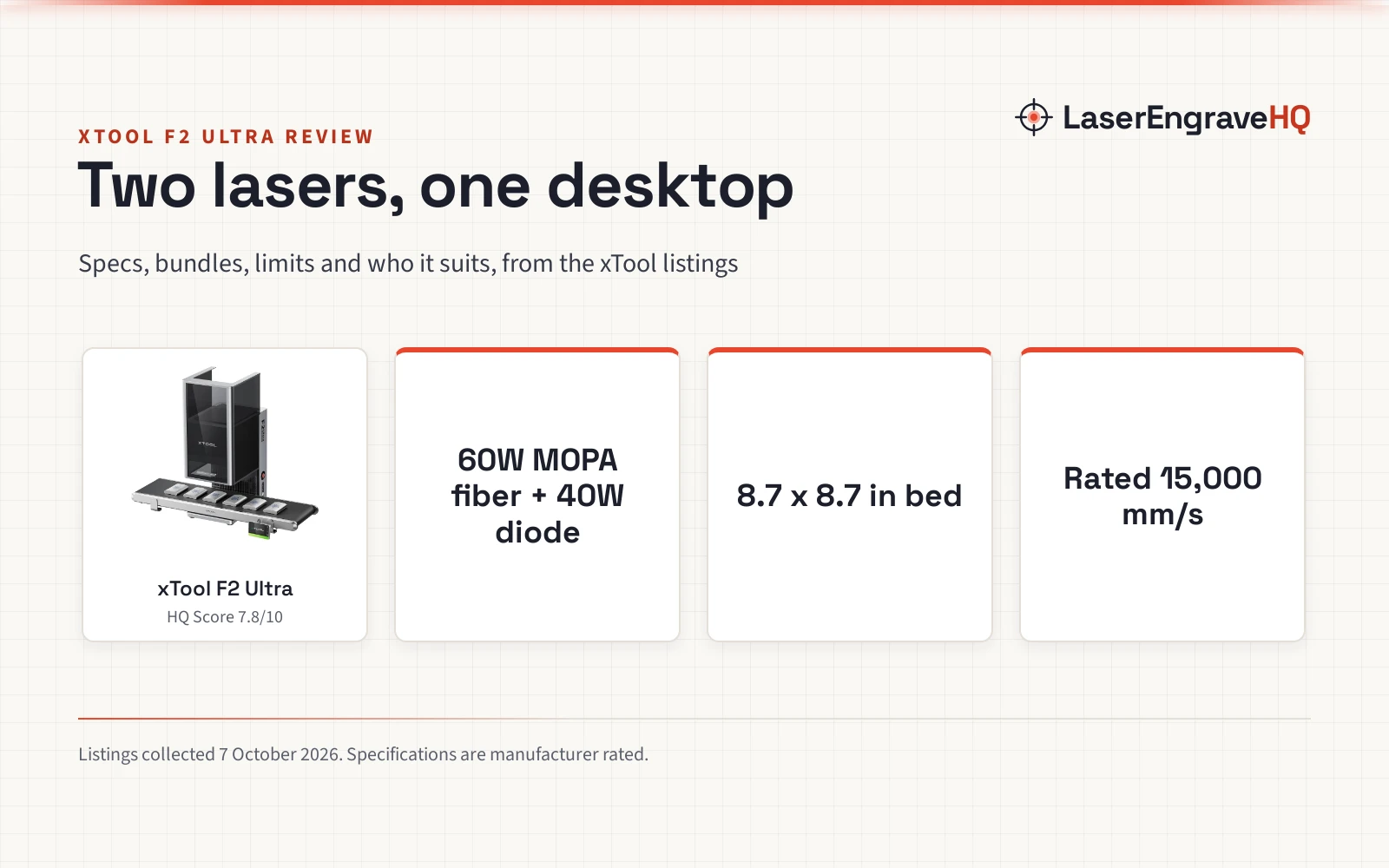
The F2 Ultra is a dual-laser galvo engraver. A galvo laser moves the beam with fast mirrors instead of moving a laser head on a gantry, which is why xTool can rate it at up to 15,000 mm/s. The MOPA fiber source handles metal, including color marks on stainless steel and titanium; the blue diode handles wood, leather, dark acrylic and other organics. For an Etsy seller who makes engraved tumblers, jewelry, metal cards and wooden gifts, that covers most of the catalog in one footprint.
The trade-offs are a small 8.7 x 8.7 in work area, a Class 4 rating, and no warranty term printed on the listings we read.
Key specs
| Spec | xTool F2 Ultra (dual laser) |
|---|---|
| Laser sources | 60W MOPA fiber + 40W diode |
| Stated output | Fiber 60,000mW, diode 40,000mW |
| Laser class | Class 4 |
| Work area | 8.7 x 8.7 in; 8.7 x 19.7 in with the conveyor |
| Rated speed | Up to 15,000 mm/s |
| Rated cutting | 2 mm metal, 20 mm acrylic, 23 mm wood |
| Cameras | Dual 48MP, 0.2 mm positioning accuracy stated |
| Metal color | 100+ colors with preset color files |
| Weight | 67.9 lb (dual laser listing) |
| Warranty | Not stated on the listings |
Specifications are manufacturer rated, as published on the xTool listings and collected 6 October 2026. xTool states the fiber output as 60,000mW and the diode output as 40,000mW, so both figures are laser output, not electrical input.
The machine
What the F2 Ultra does well
Color and depth on metal
MOPA stands for master oscillator power amplifier. A MOPA fiber laser lets you change the pulse length, which is what makes color marking on stainless steel possible. xTool lists more than 100 consistent colors and ships preset color files that engrave a color matrix in one click, so you can pick a setting from the result instead of guessing. The same source does 3D embossing, deep engraving, black marking on aluminum, light laser cleaning and thin metal welding, per the listing.
Two lasers without swapping heads
Many machines that cover metal and wood use swappable modules. The F2 Ultra has both sources built in, and the listing describes combined processes, so a job can mark metal and cut wood without a change of hardware. xTool rates the dual machine to cut 2 mm metal, 20 mm acrylic and 23 mm wood.
Cameras and setup
Dual 48MP cameras give a live preview, and xTool states 0.2 mm positioning accuracy. The software detects the material, suggests settings and focuses with one click. For anyone making personalized items one by one, accurate placement on a pre-made blank saves more time than extra speed.
Speed for batches
The rated 15,000 mm/s is a galvo figure, far above a gantry diode. xTool also claims 3D embossing up to 80% faster than a 20W fiber laser. With the conveyor in this bundle, flat items feed through an 8.7 x 19.7 in path, which suits runs of tags, cards and coasters.
Limitations
- Bed size. 8.7 x 8.7 in is large for a desktop fiber but small next to a diode or CO2 gantry. Signs, cutting boards and full sheets of plywood will not fit without the conveyor, and even then the width stays 8.7 in.
- Warranty. The F2 Ultra listings we read do not state a warranty term. Ask xTool before you buy, and keep the receipt.
- Safety class. xTool lists it as a Class 4 laser. Everyone in the room needs glasses rated for both wavelengths whenever the beam can escape, and the machine needs its own exhaust.
- Acrylic. The 20 mm acrylic cut figure applies to dark or opaque acrylic. Blue diode light passes through clear and blue acrylic, so those need a CO2 laser. See our diode vs CO2 laser guide.
- Cost. It sits at the top of the desktop price range. If you will not use both lasers, a single-source machine costs much less.
Which F2 Ultra version to buy
xTool sells several versions on Amazon. The F2 Ultra Single has the 60W MOPA fiber only, for metal shops. The F2 Ultra dual laser adds the 40W diode. The version reviewed here is the dual laser plus the auto conveyor. A Deluxe bundle adds the RA3 rotary and the SafetyPro AP2 smoke purifier on top of the conveyor. If you engrave tumblers and rings, the rotary matters; if you make flat items in volume, the conveyor matters more. Whichever you choose, budget for fume extraction.
F2 Ultra vs F1 Ultra
The older F1 Ultra is listed as a 20W fiber and diode dual laser with a 16MP camera and a 10,000 mm/s rated speed. The F2 Ultra moves to a 60W MOPA fiber, dual 48MP cameras and 15,000 mm/s. Those are the differences the listings state; we do not compare build or software details that xTool does not publish. If you already own an F1 Ultra and mostly mark small items, the upgrade is about color, depth and speed on metal, not a new kind of work.
Who should buy it, and who should skip it
Buy it if you sell personalized metal and wood items, want color on stainless steel, and value fast, accurate placement on small blanks. It also suits a makerspace that wants one compact machine to cover most materials.
Skip it if you mostly engrave and cut wood, need a bed larger than 8.7 in, want a Class 1 machine for a shared room, or plan to cut clear acrylic. A fully enclosed diode laser or a CO2 laser cutter for home use will serve those jobs better.
Alternatives
For metal-only work at lower cost, compare the picks in our best fiber laser engraver and best laser engraver for metal guides; the fiber guide includes the F2 Ultra Single. If glass and crystal are your main materials, the F2 Ultra UV is a separate machine covered in our best UV laser engraver roundup. Sellers weighing several machine types should read best laser engraver for small business, and anyone still choosing a laser type can start with how to choose a laser engraver or the Machine Finder.
The F2 Ultra is listed as Class 4. Fiber lasers run in the infrared, near 1064 nm, which you cannot see; blue diodes run near 450 nm. Wear glasses rated for each wavelength you use, as the manual specifies. Metal and wood both produce fumes, so vent outside or use a fume extractor, keep an extinguisher close and never leave a job running. Never laser PVC, vinyl, ABS or polycarbonate. See the FDA guidance on laser products and OSHA laser hazards.
FAQ: lasers and CNC
What are the xTool F2 Ultra specs?
A 60W MOPA fiber laser and a 40W diode laser, an 8.7 x 8.7 in work area that extends to 8.7 x 19.7 in with the conveyor, a rated speed of 15,000 mm/s and dual 48MP cameras. xTool lists it as a Class 4 laser.
Is the xTool F2 Ultra a MOPA laser?
Yes. Its fiber source is a 60W MOPA, which is what allows color marking on stainless steel and titanium. The Single version has only the MOPA source; the dual version adds a 40W diode.
Can the xTool F2 Ultra cut metal?
xTool rates it to cut metal up to 2 mm thick. Thicker metal is outside its stated range, and cutting speed depends on the metal and the settings.
Is the xTool F2 Ultra enclosed?
The listings describe it as a Class 4 laser, not a Class 1 enclosed machine. Follow the manual on eyewear and supervision whenever it runs.
Is the F2 Ultra worth it over the F1 Ultra?
If you need color marking, deeper metal work or faster batches, the jump from 20W fiber to 60W MOPA is the reason to pay more. For light marking on small items, the F1 Ultra already covers the basics.
Related: the laser engraver hub, the fiber laser hub and fume extractors.