xTool M1 vs M2: Which 10W Craft Laser to Get
xTool M1 vs M2 compared: the 3-in-1 blade-cutting M1 against the inkjet-printing M2, and which 10W craft laser fits your work.

On this page
Top picks at a glance
As an Amazon Associate I earn from qualifying purchases.
- 1
 xTool S1 40W Laser Cutter and Laser Engraver for Tumblers9.7/10View on Amazon
- 2
 xTool M2 20W Color Craft Laser Engraver9.7/10View on Amazon
- 3
 xTool M2 20W Laser Engraver9.7/10View on Amazon
- 4
 Laser Engraving Alignment Jig for xTool F1 UltraView on Amazon
- 5
 xTool M1 Ultra Riser Base with Honeycomb PanelView on Amazon
- 6
 xTool SafetyPro AP2 Smoke Purifier for Laser EngraverView on Amazon
- 7
 xTool F1 Ultra 20W Fiber & Diode Dual Laser Engraver 16MPView on Amazon
- 8
 xTool F2 5W IR & 15W Diode Dual Laser EngraverView on Amazon
Verdict: Pick the xTool M1 if you want blade cutting alongside the laser in one machine. Pick the xTool M2 if you want full-color inkjet printing with your laser work and a fully enclosed machine.
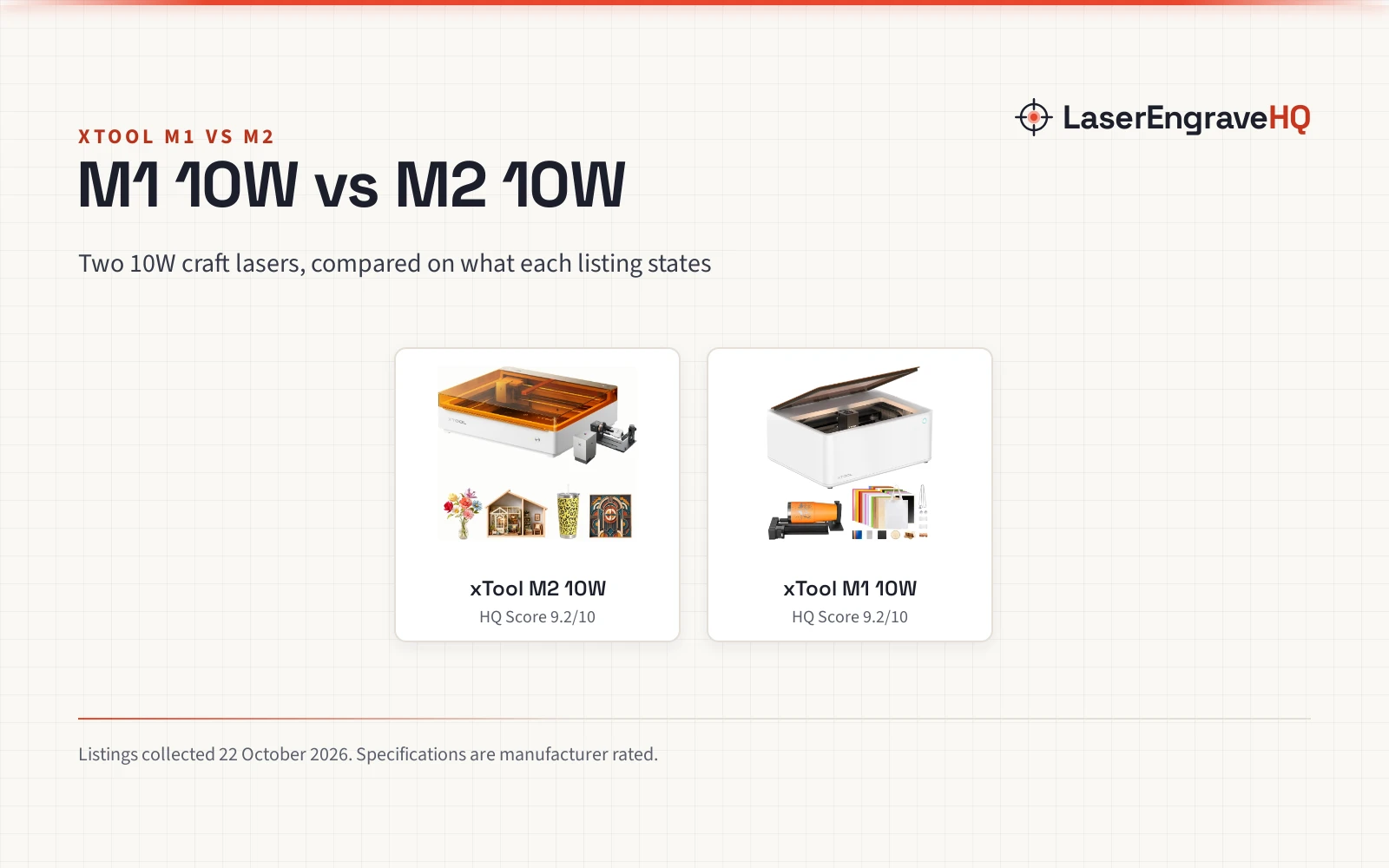
xTool sells two 10W craft lasers that look similar on the spec sheet but work differently in practice. The M1 is a 3-in-1 machine that adds blade cutting to laser engraving and cutting, while the M2 pairs its 10W diode laser with a CMYK inkjet printer for full-color work. This xTool M1 vs M2 comparison puts the two side by side on power, the third function, cameras, software, safety and support, using what each listing states.
LaserEngraveHQ earns a commission from purchases made through these links, at no extra cost to you. Read our affiliate disclosure.

xTool M2 10W Color Craft Laser Engraver
The xTool M2 is a 10W color craft laser that syncs CMYK inkjet printing with laser engraving and cutting. Dual cameras give a real-time workspace preview, and the Class 1 fully enclosed design with real-time monitoring suits home use. xTool Studio software includes templates and an AI image generator. The RA3 Lite rotary is included. It weighs 41.4 lb and carries a 1 year warranty.
Pros
- CMYK inkjet plus 10W laser in one machine
- Dual cameras with real-time preview
- Class 1 fully enclosed design
- RA3 Lite rotary included
Cons
- No cutting thickness stated
- No engraving speed stated
- No accuracy figure stated
- 3W IR module sold separately

xTool M1 10W Laser Engraver with RA2
The xTool M1 is a 10W 3-in-1 laser that combines laser engraving, laser cutting and blade cutting. It cuts 10mm wood in a single pass with 0.01mm accuracy at 250mm/s, per the listing. A built-in camera handles focusing and batch work, and the RA2 Pro rotary is included. It runs XCS software (not LightBurn) and carries a 12 month warranty.
Pros
- 3-in-1: laser engraving, cutting and blade cutting
- 10W with 10mm wood cutting (stated)
- 0.01mm accuracy at 250mm/s (stated)
- RA2 Pro rotary included
Cons
- No LightBurn support
- No weight stated
- Single camera, not dual
- No inkjet printing
Other machines to compare
 Laser Engraving Alignment Jig for xTool F1 UltraCheck price on Amazon
 xTool M1 Ultra Riser Base with Honeycomb PanelCheck price on Amazon
 xTool SafetyPro AP2 Smoke Purifier for Laser EngraverCheck price on Amazon
 xTool F1 Ultra 20W Fiber & Diode Dual Laser Engraver 16MPCheck price on Amazon
 xTool F2 5W IR & 15W Diode Dual Laser EngraverCheck price on Amazon
Side by side
| Spec | xTool M1 10W | xTool M2 10W |
|---|---|---|
| Laser power | 10W | 10W diode |
| Third function | Blade cutting | CMYK inkjet printing |
| Cameras | Single built-in | Dual built-in |
| Cutting (stated) | 10mm wood, single pass | Not stated |
| Engraving speed | 250mm/s (stated) | Not stated |
| Accuracy | 0.01mm (stated) | Not stated |
| Safety class | Class I | Class 1 |
| Enclosure | Protective cover | Fully enclosed |
| Software | XCS (no LightBurn) | xTool Studio |
| Rotary | RA2 Pro included | RA3 Lite included |
| Weight | Not stated | 41.4 lb |
| Warranty | 12 months | 1 year |
Specifications are manufacturer rated, collected 22 October 2026. “Not stated” means the listing does not give the figure. Do not read a missing figure as a loss: it means the listing leaves it unclear.
Laser power and cutting
Both machines list a 10W laser. The M1 listing states it cuts 10mm wood in a single pass, with engraving accuracy to 0.01mm and a 250mm/s engraving rate. The M2 listing does not state cutting thickness, speed or accuracy, so the listings do not support a head-to-head on those numbers. The M2 listing notes a 3W IR module is sold separately, which the M1 listing does not mention.
The third function: blade vs inkjet
This is the real fork in the road. The M1 is a 3-in-1: laser engraving, laser cutting and blade cutting, with the blade aimed at vinyl for clean edges without burning or discoloration. The M2 instead syncs a CMYK inkjet printer with the laser, for full-color printing plus engraving and cutting in one workflow. Pick blade cutting for vinyl and craft cutting; pick inkjet for full-color prints, stickers and personalized gifts. Neither listing suggests one approach replaces the other.
Cameras and workflow
The M1 has a built-in high-resolution camera for automatic focusing, visual processing and batch work, with AI material shape detection. The M2 has dual cameras for a real-time workspace preview, fused with motion control for a “Place & Go” experience. Both include a rotary attachment (RA2 Pro with the M1, RA3 Lite with the M2) for cylindrical objects like tumblers. See how to use the xTool rotary attachment for what the rotary adds.
Workspace and footprint
The M1 lists an active surface area of 179.026 square inches in a 17.6 by 21.9 by 9.1 in body, with a removable bottom plate for materials of unlimited height. The M2 listing gives package dimensions of 27.5 by 25 by 10.5 in and a 41.4 lb weight, but no work area figure, so the listings do not support a workspace comparison. The M1’s removable base is the practical edge for tall objects; the M2’s weight tells you it is a stay-put machine, not a portable one.
Materials
The M1 listing names over 300 materials: vinyl, coated metal, leather, wood, paper, PVC, fabric, cardboard, felt, ceramic and plastic, with blade cutting aimed at vinyl for clean edges. The M2 listing names cardstock, felt, leather, wood and more, transformed through print, cut and engraving. Both cover the core craft materials; the M1’s blade opens vinyl work, while the M2’s inkjet opens full-color paper and cardstock work.
Software
The M1 runs xTool’s self-developed XCS software, which also works on mobile devices. The listing notes it does not support Laserbox Basic or LightBurn. The M2 runs xTool Studio with hundreds of templates and an AI image generator, described as beginner-friendly with no steep learning curve. If LightBurn matters to you, neither listing promises it, so check before buying. The M1 also supports processing glass and cylindrical objects through its software-guided workflow. See LightBurn vs xTool Creative Space for the software landscape.
Safety and enclosure
The M1 is a Class I laser with a protective cover that blocks blue light, automatic power-off when opened, and a built-in fan with exhaust pipe. The M2 is a Class 1 fully enclosed machine with real-time monitoring. Both listings take safety seriously; the M2’s full enclosure is the more contained design, while the M1 relies on its cover and interlocks.
The print-to-cut workflow
The M2’s defining feature is the inkjet module: the listing says it syncs CMYK inkjet and laser in one machine, with full-color printing, precision cutting and custom engraving in a seamless print-to-cut workflow. The M2 transforms over 300 materials including cardstock, felt, leather and wood into personalized pieces. The listing names stickers, tattoos, home decor, personalized gifts and side-hustle products as the use cases. The M1 has no printer; its third function is the blade, which cuts vinyl cleanly without the burning, discoloration or smoke a laser makes. If your work is full-color craft products, the M2’s printer is the feature; if it is vinyl and paper crafts, the M1’s blade is.
Add-ons and growth
The M1 listing bundles the RA2 Pro rotary and a materials package for DIY projects, with the rotary handling cylindrical objects like glasses and tumblers. The M2 listing bundles the RA3 Lite rotary and the CMYK inkjet module, with a 3W IR module sold separately. The M1’s blade cutting already covers vinyl without an add-on; the M2’s growth path is the IR module add-on. Both include the rotary, so neither charges extra for tumbler work. The M1 lists dual laser head technology with FAC lens compression for 0.01mm engraving accuracy and a 250mm/s engraving rate, plus a removable bottom plate for materials of unlimited height.
The picks: xtool m1 vs m2
Choose the xTool M1 if
You want blade cutting in the same machine as the laser, for vinyl and craft materials that cut cleaner with a blade than a beam. The 10W laser, camera and RA2 Pro cover the engraving side, and the 12 month warranty backs it.
Choose the xTool M2 if
You want full-color inkjet printing synced with laser work, dual cameras and a fully enclosed Class 1 machine. The 1 year warranty and RA3 Lite round out a package aimed at home crafters and small sellers.
FAQ: lasers and CNC
Can the M1 use LightBurn?
No. The M1 listing states it does not support Laserbox Basic or LightBurn; it runs xTool’s XCS software.
Does the M2 print in color?
Yes. The M2 syncs a CMYK inkjet printer with the 10W laser for full-color printing, engraving and cutting in one workflow.
Which one cuts thicker wood?
The M1 listing states 10mm wood in a single pass. The M2 listing does not state a cutting thickness, so the listings do not support a comparison on that spec.
Do both include a rotary attachment?
Yes. The M1 listing includes the RA2 Pro and the M2 listing includes the RA3 Lite, both for cylindrical objects like tumblers.
Are they safe for home use?
The M1 is Class I with a protective cover and auto power-off; the M2 is Class 1 fully enclosed with real-time monitoring. Both are designed for home crafters, but follow the manual and ventilate.
More laser and CNC guides
See the Glowforge Aura vs xTool M2, LightBurn vs xTool Creative Space and how to use the xTool rotary attachment guides.



