Best Laser Engraver for Beginners: 5 Easy Starter Machines
Five budget beginner laser engravers, chosen for easy setup, clear power ratings, safety stops and a warranty you can read before you buy.
 By LaserEngraveHQ Editorial
Updated October 5, 2026
By LaserEngraveHQ Editorial
Updated October 5, 2026
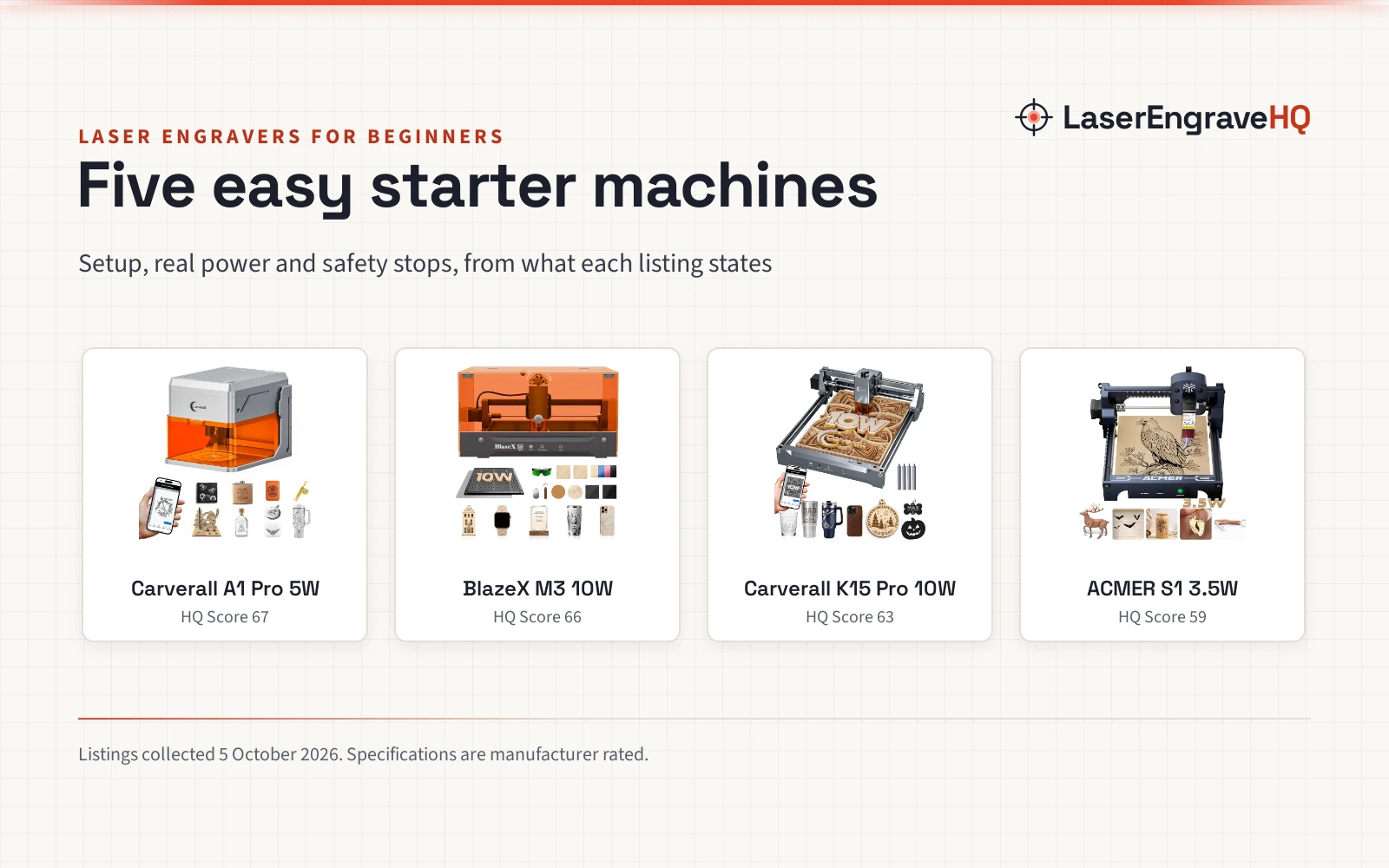
Your first laser engraver should be easy to set up, honest about its power, safe in the room you will use it in, and backed by a warranty you can read. This guide is for beginners and hobbyists choosing a first machine, and it compares five budget starter engravers, from a no-assembly enclosed model to an open frame with a 400 x 400 mm bed.
LaserEngraveHQ earns a commission when you buy through links on this page, at no extra cost to you. Read our affiliate disclosure.
Quick picks
- Best Overall Carverall A1 Pro 5W: Enclosed Class 1 with a lid stop and tilt stop, a camera, air assist, no assembly and a 1 year warranty. Check price
- Best Enclosed Starter Kit BlazeX M3 10W: 10W with an enclosure, honeycomb bed, goggles and 13 practice materials in the box, plus a 1 year warranty. Check price
- Best for Cutting Carverall K15 Pro 10W: 10W with stated measured output, a near-A4 bed, 3-minute assembly and a 1 year warranty. Check price
- Best Budget ACMER S1 3.5W: 99% preassembled at the lowest price of the five, with a stated 455 nm wavelength, IEC 60825-1 compliance and a 12 month warranty. Check price
- Biggest Bed Longer Ray5 5W: A 400 x 400 mm area and a 3.5 in touchscreen at a budget price. Check price
Compare the picks
| Model | HQ Score | Laser power (as stated) | Work area | Setup | Enclosed | Safety stops | Warranty |
|---|---|---|---|---|---|---|---|
| Carverall A1 Pro 5W | 67 | 5W (5.12 to 5.35W stated) | 3.94 x 3.94 in | No assembly | Yes, Class 1 | Lid-open stop, tilt stop | 1 year |
| BlazeX M3 10W | 66 | 10W | Not stated | Kit with enclosure | Yes (enclosure in kit) | Lid-open stop, tilt stop | 1 year |
| Carverall K15 Pro 10W | 63 | 10W (10.36 to 10.58W stated) | 11.8 x 7.9 in | 3 minutes, 6 screws | No | Not named | 1 year |
| ACMER S1 3.5W | 59 | 3.5W at 455 nm | 130 x 130 mm | 99% preassembled | No | Not named | 12 months |
| Longer Ray5 5W | 56 | 5W | 400 x 400 mm | Tools included | No | Emergency shutdown, motion and overheat protection | Not stated |
Specifications are manufacturer rated, as published on each listing and collected 5 October 2026.
The picks
| Award | Product | HQ Score About the HQ ScoreThe HQ Score runs from 0 to 100 and weighs rated performance, build, value, safety listing, and warranty, using only what the manufacturer and the listing publish. How we pick › | |
|---|---|---|---|
 Carverall A1 Pro 5W Desktop Laser Engraver
|
67/100 | Buy | |
 BlazeX M3 10W Laser Engraver Machine
|
66/100 | Buy | |
 K15 Pro Laser Engraver 10W-Laser Engraving Machine
|
63/100 | Buy | |
 ACMER S1 Laser Engraver Machine
|
59/100 | Buy | |
 LONGER Laser Engraver Ray5 5W Higher Accuracy DIY
|
56/100 | Buy |
Carverall A1 Pro 5W Desktop Laser Engraver
A fully enclosed 5W engraver with a camera, lid-open and tilt stops, air assist and no assembly.
Pros
- Fully enclosed Class 1 design; the laser stops when the lid opens and shuts off past 15 degrees of tilt
- HD camera to place designs, and material presets for stock under 3 mm with no focusing
- Built-in air assist and exhaust fan
- States measured 5.12 to 5.35W output and a 1 year warranty
Cons
- Small 3.94 x 3.94 in work area
- 5W cuts only 4 mm plywood and 3 mm acrylic in one pass
- 4.0 stars from 73 ratings
- IR head for metal is a separate purchase
BlazeX M3 10W Laser Engraver Machine
A 10W starter kit with a protective enclosure, honeycomb bed, goggles, tools and 13 practice materials.
Pros
- Starter kit: enclosure, honeycomb bed, goggles, tool kit and 13 engraving materials
- Stops automatically if the machine tilts or the lid opens
- Integrated fan exhausts smoke and odor
- Listing table states a one-year warranty
Cons
- 3.8 stars from 97 ratings, the lowest here
- Work area not stated
- Cut thickness not stated
- Class 1 depends on the enclosure being fitted
K15 Pro Laser Engraver 10W-Laser Engraving Machine
A 10W open frame with stated measured output, an 11.8 x 7.9 in bed, 3-minute assembly and a 1 year warranty.
Pros
- States measured 10.36 to 10.58W output
- Rated to cut 12 mm plywood and 8 mm acrylic
- Assembles in 3 minutes with 6 screws; starter kit with safety glasses
- 1 year warranty with replacement parts shipped domestically
Cons
- Open frame, yet the title says Class 1 at 10,000 mW
- No safety stops named
- Bed is smaller than many open frames
- Thick cuts need several passes in practice
ACMER S1 Laser Engraver Machine
A compact 3.5W engraver that arrives 99% assembled, with a stated 455 nm wavelength and IEC 60825-1 compliance.
Pros
- Arrives 99% preassembled; only the laser head goes on
- States 3.5W laser power, 36W machine input and 455 nm wavelength separately
- States Class 4, IEC 60825-1 compliance and a 12 month warranty
- Lowest price here
Cons
- Small 130 x 130 mm area
- 3.5W cuts only thin plywood, MDF and acrylic
- No safety stops named
- Open frame
LONGER Laser Engraver Ray5 5W Higher Accuracy DIY
A 5W open frame with a 400 x 400 mm area, 3.5 in touchscreen, Wi-Fi and offline control.
Pros
- 400 x 400 mm work area, the largest here
- 3.5 in touchscreen and offline control by TF card, Wi-Fi or app
- Emergency shutdown, motion protection and overheat detection; covers and goggles included
- 4.2 stars from 135 ratings
Cons
- Says Laser Class II, which cannot describe a 5W laser
- 5W is slow on a bed this size
- No warranty term in the listing
- Needs assembly
How we scored them
Each machine is scored out of 100 on performance, build, value, safety and warranty, with the weights published on our How We Pick page. For beginners, safety stops and a stated warranty count for a lot, so both carry full weight here.
| Product | HQ Score | Perf. | Build | Value | Safety | Warranty |
|---|---|---|---|---|---|---|
| Carverall A1 Pro 5W | 67 | 15 | 17 | 16 | 12 | 7 |
| BlazeX M3 10W | 66 | 18 | 15 | 15 | 11 | 7 |
| Carverall K15 Pro 10W | 63 | 20 | 15 | 17 | 4 | 7 |
| ACMER S1 3.5W | 59 | 13 | 13 | 17 | 9 | 7 |
| Longer Ray5 5W | 56 | 18 | 15 | 17 | 6 | 0 |
What to look for in your first laser engraver
Real laser power
Laser power is the number that sets what a machine can cut. The best beginner listings state it plainly: Carverall gives measured ranges (5.12 to 5.35W, 10.36 to 10.58W), and ACMER separates 3.5W of laser power from 36W of machine input. Be wary of a large watt figure in a title without the word output or optical. One pocket engraver we read for this guide, the LaserPecker LP1 Plus, does not state its power at all, which is why it is not on this list.
Setup time
Assembly ranges from none (Carverall A1 Pro) to a few minutes (K15 Pro, ACMER S1) to a full kit build. If you would rather not tension belts and square a frame, buy preassembled.
Enclosed or open frame
An enclosed machine with a lid stop is the safest choice in a shared home. Open frames are cheaper and fit bigger work, but everyone in the room needs glasses rated for about 450 nm, and you need to stay with the machine.
Software
Every machine here runs LightBurn and LaserGRBL, the two most common programs, so tutorials apply across brands. Several add a free app for phone control.
What a beginner machine will not do
Diode engravers cannot cut clear acrylic or mark bare metal. If those are your plans, see our CO2 guide or metal guide, or try the Machine Finder.
Read the manual before the first job. Wear glasses rated with an optical density at about 450 nm with any open frame, keep a fire extinguisher within reach, vent smoke outdoors or through a fume extractor, and never leave a running laser unattended. Never laser PVC, vinyl or faux leather made from PVC; check our material guide first. See the FDA guidance on laser products.
Frequently Asked Questions
What is the easiest laser engraver for beginners?
Among these, the Carverall A1 Pro needs no assembly, uses a camera to place designs, and has presets for thin materials. Its small work area is the trade-off.
How much should a beginner spend on a laser engraver?
The machines here are budget starter models. They cover engraving and thin cutting. Spending more mainly buys power, bed size or an enclosure; see our under $500 and under $1,000 guides.
Is a laser engraver hard to learn?
The basics take an afternoon: load a design, set power and speed, focus, and run. Material presets and camera placement on newer machines remove much of the trial and error.
Do beginners need an enclosed laser?
Not always, but it is the safer choice around children, pets or other people. An open frame needs glasses for everyone in the room.
What can I make with a beginner laser engraver?
Engraved wood signs, coasters, leather patches, slate, pet tags and coated tumblers, plus thin plywood cut-outs. See our wood guide for more.
Related: how to choose a laser engraver, xTool vs Glowforge, best laser engraver under $500, best enclosed laser engraver, the diode laser hub and the Machine Finder.
About the author
LaserEngraveHQ Editorial is the editorial team behind LaserEngraveHQ. We research product listings, published specifications, material lists, safety statements and warranty terms, score every pick with the published HQ Score method, and correct errors when readers report them. We do not run our own workshop trials; see How We Pick for exactly how picks are made.