How to Change 3D Printer Nozzle
Heat the hot end, swap the old nozzle for a new one with a wrench, then check the first layer for a clean, even print.

On this page
Top picks at a glance
As an Amazon Associate I earn from qualifying purchases.
- 1
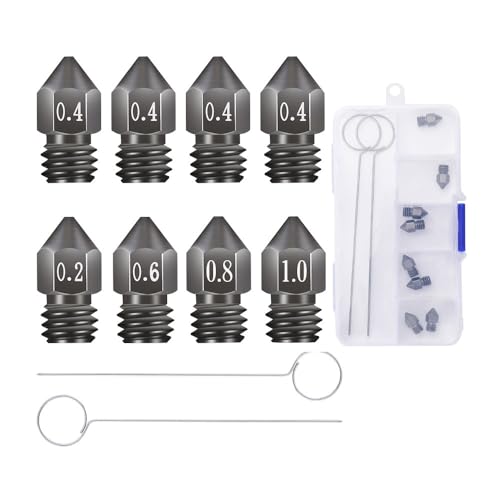 8Pcs 3D Printer Upgraded Hardened Steel MK8 Nozzles w/DIY9.7/10View on Amazon
- 2
 FLASHFORGE Adventurer 5M Series 3D Printer Nozzle Assembly9.6/10View on Amazon
- 3
 XIFOWE MK8 Nozzles 24 pcs Assorted Sizes 3D Printer Extruders9.6/10View on Amazon
Knowing how to change 3d printer nozzle parts is a basic maker skill: heat the hot end, hold the heater block steady, unscrew the old nozzle, screw the new one in while the hot end is still hot, and check the first layer. The whole job uses a wrench and a spare nozzle, and the printer is back to printing once the new nozzle is seated and the bed is checked. The sections below walk through each move in order.
LaserEngraveHQ earns a commission from purchases made through these links, at no extra cost to you. Read our affiliate disclosure.
The hot end is hot during a nozzle swap, so keep fingers clear of the heater block and the nozzle itself. Let the printer cool fully before touching parts near the heater, and keep the removed nozzle somewhere it cannot roll onto a work surface.
Before you start
Start with the right spare. Most kits center on a 0.4mm nozzle, and the Creality kit (on Amazon) covers 0.25mm, 0.4mm, 0.6mm and 0.8mm sizes. Check the input diameter too: the Quwfesudy kit (on Amazon) for QIDI printers states a 1.75mm input diameter with a 0.4mm output diameter, so match the new nozzle to the filament the printer uses. Nozzle kits name the printers they fit, so check the list before ordering. The LANKEGU kit (on Amazon) fits Creality K1, K1 Max, Ender 3 V3 KE, CR-10 SE and CR-M4 machines, while the Lokkr set fits MK8 machines such as Ender 3 and CR-10 models. The 3D printer nozzle types guide explains brass, hardened steel and stainless steel, and the 3D printers hub collects the printer guides on this site.
Heat the hot end
Heat the hot end to printing temperature before touching the nozzle. Hot filament stays soft, so the nozzle turns freely and the threads do not seize. A cold nozzle can snap off in the heater block, and that turns a quick swap into a repair job. The nozzle temperature guide lists temperatures by filament type, and the filament change guide covers unloading the filament first so the path is clear.
Remove the old nozzle
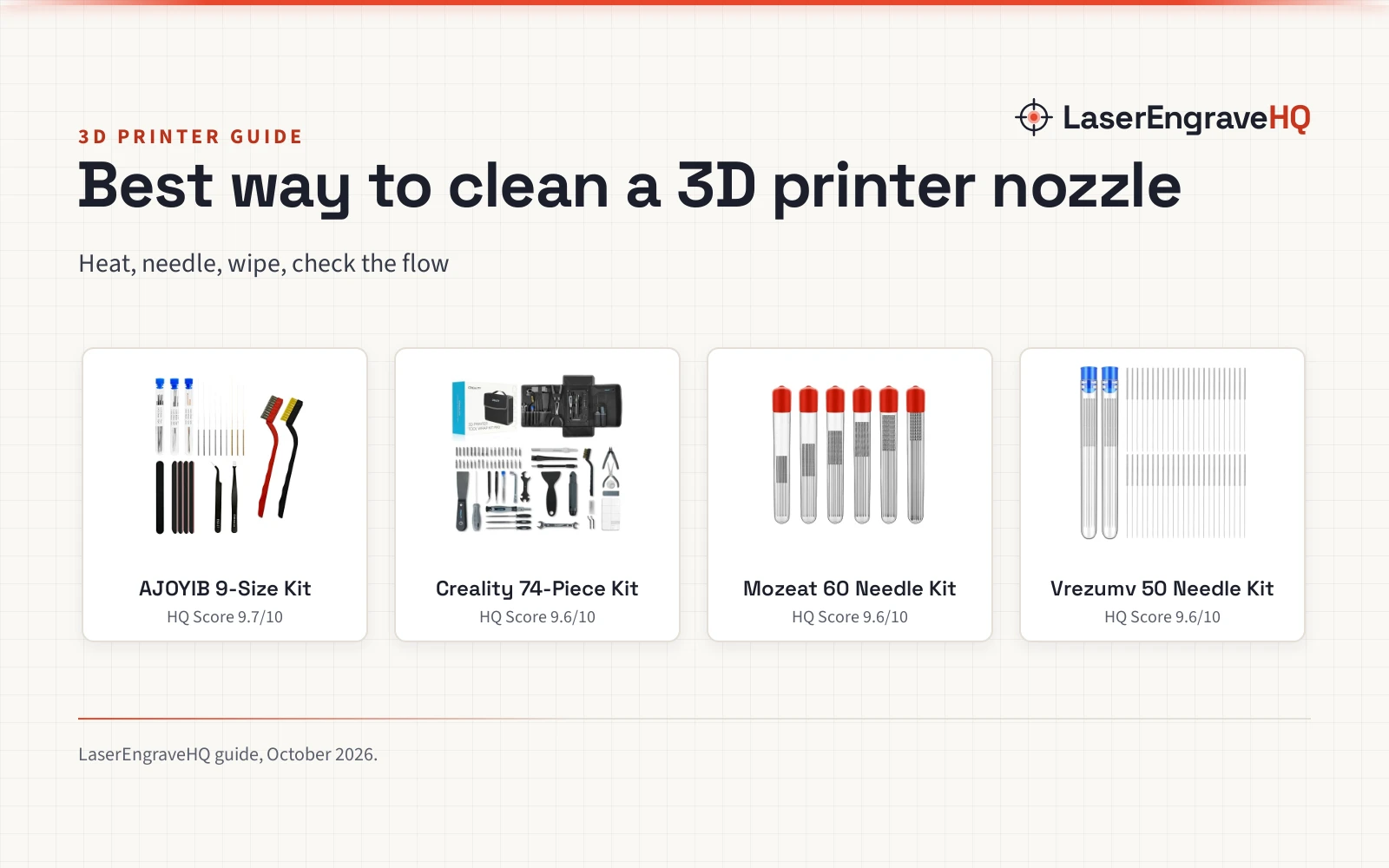
Hold the heater block steady with a wrench, then turn the nozzle counter-clockwise with a nozzle wrench. The heater block moves easily, so a firm hold keeps the heat break from twisting. The Lokkr set includes 1 wrench with its nozzles and cleaning needles, and the Quwfesudy kit includes 5 cleaning needles, a protective tube and curved tweezers for clearing a clogged nozzle. If the old nozzle is clogged rather than worn, a cleaning needle can clear it, and the nozzle cleaning kit guide covers what those kits hold. The extruder parts guide shows where the nozzle sits in the hot end.
Fit the new nozzle
Screw the new nozzle in by hand until it seats, then tighten it with a wrench while the hot end is still hot. A hot tighten closes the gap between the nozzle and the heat break, which is what stops filament from leaking around the threads. Do not force the nozzle past the point where it seats; cross-threading damages the heater block. Check that the nozzle size matches the last print settings: a 0.4mm nozzle is the size most kits ship, and the Creality kit also offers 0.25mm, 0.6mm and 0.8mm for finer detail or faster, thicker lines.
Check the first layer
Run a first layer and watch how it lays down. A good first layer sticks flat with even lines and no gaps, while a layer that peels up or leaves gaps points to a bed gap or a partial clog. If the lines look thin or broken, run a cleaning needle through the nozzle and check the bed level. The 3D printer repair guide covers common fixes, and the not printing guide walks through clog checks.
Which nozzle size to pick
The 0.4mm nozzle is the standard size across most nozzle kits, and it suits general printing with PLA, ABS, PETG, TPE, TPU and PC. A 0.25mm nozzle suits fine detail work, while 0.6mm and 0.8mm nozzles lay down thicker lines for faster prints. Material matters as much as size: brass nozzles suit standard filaments, hardened steel suits abrasive filaments, and stainless steel suits makers who want a harder nozzle than brass. The hardened steel nozzle guide covers abrasive filament, and the nozzle types guide compares the materials in full.
Common mistakes to avoid
- Changing the nozzle while the hot end is cold, which can snap the nozzle in the heater block.
- Letting the heater block twist while turning the nozzle, which can damage the heat break.
- Fitting a nozzle that does not match the printer model or the filament diameter.
- Tightening a cold nozzle and leaving a gap that lets filament leak around the threads.
- Skipping the first layer check and finding the problem on a long print.
How to change 3d printer nozzle: the short version
- Pick a nozzle that fits the printer model and filament diameter.
- Heat the hot end to printing temperature.
- Hold the heater block steady and unscrew the old nozzle.
- Screw the new nozzle in by hand, then tighten it while hot.
- Check the first layer before starting a long print.
FAQ: lasers and CNC
How often should I change a 3D printer nozzle?
Change it when prints show the signs of a worn or clogged nozzle: rough first layers, lines that stop sticking, or filament that stops flowing. A nozzle that still prints clean, even lines does not need replacing. Cleaning needles clear many clogs without a swap.
Do I need to heat the nozzle before changing it?
Yes. Heat the hot end to printing temperature first. Hot filament stays soft, so the nozzle turns freely and the threads do not seize. A cold nozzle can snap off in the heater block.
What size nozzle should I use?
A 0.4mm nozzle is the standard size in most nozzle kits, and it suits general printing. The Creality kit also offers 0.25mm, 0.6mm and 0.8mm sizes: the smaller size suits fine detail, and the larger sizes suit faster prints with thicker lines.
Can I use a 0.4mm nozzle with any filament?
A 0.4mm nozzle works with the filaments the kits name, including PLA, ABS, PETG, TPE, TPU and PC. Abrasive filaments wear a brass nozzle faster, so a hardened steel nozzle is the pick for those materials. The hardened steel nozzle guide covers that choice.
Why does filament leak around the new nozzle?
Filament leaks when a gap sits between the nozzle and the heat break. Tighten the nozzle while the hot end is hot so the parts seat fully. If the leak continues after a hot tighten, remove the nozzle, check the threads for damage, and fit a fresh one.
Related: the 3D printers hub, nozzle temperature by filament and replacement parts guide. Also see the 3D printer repair guide.