Dual Laser vs Single Laser Engraver: Which One Should You Buy?
A practical guide comparing dual laser vs single laser engravers across materials, cutting power, marking speed, safety, and workshop workflow.

On this page
Top picks at a glance
As an Amazon Associate I earn from qualifying purchases.
- 1
 xTool M2 20W Color Craft Laser Engraver9.7/10View on Amazon
- 2
 xTool S1 40W Laser Cutter and Laser Engraver for Tumblers9.7/10View on Amazon
- 3
 xTool M2 20W Laser Engraver9.7/10View on Amazon
- 4
 IKIER Flex Laser Engraving Machine DualView on Amazon
- 5
 LaserPecker LP5 20W Dual-Laser Engraver & CutterView on Amazon
- 6
 xTool F2 Ultra Single 60W MOPA Fiber Laser Engraver 100+View on Amazon
- 7
 LaserPecker LP4 Dual-Laser Engraver with Rotary & SlideView on Amazon
- 8
 xTool P2S 55W CO2 Laser CutterView on Amazon
- 9
 LaserPecker Dual-Laser EngraverView on Amazon
When setting up a workshop for wood signs, leather patches, engraved tumblers, or metal tags, choosing between a dual laser vs single laser engraver shapes your workflow. A dual laser engraver integrates two beam sources (typically a blue diode laser for organic items alongside an infrared or fiber beam for metals and plastics) into one frame, eliminating hardware swaps on mixed materials. A single laser engraver uses one beam source, offering a lighter setup for wood, leather, or coated blanks. If your catalog requires marking bare metals alongside organic crafts on one bench, pick a dual laser machine; for wood cutting, slate, and leather, a single laser engraver gives dependable performance without added complexity.
Other machines to compare
 IKIER Flex Laser Engraving Machine DualCheck price on Amazon
 LaserPecker LP5 20W Dual-Laser Engraver & CutterCheck price on Amazon
 xTool F2 Ultra Single 60W MOPA Fiber Laser Engraver 100+Check price on Amazon
 LaserPecker LP4 Dual-Laser Engraver with Rotary & SlideCheck price on Amazon
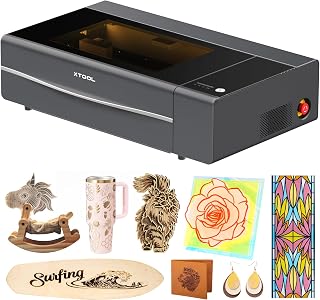 xTool P2S 55W CO2 Laser CutterCheck price on Amazon
 LaserPecker Dual-Laser EngraverCheck price on Amazon
LaserEngraveHQ earns a commission from purchases made through these links, at no extra cost to you. Read our affiliate disclosure.
A dual laser machine houses two separate beam sources in one chassis, but it does not make jobs twice as fast. You still need proper focal alignment, safe ventilation, and dialed-in speed parameters for each material.
Step 1: Understand how beam sources interact with materials
Laser light absorption drives the difference between formats. Blue diode lasers absorb efficiently in organic materials like basswood, plywood, tooling leather, and dark opaque acrylic. A focused blue diode can mark bare stainless steel and titanium directly through surface oxidation, as explained in our guide on how to engrave stainless steel with a diode laser. However, blue diode light reflects off bare brass and aluminum, which require marking spray. See our overview of types of laser engraving.
Infrared and fiber beams absorb directly into bare metals and plastics. The WeCreat Lumos Flex pairs a 15W fiber laser with a 15W diode laser in one machine without switching heads. The LaserPecker LP4 combines a 10W diode with a 2W infrared laser to mark surgical steel. The IKIER Flex publishes a 12W diode alongside a 1.2W infrared module. Read our comparison of the diode vs infrared laser engraver.
Single laser units like the Artilume T1 provide a 7W diode laser for wood, leather, dark acrylic, and coated metal. The ELIDOR Z6 features a 6W diode module, handling daily craft blanks without an unused secondary beam.
Step 2: Compare cutting capacity against engraving speed
Cutting sheet stock requires continuous optical power, while raster engraving benefits from rapid beam motion.
Single laser gantry machines excel at flat sheet cutting. The Artilume T1 states its 7W optical power cuts up to 4mm basswood with multiple passes. The ELIDOR Z6 utilizes its 6W laser module and 0.04 by 0.14 mm spot at speeds up to 10,000 mm/min.
Dual laser engravers span multiple architectures and power tiers. The LaserPecker LP5 dual-laser system cuts up to 20mm wood, 15mm dark acrylic, and 0.5mm sheet metal, reaching engraving speeds up to 10,000mm/s. The WeCreat Lumos Flex achieves speeds up to 10,000mm/s and cuts 0.3mm stainless steel sheet. The LaserPecker LP4 lists speeds up to 4000mm/s while cutting 8mm wood and 5mm dark acrylic. For lighter work, the IKIER Flex pairs a 12W diode with a 1.2W infrared module on a Core XY frame reaching speeds up to 10,000 mm/min. Read our comparison of fiber vs diode laser for metal.
Step 3: Evaluate workspace footprint and bed dimensions
Workshop space determines which machine fits your setup. Both single and dual laser engravers exist in gantry and galvo formats, creating tradeoffs between work area and portability.
Single laser desktop engravers provide open beds for signs and decor. The ELIDOR Z6 features a 300 by 300 mm (11.8 by 11.8 inches) working area while weighing 4.7 pounds (2.13 kg). The Artilume T1 provides a 200 by 150 mm working area and weighs 2.99 pounds. Compact single diode units like the LaserPecker LP1 Plus weigh 2.4 pounds with a 200 mm focal distance.
Dual laser units house two beam sources, resulting in heavier frames or smaller native areas. The IKIER Flex measures 10 by 10 by 5 inches and weighs 12.4 pounds. The LaserPecker LP4 weighs 25.2 pounds, while the LaserPecker LP5 bundle weighs 47.6 pounds. Both the LaserPecker LP4 and LaserPecker LP5 offer a 160 by 300 mm workspace with slide extensions. The WeCreat Lumos Flex weighs 2.8 kg and supports cylindrical objects up to 34 inches long with extensions. Our guide on how to choose a laser engraver reviews working area considerations.
Step 4: Check safety, enclosure standards, and ventilation
Operating any laser engraver requires strict optical safety and respiratory management. Dual laser systems emit two distinct wavelengths, requiring careful protection.
Laser safety eyewear must match the specific wavelength and optical density of the beam. A standard orange shield for blue diode light offers zero protection against invisible infrared or fiber radiation. When using a dual laser machine, protective goggles must carry certified optical density values for both wavelengths. The IKIER Flex features an enclosed structure with a viewing window certified as FDA Class 1 safe. The Creality Falcon A1C also features an enclosed Class 1 design with flame detection and tilt protection. By contrast, open-frame systems like the WeCreat Lumos Flex carry a Class 4 classification, requiring workshop barriers and dual-wavelength eyewear. Review our laser safety glasses guide before operating unrated gear.
Fume extraction is essential because vaporized resins and acrylic release smoke and particulates. Always vent exhaust outdoors or run an air purifier; the LaserPecker LP5 bundle lists an air purifier with 99.97 percent filtration. Compare setups in our best fume extractor for laser engraver guide.
Never process PVC, vinyl, PVC-based faux leather, polycarbonate, or ABS in any laser machine. PVC and vinyl release corrosive hydrogen chloride gas. Consult our guide on materials you should never laser cut to keep your shop safe.
Step 5: Compare software control and workflow friction
Handling two laser sources in one machine requires versatile layer management.
Software like LightBurn allows makers to assign cut and mark parameters to specific layers in one file. With an integrated dual laser like the WeCreat Lumos Flex, you can set the diode beam to cut a wooden shape and assign the fiber beam to engrave a metal center without manual intervention. Both the LaserPecker LP4 and LaserPecker LP5 support LightBurn alongside mobile and desktop applications. Single laser engravers like the Artilume T1 and ELIDOR Z6 also support LightBurn and LaserGRBL.
Notice the difference between integrated dual-beam machines and modular systems. The Creality Falcon A1C features a quick-swap design that interchanges 5W diode, 10W diode, and 1.2W infrared heads in 15 seconds. While modular heads lower upfront cost, they require physical tool changes between materials. True dual-laser systems house both sources simultaneously, switching wavelengths digitally in software.
Step 6: Calculate maintenance, warranty terms, and operating longevity
Both diode and fiber laser sources are solid-state semiconductors, offering long service lives without gas refills or water chilling loops.
Dual laser engravers feature more complex electronics, beam combiners, and galvo mirrors. Keeping lenses free of soot is critical because dirty windows absorb energy, crack under thermal stress, and degrade focus. Single laser machines have fewer optical parts, simplifying cleaning.
Check warranty terms before buying. The IKIER Flex listing provides a 365-day warranty with customer support. The Artilume T1 listing includes a 12-month warranty, support, and a 30-day return policy. The LaserPecker LP5 bundle states a 1 year manufacturer warranty. Ensure replacement optics are readily available.
Step 7: Match machine configuration to your production goals
Select your machine format based on your catalog and workspace:
- Choose a single laser engraver: For wooden signs, cutting boards, leather wallets, and slate coasters. A single diode machine provides a larger bed at a modest investment. Browse our best laser engraver for wood guide, explore starter picks in best laser engraver for beginners, or evaluate commercial machines in best laser engraver for small business.
- Choose a dual laser engraver: For custom jewelry, bare stainless steel tumblers, metal serial tags, and on-site market personalization. A dual-beam unit eliminates maintaining two workstations. Explore options in our best laser engraver for metal guide and dedicated units in our best fiber laser engraver review.
Common mistakes to avoid
- Assuming a dual laser cuts wood twice as fast as a single diode machine.
- Operating an open Class 4 unit without eye protection for both wavelengths.
- Attempting to mark bare brass or aluminum with a blue diode without marking spray.
- Buying a compact galvo unit for large signage projects.
- Engraving PVC, vinyl, or polycarbonate blanks that release corrosive gas.
Dual laser vs single laser engraver: the short version
- Identify materials: pick a single diode for organic blanks and stainless steel; pick a dual laser for brass, aluminum, and jewelry metals.
- Choose motion style: pick a gantry for large flat boards; pick a galvo unit for rapid small-item batches.
- Verify power: check optical output wattage rather than electrical draw.
- Confirm eyewear: verify protection covers both wavelengths on dual-beam units.
- Set up exhaust: vent smoke outdoors or connect a multi-stage air purifier.
- Check software: confirm support for LightBurn multi-layer jobs or mobile apps.
FAQ: lasers and CNC
Can a single diode laser engrave bare metal without marking spray?
A blue diode laser can mark stainless steel and titanium directly through surface oxidation at slow speeds. However, it cannot mark bare brass, copper, or aluminum without marking spray. Dual laser engravers mark bare brass, aluminum, titanium, and steel directly through infrared or fiber absorption.
What wavelengths do dual laser engravers use?
Dual laser engravers combine a visible blue diode laser beam for organic blanks and dark acrylic with an infrared or fiber beam for metals and plastics. This allows one machine to handle both craft cutting and metal marking.
Can a dual laser machine cut through clear acrylic?
Neither blue diode nor infrared beams cut clear acrylic because both wavelengths pass through without sufficient absorption. While dual lasers cut dark and opaque acrylic, cutting clear acrylic requires a CO2 laser source.
Do dual laser engravers require two pairs of safety glasses?
Not if you wear multi-wavelength safety glasses certified for both blue diode and infrared light. Standard goggles for blue diodes do not block infrared radiation. Confirm your eyewear covers both wavelengths before running jobs.
Is a dual laser engraver faster than a single laser engraver?
A dual laser unit with galvo mirrors marks metals and small blanks much faster. However, when cutting flat plywood or large wooden boards, cutting speed depends on optical wattage rather than the number of beams.
Which machine type is better for a small craft business?
If you produce signs, ornaments, and cutting boards from wood, a single laser engraver offers a larger working area for your budget. If you personalize jewelry, metal tags, and mixed-material gifts, a dual laser machine provides essential versatility.
Related: the laser engraver hub, best laser engraver for small business, and best laser engraver for metal. Also see our how to choose a laser engraver and best fiber laser engraver.



