Best Dual Z Axis 3D Printer Kit (2026): 5 Picks Compared
Five dual Z axis upgrade kits for 3D printers, compared by fit, lead screw, motor, PSU holder and stated accuracy, with the HQ Score for each pick.

On this page
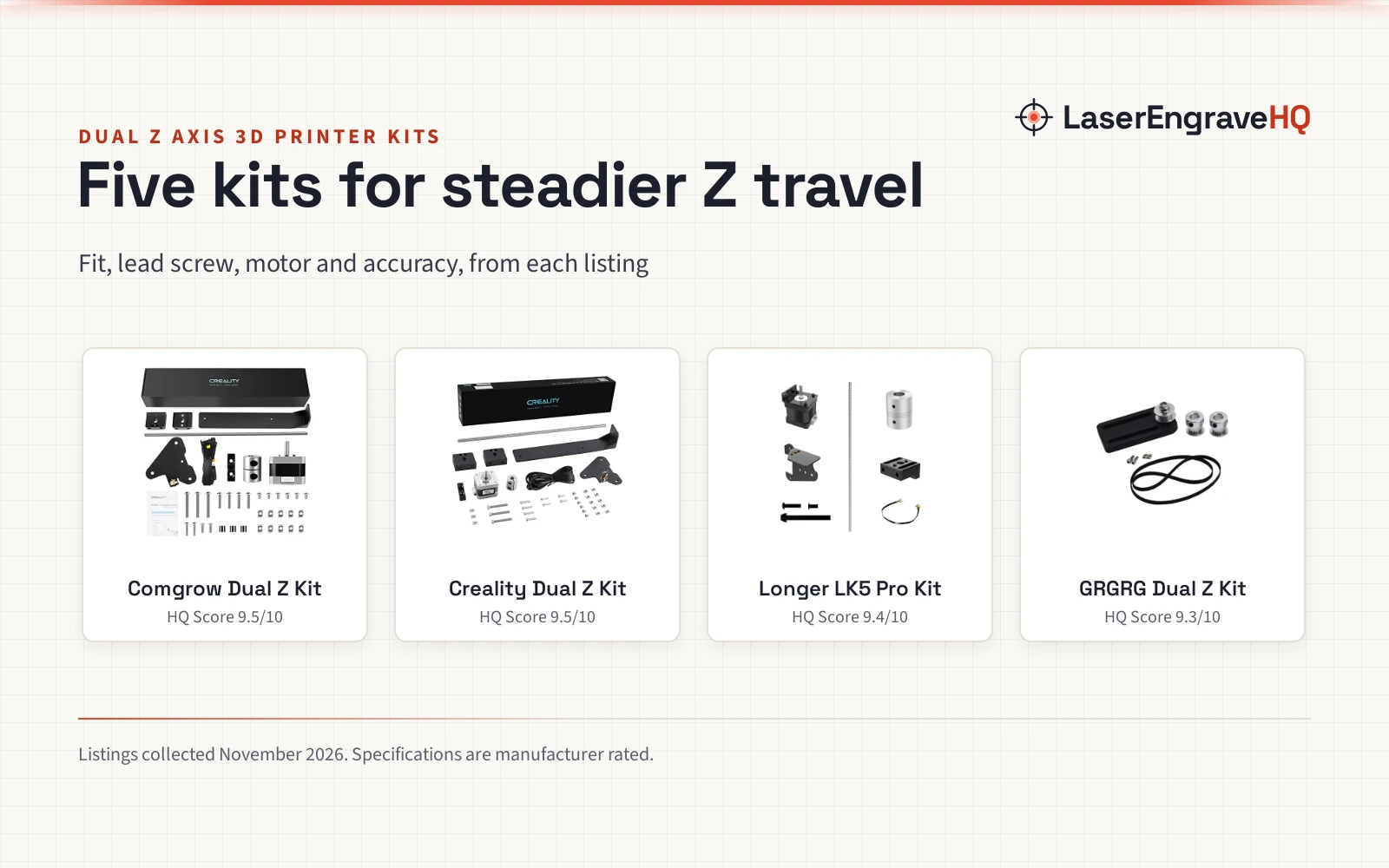
Top picks at a glance
As an Amazon Associate I earn from qualifying purchases.
- 1
 Best OverallComgrow Dual Z Kit9.5/10View on Amazon
- 2
 Best CompatibilityCreality Dual Z Kit9.5/10View on Amazon
- 3
 Best for LK5 ProLonger LK5 Pro Kit9.4/10View on Amazon
- 4
 Best CR10 FitGRGRG Dual Z Kit9.3/10View on Amazon
A tall print that leans or ripples usually has one cause: the gantry sags on one side because a single Z screw carries it alone. A second Z screw steadies both ends of the X axis, and the right kit is the one that fits your printer and ships the screw, motor and holder together.
The best dual z axis 3d printer kit for your machine fits your printer model and states what is in the box. The five below are all dual Z kits for Ender 3, CR10 and LK5 Pro printers, and the fit, lead screw, motor and accuracy come from each listing, with gaps marked where the listing does not state them.
LaserEngraveHQ earns a commission from purchases made through these links, at no extra cost to you. Read our affiliate disclosure.
Quick picks
- Best Overall Comgrow Dual Z Kit: 0.01 mm positioning accuracy and P3-P7 rail precision, with lead screw, motor and PSU holder Check price on Amazon
- Best Compatibility Creality Dual Z Kit: Fits Ender 3, Ender 3 Pro, Ender 3 V2, Ender 3 Neo and Ender 3 V2 Neo Check price on Amazon
- Best for LK5 Pro Longer LK5 Pro Kit: Built for the LONGER LK5 Pro, with lead screw, motor and metal PSU holder Check price on Amazon
- Best CR10 Fit GRGRG Dual Z Kit: Lists CR10 compatibility alongside the Ender 3 family Check price on Amazon
Machines on the list
Official Creality Ender 3 Dual Z-axis Upgrade Kits
Official Creality Ender 3 dual Z axis kit with lead screw, stepper motor and metal power supply holder, stating 0.01 mm positioning accuracy.
Pros
- States 0.01 mm repeated positioning accuracy
- States P3-P7 guide rail precision
- Lead screw, stepper motor and metal power supply holder
- Dustproof and mute design for high-speed running
Cons
- No warranty term is stated
- No stated fit beyond Ender 3, Pro and V2
- No belt option is stated
- After-sales help is stated only as within 24 hours
Creality 3D Official Printer Ender 3 Dual Z-axis
Creality Ender 3 dual Z axis kit with lead screw, metal power supply holder and stepper motor, fitting five Ender 3 models.
Pros
- Widest stated fit here: five Ender 3 models
- Lead screw, metal power supply holder and stepper motor
- States less layer ripple and easier bed leveling
- After-sales help stated within 24 hours
Cons
- No warranty term is stated
- No positioning accuracy figure is stated
- No belt option is stated
LONGER LK5 Pro Dual Z-Axis Upgrade Kit for 3D
LONGER LK5 Pro dual Z axis kit with lead screw, stepper motor and metal power supply holder, built for the LK5 Pro only.
Pros
- Built for the LONGER LK5 Pro, not a universal kit
- Lead screw, stepper motor and metal power supply holder
- States steadier gantry movement for long prints
- Listing warns to check model and mounting layout first
Cons
- No warranty term is stated
- Fits the LK5 Pro only
- No positioning accuracy figure is stated
GRGRG NBXUNTAIMY Dual Z Axis Upgrade Kit DIY Kit
Dual Z axis upgrade kit listing CR10 and Ender 3 fit, with bullets that describe a lead screw and stepper motor and a title that says belt kit.
Pros
- Lists CR10 fit alongside the Ender 3 family
- Bullets describe a lead screw and stepper motor
- States less layer ripple and easier bed leveling
- Widest stated printer range here
Cons
- Listed weight of 0.11 lb does not match a screw kit
- No warranty term is stated
- No positioning accuracy figure is stated

Creality 3D Printer Ender 3 Dual Z-axis Upgrade
Listing titled as an Ender 3 dual Z axis kit whose bullets describe a Nebula pad and camera instead, so what ships is unclear.
Pros
- Title states a dual Z axis kit for Ender 3, Pro and V2
- Bullets describe a Nebula pad with a 4.3-inch touch screen
- Bullets describe a Nebula camera for the printer
- Part number names the Nebula Smart Kit 168
Cons
- Title and bullets describe two different products
- No lead screw, motor or holder is stated in the bullets
- No warranty term is stated
- No weight or accuracy figure is stated
Other machines to compare
 Official Creality Sprite Direct Drive SE Neo Kit for Ender 3Check price on Amazon
 Black Magic 3D Printer Build Plate Adhesive Kit withCheck price on Amazon
Specs compared
| Model | HQ Score | Fits | Lead screw | Motor | PSU holder | Accuracy | Warranty |
|---|---|---|---|---|---|---|---|
| Comgrow Dual Z Kit | 9.5/10 | Ender 3, Pro, V2 | Yes | Yes | Yes | 0.01 mm | Not stated |
| Creality Dual Z Kit | 9.5/10 | Ender 3, Pro, V2, Neo, V2 Neo | Yes | Yes | Yes | Not stated | Not stated |
| Longer LK5 Pro Kit | 9.4/10 | LK5 Pro only | Yes | Yes | Yes | Not stated | Not stated |
| GRGRG Dual Z Kit | 9.3/10 | Ender 3, V2, Pro, CR10 | Conflicting | Conflicting | Not stated | Not stated | Not stated |
| Creality Nebula Kit | 9.2/10 | Ender 3, Pro, V2 | Conflicting | Conflicting | Conflicting | Not stated | Not stated |
We give each product’s specs as its manufacturer rates them; listings read 11 November 2026. Fit is the printer models the listing states.
What the listings tell you, and what they leave out
Five dual Z axis kit listings went into this guide. Two of the five describe a different product in their bullets than in their title, and one lists 0 items in its spec table while calling itself a complete package. None of the five states a warranty term. Four state a weight, and one states a positioning accuracy.
The two mixed listings are the ones to read twice. One titles itself a dual Z kit and then describes a Nebula pad and camera, and the other titles itself a belt kit and then describes a lead screw and motor. Check the part number and the bullet list against each other before you order.
Buying guide: choosing the best dual z axis 3d printer kit
Fit first
Four of the five kits state an Ender 3 fit, and one states the LONGER LK5 Pro only. The Creality kit lists Ender 3, Ender 3 Pro, Ender 3 V2, Ender 3 Neo and Ender 3 V2 Neo, while the Longer kit states LK5 Pro only and warns it is not a universal kit. Check your exact model and mounting layout before you order.
Lead screw and motor
A dual Z kit needs a second screw and a second motor. The Creality, Comgrow and Longer kits state a lead screw and a stepper motor, plus a metal power supply holder. The GRGRG listing states both a belt kit and a lead screw with a motor, so read it twice. The Nebula listing titles itself a dual Z kit but describes a pad and a camera instead.
Stated accuracy
Only the Comgrow listing states a positioning figure: 0.01 mm repeated positioning accuracy, with P3-P7 guide rail precision. The other listings describe steadier travel and less wobble without a figure. Treat the 0.01 mm figure as the maker’s claim, not a measured result.
PSU holder and weight
The Creality, Comgrow and Longer kits state a lead screw, a stepper motor and a metal power supply holder. The Creality kit weighs 2.01 lb and the Comgrow kit weighs 1.83 lb, per their spec tables, while the Longer kit weighs 1.9 lb.
Belt kit or screw kit
The GRGRG listing is the one to read twice: its title says CR10 Belt Kit while its bullets describe a lead screw and a stepper motor. A belt kit and a screw kit fit differently, so confirm which one ships before you order. The other listings describe screw kits throughout.
Project Match
- Ender 3, Ender 3 Pro or Ender 3 V2: the Creality and Comgrow kits both state that fit.
- Ender 3 Neo or Ender 3 V2 Neo: the Creality kit lists both Neo models.
- CR10: the GRGRG kit lists CR10 compatibility alongside the Ender 3 family.
- LONGER LK5 Pro: the Longer kit is built for the LK5 Pro only and warns it is not universal.
- Tall prints with less wobble: the Longer kit states steadier gantry movement for long prints.
How the scores add up
Each kit is scored on performance, build, value, safety and warranty. Performance covers fit, lead screw and stated accuracy; build covers the motor, holder and stated precision. A spec the listing does not publish scores nothing.
| Product | HQ Score | Perf. /35 | Build /25 | Value /25 | Safety /10 | Warranty /5 |
|---|---|---|---|---|---|---|
| Comgrow Dual Z Kit | 9.5 | 32 | 21 | 21 | 0 | 0 |
| Creality Dual Z Kit | 9.5 | 30 | 21 | 21 | 0 | 0 |
| Longer LK5 Pro Kit | 9.4 | 28 | 20 | 19 | 0 | 0 |
| GRGRG Dual Z Kit | 9.3 | 26 | 18 | 19 | 0 | 0 |
| Creality Nebula Kit | 9.2 | 23 | 16 | 16 | 0 | 0 |
Point totals are scaled so the weakest reads 9.2 and the strongest 9.8, with everything between kept in order.
FAQ: lasers and CNC
What does a dual Z axis kit do?
It adds a second Z screw and motor so both ends of the X axis rise and fall together. The listings state it reduces layer ripple from Z-axis vibration and makes bed leveling easier.
Which printers does a dual Z axis kit fit?
It depends on the kit. The Creality and Comgrow kits state Ender 3, Ender 3 Pro and Ender 3 V2, the Creality kit also lists the Neo models, the GRGRG kit lists CR10 as well, and the Longer kit fits the LK5 Pro only.
Does a dual Z axis kit include a stepper motor?
The Creality, Comgrow and Longer kits state a lead screw, a stepper motor and a metal power supply holder. The GRGRG listing states both a belt kit and a lead screw with a motor, so confirm which one ships.
What accuracy does a dual Z axis kit give?
Only the Comgrow listing states a figure: 0.01 mm repeated positioning accuracy with P3-P7 guide rail precision. The other listings describe steadier travel without a figure.
How long does after-sales support take?
The Creality and Comgrow listings state their after-sales team provides solutions within 24 hours. The other listings do not state a support time.
Related: the 3d printers hub and the 3d printer accessories hub. Also see the bed leveling sensor. Also see the 3d printer lube and grease. Also see the hand tools for cleaning up 3d prints. Also see the liquid glue for 3d printer build plate. Also see the ruby vs hardened steel nozzle. Also see the resin filter for 3d printer. Also see the cream abs filament. Also see the matte black tpu filament. Also see the kapton tape vs painters tape for 3d printing.