Low Cost Milling Machines for Hobby Shops
A practical guide to low cost milling machines for hobby shops, covering machine types, table size, spindle speed and setup.

On this page
Top picks at a glance
As an Amazon Associate I earn from qualifying purchases.
- 1
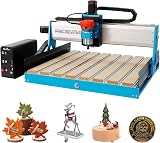 6050 CNC Router Machine9.6/10View on Amazon
- 2
 Twotrees TTC450 Pro All-Metal CNC Router Machine with NEMA 579.6/10View on Amazon
- 3
 FoxAlien Masuter Pro 3-Axis CNC Router Machine9.6/10View on Amazon
A low cost milling machine turns a workbench into a place where flat stock becomes brackets, plates, slots and small parts with square edges and holes in the right places. It is the machine for a hobby shop that has outgrown a drill press and wants cuts that repeat from part to part. This guide explains what a low cost milling machine is, the machine types on the market, the sizes and speeds that matter, and how to set up a mill without buying more machine than the work needs.
LaserEngraveHQ earns a commission from purchases made through these links, at no extra cost to you. Read our affiliate disclosure.
Prices for milling machines move often, so this guide gives no prices. Compare the figures the maker states in each listing, and check the table size, travel and spindle speed against the parts planned for the shop.
Step 1: Learn the machine types
Three kinds of machine show up in the listings for this guide. A mini milling machine is a small benchtop unit for light work: the XENDOLL W104MA lists a 24W motor with a motor speed of 20000 RPM and a spindle speed of 3000 RPM, a handle scale of 0.1mm per frame, and a weight of 6 pounds, while the ZHRUI ZHXC36 lists a 36W motor at 20000 RPM, an all-metal build with a dovetail guide rail, and a set of milling cutters in the box. These small mills suit model making, crafts and small DIY parts.
A benchtop mill drill is a larger machine with its own spindle, a tilting head and a cross table. The INTBUYING RCOG-25V lists a 1.5HP brushless motor, variable speed from 50 to 2250 RPM, a 3-axis DRO and an R8 spindle with ER32 chucks. MechMaxx lists the VM18L and VM18LD as 6 x 20 inch benchtop mill drills with a 1 HP DC brushless motor and speed from 0 to 2500 RPM, and the Yokoma AL028334 lists an 1100W brushless motor at 50 to 2250 RPM. The third kind is a milling work table that mounts on a drill press: the VEVOR table lists a size of 17.7 x 6.7 inches, 3 T-slots, X travel of 8.3 inches (210 mm) and Y travel of 4.3 inches (110 mm). A reader new to benchtop CNC can read the desktop CNC machine starter guide for the basics of machine setup.
Step 2: Check table size and travel
Table size decides how large a workpiece can sit on the machine, and travel decides how far the table can move under the cutter. The INTBUYING S028334 and Yokoma mill drills list a table of 27.5 x 7.1 inches (700 mm x 180 mm), while the VEVOR table lists 17.7 x 6.7 inches with X travel of 8.3 inches and Y travel of 4.3 inches. The MechMaxx VM18L lists X travel of 8-5/8 inches (220 mm), Y travel of 6-5/16 inches (160 mm) and Z travel of 10-27/32 inches (275 mm), and the Yokoma lists X, Y and Z travel of 18.9, 6.9 and 11 inches. Measure the largest part planned for the shop, then compare it with the table and the travel, and hold the work with toggle clamps for CNC work or the bench clamp that ships with the Yokoma machine.
Step 3: Match spindle speed and power to the material
Spindle speed and motor power decide which materials a mill can cut cleanly. The benchtop mill drills list variable speed: 50 to 2250 RPM on the INTBUYING and Yokoma machines, and 0 to 2500 RPM on the MechMaxx VM18L. Variable speed lets the operator slow the spindle for harder material and run faster for softer material. The mini mills list high speeds of 20000 RPM, with the XENDOLL spindle listed at 3000 RPM. Power runs from 24W and 36W on the mini mills, through 1100W on the INTBUYING S028334 and Yokoma, to 1 HP on the MechMaxx and 1.5HP on the INTBUYING RCOG-25V. The listings state the materials each machine handles: metal, wood and plastic on the INTBUYING machines, wood, aluminum, copper, plastic and acrylic on the ZHRUI, and wood, soft metal and plastic on the XENDOLL.
Step 4: Check the spindle, chuck and head tilt
The spindle taper decides which tooling fits the machine. The INTBUYING, MechMaxx and Yokoma machines list an R8 spindle taper, and the INTBUYING machines ship with ER32 chucks. The INTBUYING S028334 lists a spindle taper of 2 inches (52 mm) and a maximum drilling diameter of 0.9 inches (25 mm), while the MechMaxx VM18L lists a drilling capacity of 3/4 inch (18 mm), a face milling capacity of 2 inches (50 mm), a quill diameter of Ø2-3/8 inches (60 mm) and a drawbar thread of 7/16-20. Head tilt adds angled cuts without moving the workpiece: ±90° on the INTBUYING RCOG-25V and Yokoma, and ±60° on the MechMaxx VM18L. Spindle to table distance is 10-7/8 inches (275 mm) on the MechMaxx and 13.8 inches (350 mm) on the INTBUYING S028334. For setup, an edge finder for mill setup helps locate the edge of a part, and a 2-flute carbide end mill is a common cutter shape for slotting and profiling.
Step 5: Plan the space, weight and setup
A milling machine is heavy, and the bench has to carry it. The XENDOLL mini mill lists 6 pounds and the VEVOR table lists 66 pounds, while the benchtop mill drills list 180 pounds for the MechMaxx VM18L. Footprint matters too: the VEVOR table lists 23.0 x 13.0 x 5.0 inches, the MechMaxx lists 19.0 x 31.0 x 20.0 inches, the Yokoma lists 37.4 x 22.4 x 36.6 inches, and the INTBUYING RCOG-25V lists 43.1 x 23.2 x 63.0 inches. Power is simple, with 110V listed on the INTBUYING and Yokoma machines and AC100V-240V on the XENDOLL. A reader comparing benchtop options can also look at the CNC machine for a home shop roundup for a sense of what a home shop machine asks of its bench.
Step 6: Set up safely
Milling throws chips, so eye protection and a clear work area come before the first cut. The INTBUYING RCOG-25V and Yokoma listings state overload and overheat protection on the motor, and the Yokoma lists a safety switch and a one-key start and stop control with forward and reverse. A face shield for CNC router work guards the face from flying chips, and an emergency stop button gives a fast way to cut power. Clamp the workpiece before the spindle starts, keep hands clear of the cutter, and never leave a running machine unattended.
Step 7: Compare listings and watch for contradictions
Listings sometimes state different figures for the same feature, so read the title, the bullets and the spec table together. The MechMaxx VM18LD title states a head tilt of ±90°, while its bullets state ±60°. The VEVOR title states a table size of 17.7 x 6.7 inches, while its bullets state a table size of 23 x 13 inches (58 x 33 cm). The INTBUYING S028334 lists X, Y and Z stroke as 18.9 inches (480 mm) for each axis, while the Yokoma listing gives 18.9, 6.9 and 11 inches for its three axes, so check the travel figures on the machine being compared rather than assuming two similar listings match. The XENDOLL lists a motor speed of 20000 RPM and a spindle speed of 3000 RPM, so note which figure a comparison uses. Warranty terms are thin: the MechMaxx VM18L states a 1-year warranty, and the other listings in this guide state no warranty term.
Common mistakes to avoid
- Buying the biggest machine before knowing the size of the parts it will cut.
- Ignoring table travel and choosing a table that cannot fit the work.
- Picking a speed range that does not suit the material on the bench.
- Skipping workholding and safety gear to save a step at setup.
- Trusting a single figure when the listing states another one.
Low cost milling machine: the short version
- Pick the machine type: mini mill, benchtop mill drill or milling table.
- Check table size and travel against the parts planned.
- Match spindle speed and power to the material.
- Check the spindle taper, chuck and head tilt.
- Plan bench space for the weight and footprint.
- Set up safety gear and compare listings before buying.
FAQ: lasers and CNC
What is a low cost milling machine?
A low cost milling machine is a benchtop mill for a hobby shop: a mini mill, a benchtop mill drill or a milling table that mounts on a drill press. The mini mills in this guide list 24W and 36W motors at 20000 RPM, while the benchtop mill drills list 1 HP to 1.5HP with variable speed, from 50 to 2250 RPM on the INTBUYING and Yokoma machines and 0 to 2500 RPM on the MechMaxx. The right pick is the smallest machine whose table, travel and spindle suit the parts planned.
What size milling machine fits a hobby shop?
It depends on the parts. Tables in this guide run from 17.7 x 6.7 inches on the VEVOR table to 27.5 x 7.1 inches on the INTBUYING S028334 and Yokoma mill drills, with travel from 8.3 inches on the X axis of the VEVOR table to 18.9 inches on the Yokoma. Measure the largest part planned, then choose a table and travel that cover it with room to clamp.
How much power does a hobby milling machine need?
It depends on the material. Mini mills list 24W and 36W for light work in wood, plastic and soft metal, while benchtop mill drills list 1100W, 1 HP and 1.5HP, and the INTBUYING and Yokoma listings state metal, wood and plastic. A machine that lists the material planned for the shop is a safer pick than a machine that lists power alone.
Can a mini milling machine cut metal?
The listings say yes for light cuts. The ZHRUI lists wood, aluminum, copper, plastic and acrylic, and the XENDOLL lists wood, soft metal and plastic. The INTBUYING machines list metal, wood and plastic. Stay with the materials the listing states, and keep cuts light on a small machine.
What is the difference between a milling machine and a CNC router?
A milling machine cuts with a rotating cutter on a rigid table and suits metal parts, brackets and slots, while a CNC router moves a spindle over sheet stock and suits wood signs and cut parts. The CNC vs milling machine guide compares the two in detail.
Do I need a milling table or a full mill drill?
A milling table such as the VEVOR adds controlled X and Y movement to a drill press already in the shop, with travel of 8.3 inches on X and 4.3 inches on Y. A mill drill is a complete machine with its own spindle, variable speed and tilting head, for work that needs more power and more travel.
Related: the CNC vs milling machine guide, CNC machine for a home shop and CNC router roundup. Also see the desktop CNC machine starter guide.