CNC vs Milling Machine: Which One Should You Buy?
A practical guide comparing CNC routers and milling machines, covering frame rigidity, spindle speed, cutting materials, and how to choose the right workshop tool.

On this page
Top picks at a glance
As an Amazon Associate I earn from qualifying purchases.
- 1
 SpeTool Carbide Single Flute CNC Router Bits 1/8" Cutting9.7/10View on Amazon
- 2
 6050 CNC Router Machine9.6/10View on Amazon
- 3
 Twotrees TTC450 Pro All-Metal CNC Router Machine with NEMA 579.6/10View on Amazon
- 4
 Genmitsu PROVerXL 6050 Plus CNC Router Machine for BigView on Amazon
- 5
 Genmitsu Cubiko Desktop CNC Router Machine with Enclosure forView on Amazon
- 6
 FoxAlien XE-Ultra 8080 CNC Router Machine with NEMA 23View on Amazon
- 7
 LUNYEE 3020 Nova CNC Router MachineView on Amazon
- 8
 FoxAlien Masuter Pro 3-Axis CNC Router MachineView on Amazon
- 9
 Genmitsu PROVerXL 4030 CNC Router Machine for Wood & MetalView on Amazon
Whether you want to cut custom brackets, engrave wooden signs, carve furniture panels or machine aluminum enclosures, choosing between a cnc vs milling machine comes down to the balance between work area and cutting rigidity. A CNC router typically emphasizes a broader working envelope to cut sheet stock like hardwoods, plastics and thin metal plates at high spindle speeds. A dedicated milling machine emphasizes structural rigidity, heavy frame mass, and vibration damping to machine solid metals and precision parts with tight tolerances. If your workflow centers on wide panels, signs and decorative carving, a CNC router is the practical choice; if your work demands deep slotting, precision boring and rigid machining in thick metal stock, a milling machine is the proper investment.
Other machines to compare
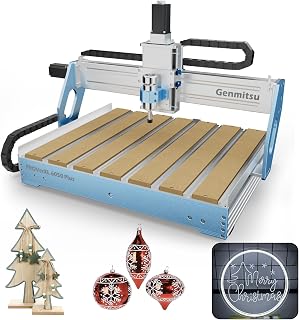 Genmitsu PROVerXL 6050 Plus CNC Router Machine for BigCheck price on Amazon
 Genmitsu Cubiko Desktop CNC Router Machine with Enclosure forCheck price on Amazon
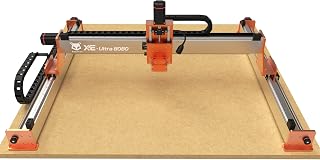 FoxAlien XE-Ultra 8080 CNC Router Machine with NEMA 23Check price on Amazon
 LUNYEE 3020 Nova CNC Router MachineCheck price on Amazon
 FoxAlien Masuter Pro 3-Axis CNC Router MachineCheck price on Amazon
 Genmitsu PROVerXL 4030 CNC Router Machine for Wood & MetalCheck price on Amazon
LaserEngraveHQ earns a commission from purchases made through these links, at no extra cost to you. Read our affiliate disclosure.
The term CNC refers to Computer Numerical Control, which can automate either a router or a milling machine. When comparing machines in this category, look at frame rigidity, axis drive mechanics, and spindle specifications rather than marketing labels.
Step 1: Understand the structural difference between routers and mills
The main physical difference between a CNC router and a milling machine lies in how each tool handles cutting forces. Many large CNC routers utilize a moving gantry across a wide bed, while desktop formats often employ a moving bed under a fixed gantry. In both arrangements, routers prioritize horizontal travel for sheet stock, which can introduce mechanical deflection when subjected to heavy cutting forces. A dedicated milling machine typically features a rigid vertical column and a reinforced base structure designed to withstand heavy lateral cutting pressures without flex or chatter.
Frame mass relative to work volume directly affects cutting stability. For example, large desktop CNC routers like the FoxAlien XE-Ultra 8080 use an aluminum profile frame weighing 40 kg to provide a wide 33x33x4.72in workspace for expansive panels. In contrast, compact enclosed desktop mills like the MAKERA Carvera Air concentrate 90.3 pounds of machine mass around a compact 11.8 x 7.9 x 5.1 inches work area. That higher ratio of structural mass to cutting volume dampens vibrations, helping maintain tight tolerances during detailed milling passes.
Step 2: Compare spindle rotational speeds and motor torque
Cutting mechanics differ significantly between high-speed routing and heavy milling. While wood and plastics require high rotational speeds to achieve clean edge finishes without tearing fibers, dense metals demand appropriate surface speeds and sufficient spindle torque. In routers, compact spindles like the 710W motor on the Genmitsu PROVerXL 4030S reach 30000 rpm, and the LUNYEE 3020 Nova provides an 800W spindle operating across a 6000 to 30000 RPM range with 6 speed settings. These high spindle speeds excel at rapid, shallow cuts in sheet materials.
However, running a high-speed trimmer router far below its intended operational speed to cut harder metals can cause the motor to lose torque or overheat. Dedicated milling spindles are engineered to deliver consistent torque across their operating range, enabling controlled chip loads without stalling. If you are balancing spindle styles, read our guide on spindle vs router for CNC machines to match rotational speed and motor control to your intended materials.
Step 3: Evaluate motion systems, axis drive screws, and tolerances
How each axis moves dictates positional accuracy and backlash control. Entry hobby CNC routers frequently use lead screws or belt drives along their primary axes. For example, the CNCTOPBAOS 3018-PRO kit operates with a 120W spindle reaching 10000rpm across a 300x180x45mm work area with lead screw motion. While lead screws and belts offer a functional starting point for wood carving and soft plastics, they can experience backlash or deflection under heavy cutting resistance.
Milling machines and rigid metal-capable routers rely on precision-ground ball screws and hardened linear profile rails. The LUNYEE 3020 Nova incorporates 1204 ball screws and linear guides to eliminate backlash, delivering a movement speed of 5000mm/min with positional accuracy of 0.05mm. In high-precision desktop milling machines like the MAKERA Carvera Air, the motion system delivers motor resolution of 0.0002in and spindle runout under 0.0004in. That level of runout control prevents microscopic tool wobble, which is essential when drilling tiny holes in printed circuit boards or milling square mating surfaces in aluminum blocks.
Step 4: Match your project materials to machine capability
Your raw materials determine which machine platform you require. CNC routers are the workshop workhorse for sheet materials: hardwoods, plywood, MDF, acrylic sheets, modeling foams, and thin aluminum plates. A router moves swiftly across wide project panels, clearing pockets and profiling shapes without bogging down. If you plan to focus on signs, furniture components, or decorative panels, start by browsing our CNC router hub and reviewing the best desktop CNC for beginners to see suitable machines.
When machining dense metals such as thick aluminum plate, brass, bronze, or ferrous metals like carbon steel and cast iron, a milling machine provides the necessary structural rigidity. Milling dense metals generates high cutting pressures that can cause lighter router frames to deflect and chatter, leading to premature tool wear or broken cutters. While compact desktop routers like the WolfPawn 3018 feature an all-metal frame and a 500W spindle reaching 12000 RPM across a 300X180X60mm area for engraving materials like wood, acrylic, and nylon, deep profiling in metal stock requires the enhanced rigidity and vibration control of a milling machine. For tooling advice when cutting non-ferrous plates, consult our guide to the best end mill for aluminum to select proper flutes and coatings.
Step 5: Factor in work envelope, vertical clearance, and chip control
Work area geometry is a major practical distinction between machine types. CNC routers prioritize horizontal travel with moderate vertical clearance. For example, large desktop machines like the Genmitsu PROVerXL 6050 Plus feature a 600 x 500 x 115mm working area with a 300W spindle operating at 12000 rpm, allowing makers to clamp wide cutting boards or carve multiple parts in a single setup. While routers accommodate broad flat sheet goods, their vertical Z clearance is designed primarily for plate stock and shallow relief work.
Milling machines generally concentrate on smaller, more compact footprints, providing the vertical stiffness required to support heavy clamping fixtures, vises, and taller stock. In addition, metal machining generates sharp chips and often benefits from mist lubrication or chip evacuation systems. Enclosed desktop machines like the Genmitsu Cubiko, which features a 96 watts motor operating at 9000 rpm inside an 11.06 kg enclosed chassis, help contain debris and reduce workshop noise. Similarly, the MAKERA Carvera Air provides an enclosed workspace and an integrated tool changer that swaps cutters in 10 seconds, helping contain chips during multi-tool jobs. To evaluate frame options, read our guide on how to choose a desktop CNC router.
Common workshop mistakes to avoid
- Buying a router to cut steel: Attempting heavy slotting in steel on an open-gantry CNC router leads to excessive chatter, ruined tooling, and inaccurate cuts due to gantry flex.
- Buying a mill for large woodworking projects: A milling machine lacks the table travel required for signs, furniture parts, or cabinet panels, making large sheet projects impossible without complex repositioning.
- Overlooking spindle rotational speed limits: Running high-speed router spindles in hard metals can quickly overheat cutters, while operating low-speed spindles with small wood engraving bits leads to slow feed rates and rough finishes.
- Underestimating workholding forces: Metal milling produces powerful lateral cutting forces that demand heavy cast vises or dedicated clamping tables, whereas sheet routing relies on hold-down clamps or spoilboard vacuum hold-down.
- Ignoring chip evacuation and cleanup: Dry cutting gummy metals like aluminum can cause chips to re-weld to the cutting flutes, while routing wood generates airborne particulate that requires dedicated dust collection.
CNC vs milling machine: the short version
- Define your primary materials: Pick a CNC router for woods, plastics, composite panels, and soft thin sheets; pick a milling machine for thick aluminum, brass, steel, and rigid blocks.
- Check your required part dimensions: Choose a router if your projects involve wide, flat panels or signs; choose a mill if your components are thick, blocky, or require three-dimensional machining in rigid stock.
- Examine machine frame mass: Look for heavy cast construction and ball screws for metal milling rigidity; look for wide extrusion gantries and linear rails for flat sheet routing.
- Match spindle rotational speed and motor torque: High spindle speeds suit clean cutting in woods and plastics; rigid spindles with sustained torque suit metal chip loads without stalling.
- Plan for chip and dust management: Use an enclosure or mist blast to contain metal chips and lubricant, or add a dust shoe for woodworking debris.
Both machine types serve vital roles in modern fabrication. Understanding where your projects fall along the boundary between sheet routing and precision metal milling ensures you invest in the machine that fits your everyday workshop needs.
FAQ: lasers and CNC
What does a CNC milling machine do?
A CNC milling machine removes material from a solid workpiece using a rotating cutting tool guided by computerized numerical control along multiple axes. It accurately cuts pockets, slots, precision holes, contours, and complex three-dimensional features into rigid materials, primarily metals and dense engineering plastics.
How do CNC milling machines work?
CNC milling machines work by translating digital designs into standard machine movement commands known as G-code. The machine controller reads these commands to move the cutting tool and workpiece along precise coordinate axes while rotating the spindle, clearing chips progressively according to programmed feeds and speeds.
Can a CNC router cut metal like a milling machine?
A CNC router can cut softer non-ferrous metals like thin aluminum sheets when taking light, shallow passes with appropriate feeds, sharp carbide tooling, and proper chip clearing. However, routers lack the structural mass and column rigidity required to machine thick steel blocks or take heavy roughing cuts like a dedicated milling machine.
Can a CNC milling machine cut wood?
Yes, a milling machine can cut wood, but it is rarely practical for typical woodworking. The small work envelope of most mills cannot accommodate furniture panels or wide signs, and lower maximum spindle speeds can lead to slower cutting rates and tearout in soft grain.
Which machine should a beginner buy first?
For most hobbyists and makers creating craft projects, home decor, or personalized signs, a desktop CNC router is the more versatile and accessible starting point. If you want to compare entry-level models, check out our desktop CNC machine for beginners guide. Choose a mill first only if your primary focus is machining small precision mechanical parts or custom metal fittings.
Do I need a coolant system for CNC metal milling?
Cutting metals generates friction and heat, but coolant needs depend on the material. While free-machining brass is typically cut dry, aluminum benefits from an air blast or mist lubrication to clear chips and prevent material from welding to the cutter flutes. Steel machining generally requires cutting fluid or flood coolant to control heat and extend tool life.
Related: the CNC router hub, best desktop CNC for beginners, and best CNC router for small business. Also see our spindle vs router for CNC guide and how to choose a desktop CNC router.



