Embroidery Machine vs Sublimation Printer: Which One Should You Buy?
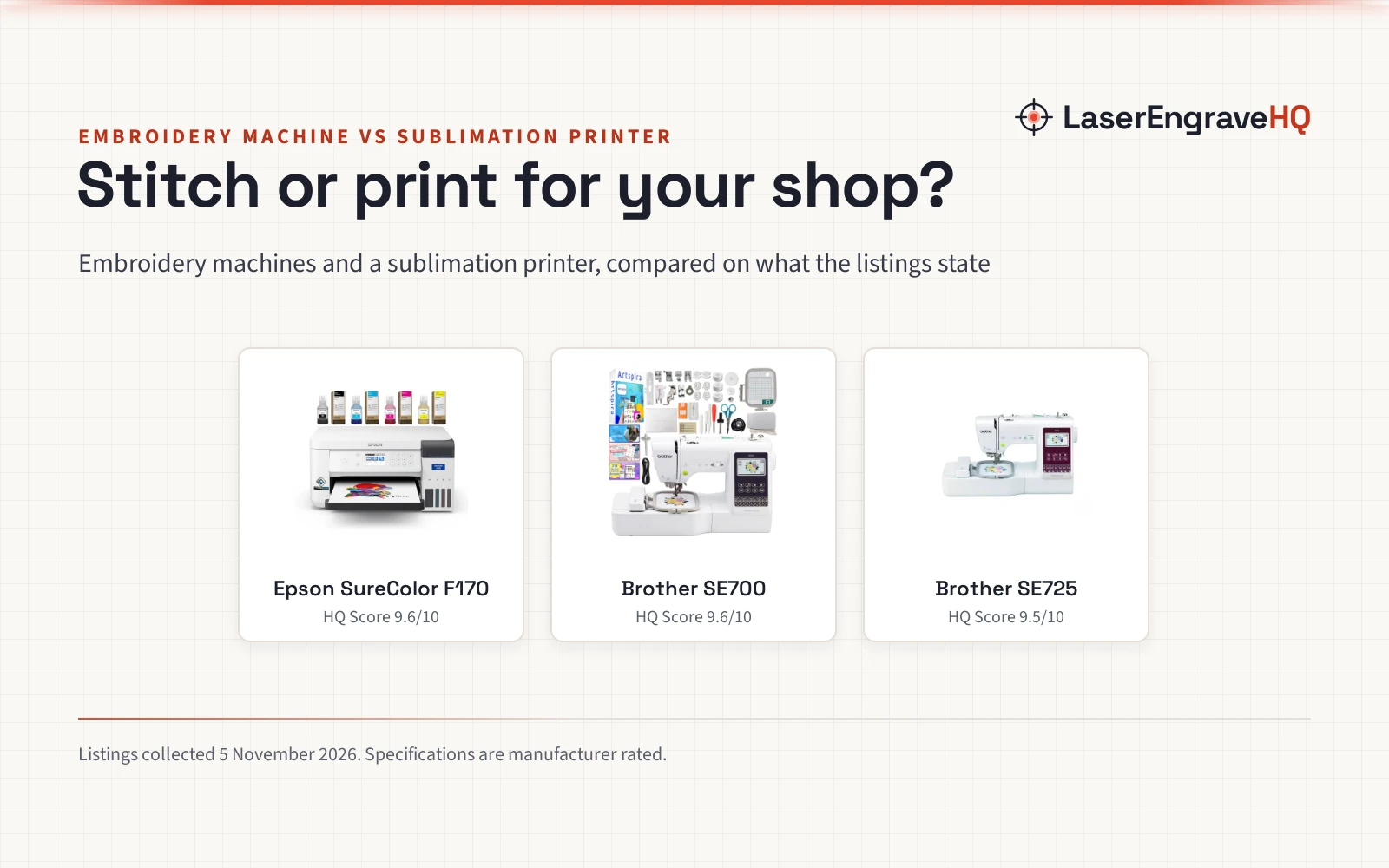
Brother embroidery machines and the Epson SureColor F170 sublimation printer compared on designs, work area, supplies and warranty, so you can pick the side that fits your shop.

On this page
Top picks at a glance
As an Amazon Associate I earn from qualifying purchases.
- 1
 Epson SureColor F170 Dye-Sublimation Printer9.6/10View on Amazon
- 2
 Brother SE700 Combo Embroidery & Sewing Machine9.6/10View on Amazon
- 3
 Brother SE725 Sewing and Embroidery Machine9.5/10View on Amazon
A maker who sells at craft fairs or on Etsy faces the same question with a new product line: should the design go on as thread, or as ink? The embroidery machine vs sublimation printer choice comes down to what you want to make, what it is made of, and how the design gets onto it.
LaserEngraveHQ earns a commission from purchases made through these links, at no extra cost to you. Read our affiliate disclosure.
Verdict: Choose an embroidery machine if your work is fabric and you want stitched designs: the Brother examples offer 135 built-in embroidery designs, and the SE700 has a 4 x 4 in hoop. Choose the sublimation printer if your work is printed color on mugs, tumblers and t-shirts, with the Epson example printing up to 8.5×14 in.
Machines on the list
Epson SureColor F170 Dye-Sublimation Printer
A dye-sublimation printer that prints up to 8.5x14 in, with a full-size CMYK ink set, a 150-sheet auto-feed tray and wireless printing from Mac and Windows.
Pros
- Prints up to 8.5x14 in, as the listing states.
- Full-size CMYK ink set and a maintenance tank included in the box.
- 150-sheet auto-feed tray in a dust-resistant, closed tray.
- PrecisionCore MicroTFP printhead for precise droplet control, as the listing states.
Cons
- Not compatible with mobile devices, as the listing states.
- Internet required for Mac and Windows use, as the listing states.
- It prints only, so it cannot stitch a design.
- No print speed is stated on the listing.
Brother SE700 Combo Embroidery & Sewing Machine
A combination sewing and embroidery machine with a 4 x 4 in hoop, 135 built-in embroidery designs, 103 sewing stitches and a bundle of 40+ accessories.
Pros
- 135 built-in embroidery designs and 103 built-in sewing stitches, as the listing states.
- 500 Artspira embroidery designs and 310 Artspira fonts through the app.
- Wireless LAN, iBroidery compatibility and a 3.2 x 1.8 LCD color touch screen.
- Bundle includes 40+ accessories, from presser feet to bobbins and a foot controller.
Cons
- No warranty term is stated on the listing.
- Embroidery area is 4 x 4 in, so a design larger than the hoop does not fit in one hooping.
- It sews and embroiders only, so it cannot print a design.
- The 500 Artspira designs and 310 Artspira fonts come through the Artspira app, not built into the machine.
Brother SE725 Sewing and Embroidery Machine
A computerized sewing and embroidery machine with 135 built-in embroidery designs, 103 sewing stitches and Artspira app design transfer from a mobile device.
Pros
- 135 built-in embroidery designs, 10 embroidery fonts and 103 sewing stitches, as the listing states.
- Artspira app designs custom patterns on a mobile device and transfers them wirelessly to the machine.
- 10 auto-size buttonhole styles, as the listing states.
- Factory re-certified with warranty, as the title states.
Cons
- No hoop size is stated on the listing.
- No accessory list is stated on the listing.
- It sews and embroiders only, so it cannot print a design.
Other machines to compare
 Poolin EOC07 Embroidery MachineCheck price on Amazon
 Poolin EOM 15 Needle Commercial Embroidery MachineCheck price on Amazon
 POOLIN EOC05 2-in-1 Embroidery Machine with SewingCheck price on Amazon
 Poolin Polyester Machine Embroidery Thread 4000M 40WT WhiteCheck price on Amazon
 Brother CS7000X Computerized Sewing and Quilting MachineCheck price on Amazon
 30PCS Size 90/14 100/16 110/18 Universal Sewing MachineCheck price on Amazon
Side by side
| Product | HQ Score | Side | What it makes | Work area |
|---|---|---|---|---|
| Epson SureColor F170 | 9.6/10 | Sublimation printer | Dye-sublimation prints | Prints up to 8.5×14 in |
| Brother SE700 | 9.6/10 | Embroidery machine | Sewing and embroidery | 4 x 4 in hoop |
| Brother SE725 | 9.5/10 | Embroidery machine | Sewing and embroidery | Not stated |
We give each product’s specs as its manufacturer rates them; listings read 5 November 2026.
Embroidery machine vs sublimation printer: what each side makes
The embroidery side stitches designs into fabric. The Brother examples sew with 103 built-in stitches and embroider with 135 built-in designs, and the SE700 adds a 4 x 4 in hoop.
The sublimation side prints color onto products. The Epson example is a dye-sublimation printer that prints up to 8.5×14 in, for personalized products, gifts, t-shirts, tumblers and mugs. A sublimation printer cannot stitch, and an embroidery machine cannot print.
Designs and software
The Brother examples start with built-in designs: 135 embroidery designs and 103 sewing stitches on the SE700 and the SE725 alike, plus 10 embroidery fonts and 10 auto-size buttonhole styles on the SE725.
The Epson example works from a computer, and the listing states no built-in designs. It prints with a PrecisionCore MicroTFP printhead and a full-size CMYK ink set, and it is compatible with Mac and Windows, with internet required. The listing states it is not compatible with mobile devices, while the SE725 transfers custom patterns from a mobile device through the Artspira app.
Work area
The SE700 states its work area plainly: a 4 x 4 in embroidery hoop, listed as 10 cm by 10 cm. The SE725 listing states no hoop size. The Epson example prints up to 8.5×14 in, which is a paper size, not a hoop.
The SE700 measures 8.0 inches by 16.0 inches by 12.0 inches and weighs 15.0 pounds. The F170 measures 14.8 inches by 19.8 inches by 7.4 inches and weighs 10.2 pounds. The SE725 spec table lists 9.1 inches for length, width and height, which reads like placeholder data.
Supplies
The Epson example includes a full-size CMYK ink set and a maintenance tank in the box, with ink bottles that use auto-stop technology for clean refills. The 150-sheet auto-feed tray holds the paper in a dust-resistant, closed tray.
The SE700 bundle includes 40+ accessories, from presser feet and needles to bobbins, a foot controller and an embroidery frame set. The SE725 listing states no accessory list.
Support and warranty
The Epson example states a 1 Year warranty. The SE725 title says factory re-certified with warranty, but the listing states no warranty term, and the SE700 listing states no warranty term.
Choose the Epson SureColor F170 if
- You want printed color on mugs, tumblers and t-shirts.
- You print up to 8.5×14 in from a Mac or Windows computer.
Choose the Brother SE700 if
- You want sewing and embroidery in one machine, with a 4 x 4 in hoop.
- You want the 40+ accessory bundle for a first setup.
Choose the Brother SE725 if
- You want sewing and embroidery in one machine with app design transfer from a phone.
- You want 135 built-in designs and 10 auto-size buttonhole styles.
For a different method, see our embroidery machine vs heat press comparison.
Keep fingers clear of the needle while an embroidery machine runs, and unplug a machine before changing a needle or clearing a jam.
Project Match
- Monogramming and stitched designs on fabric: the SE700, with its 4 x 4 in hoop and monogramming foot.
- Printed mugs, tumblers and t-shirts: the F170, which prints up to 8.5×14 in.
- Sewing plus embroidery in one machine: the SE725 or the SE700, with 103 sewing stitches.
- Designs drawn on a phone: the SE725, which transfers custom patterns from a mobile device through the Artspira app.
FAQ: lasers and CNC
Can an embroidery machine print on a mug?
No. The Brother examples stitch designs on fabric. A printed mug needs the sublimation printer, which prints up to 8.5×14 in.
Can a sublimation printer stitch a design?
No. The F170 prints dye-sublimation transfers with ink, and it has no needle or hoop.
Which Brother has more built-in designs?
The SE700 and the SE725 list the same 135 built-in embroidery designs and 103 sewing stitches. The SE700 listing also states 500 Artspira designs and 310 Artspira fonts through the app; the SE725 listing states no Artspira counts.
What size can the Epson F170 print?
Up to 8.5×14 in, as the listing states.
Do these machines state a warranty?
The F170 listing states a 1 Year warranty. The SE725 title says factory re-certified with warranty but states no term. The SE700 listing states no warranty term.
Related: DTF printer vs sublimation printer, DTG vs sublimation printer, best computerized embroidery machine, sublimation paper vs heat transfer paper and sewing machine Brother vs Singer.