How to Unclog a Sublimation Printer
A clogged sublimation printer usually needs a flush, not a new printer: unplug it, push cleaning solution through the printhead with a syringe and hose, and repeat, with rest between rounds, until ink flows freely.

On this page
Top picks at a glance
As an Amazon Associate I earn from qualifying purchases.
- 1
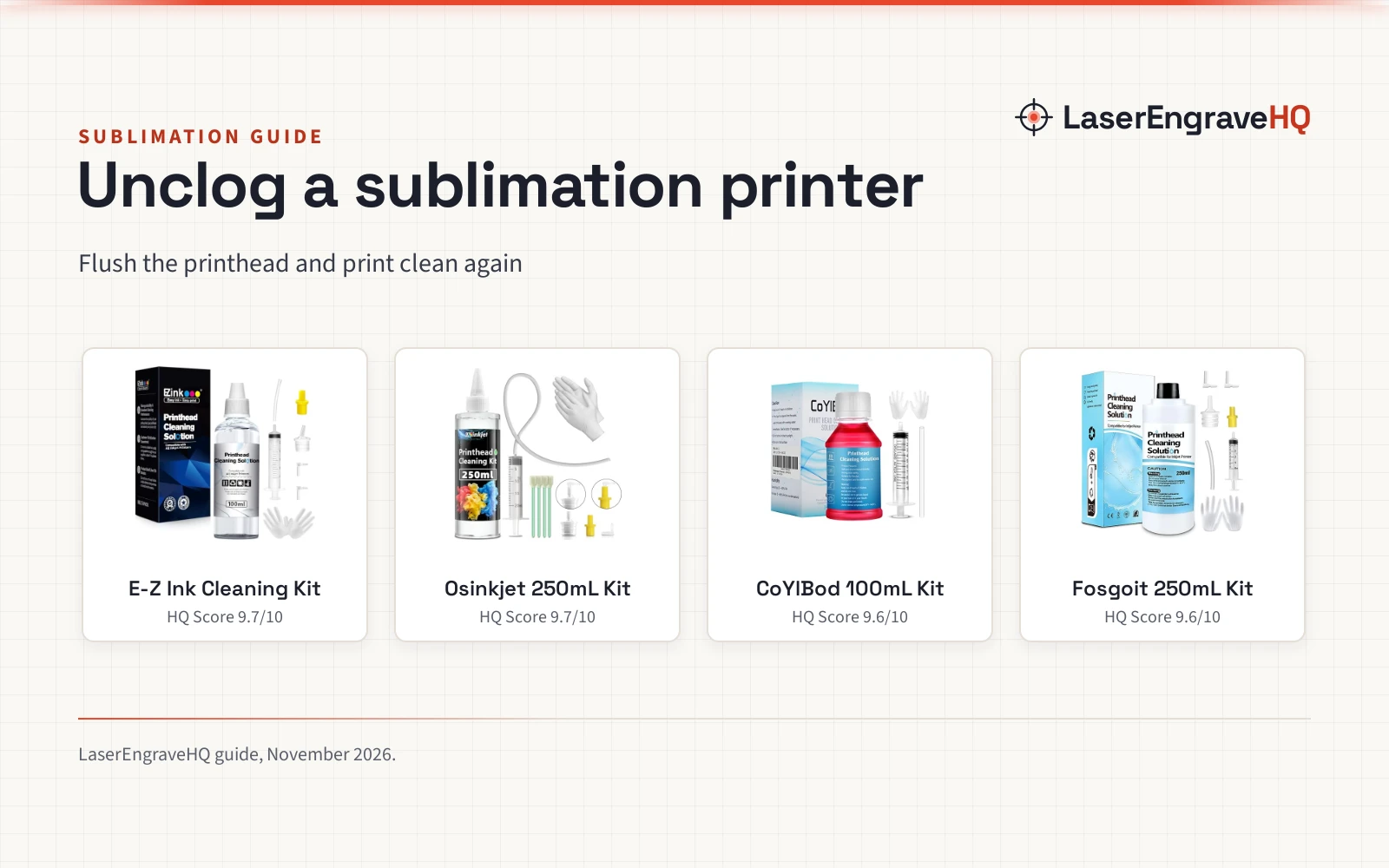
 E-Z Ink Printer Cleaning Kit9.7/10View on Amazon
- 2
 Osinkjet Printhead Cleaning Kit for Epson9.7/10View on Amazon
- 3
 CoYlBod Printhead Cleaning Kit Printer Flush Kit9.6/10View on Amazon
- 4
 Printer Head Cleaning Kit for Epson9.6/10View on Amazon
A sublimation printer that leaves pale lines across a mug wrap or gaps in a shirt transfer usually has dried ink blocking the nozzles, and the fix is a flush, not a new printer. How to unclog a sublimation printer comes down to cutting power, pushing cleaning solution through the printhead with a syringe and hose, and repeating the flush, with rest between rounds, until ink flows freely again. The kits below carry the solution and tools for that flush.
LaserEngraveHQ earns a commission from purchases made through these links, at no extra cost to you. Read our affiliate disclosure.
E-Z Ink Printer Cleaning Kit
A 100mL kit with a syringe, silicone hose, gloves and instructions for Epson, HP, Canon and Brother printers, with a 2 year warranty.
Pros
- 100mL fluid, syringe, silicone hose, gloves and instructions in the box
- Dissolves dry ink and hard blockage
- Stated for Epson, HP, Canon and Brother printers
- 2 year warranty, the longest term in this guide
Cons
- 100mL, less than the 250mL kits here
- No swabs or spare connectors in the box
- Sublimation ink is not named among the inks covered
- A serious block needs repeats, with rest between rounds
Osinkjet Printhead Cleaning Kit for Epson
A 250ml kit with a 20ml syringe, 4 swabs, 3 connectors and gloves for Epson, HP, Canon and Brother printers, with a 1 year warranty.
Pros
- 250ml of solution for a thorough cleaning
- 20ml syringe, 4 swabs, 3 connectors and gloves
- Stated for Epson, HP, Canon and Brother printers
- 1 year warranty with online support
Cons
- Sublimation ink is not named among the inks covered
- No silicone hose is named in the box
- No nozzle sizes are stated for the 3 connectors
- The 4 swabs and 3 connectors run out
CoYlBod Printhead Cleaning Kit Printer Flush Kit
A 100 ml kit with a syringe, silicone tube and manual for Epson ET, WF and XP printers, with a stated 80-90% success rate and a 1 year warranty.
Pros
- No need to disassemble the print head
- Dissolves sublimation, dye, pigment and factory inks
- Syringe, silicone tube and manual included
- Stated success rate of 80-90%
Cons
- 100 ml, the smaller size in this guide
- No gloves in the box
- Self-repair may damage the printer, per the maker
- A long-blocked head may stay blocked at 80-90%
Printer Head Cleaning Kit for Epson
A 250mL kit with a syringe, silicone hose, two rubber stoppers, gloves and instructions for Epson, HP and Canon printers, with fit-specific nozzles.
Pros
- Yellow nozzle for Epson, white for HP and Canon
- Dissolves hard blockage; works with sublimation ink
- Two rubber stoppers, gloves and instructions included
- 250mL size for repeated flushes
Cons
- No warranty term is stated
- No swabs in the box
- The right nozzle must be picked for the printer brand
- No success rate is stated
How to unclog a sublimation printer
The flush works through the printhead, so the printer stays whole while the solution does the work.
Cut the power before you start
Fosgoit and E-Z Ink both say to unplug the power supply before cleaning the printhead. E-Z Ink warns that cleaning with power connected may damage the printer, while Fosgoit says to unplug first to avoid nozzle clogging caused by the circuit.
Fit the syringe, hose and nozzle
Pick the nozzle that fits the printer. Fosgoit marks the yellow nozzle for Epson printers and the white nozzle for HP and Canon printers, with each size made to fit a different ink filling port.
Flush the printhead without taking it apart
Push cleaning solution through the printhead with the syringe and silicone hose. CoYlBod states that the head does not need to come apart for this step. E-Z Ink and Fosgoit state their solutions dissolve the hard block left after ink hardens, and CoYlBod and Fosgoit both state their solutions will not corrode the print head.
Repeat the flush for a stubborn block
If the nozzle stays blocked, repeat the cleaning several times. E-Z Ink warns against cleaning too often in a short period, so give the head time between rounds instead of flushing again at once.
Print a nozzle check and weigh the risk
CoYlBod states a success rate of 80-90% and warns that self-repair may damage the printer, and calls its own solution a last attempt, so weigh the risk before flushing.
Cleaning kits for unclogging a sublimation printer
The flush step needs cleaning solution, a syringe and a hose, and the kits below carry those tools in different sizes and combinations.
Common mistakes to avoid
- Cleaning with the power connected, when the makers say to unplug first.
- Using the wrong nozzle for the printer brand.
- Cleaning too often in a short period.
- Treating a CoYlBod flush as routine care when the maker calls its solution a last attempt.
- Expecting every block to clear at a stated 80-90% success rate.
How to unclog a sublimation printer: the short version
- Unplug the printer.
- Fit the syringe, hose and the nozzle made for the printer brand.
- Flush cleaning solution through the printhead without taking it apart.
- Repeat the flush several times for a serious block, with rest between rounds.
- Print a nozzle check, and do not keep flushing if gaps stay.
FAQ: lasers and CNC
How do you unclog a sublimation printer?
Unplug the printer, then flush the printhead with cleaning solution through a syringe and silicone hose. Repeat the flush if the nozzle stays blocked, with rest between rounds, then print a nozzle check.
Can you use a printhead cleaning kit on a sublimation printer?
Yes, if the kit names sublimation ink. Fosgoit and CoYlBod both name sublimation ink among the inks their solutions dissolve.
What comes in a printhead cleaning kit?
It varies. Osinkjet carries 250ml of solution, a 20ml syringe, 4 swabs, 3 connectors and gloves. Fosgoit carries solution, a syringe, a hose, stoppers, gloves and instructions. CoYlBod carries a syringe, a tube and a manual, and E-Z Ink carries 100mL of fluid, a syringe, a hose, gloves and instructions.
Should you unplug the printer before cleaning the printhead?
Yes. Fosgoit and E-Z Ink both say to unplug the power supply before cleaning. E-Z Ink warns that cleaning with power connected may damage the printer, while Fosgoit says to unplug first to avoid nozzle clogging caused by the circuit.
How many times can you repeat a printhead flush?
E-Z Ink says to repeat cleaning several times for a serious block, but warns against cleaning too often in a short period. No set count is stated.
Related: the craft machines hub, best sublimation ink for Epson 2800 and sublimation printer set up. Also see the why is my sublimation printer printing lines. Also see the sublimation tumblers for beginners.