Glowforge vs OMTech: Which One Should You Buy?
A practical comparison of Glowforge and OMTech laser machines across software control, cutting capability, workspace ventilation and maintenance demands.

On this page
Top picks at a glance
As an Amazon Associate I earn from qualifying purchases.
- 1
 Glowforge Aura 6W Laser Engraver & Cutter with HD Camera &9.6/10View on Amazon
- 2
 OMTech 100W CO2 Laser Engraver with 4 Way Pass Through Air9.7/10View on Amazon
- 3
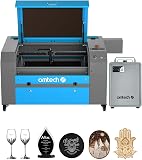 OMTech Maker 90W CO2 Laser Engraver & Cutter with Water9.6/10View on Amazon
- 4
 OMTech CO2 Laser Coolant Non Conductive Liquid Cooler HeatView on Amazon
- 5
 OMTech Laser Marking PowderView on Amazon
- 6
 OMTech 12 Pack Basswood SheetsView on Amazon
- 7
 OMTech K40+ 45W Desktop CO2 Laser Engraver & Cutter 12" × 8"View on Amazon
- 8
 OMTech 36 Pack Birch Plywood SheetsView on Amazon
- 9
 OMTech 12 Pack Birch PlywoodView on Amazon
When comparing Glowforge vs OMTech, the right choice depends on whether you prioritize push-button cloud software or open workshop production. Glowforge delivers an appliance-like craft experience with built-in camera alignment and browser-based software, making it accessible for home hobbyists who want simple desktop operation. OMTech builds industrial-style machines that run standard offline software like LightBurn, offering greater cutting capability, user-serviceable components, and complete independence from internet connections. The sections below break down this comparison step by step to help you pick the right machine for your workshop.
Other machines to compare
 OMTech CO2 Laser Coolant Non Conductive Liquid Cooler HeatCheck price on Amazon
 OMTech Laser Marking PowderCheck price on Amazon
 OMTech 12 Pack Basswood SheetsCheck price on Amazon
 OMTech K40+ 45W Desktop CO2 Laser Engraver & Cutter 12" × 8"Check price on Amazon
 OMTech 36 Pack Birch Plywood SheetsCheck price on Amazon
 OMTech 12 Pack Birch PlywoodCheck price on Amazon
LaserEngraveHQ earns a commission from purchases made through these links, at no extra cost to you. Read our affiliate disclosure.
We evaluate published specifications rather than sponsored marketing claims. Glowforge relies on proprietary cloud software that requires an active internet connection, while OMTech relies on open hardware controllers compatible with LightBurn. Your workshop setup and software preference should guide your choice.
Step 1: Compare software ecosystems and operating requirements
The most fundamental operational difference between Glowforge and OMTech centers on software control. Glowforge operates exclusively through its proprietary web-based print application. To prepare files, adjust settings, and send jobs to the machine, your computer or tablet must maintain an active internet connection to communicate with the maker’s cloud servers. The Glowforge interface provides automated material settings and an overhead camera preview that overlays artwork directly onto your material. However, if your internet connection drops or the remote servers experience downtime, the machine cannot run. In addition, advanced design tools and certain workflow capabilities require an optional recurring software subscription.
In contrast, OMTech equips its machines with standard digital controllers that operate entirely offline. Users connect directly to the machine using USB or Ethernet cables and control cutting and engraving jobs using independent laser software. The industry benchmark program for these controllers is LightBurn, which gives operators complete control over speed, power, layer order, kerf compensation, and vector optimization without relying on cloud processing. For a detailed breakdown of standalone software capabilities, read our guide on whether LightBurn is worth it. If you require a cutter that operates reliably without internet access or ongoing subscriptions, OMTech provides the more autonomous workflow.
Step 2: Evaluate laser tube technology and cutting capability
Understanding beam source technology is essential when choosing between these brands. Glowforge offers compact desktop craft units alongside enclosed desktop CO2 models. For instance, the maker’s entry desktop craft model, the Glowforge Aura, features a 6W optical output diode laser. Diode lasers are compact and affordable for engraving wood, dark acrylic, and leather, but they operate at lower speeds and cannot penetrate clear acrylic because the blue beam passes straight through transparent stock. Understanding how diode beams differ from gas lasers is covered in our comparison of diode vs CO2 laser machines.
OMTech specializes in glass-tube CO2 machines designed for workshops requiring substantial cutting throughput. CO2 lasers produce an infrared beam that is naturally absorbed by organic materials, wood, leather, and clear acrylic, producing polished edges on acrylic in a single pass. For makers focused on production cutting and engraving across diverse sheet goods, browse our full index of CO2 laser cutters. While Glowforge CO2 machines provide reliable cutting in a refined desktop package, OMTech provides higher optical output configurations suited for deeper cuts in hardwood and thick acrylic sheets without slowing production runs.
Step 3: Compare work area dimensions and machine footprint
Machine footprint and usable bed size dictate what projects you can produce and where the equipment can reside. The Glowforge Aura listing states a 12 x 12 in work area, with exterior machine dimensions of 22 x 20.5 x 5 in and an overall weight of 41.8 pounds. This compact size allows it to sit on a standard craft table or office desk, making it practical for home hobbyists, classrooms, and apartment makers who must conserve floor space.
OMTech machines are built around industrial sheet metal chassis designed for dedicated shop spaces. These units provide expansive cutting beds and motorized vertical work tables that accommodate tall items and rotary attachments. Many OMTech models also incorporate front and rear pass-through slots, allowing operators to feed continuous lengths of plywood or acrylic through the cabinet to engrave oversized signage. However, these industrial dimensions require dedicated floor space, wide doorways for delivery, and sturdy workbenches capable of supporting heavy steel cabinets. Review our guide on what a CO2 laser engraver is to examine how cabinet designs accommodate larger materials.
Step 4: Assess workshop ventilation and exhaust routing
Thermal beam cutting vaporizes material, generating smoke, odors, and airborne particles that must be safely evacuated from your workspace. OMTech machines feature built-in exhaust ports intended for direct connection to outdoor ductwork using inline ventilation blowers. Routing exhaust outside through a dedicated wall or window port ensures that fumes leave the building promptly. Step-by-step ducting guidelines are detailed in our setup article on how to vent a CO2 laser outside.
For home makers unable to install an exterior window vent, Glowforge offers an optional Craft Laser Filter weighing 15 pounds, with the maker listing activated carbon filtration specified for up to 100 hours of run time. The filter cartridge captures airborne particles and reduces odors so the machine can operate in indoor rooms. For broader comparisons of workshop filtration units, see our evaluation of the best fume extractors for laser engravers. Regardless of which machine brand you choose, workshop safety demands strict material discipline: never cut PVC, vinyl, PVC-based faux leather, polycarbonate, or ABS, as thermal decomposition of these plastics releases corrosive hydrochloric acid gas and harmful airborne toxins that ruin machine optics and create severe health risks.
Step 5: Examine cooling systems and maintenance demands
Cooling and routine optical care differ significantly between the two manufacturers. The 6W Glowforge Aura relies on internal air cooling fans, while larger Glowforge CO2 models utilize an internal closed-loop liquid cooling system. These factory-sealed systems minimize routine fluid maintenance, allowing users to operate without external plumbing or water buckets. However, sealed enclosures limit user access when components wear out.
OMTech CO2 machines utilize open water-cooling loops where distilled water circulates continuously through the glass laser tube. To prevent overheating during extended cutting sessions, OMTech operators connect a water pump or a dedicated refrigeration unit, as outlined in our guide on CO2 laser water chillers. Furthermore, OMTech machines require periodic optical maintenance: operators must inspect, clean, and align mirrors using accessible adjustment thumb screws to ensure the beam strikes the focal lens perpendicularly. Step-by-step alignment techniques are covered in our walkthrough on how to align mirrors on a CO2 laser. Glass CO2 tubes also have a finite operational lifespan before the internal gas mixture depletes; learn what influences tube longevity in our review of how long CO2 laser tubes last.
Step 6: Review safety features and optical protection
Laser equipment requires proper protective features to prevent accidental exposure to optical radiation. Glowforge machines are fully enclosed Class 1 laser systems during standard operation, featuring safety interlocks that immediately stop the laser if the lid opens, alongside built-in flame detection sensors. The Glowforge Aura listing states a 12-month limited manufacturer warranty for the machine and a 6-month limited manufacturer warranty for its filter cartridge system.
OMTech machines include physical safety switches, keyed power interlocks, separate laser fire switches, and prominent emergency stop buttons on the control panel. Because OMTech cabinets feature pass-through access slots and open beam paths during mirror alignment, operators must wear certified laser safety glasses tailored to the machine beam wavelength and optical density. To understand classification standards and workspace safety protocols, consult our guide on laser classes explained. For a full workshop preparation checklist and restricted materials summary, refer to our overview of materials you should never laser cut.
Common mistakes to avoid
- Assuming Glowforge will run offline without an active internet connection.
- Purchasing an OMTech machine without planning for water cooling and manual mirror alignment.
- Overlooking recurring software fees when budgeting for cloud-based design features.
- Operating an exhaust fan without verifying that fumes exit the workshop completely.
- Attempting to cut prohibited materials such as PVC, vinyl, or polycarbonate that damage internal components.
Glowforge vs OMTech: the short version
- Choose Glowforge if you want a compact desktop machine with automated camera alignment and simple cloud software.
- Choose OMTech if you want an industrial CO2 machine with LightBurn control, higher cutting capacity, and no internet dependence.
- Choose Glowforge if your priority is crafting personalized gifts and decor inside a home office or classroom.
- Choose OMTech if you operate a dedicated workshop, require pass-through stock feeding, and prefer user-serviceable hardware.
- Plan adequate exterior ventilation or rated activated carbon filtration before firing either machine.
- Always wear certified protective eyewear and verify material safety before starting any cutting run.
Both brands deliver capable laser cutting and engraving, but they serve different maker priorities: Glowforge emphasizes seamless craft convenience, while OMTech delivers open workshop versatility.
FAQ: lasers and CNC
Can Glowforge run LightBurn software?
Glowforge machines operate exclusively through the maker’s proprietary cloud application and cannot connect to LightBurn. OMTech machines feature digital controllers that communicate directly with LightBurn over USB or Ethernet.
Does Glowforge work without an internet connection?
No. Glowforge requires an active internet connection to process design files on cloud servers and stream machine commands to the laser. OMTech runs completely offline once files are sent to the controller.
Can you align mirrors manually on a Glowforge?
Glowforge uses factory-aligned optical components inside a sealed housing, meaning operators cannot perform routine manual mirror adjustments. OMTech features open mirror mounts with adjustment thumb screws so owners can align mirrors directly in the shop.
Which brand is better for cutting clear acrylic?
CO2 laser cutters from both brands cut clear acrylic cleanly because acrylic absorbs the CO2 infrared beam. Diode craft units, including the 6W Glowforge Aura, pass through transparent acrylic without cutting it.
What cooling does each laser require?
The 6W Glowforge Aura uses internal air cooling, while larger Glowforge CO2 units utilize internal closed-loop liquid systems. OMTech CO2 machines require an external water cooling loop using distilled water and a pump or dedicated water chiller.
Which laser is easier for beginners?
Glowforge is generally simpler for beginners who want push-button operation, camera alignment, and an appliance-like experience. OMTech involves a steeper initial learning curve for mirror alignment and cooling setup, but rewards users with software freedom and modular repairability.
Related: the laser engraver hub, what is a CO2 laser engraver, and best CO2 laser cutter for home use. Also see our LightBurn software guide and CO2 laser tube lifespan guide.