Portable Laser Engraver vs Desktop Laser Cutter: Which One Should You Buy?
A direct comparison of portable laser engravers and desktop laser cutters covering work area, optical power, enclosure safety, and cutting capability.

On this page
Top picks at a glance
As an Amazon Associate I earn from qualifying purchases.
- 1
 LaserPecker LP2 Laser Engraver with Roller9.5/10View on Amazon
- 2
 xTool P2S 55W CO2 Laser Cutter9.7/10View on Amazon
- 3
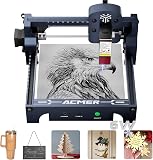 ACMER S1 6W Laser Engraver Machine9.5/10View on Amazon
- 4
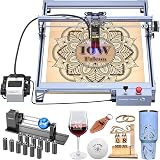 Creality 10W Laser EngraverView on Amazon
- 5
 Laser Engraver 7000mW Laser Engraving Machine 200x150mm WorkView on Amazon
- 6
 Creality Falcon A1C 5W AI Laser Engraver with AI CameraView on Amazon
- 7
 ATOMSTACK Swift Mini 2.5W Laser EngraverView on Amazon
- 8
 LONGER RAY5 Laser Engraver 2500mW High Precision 0.04 *View on Amazon
- 9
 Artilume T1 Laser Engraver MachineView on Amazon
Makers choosing between personalized leather patches, tumblers, wood signs and cut parts often face a central choice: portable laser engraver vs desktop laser cutter. A portable laser engraver works best for small mobile marking jobs, on-site personalization and compact blanks where portability matters more than cutting depth. A desktop laser cutter fits makers who need a larger stationary work area, higher optical power to cut through sheets, or enclosed workshop setups. The sections below compare both machine formats step by step across work area, beam power, safety enclosures, cutting capability and everyday workflow.
Other machines to compare
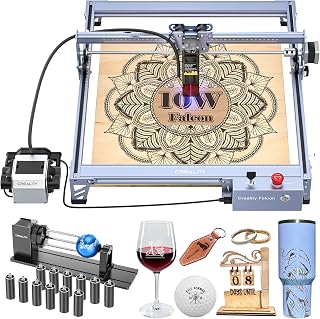 Creality 10W Laser EngraverCheck price on Amazon
 Laser Engraver 7000mW Laser Engraving Machine 200x150mm WorkCheck price on Amazon
 Creality Falcon A1C 5W AI Laser Engraver with AI CameraCheck price on Amazon
 ATOMSTACK Swift Mini 2.5W Laser EngraverCheck price on Amazon
 LONGER RAY5 Laser Engraver 2500mW High Precision 0.04 *Check price on Amazon
 Artilume T1 Laser Engraver MachineCheck price on Amazon
LaserEngraveHQ earns a commission from purchases made through these links, at no extra cost to you. Read our affiliate disclosure.
A portable laser engraver is built primarily for surface etching on small items, not heavy sheet cutting. If your primary goal is slicing through wood boards or sheet materials in production batches, a stationary desktop machine provides the rigidity and optical power needed for the job.
Step 1: Compare work area and machine footprint
Work area marks the clearest dividing line between machine formats. Portable engravers prioritize a compact footprint for easy relocation between desks or event booths. However, smaller frames constrain raw material dimensions. Longer lists an upgraded working area of 5.1″ × 5.5″ (130x130mm) on its mini frame, ATOMSTACK lists a 135×145 mm working area, and Artilume specifies a 200x150mm working area (also listed as 8×6inch) on its foldable design. These compact envelopes suit individual coasters, leather patches and tags, but require pre-cutting sheet stock.
In contrast, desktop cutters provide larger bed space for signs and batches. Among open-frame units, Creality lists a 17″ x 16″ working area on its Falcon Pro for multi-blank runs. Fully enclosed desktop models prioritize safety over bed size, such as Creality listing a 150 × 150 × 148 mm (5.9″ × 5.9″ × 5.8″) working area inside its Falcon A1C enclosure. For wide signs or batch runs, an open-frame desktop bed saves hours of manual repositioning.
Step 2: Compare optical output and electrical draw
Cutting ability depends entirely on optical output rather than total electrical draw from the outlet. Portable engravers incorporate lower-power diode modules to manage heat in lightweight frames. ATOMSTACK lists a 2.5W (2500mW) diode laser output on its Swift Mini, Longer lists a 2500mW laser output on its mini machine, and Artilume lists diode options at 3W and 7W (7000mW). These levels provide ample energy density for surface etching on wood, paper, leather and dark acrylic, but lack the intensity for rapid cutting.
Desktop cutters deliver higher optical wattage for cutting denser materials. Creality lists a 10W optical output for the Falcon Pro while noting an electrical input draw of 72000mW. Creality also lists an interchangeable platform for the Falcon A1C supporting 1.2W, 5W and 10W laser modules. To compare machine capabilities across wood projects, browse our guide to the best laser engraver for wood or explore beam sources in our overview of laser cutter types.
Step 3: Evaluate cutting capability and material depth
While both formats excel at surface marking, portable units are designed for etching rather than sheet cutting. While Longer’s listing claims cutting capabilities of up to 6mm for wood and 2mm for acrylic with its 2500mW laser, low-power diodes struggle with dense wood. Artilume states that its 7W diode cuts thin wood up to 4mm basswood with multiple passes, while noting its 3W model is limited to thin materials under 2 mm (0.08 inches). Requiring multiple passes increases job time and raises the risk of charred edges on delicate stock.
Desktop cutters provide the beam concentration to slice through sheet stock reliably. Higher optical output modules, especially 10W diodes or benchtop CO2 glass tubes, focus energy into a narrow kerf, severing material cleanly in fewer passes. Desktop platforms also frequently support auxiliary air assist pumps that clear smoke and prevent charring. To evaluate cutting platforms for wooden puzzles or acrylic shapes, read our comparison on laser engraver vs laser cutter.
Step 4: Examine enclosure safety and ventilation needs
Laser radiation presents eye hazards, while vaporized organic materials release smoke and particulate matter. Portable engravers frequently employ open-frame designs to reduce weight. ATOMSTACK and Longer both specify Class 4 laser ratings on their machines, requiring strict eye protection. ATOMSTACK notes that its included safety glasses meet the OD4+ standard. Open-frame engravers disperse fumes directly into your room unless paired with an exhaust shroud. Review optical standards in our laser safety glasses guide.
Desktop cutters often feature integrated enclosures that simplify safety management. Creality lists certified Class 1 safety for the Falcon A1C, meeting FDA Class 1 requirements through a fully enclosed structure that prevents stray beam reflection. Enclosed units contain smoke, channeling effluent through an exhaust port to a window or filter. For indoor setups, explore our overview of open frame vs enclosed laser engravers and review filtration in our fume extractor guide.
Step 5: Weigh weight, portability and power sources
Physical mobility drives creator interest in portable engravers for craft markets and pop-up retail booths. LaserPecker lists a weight of 2.4 pounds for the LP1 Plus, noting it sets up in under 2 minutes, uses a 200 mm focal ruler with an adjustable 360 degree stand and runs outdoors powered by a power bank. Artilume lists a machine weight of 2.99 pounds with a foldable frame for easy storage, while Longer specifies 4.84 pounds and compact frame dimensions of 11.5 x 11.26 x 6.5 inches.
Enclosed desktop cutters are heavier fixtures for stationary benches. Creality lists a machine weight of 29.8 pounds for the enclosed Falcon A1C. That mass minimizes frame vibration during high-speed motion runs, but prevents casual relocation. Desktop machines also draw higher current, requiring a stable AC wall outlet. If portability is essential, browse our curated selections in the portable laser engraver category.
Step 6: Match the machine to your workshop workflow
A portable engraver suits hobbyists with limited desk space, creators who personalize pre-assembled blanks and sellers providing on-site engraving at live events. These compact units personalize journals, wallets, keychains and wood blanks without occupying shop floor space. For starter setups, explore our recommendations in the best laser engraver for beginners guide.
A desktop laser cutter is the sensible choice for Etsy sellers and small commercial businesses requiring consistent sheet cutting. Larger bed dimensions accommodate dozens of parts across a single sheet, while higher optical power cuts stock cleanly with minimal edge discoloration. If scaling order volume, review our checklist on how to choose a laser engraver.
Common mistakes to avoid
- Expecting a low-power portable diode to cut thick hardwood or opaque acrylic sheets.
- Operating an open-frame machine indoors without adequate ventilation or proper eye protection.
- Purchasing a desktop machine without measuring workbench space, exhaust duct paths and electrical outlets.
- Confusing electrical input draw with actual optical laser output when evaluating cutting performance.
- Attempting to process hazardous substrates such as PVC, vinyl, PVC-based faux leather, polycarbonate or ABS.
- Failing to use OD-rated protective glasses matching the laser wavelength on open-frame machines.
Portable laser engraver vs desktop laser cutter: the short version
- Define your primary process: portable engravers for surface etching on blanks, or desktop cutters for slicing sheet stock.
- Measure your workspace: compact portable units store in a cabinet, while desktop cutters require dedicated bench space and ventilation.
- Check optical power: portable units provide lower wattage for marking, whereas desktop cutters deliver higher wattage for cutting.
- Assess safety enclosures: open-frame engravers require protective eyewear and ventilation, while Class 1 enclosed models contain radiation and smoke.
- Evaluate mobility needs: lightweight portable units travel easily to events, while heavier desktop chassis remain stationary on a workshop bench.
- Pick the format that supports your daily production volume and workshop environment.
Both formats serve distinct maker needs, depending on whether you prioritize mobile surface etching or stationary sheet cutting.
FAQ: lasers and CNC
Can a portable laser engraver cut wood?
A portable laser engraver can cut thin wood, but capacity is limited. Artilume states that its 7W diode cuts thin wood up to 4mm basswood with multiple passes, while its 3W option is limited to materials under 2 mm (0.08 inches). Longer lists cutting capabilities up to 6mm for wood with a 2500mW laser, but low-power diodes require multiple passes that leave heavy edge charring. For regular sheet cutting, higher optical wattage on a desktop cutter is far more efficient.
What is the difference between optical power and electrical power?
Electrical power measures total energy drawn from the wall outlet by motors and electronics, whereas optical power measures actual energy delivered by the laser beam. For example, Creality lists a 72000mW electrical input for its Falcon Pro while delivering a 10W optical output. Always compare optical wattage when evaluating cutting performance.
Do I need protective safety glasses with an enclosed desktop laser cutter?
Fully enclosed machines meeting certified Class 1 safety standards, such as the Creality Falcon A1C which meets FDA Class 1 requirements, shield users from optical radiation during normal operation. In contrast, open-frame Class 4 engravers, such as units from ATOMSTACK and Longer, expose the beam and require protective eyewear. ATOMSTACK notes its included glasses meet the OD4+ standard matching the laser wavelength.
Can a portable laser engraver run on battery power?
Certain compact engravers can operate using external battery packs. For example, LaserPecker specifies that the LP1 Plus can be powered outdoors by a power bank. In contrast, desktop cutters require higher electrical draw for larger gantries, fans and laser heads, requiring standard AC wall power.
Which materials should never be cut or engraved with a laser?
Never process PVC, vinyl, PVC-based faux leather, polycarbonate or ABS. Thermal processing of PVC and vinyl releases corrosive hydrogen chloride gas and chlorine that damage lungs and corrode machine components. Materials like polycarbonate and ABS produce excessive flaming, dense soot and toxic fumes that create severe fire hazards and respiratory risks.
Is a desktop laser cutter better for running a small business?
For makers producing signs, custom decor, acrylic jewelry or batch gifts, a desktop laser cutter offers superior throughput. Larger bed dimensions allow arranging multiple blanks in a single run, while higher optical power cuts parts rapidly with clean edges. A portable engraver is better suited for on-site personalization at craft fairs and markets.
Related: the laser engraver hub, our laser engraver safety checklist, and our best laser engraver for small business guide. Also explore options in our best CO2 laser cutter for home use, see enclosed systems in best enclosed laser engravers, and review materials in our material cutting guide.



