3D Scanner vs 3D Printer: Which One Should You Buy?
A 3d scanner captures real objects as digital models while a 3d printer builds objects from digital files, compared here on workflow, accuracy, speed, software, safety and support.

On this page
Top picks at a glance
As an Amazon Associate I earn from qualifying purchases.
- 1
 Revopoint MIRACO Plus 3D Scanner, All-in-One Scan9.7/10View on Amazon
- 2
 Bambu Lab P2S Combo, P2S 3D Printer & AMS 2 Pro9.6/10View on Amazon
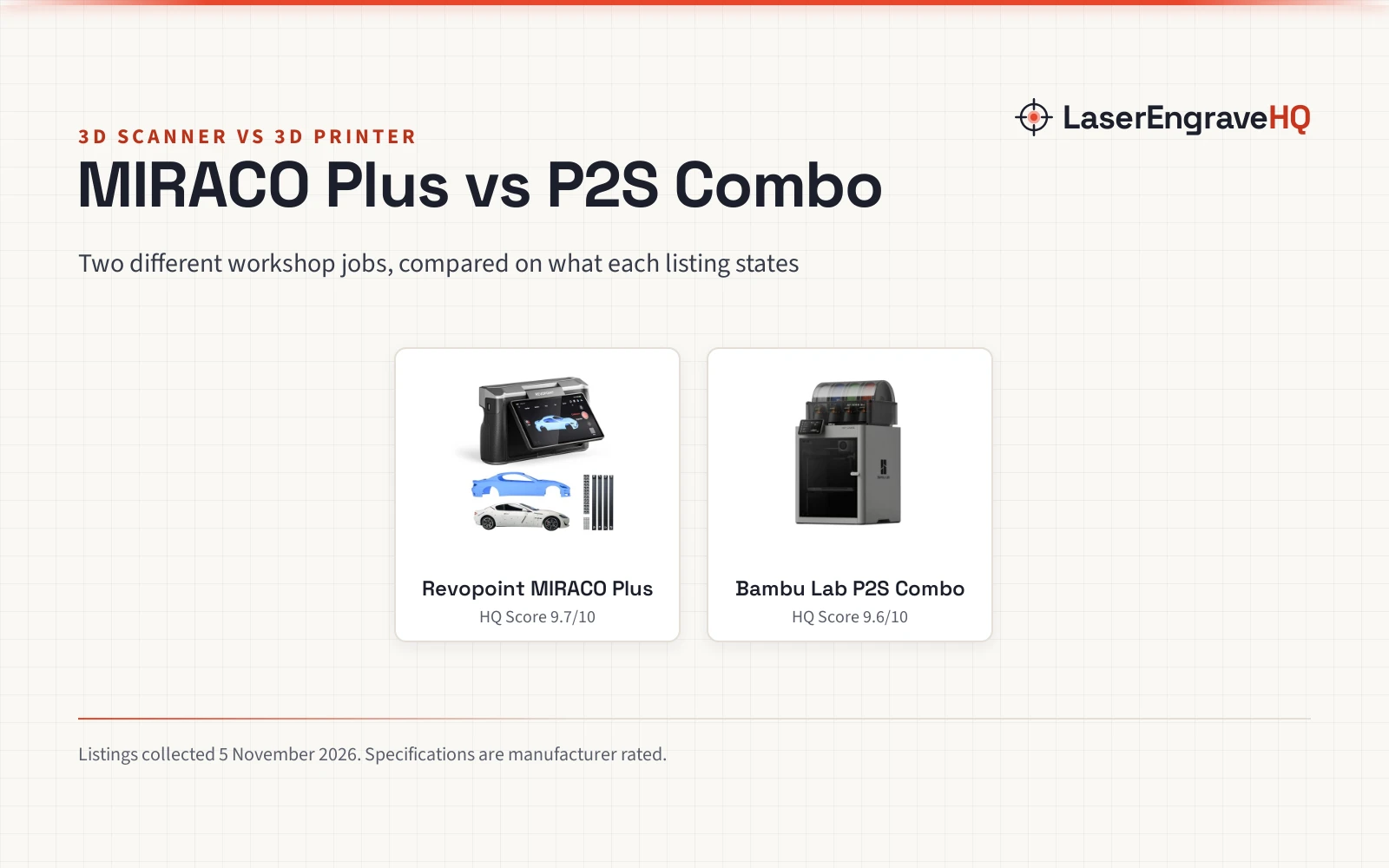
A maker holding a real object and a maker starting from an idea face the same choice: capture what exists, or create something new. The 3d scanner vs 3d printer question is not about which machine wins in general, because the two machines do opposite jobs. One turns a physical object into a digital model. The other turns a digital model into a physical object. This comparison puts the Revopoint MIRACO Plus scanner against the Bambu Lab P2S Combo printer, using what each listing states.
LaserEngraveHQ earns a commission from purchases made through these links, at no extra cost to you. Read our affiliate disclosure.
Verdict: Pick the scanner if the work starts with a real object that must be measured, copied, or modeled. Pick the printer if the work starts with a digital file that must become a real part. Neither machine covers the other job, so a workshop doing both jobs needs both.
Machines on the list
Revopoint MIRACO Plus 3D Scanner, All-in-One Scan
An all-in-one 3D scanner with photogrammetric metrology, a 48MP color camera and a 6-inch flip screen for 3D printing and modeling.
Pros
- Photogrammetric length accuracy of 0.02 mm + 0.05 mm x L(m)
- Single-point cloud accuracy of 0.04 mm, with 1.5x and 2x optical infrared zoom for surface detail
- Captures up to 10,000 frames with 32GB RAM and exports PLY, OBJ, STL, ASC, 3MF, GLTF and FBX files
- Class 1 infrared laser technology allows direct face scans; the scanner weighs 750g
Cons
- Revo Design software for scan-to-CAD conversion is sold separately
- Software is only compatible with x86_64 architecture
- Battery provides up to 2 hours of continuous scanning
- Captures models only; it cannot print the objects it scans
Bambu Lab P2S Combo, P2S 3D Printer & AMS 2 Pro
A high-speed CoreXY 3D printer bundled with the AMS 2 Pro for multi-color and multi-material printing, with AI failure detection.
Pros
- Prints at up to 600 mm/s with a PMSM Servo Extruder and Active Flowrate Compensation
- AMS 2 Pro enables multi-color printing, with filament drying at up to 65 °C
- Ready to print in 15 minutes with automatic calibration and quick-swap nozzles
- Adaptive Airflow System holds a 50 °C chamber for engineering-grade materials
Cons
- Multi-color printing needs the Combo version; the P2S printer alone does not support it
- No scan function: it prints digital files but cannot capture real objects
- Print volume is not stated in the listing
- Needs a digital model before it can print anything
Other machines to compare
 Revopoint MetroY Ultra 3D ScannerCheck price on Amazon
 Creality CR-Ferret SE 3D ScannerCheck price on Amazon
 Creality 3D Scanner Sermoon P1 Wireless All-in-one 3D ScannerCheck price on Amazon
 Creality 3D Scanner Sermoon S1 for Engineering PrintingCheck price on Amazon
 SHARE SLAM S20 Handheld 3D LiDAR ScannerCheck price on Amazon
Side by side
| Spec | Revopoint MIRACO Plus | Bambu Lab P2S Combo | Notes |
|---|---|---|---|
| HQ Score | 81 | 73 | Card totals |
| Job | Captures real objects as digital models | Builds objects from digital files | Opposite jobs |
| Accuracy | 0.04 mm single-point cloud | Not stated in the listing | Scanner only |
| Speed | Up to 20 fps continuous scanning | Up to 600 mm/s printing | Different jobs |
| Color | 48MP RGB camera with Flash LEDs | Multi-color through the AMS 2 Pro | Capture vs printing |
| Software and files | Exports PLY, OBJ, STL, ASC, 3MF, GLTF, FBX | Bambu Studio, Bambu Handy, MakerWorld models | Feeds print work |
| Size and weight | 750g, one-handed use | 18.0 x 22.0 x 18.0 inches | Different measures |
| Safety | Class 1 infrared laser technology | Carbon filter for cleaner air | Different features |
| Warranty | 2-year warranty | 1 Year Manufacturer | Both stated |
| Power and battery | 65W fast charging; up to 2 hours scanning | Not stated in the listing | Scanner only |
These numbers come straight from each maker’s listing and are rated, not measured by us (4 November 2026).
How a 3d scanner vs 3d printer workflow differs
The scanner workflow starts with the object. The MIRACO Plus captures it in single-shot mode for highly accurate point clouds, or in continuous mode at up to 20 fps, then the software handles scanning, processing, editing, and merging before export in PLY, OBJ, STL, ASC, 3MF, GLTF, or FBX formats. The printer workflow starts with a file: the P2S Combo builds a model from the MakerWorld library of over one million models, using Bambu Studio and Bambu Handy, at up to 600 mm/s. Together they form a loop: scan, refine, print.
Accuracy and detail
On stated accuracy, only the scanner listing gives figures. The MIRACO Plus lists single-point cloud accuracy of 0.04 mm, improved by 20% through its new calibration board, and photogrammetric length accuracy of 0.02 mm + 0.05 mm x L(m). The 48MP RGB camera captures full color, and the infrared zoom at 1.5x and 2x adds surface detail with less noise. The printer listing states no accuracy figure, so no winner is called on accuracy. What it states is print quality control: a PMSM Servo Extruder with Active Flowrate Compensation, which the maker says keeps every layer sharp and smooth.
Speed and size
Speed means different things on each side. The scanner captures at up to 20 fps in continuous mode and weighs 750g, so it suits one-handed use. Its battery provides up to 2 hours of continuous scanning, and 65W fast charging reaches 80% in 35 minutes. The printer prints at up to 600 mm/s and is ready to print in 15 minutes, with automatic calibration and quick-swap nozzles. Its listed product dimensions are 18.0 x 22.0 x 18.0 inches, while its print volume is not stated.
Software and files
The scanner software covers scanning, capture, processing, editing, and merging, and exports models to PCs. Two limits matter: it is only compatible with x86_64 architecture, and Revo Design, which streamlines scan-to-CAD, is sold separately. The printer side leans on Bambu Studio, Bambu Handy, and the MakerWorld library of over one million models, with AMS 2 Pro drying at up to 65 °C and a 50 °C chamber for engineering-grade materials.
Safety and support
The scanner listing states safe class 1 infrared laser technology that allows direct face scans. The printer listing states a carbon filter for cleaner air while printing, plus AI failure detection. On support, the scanner listing states a 2-year warranty with round-the-clock customer support, while the printer listing states a 1 Year Manufacturer warranty and does not state support hours. On stated terms alone, warranty length favors the scanner.
Choose the Revopoint MIRACO Plus if
- The work starts with a real object that must be copied, measured, or modeled.
- Full-color scans or face scans are part of the job.
- A stated 2-year warranty matters more than building objects.
Choose the Bambu Lab P2S Combo if
- The work starts with a digital model that must become a physical part.
- Multi-color prints are on the list, through the AMS 2 Pro bundle.
- A 15 minute setup and automatic calibration matter more than capturing real objects.
Class 1 covers the scanner as built, so use it as the maker directs. Ventilate the print area.
Project Match
- Copying or measuring a real part, from tiny screws to large machinery: the MIRACO Plus scanner.
- Multi-color prints from MakerWorld models: the P2S Combo printer.
- Scan-to-CAD design: the MIRACO Plus scanner, noting Revo Design is sold separately.
- Engineering-grade prints in a heated chamber: the P2S Combo printer.
- Full-color models of faces and objects: the MIRACO Plus scanner.
FAQ: lasers and CNC
Should a maker buy a 3d scanner or a 3d printer first?
Buy the machine that matches the starting point: a real object to copy or measure calls for the scanner, a digital model to build calls for the printer.
Can the MIRACO Plus scanner feed a 3d printer?
Yes, through its exported files. The listing states exports in PLY, OBJ, STL, ASC, 3MF, GLTF, and FBX formats, and its title describes it as a scanner for 3D printing.
Does the P2S Combo print in more than one color?
Yes, through the AMS 2 Pro, which enables multi-color and multi-material printing with filament drying at up to 65 °C. Note the P2S printer alone does not support multi-color printing; the Combo bundle enables it.
How accurate is the MIRACO Plus scanner?
The listing states single-point cloud accuracy of 0.04 mm and photogrammetric length accuracy of 0.02 mm + 0.05 mm x L(m), with a quad depth camera system and a 48MP RGB camera.
Related: best 3d scanner, best 3d printer for small business, how to choose a laser engraver and best laser engraver for beginners.