What Is the Best Craft Cutting Machine: Buying Guide
A guide to choosing a craft cutting machine by materials, cutting width, speed and software, using the figures the makers state.

On this page
What is the best craft cutting machine? It is the machine that cuts the materials on your project list, at a width that fits your designs, with software you can learn without a long setup. Vinyl decals, iron-on shirts, stickers, greeting cards and paper crafts each ask for different strengths, so the right pick follows the work you plan to make.
As an Amazon Associate I earn from qualifying purchases. LaserEngraveHQ earns a commission from purchases made through these links, at no extra cost to you. Read our affiliate disclosure.
This guide compares only what the makers state about each machine. Where a maker does not state a figure, the guide says so rather than guessing.
What is the best craft cutting machine?
The short answer is that no machine suits every maker. A machine earns its place by matching your materials, your cutting width and your software. The reference machines in this guide show the range: the maker states the Cricut Explore 5 works with 100+ materials and, with Smart Materials, makes matless cuts up to 12 feet long; the Silhouette Cameo 5 Alpha Plus states a cutting width of up to 15 inches at speeds up to 400mm/s; and the Brother CT1 states cuts up to 1mm thick, matless or with 12″ x 12″ and 12″ x 24″ mats. Match the figures below to your own project list. The craft machines hub groups the other machine guides by type.
Start with the materials you cut
List the materials on your project list before you compare machines. The maker lists the Cricut Explore 5 for vinyl, heat transfer vinyl (HTV), cardstock, printable materials, paper, felt and more, and states it works with 100+ materials. If your work is mostly iron-on shirts and tote bags, heat transfer vinyl is the material to learn first; the types of heat transfer vinyl guide explains the options, and the heat transfer vinyl for beginners guide walks through a first project.
Thickness figures differ by model. The Brother CT1 states cuts up to 1mm thick, with a blade sensor that detects thickness. For the Silhouette Cameo 5 Alpha Plus, 0.5mm is the electrostatic mat figure; cut thickness is Not stated. For the Cricut Explore 5, cut thickness is Not stated. For labels, the guide to making permanent vinyl stick better covers adhesion after the cut.
Die cutting machines press a shape through material with a die; the die cutting machine guide for beginners explains the difference.
Cutting width and machine size
Width, length and mat size are separate figures. The Silhouette Cameo 5 Alpha Plus states a cutting width of up to 15 inches. The Cricut Explore 5 figure of up to 12 feet is a matless cut length with Smart Materials, not a width; cutting width is Not stated. The Brother CT1 states matless cutting or 12″ x 12″ and 12″ x 24″ mats, which are mat sizes.
Size and weight decide where the machine lives. The Cricut Explore 5 measures 10.25 inches x 22.6 inches x 8.3 inches, and the maker describes it as 30% more compact than previous models. The Silhouette Cameo 5 Alpha Plus measures 6.94 inches x 25.28 inches x 4.89 inches and weighs 12.7 pounds. The Brother CT1 measures 7.4 inches x 21.0 inches x 5.5 inches.
Software, setup and design library
Each machine here pairs with its own design software, which shapes daily workflow. The Cricut Explore 5 connects over Bluetooth and works with Cricut Design Space, with guided project tutorials and templates, step-by-step design flows and AI-image generation. The free out-of-the-box content library includes 3,000+ images, 100+ fonts and 1,000+ projects. The Silhouette Cameo 5 Alpha Plus ships with Silhouette Studio software, 100 exclusive designs and a 1-month subscription to the Silhouette Design Store. The Brother CT1 runs on Artspira, with a drawing pen tool, eraser, adjustable brush width and smoothing function.
Print and cut uses a separate printer: you print first, then the machine cuts. The Brother CT1 states a Print and Cut function for home-printer prints cut as stickers, die-cut or with a margin you add. The Silhouette Cameo 5 Alpha Plus states a 4-point registration mark system. The Cricut Explore 5 bundle includes printable vinyl for stickers and labels. If stickers are your main product, the best printer to make stickers guide covers the printer side of the setup.
Blades, registration and detail
Blade control is one factor in edge quality. The Silhouette Cameo 5 Alpha Plus AutoBlade is stated to adjust blade depth automatically, and Fast Sketch Mode to help create detailed designs in less time. Its Power Slide Lid is stated to open and close automatically, with a one-touch job repeat feature. The Brother CT1 blade sensor is stated to detect thickness, with cuts up to 1mm thick. The Cricut Explore 5 is stated to make matless cuts up to 12 feet long with Smart Materials, for decals, signs and banners.
What comes in the box
The maker presents the bundle as covering first projects without extra supplies. The Cricut Explore 5 Essential Bundle includes the machine, Smart Vinyl, Smart Iron-On, Value Cardstock, Insert Card Sets and Printable Vinyl, plus 6 Smart Vinyl Sheets in 9.5″ x 13″ size, 6 Smart Heat Transfer Vinyl Sheets in 9.5″ x 13″ size and access to 400+ Projects and How-To’s in Design Space. The Silhouette Cameo 5 Alpha Plus includes the machine, a power cable set, a standard tack cutting mat, AutoBlade, a Sketch Pens Adapter, Silhouette Studio Software, 100 exclusive designs and a 1-month Silhouette Design Store subscription. The Brother CT1 includes an Auto Blade Holder with blade, spatula, accessory bag, a Standard Tack Adhesive Mat in 12″ x 12″ size, sample vinyl, a feed supporter, power cord and setup and starter guides in Artspira.
Check the warranty term for the machine you pick. The Cricut Explore 5 carries a 1 Year Limited Manufacturer Warranty on the Cricut Machine. Warranty for the Silhouette Cameo 5 Alpha Plus: Not stated. Warranty for the Brother CT1: Not stated.
Common mistakes to avoid
- Buying for the longest project on your wish list instead of the work you make each week.
- Skipping the width check: measure your longest design against the stated cutting width first.
- Assuming every machine cuts thick material: the Brother CT1 states up to 1mm, the Silhouette Cameo 5 Alpha Plus 0.5mm is a mat figure, and the Cricut Explore 5 cut thickness is Not stated.
- Forgetting the mat: the Brother CT1 states matless or mat cutting, while the Cricut Explore 5 states matless cuts with Smart Materials.
- Ignoring the software: the design library and the learning curve matter as much as the blade.
- Ordering before you check the warranty term and the box contents.
What is the best craft cutting machine: the short version
- List the materials you cut most.
- Match the cutting width to your longest design.
- Pick software with a design library you can use.
- Check the thickness limit, the mat options and the box contents.
- Check the warranty term before you order.
- Cut a small project first, then scale up.
FAQ: lasers and CNC
What materials can a craft cutting machine cut?
It depends on the model. For the reference machines here, the maker lists the Cricut Explore 5 for vinyl, heat transfer vinyl (HTV), cardstock, printable materials, paper, felt and more, and states it works with 100+ materials. The Brother CT1 states cuts up to 1mm thick. For the Silhouette Cameo 5 Alpha Plus, 0.5mm is the electrostatic mat figure; a separate cut thickness is Not stated.
Is a mat needed to cut vinyl?
It depends on the model and material. The Cricut Explore 5 states matless cuts up to 12 feet long with Smart Materials. The Brother CT1 states matless cutting or 12″ x 12″ and 12″ x 24″ mats. The Silhouette Cameo 5 Alpha Plus ships with a standard tack mat; mat need for a given vinyl is Not stated.
How wide can a craft cutting machine cut?
It depends on the model. The Silhouette Cameo 5 Alpha Plus states a cutting width of up to 15 inches. The Cricut Explore 5 states matless cuts up to 12 feet long with Smart Materials, a length; cutting width is Not stated. The Brother CT1 states 12″ x 12″ and 12″ x 24″ mats; cutting width is Not stated.
What software does a craft cutting machine use?
Each machine uses its own design software. The Cricut Explore 5 works with Cricut Design Space over Bluetooth, with guided project tutorials and templates. The Silhouette Cameo 5 Alpha Plus ships with Silhouette Studio software, 100 exclusive designs and a 1-month subscription to the Silhouette Design Store. The Brother CT1 runs on Artspira, with a drawing pen tool, eraser, adjustable brush width and smoothing function.
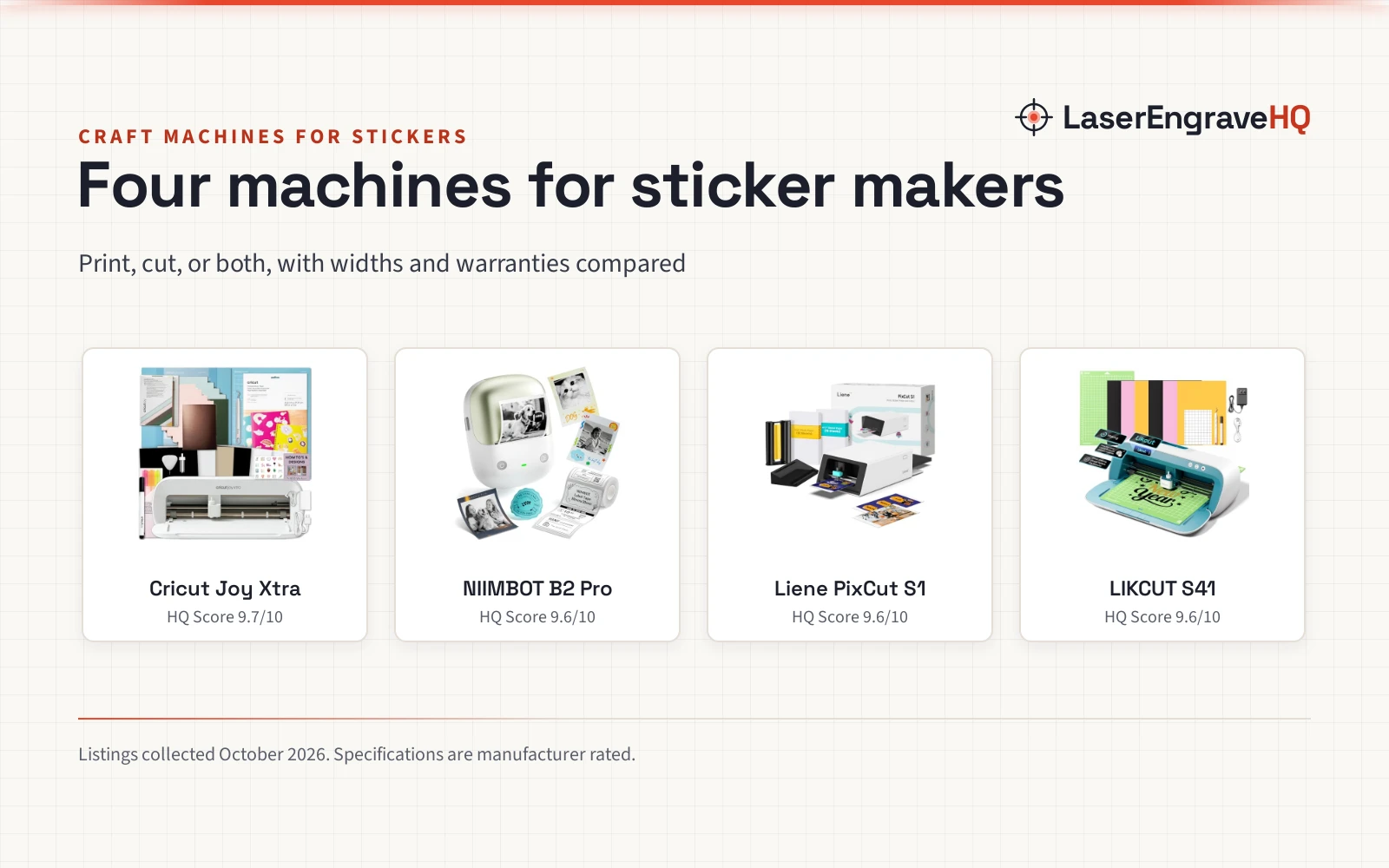
Can a craft cutting machine make stickers?
Some models state print and cut; check yours. The Brother CT1 states Print and Cut for a separate home printer, then cutting stickers. The Silhouette Cameo 5 Alpha Plus states a 4-point registration mark system. The Cricut Explore 5 bundle includes printable vinyl.
How much space does a craft cutting machine need?
It depends on the model. Check the stated size first. The Cricut Explore 5 measures 10.25 inches x 22.6 inches x 8.3 inches. The Silhouette Cameo 5 Alpha Plus measures 6.94 inches x 25.28 inches x 4.89 inches and weighs 12.7 pounds. The Brother CT1 measures 7.4 inches x 21.0 inches x 5.5 inches.
Related: the craft machines hub, cutting machines and cutting machine price guide. See also the best label maker for crafting and the manual leather cutting machine guide.