Pros and Cons of CNC Router: A Practical Workshop Guide
A practical guide to the pros and cons of CNC routers: weigh cutting depth, material versatility and automated carving against noise, dust and learning curves.

On this page
Top picks at a glance
As an Amazon Associate I earn from qualifying purchases.
- 1
 SpeTool Carbide Single Flute CNC Router Bits 1/8" Cutting9.7/10View on Amazon
- 2
 SainSmart Genmitsu 3020-PRO Ultra CNC Router Machine9.7/10View on Amazon
- 3
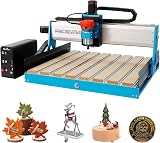 6050 CNC Router Machine9.6/10View on Amazon
- 4
 Genmitsu Cubiko Desktop CNC Router Machine with Enclosure forView on Amazon
- 5
 LUNYEE 3020 Nova CNC Router MachineView on Amazon
- 6
 CNC Spoilboard Surfacing Router Bit 1/4 Inch ShankView on Amazon
- 7
 CNC Spoilboard Surfacing Router BitsView on Amazon
- 8
 CNC Spoilboard Surfacing Router BitView on Amazon
- 9
 CNC Spoilboard Surfacing Router Bit 1/4" ShanView on Amazon
The pros and cons of cnc router machines center on mechanical capability versus workshop demands: a CNC router delivers relief carving, true pocketing, and rigid cutting through hardwoods, plastics, and non-ferrous metals that optical cutters cannot match, but rotary milling creates substantial noise, heavy chips and airborne dust, requires mechanical stock clamping, and carries a steeper CAD and CAM learning curve. Whether setting up a compact desktop wood cnc router for crafts or outfitting a production shop, understanding how spinning cutters interact with raw stock helps you decide if a router fits your workspace.
Other machines to compare
 Genmitsu Cubiko Desktop CNC Router Machine with Enclosure forCheck price on Amazon
 LUNYEE 3020 Nova CNC Router MachineCheck price on Amazon
 CNC Spoilboard Surfacing Router Bit 1/4 Inch ShankCheck price on Amazon
 CNC Spoilboard Surfacing Router BitsCheck price on Amazon
 CNC Spoilboard Surfacing Router BitCheck price on Amazon
 CNC Spoilboard Surfacing Router Bit 1/4" ShanCheck price on Amazon
LaserEngraveHQ earns a commission from purchases made through these links, at no extra cost to you. Read our affiliate disclosure.
A CNC router is a subtractive milling machine, not a silent printer. It exerts physical cutting forces on spinning bits, throwing chips and creating vibration that requires a sturdy bench, dust collection, and hearing protection.
Step 1: Evaluate cutting depth and relief carving capabilities
The primary advantage of a CNC router is genuine dimensional machining. While flat laser engravers vaporize surface layers, a router drives spinning end mills through thick stock along the X, Y, and Z axes to cut deep mortises, carved pockets, bevels, and variable-depth reliefs in solid materials.
Cutting depth depends directly on machine rigidity, spindle torque, and drive mechanics. For example, the maker of the Genmitsu 3020-PRO Ultra lists 60mm stepper motors delivering 7.3 Nm of torque to achieve cuts in aluminum up to 1.5mm in one pass. Lighter entry-level machines require shallower depths across multiple passes to prevent chatter. Translating custom cnc wood router designs into physical carvings relies on this vertical clearance for dimensional signs, trays, joinery, and furniture components. Read our guide on how to V carve signs on a CNC and explore ideas in CNC router projects that sell.
Step 2: Assess material versatility across wood, plastics and soft metals
Another major advantage is wide material compatibility. A CNC router cuts hardwoods, plywood, MDF, machinable wax, brass, copper, and aluminum without thermal discoloration. Running a cnc router with wood blanks produces clean, uncharred edges ready for glue or finish, avoiding the scorched kerf left by high-heat optical beams.
Material versatility also extends to plastics and circuit boards. Unlike thermal cutting methods that can melt edges or release hazardous fumes (such as PVC, which must never be cut with a laser due to corrosive chlorine gases), mechanical milling cuts rigid polymers cleanly without thermal breakdown. For panel cutouts or a desktop cnc router engraving plastic label blanks, smooth feeds prevent gumming. Manufacturer specifications highlight this flexibility: the CNCTOPBAOS 3018-PRO lists compatibility with wood, PVC, acrylic, PCB blanks, copper, and aluminum; the LUNYEE 3020 Nova supports cutting aluminum, brass, wood, acrylic, MDF, and plastics; and the MAKERA Carvera Air handles hardwoods, softwoods, MDF, acrylic, carbon fiber, aluminum, and brass. To select tooling, check our guide on best CNC router bits for hardwood and explore capabilities in what you can make with a CNC router.
Step 3: Account for operating noise and enclosure needs
The most immediate drawback for home hobbyists is operating noise. Rotary milling is inherently loud because an electric motor spins a fluted bit at thousands of revolutions per minute while shearing solid material. The resulting pitch combines spindle whine, cutter chatter, and chip impact against the chassis.
Different spindle architectures offer distinct speed profiles: compact 775 motors run at fixed speeds, such as on the Twotrees TTC3018 Pro operating between 7000 and 9000 rpm, or the CNCTOPBAOS 1610 PRO using a 120W spindle reaching 10000 rpm. Dedicated trimmer routers provide broader adjustable ranges: the Genmitsu 3020-PRO Ultra features a 710W spindle with an adjustable range of 6500 to 30000 rpm, while the LUNYEE 3020 Nova operates an 800W trimmer router between 6000 and 30000 rpm across six speed settings. Meanwhile, heavier brushless spindles, such as the 500W motor on the FoxAlien Masuter Pro MAX, top out at 12000 rpm to deliver high torque with lower operating whine. Enclosed frames isolate sound: the Genmitsu Cubiko features an integrated enclosure designed to contain chips and reduce noise, automatically pausing when opened, while the MAKERA Carvera Air encloses an 11.8″ x 7.9″ x 5.1″ work area inside a 19.7″ x 17.7″ x 17.7″ footprint. See our advice on how to choose a desktop CNC router.
Step 4: Plan for dust collection and chip management
Managing the volume of chips and dust is another operational challenge. Unlike optical cutters that exhaust vaporized smoke through ductwork, a CNC router mechanically shaves material into piles of sawdust, wood shavings, or metal swarf that scatter across the workbed, lead screws, and workshop floor.
Without active extraction, chips accumulate in the cut channel, causing recutting, bit overheating, and shortened cutter lifespan. Operating a router effectively requires a dedicated vacuum connected to a brush shoe attached to the spindle carriage. For extraction setups, consult our guide on the best dust collector for desktop CNC, install an attachment from dust collector shoe for CNC router, and keep your spoilboard surfaced following how to set up a spoilboard on a CNC.
Step 5: Master physical workholding and stock clamping
Unlike passive systems where stock rests freely on a workbed, a CNC router exerts powerful lateral and vertical forces as the fluted cutter pushes through material. Secure workholding is mandatory: if a workpiece shifts mid-job, the cut drifts, the bit can snap, and the piece is ruined.
Makers secure stock using T-track hold-downs, cam clamps, tape, or vises. Machine designs reflect these mounting requirements: the Genmitsu PROVerXL 4030 V2 includes a T-slot hybrid table to secure irregular shapes, the LUNYEE 3018 Pro Ultra provides two T-track clamps over an aluminum bed with an integrated measurement grid, and the LUNYEE 3020 Nova supports a 20×10 cm CNC vise for dense blanks. For workshop options, browse our guide on best CNC clamps and hold downs.
Step 6: Work through CAD, CAM and machine control software
The learning curve represents another hurdle for beginners. Operating a CNC router requires distinct software stages: computer-aided design (CAD) to create vector models, computer-aided manufacturing (CAM) to define toolpaths and plunge depths, and sender software to transmit G-code to the controller.
Selecting proper feed rates and spindle speeds maintains proper chip load: pushing the tool too fast causes motor stalling or bit breakage, while moving too slowly causes the cutter to rub against the stock, creating heat buildup and premature bit dulling. Controller support spans open-source and commercial ecosystems: the CNCTOPBAOS 3018-PRO utilizes a GRBL1.1f control board connected via USB or an offline controller with an SD card reader. The LUNYEE 3020 Nova supports Candle, Easel, Universal Gcode Sender, and Fusion 360. Advanced systems like the MAKERA Carvera Air provide Makera Studio CAM software while integrating with Fusion 360, SolidWorks, and VCarve Pro. Automated workflows such as a cnc router with tool changer mechanism like the MAKERA Carvera Air switch tools in 10 seconds according to the maker, accelerating jobs that require multiple bit types. Review CNC bits explained for beginners, find starter sets in best CNC bit set for beginners, and dial in speeds with CNC feeds and speeds for beginners.
Step 7: Balance spindle power against frame rigidity
The final consideration involves matching motor power to frame construction. Entry-level machines offer an accessible starting point for small crafts, but lightweight frames and modest spindles limit cutting speeds and material thickness. Upgrading to rigid linear guides, ball screws, and high-wattage spindles allows deeper cuts and cleaner edges in hard stock.
Makers compare specifications across desktop weight classes: the Twotrees TTC3018 Pro weighs 15 pounds with a 300x180x40mm working area and a 775 spindle motor, while the CNCTOPBAOS 1610 PRO offers a 7.08×3.93×1.77 inches work area on a 14.79 pounds frame. For larger workpieces and increased rigidity, the Genmitsu PROVerXL 4030 V2 provides a 400 x 300 x 110mm work area with a 400W spindle and 1204 ball screws. Heavier builds maximize stability: the LUNYEE 3020 Nova weighs 19.2 kg, combining an 800W spindle with 1204 ball screws and HG-15 linear guides to achieve ±0.05mm accuracy at 5000 mm/min travel speed. For large-format panels, the FoxAlien Masuter Pro MAX weighs 26 kg, featuring a 600x600mm work space, 100mm Z-axis clearance, a 500W brushless spindle, and a 1-year manufacturer warranty. When planning your shop setup, compare machines in our guides to best desktop CNC for beginners, best CNC router for sign making, and best CNC router for small business.
Common mistakes to avoid
- Pushing cut depths or feed rates too aggressively on lightweight frames, causing chatter, step loss, and tool breakage.
- Running feed rates that are too slow for the spindle speed, causing the bit to rub rather than slice, generating heat and dulling cutters.
- Relying on weak clamping that allows cutting forces to shift the workpiece during machining.
- Milling dense composites or hardwoods without active vacuum dust extraction.
- Operating open-frame routers without hearing protection or safety eyewear.
Pros and cons of cnc router: the short version
- Pro: Cuts true dimensional depth, mortises, and relief carvings in thick timber and soft metals.
- Pro: Handles diverse materials including wood, plastics, and non-ferrous metals without heat charring, provided machine rigidity and tooling match the stock.
- Pro: Rigid ball-screw platforms and high-torque spindles support repeatable production parts.
- Con: Produces high operating noise from high-speed spindles and cutting chatter that requires hearing protection.
- Con: Generates significant volumes of sawdust and chips that require dedicated vacuum extraction.
- Con: Demands rigid mechanical clamping and involves a multi-step CAD, CAM, and G-code software learning curve.
Investing in a CNC router makes sense when your projects demand physical depth, structural joinery, or non-laserable plastics, provided your workspace can accommodate the noise, chip collection, and mechanical workholding requirements.
FAQ: lasers and CNC
What is the biggest advantage of a CNC router over a laser?
A CNC router cuts into materials mechanically with rotating end mills, allowing true dimensional relief carving, variable pocketing, and deep jointing in thick stock that flat optical beams cannot produce.
Can you use a desktop CNC router indoors at home?
You can operate a desktop router in a garage, spare room, or basement, but you must manage noise and airborne dust with an enclosure, vacuum extractor, and hearing protection.
What materials can a CNC router cut that a laser cannot?
A CNC router machines non-ferrous metals like aluminum, brass, and copper when equipped with suitable bits and a rigid frame. Routers also mill plastics like PVC and polycarbonate mechanically without the hazardous, corrosive fumes that make those materials unsafe for laser cutting.
Is CNC router software difficult to learn for beginners?
The workflow involves distinct stages: drafting artwork in CAD, calculating toolpaths in CAM, and streaming G-code through sender software. Modern programs simplify the basics, but mastering feeds and speeds takes practice.
Why is workholding so critical on a CNC router?
A spinning bit exerts strong lateral and lifting forces against the material. If the stock shifts during a pass, the cut path drifts, the bit can break, and the piece is ruined. Clamps, T-tracks, or vises are mandatory.
Do I need an enclosure for a desktop CNC router?
An enclosure is not strictly mandatory for operation, but it significantly reduces cutting noise and contains chips within the machine bed, providing a cleaner, quieter home workshop.
Related: the CNC router hub, best desktop CNC for beginners and best CNC router for small business. Also see our how to choose a desktop CNC router. Also see our CNC router vs laser engraver.



