How to Choose a Desktop CNC Router: A Practical Buying Guide
A practical guide to choosing a desktop CNC router: compare work area, spindle wattage, frame rigidity, motion drives and software for your shop.

On this page
Top picks at a glance
As an Amazon Associate I earn from qualifying purchases.
- 1
 TTC3018 CNC Router Machine 3-Axis Engraving Machine Metal9.5/10View on Amazon
- 2
 Genmitsu Cubiko Desktop CNC Router Machine with Enclosure for9.5/10View on Amazon
- 3
 CNCTOPBAOS 3018-PRO-MAX CNC Router Engraver Machine+GRBL9.4/10View on Amazon
- 4
 FoxAlien XE-Ultra 8080 CNC Router Machine with NEMA 23View on Amazon
- 5
 LUNYEE 3020 Nova CNC Router MachineView on Amazon
- 6
 Genmitsu Cubiko Desktop CNC Router Machine with Enclosure forView on Amazon
- 7
 CNC Spoilboard Surfacing Router Bit 1/4 Inch ShankView on Amazon
- 8
 CNC Spoilboard Surfacing Router BitsView on Amazon
- 9
 CNC Spoilboard Surfacing Router BitView on Amazon
How to choose a desktop cnc router comes down to matching work area to your project dimensions, selecting spindle power for your materials, choosing rigid frame construction with linear rails and ball screws, and verifying software compatibility. A maker carving small decorative relief pieces has different requirements than a workshop cutting sheet stock or machining non-ferrous plates. This step-by-step guide explains each factor in detail so you can select the right machine for your workshop without overspending.
Other machines to compare
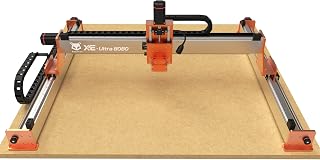 FoxAlien XE-Ultra 8080 CNC Router Machine with NEMA 23Check price on Amazon
 LUNYEE 3020 Nova CNC Router MachineCheck price on Amazon
 Genmitsu Cubiko Desktop CNC Router Machine with Enclosure forCheck price on Amazon
 CNC Spoilboard Surfacing Router Bit 1/4 Inch ShankCheck price on Amazon
 CNC Spoilboard Surfacing Router BitsCheck price on Amazon
 CNC Spoilboard Surfacing Router BitCheck price on Amazon
LaserEngraveHQ earns a commission from purchases made through these links, at no extra cost to you. Read our affiliate disclosure.
Desktop CNC routers vary in cutting capability depending on spindle power and frame stiffness. We cite manufacturer specifications directly from published listings rather than unverified marketing claims.
Step 1: Match the work area to your project dimensions
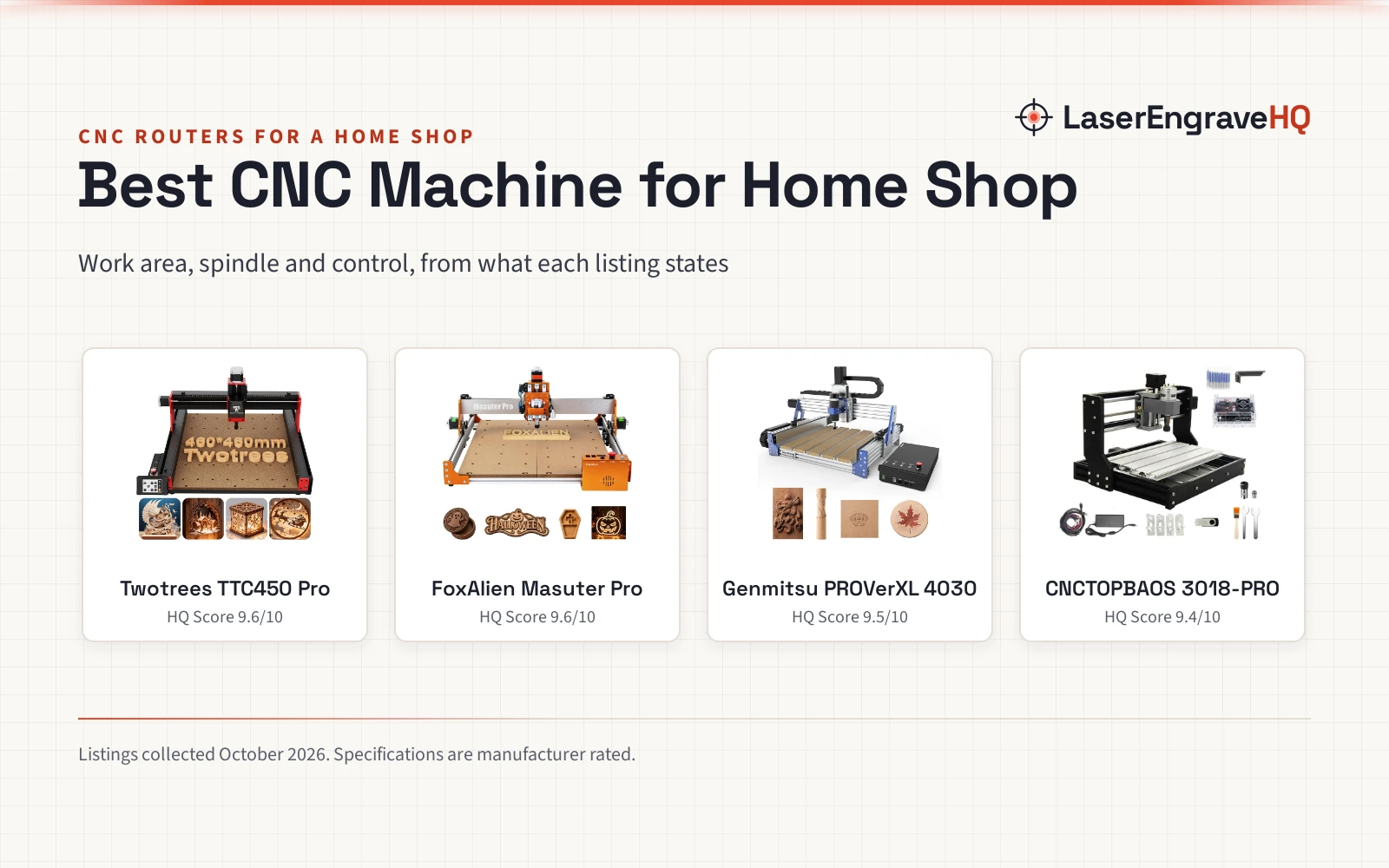
Work area determines the maximum stock size you can machine. Genmitsu lists the 3020-PRO Ultra with an active area of 11.8 by 8.1 by 3.1 inches for compact benches. For square panels, LUNYEE lists the 4040 Pro Max with a 400 by 400 by 90 mm working area. For wider sheets, FoxAlien lists the XE-Ultra 8080 with a working area of 33 by 33 by 4.72 inches and a 5.3 inch pass height. Vertical clearance matters for stock thickness: Genmitsu lists the PROVerXL 4030S with a 130 mm pass height. Compare entry options in our best desktop CNC for beginners guide.
Step 2: Select spindle power and motor speeds
Spindle rotational power and speed control dictate cutting capability. Softer woods and plastics benefit from high rotational speeds to produce smooth finishes, while dense hardwoods and soft metals require higher spindle wattage and lower rotational speeds with constant torque to prevent tool rubbing and material melting. Entry-level listings such as the WolfPawn 3018 provide a 500W spindle operating from 0 to 12000 RPM, while LUNYEE lists the 3018 Pro Ultra with an upgraded 500W spindle for relief carving.
For heavier milling across diverse stock, Genmitsu equips the 3020-PRO Ultra with a 710W spindle reaching 6500 to 30000 RPM across 6 speed settings, where the maker claims single-pass aluminum cuts up to 1.5 mm. LUNYEE equips the 3020 Nova with an 800W trimmer router operating from 6000 to 30000 RPM. LUNYEE lists the 8080 Pro Max with an ER11 collet supporting 1/8-inch and 1/4-inch shanks. For metal cutting, see the best end mill for aluminum.
Step 3: Evaluate frame rigidity and structural build
Cutting forces push hard against the gantry. A flexible frame causes vibration, poor accuracy and broken bits. All-metal aluminum or steel construction reduces frame deflection during aggressive milling passes.
Check the structural extrusions: LUNYEE lists the 3018 Pro Ultra with a reinforced 4040 Y-axis profile, while LUNYEE lists the 8080 Pro Max with a 40 by 60 mm profile. FoxAlien equips the XE-Ultra 8080 with a 46 by 80 mm heavy-duty aluminum frame. Weight also indicates rigidity: LUNYEE lists the 4040 Pro Max at 33 pounds, the 8080 Pro Max at 69 pounds, and Makera lists the Carvera Air at 90.3 pounds. For production shops, see our best CNC router for small business guide.
Step 4: Inspect linear motion and drive mechanisms
Motion systems translate motor rotation into smooth tool movement. While basic machines use cylindrical rods, linear guide rails provide greater stiffness. LUNYEE lists the 3020 Nova with HG-15 linear guides, and Genmitsu lists the PROVerXL 4030S with linear guideways achieving positioning accuracy of ±0.05 mm.
Drive mechanisms dictate backlash. FoxAlien equips the XE-Ultra 8080 with 16 mm ball screws on XY and 12 mm ball screws on Z, while LUNYEE equips the 3020 Nova with 1204 ball screws to eliminate backlash. Stepper torque is equally critical: Genmitsu advertises a combined 7.3 Nm of torque across the XYZ 60 mm stepper motors on the 3020-PRO Ultra. By comparison, FoxAlien equips the XE-Ultra 8080 with NEMA 23 closed-loop steppers delivering 2.6 Nm torque with step-loss protection at rapid speeds up to 5000 mm/min. If your machine skips steps, read why is my CNC losing steps.
Step 5: Verify control electronics and software workflows
Control boards coordinate axis motion. Modern desktop routers use 32-bit microcontrollers rather than older 8-bit processors to execute complex curved toolpaths smoothly. Genmitsu notes that a redesigned control board and drive chip integration on the PROVerXL 4030S boosts operating speeds from 2000 mm/min to 5000 mm/min.
Most desktop machines run GRBL firmware. LUNYEE lists the 3020 Nova as compatible with Candle, UGS, Easel and Fusion 360. Makera lists the Carvera Air with CAM software plus integration for Fusion 360, SolidWorks and VCarve Pro. LUNYEE equips the 3018 Pro Ultra with limit switches and an emergency stop switch. FoxAlien lists inductive limit switches with 0.5 ms response on the XE-Ultra 8080. For untethered operation, LUNYEE includes an offline controller with the 3018 Pro Ultra, while Makera provides Wi-Fi and USB control on the Carvera Air.
Step 6: Plan workholding, dust management and tooling
Operating a desktop router requires secure workholding. LUNYEE includes two T-track clamps with the 3018 Pro Ultra, while the 3020 Nova accommodates a 20 by 10 cm CNC vise for holding small stock.
Milling generates substantial chip volume. Enclosed machines contain debris: Makera lists the Carvera Air with a fully enclosed footprint of 19.7 by 17.7 by 17.7 inches. For open frames, LUNYEE includes magnetic acrylic baffles on the 4040 Pro Max. You can also add an aftermarket dust boot from our guide to the dust collector shoe for CNC router.
Allocate budget for quality cutting bits. Review starter profiles in our best CNC bit set for beginners roundup. FoxAlien lists a 1-year manufacturer warranty for the XE-Ultra Core. For budget setups, compare vetted models in our guide to the budget CNC routers.
Common mistakes to avoid
- Buying solely based on physical bed size while overlooking spindle power and frame stiffness.
- Pushing aggressive feed rates on entry machines equipped with cylindrical guide rods.
- Ignoring dust extraction, allowing fine wood chips and debris to clog lead screws.
- Failing to secure workpieces properly with mechanical clamps or appropriate fixtures.
- Attempting to cut non-ferrous metal without verifying spindle torque and proper chip clearance.
How to choose a desktop cnc router: the short version
- Define maximum dimensions of your raw materials and finished parts.
- Match spindle power and select slower rotational speeds for harder materials.
- Choose an all-metal aluminum frame to minimize deflection under cutting loads.
- Select linear guide rails and ball screws for repeatable positioning accuracy.
- Verify that the control board runs standard GRBL or works with your CAM software.
- Equip your workspace with sturdy workholding clamps and effective dust collection.
For sign making, explore our best CNC router for sign making picks. New makers can find ideas in our CNC router projects for beginners guide, or learn machining basics in our desktop CNC machine for beginners overview.
FAQ: lasers and CNC
Can a desktop CNC router cut aluminum?
Yes, provided the machine has adequate frame rigidity, proper feeds and speeds, and sufficient spindle torque. While Genmitsu advertises that the 3020-PRO Ultra with its 710W spindle can achieve cuts in aluminum up to 1.5 mm in one pass, practical workshop milling on desktop machines typically relies on shallow step-down passes to prevent tool chatter and bit breakage.
What is the difference between lead screws and ball screws?
Lead screws rely on sliding contact along threaded rods, whereas ball screws use recirculating ball bearings to reduce friction and eliminate backlash. Listings like the LUNYEE 3020 Nova use 1204 ball screws for precise axis positioning.
Do I need a 32-bit controller board?
A 32-bit microcontroller executes complex curved toolpaths and relief carvings more smoothly than older 8-bit controllers. Upgraded control boards also support higher step frequencies; for example, Genmitsu notes that redesigned board and driver integration on the PROVerXL 4030S raises operating speeds from 2000 mm/min to 5000 mm/min.
What software is required to operate a desktop CNC?
You need CAD software to draw parts, CAM software to assign toolpaths, and a g-code sender to stream code to the machine. GRBL controllers support software options such as Candle, UGS, Easel and Fusion 360.
Are linear guide rails better than polished round rods?
Linear guide rails such as HG-15 profiles handle torsional forces much better than round rods, reducing deflection during deep cuts on wood, acrylic and metal.
How loud is a desktop CNC router during operation?
Noise depends on spindle type and cutter engagement. Genmitsu lists operating noise levels under 65 dB for the PROVerXL 4030S spindle, though cutting dense wood or aluminum produces additional sound.
Related: the CNC router hub and desktop CNC routers category pages.