Fiber Laser Engraving Ideas: Projects, Materials and Machine Setup
Practical fiber laser engraving ideas for metal and polymer marking, including serialized tags, customized tools, jewelry, deep engraving and color marking.

On this page
Top picks at a glance
As an Amazon Associate I earn from qualifying purchases.
- 1
 GWEIKE G2 Max 50W Fiber Laser Engraver with 3D & Deep9.7/10View on Amazon
- 2
 ComMarker B4 20W Fiber Laser Engraver9.6/10View on Amazon
- 3
 WeCreat Lumos Flex 15W Fiber & 15W Diode Dual Laser Engraver9.6/10View on Amazon
Fiber laser engraving ideas focus on permanent marking, surface annealing and deep relief carving across bare metals and dense plastics. Because a 1064 nm fiber laser delivers high peak pulse power that vaporizes bare metals that reflect continuous CO2 beams, core projects include serialized asset tags, custom tools, personalized jewelry and vibrant color marking on stainless steel. The sections below explain these project categories step by step, showing how beam speed, lens selection and pulse controls produce clean, durable results on workpieces of any scale.
LaserEngraveHQ earns a commission from purchases made through these links, at no extra cost to you. Read our affiliate disclosure.
Fiber laser beams operate at a 1064 nm wavelength that passes through the cornea and focuses directly onto the retina. Always wear protective eyewear certified for 1064 nm with proper optical density before powering the unit. Never engrave PVC, vinyl, polycarbonate or ABS plastic. PVC and vinyl decompose into corrosive hydrochloric acid and chlorine gas, while polycarbonate and ABS emit dense smoke and hazardous airborne toxins.
Step 1: Industrial asset tags, serial plates and barcodes
Industrial nameplates, serialized equipment tags and Data Matrix barcodes represent practical fiber laser applications. Manufacturing plants, equipment rental operations and maintenance shops require permanent markings that withstand abrasion, oil and heat. Unlike ink or adhesive labels, a fiber laser creates high-contrast marks directly on anodized aluminum, brass, carbon steel and stainless steel sheet stock.
For flat identification tags, galvanometer scanning mirrors deliver high throughput. GWEIKE lists marking speeds up to 15000 mm/s with 0.001 mm accuracy on its 20W G2 engraver, allowing rapid batch production of identification tags. SFX states marking speeds up to 7m/s on carbon steel and aluminum for its 60W JPT MOPA system. Sourcing pre-cut blanks simplifies workflow; see our guide to stainless steel blanks for laser engraving to select durable stock, and review our laser engraver for metal parts guide for shop setups.
Step 2: Custom everyday carry gear, hand tools and knives
Personalizing metal gear such as pocket knives, multi-tools, wrenches, calipers and brass flashlights is a popular application. Craftsmen and mechanics value permanent ownership marks on valuable tools to deter theft, while custom knife makers use fiber lasers to apply maker marks, logos and decorative scrollwork to hardened steel blades without drawing the temper.
Fiber laser energy alters metal surfaces through surface etching or dark annealing. Annealing heats the metal surface gently to induce localized oxidation without removing material, preserving structural integrity on thin knife edges. Monport lists a maximum marking speed of 10000mm/s with 0.01mm carving accuracy for its 30W system across gold, silver, copper, stainless steel and brass. For guidance on blank hardness and alloy choices, consult our breakdown of the best metal for laser engraving.
Step 3: Jewelry, coins and deep relief engraving
Jewelry marking and deep relief carving demand fine focus and repeatable multi-pass ablation. Fiber lasers mark inside ring bands, personalize silver pendants and engrave decorative relief patterns into commemorative brass challenge coins. Unlike mechanical engraving cutters that wear down over time, a galvo laser beam maintains a consistent spot size across every pass.
Carving depth into metal requires sufficient beam intensity and repeated passes to vaporize material cleanly. ComMarker states an engraving depth of 0.3-0.5mm on its 30W B4 unit, while Cloudray lists deep engraving capabilities down to 0.5mm with a resolution accuracy of 0.01mm on its 60W CLM60F model. For greater depth, SFX lists an engraving depth up to 1.0mm for its 60W JPT MOPA system. To prevent slag accumulation in deep cavities, use cross-hatch fill patterns and clear vaporized metal dust with steady air extraction.
Step 4: Stainless steel and titanium color marking
Color marking is a unique capability of fiber laser systems on mirror-finish stainless steel and titanium. When the laser heats the metal in the atmosphere, a thin, transparent oxide film forms on the surface: chromium oxide on stainless steel and titanium dioxide on titanium. Light reflecting from the surface and from the substrate underneath creates optical interference, displaying vibrant colors without pigments or chemical dyes.
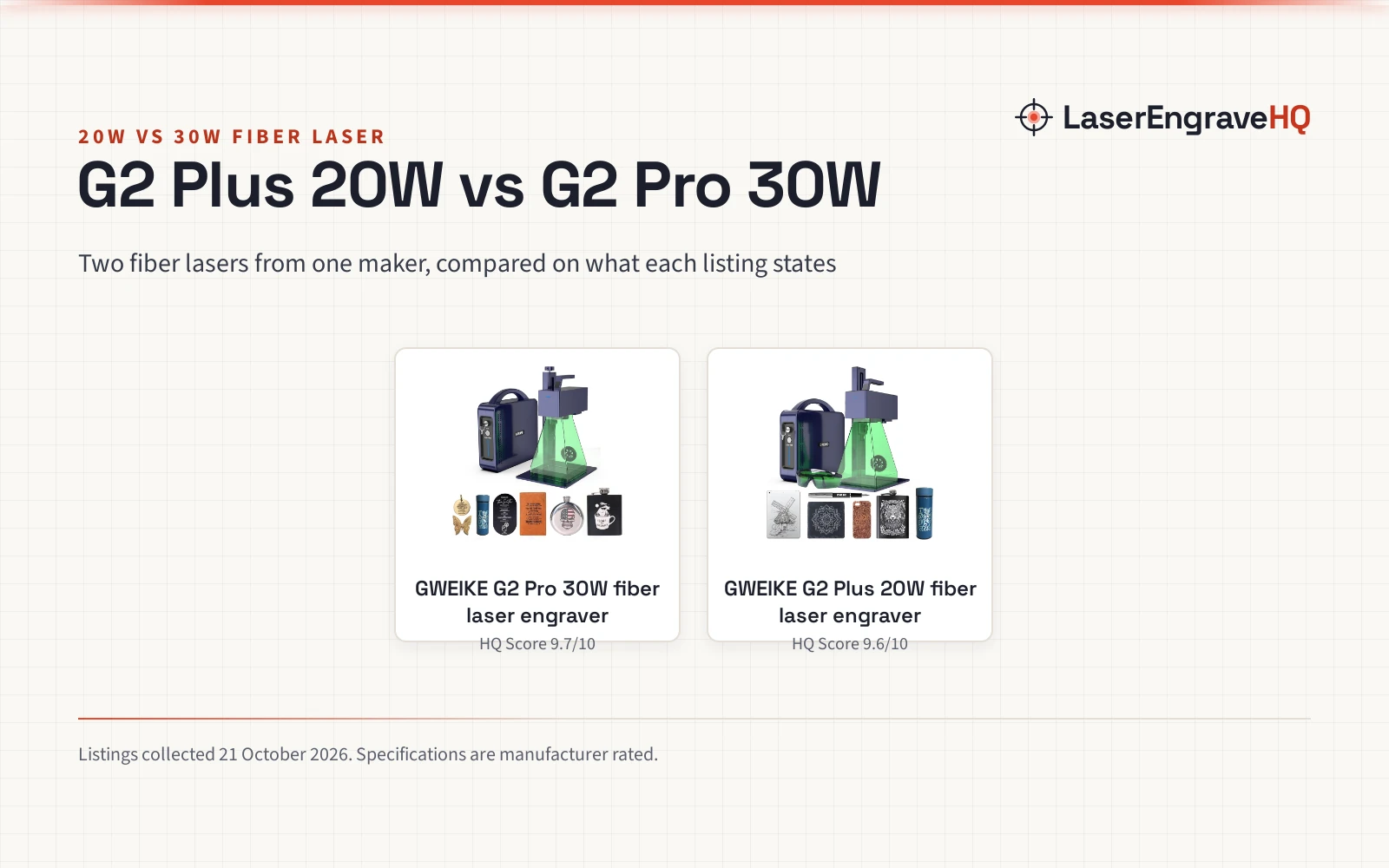
Oxide coloration on stainless steel and titanium can be achieved across various fiber laser platforms, with MOPA sources offering expanded control over pulse frequency and pulse duration to generate broad palettes. GWEIKE lists over 30 colors on stainless steel and titanium for its G2 20W engraver, and over 90 colors for its G2 Pro 30W model. On dedicated MOPA hardware, Cloudray lists 100+ color markings for its 60W JPT MOPA system, and Monport lists an adjustable pulse frequency range of 1-4000kHz with pulse widths from 2-500ns on its 30W MOPA unit to dial in specific hues. Achieving uniform color across large fills requires consistent focal height and clean, grease-free metal blanks.
Step 5: Cylindrical items and drinkware with a rotary attachment
Engraving cylindrical objects expands your project catalog to insulated stainless steel tumblers, metal pen barrels, flask bodies and wedding bands. Rotary fixtures rotate the workpiece synchronously beneath the galvo scanning head, maintaining consistent focal distance as the beam fires across the curved surface.
Hardware listings specify whether rotary attachments connect directly or require supplemental drivers. OMTech lists rotary axis support alongside a 200×200 mm (7.9″x7.9″) workspace on its 50W fiber marking machine. SFX includes an 80mm rotary axis with its 60W machine, and Ovsuqu lists an 80D rotary axis and a 300x300mm (11.8×11.8″) field lens for its 100W unit. When setting up rotary jobs, align the center axis of the workpiece parallel to the galvo head and split graphics into narrow slices to prevent distortion along curved edges.
Step 6: Match field lenses and wattage to your projects
Selecting the right F-theta lens and laser wattage determines your working area, focal spot diameter and power density. Smaller lenses concentrate optical energy into a smaller spot, producing greater power density for deep carving and fine micro-text. Larger lenses broaden the working area for larger batches but disperse beam intensity across a wider focal point.
Manufacturers frequently provide multiple interchangeable lenses to adapt to different project scales. Cloudray supplies both a 110x110mm (4.3″x4.3″) lens and a 200x200mm (7.9″x7.9″) lens with its 60W machine. ComMarker includes 110x110mm and 200x200mm lenses with its 30W B4 system. Monport specifies a 175*175mm (6.9″x6.9″) marking area on its 30W engraver. For broader background on beam sources and optical mechanics, read our what is a fiber laser engraver guide.
Step 7: Optimize vector artwork and laser fill parameters
Clean engraving begins in graphic software. Vector formats such as DXF, SVG and AI allow precise control over toolpaths, while bitmap graphics require dithering algorithms to translate grayscale values into dot density. For metal marking, hatching parameters dictate surface finish and contrast.
Adjusting line spacing, angle intervals and pass repetition creates distinct visual effects. Tight hatching overlaps beam tracks to ablate background metal, while wider spacing creates diffuse satin finishes. High galvanometer marking speeds reduce cycle times during batch production. ComMarker lists speeds up to 15000mm/s with a frequency range of 20-60kHz on its 30W B4 engraver, and OMTech lists speeds up to 7000 mm/s (275.6 ips) on its 50W machine. Always run sample calibration cards on scrap metal to confirm contrast and edge definition before processing finished stock.
Common mistakes to avoid
- Attempting to process incompatible plastics like PVC, vinyl, ABS or polycarbonate, which produce hazardous fumes.
- Neglecting dedicated 1064 nm eye protection when operating unshielded Class 4 systems.
- Using an oversized field lens for deep engraving jobs that require maximum energy concentration.
- Skipping fume extraction, allowing particulate matter to settle onto galvo field optics.
- Failing to maintain precise focal height across uneven or warped metal blanks.
Fiber laser engraving ideas: the short version
- Select your core application: industrial tags, custom tools, jewelry or decorative color marking.
- Verify material suitability, focusing on bare metals and avoiding hazardous chlorinated plastics.
- Choose a field lens that balances required marking area with beam energy density.
- Install appropriate fume extraction and certified eye protection certified for 1064 nm.
- Prepare vector graphics with proper cross-hatch fill spacing.
- Run calibration passes on scrap blanks to dial in speed, frequency and focus before production runs.
Consistent results come from methodical parameter tracking: record your pulse settings, lens focal distances and surface finishes for each metal alloy as you expand your project lineup.
FAQ: lasers and CNC
What materials can you engrave with a fiber laser?
Fiber lasers excel at marking bare metals including stainless steel, aluminum, brass, copper, titanium, carbon steel, gold and silver. They also mark opaque engineering plastics, dark glass and slate. They do not cut organic materials like wood or clear acrylic; for non-metal cutting and engraving, consult our how to choose a laser engraver guide.
Can a fiber laser cut metal or only mark it?
Galvo fiber marking lasers are primarily designed for surface etching, annealing and deep engraving, but they can also cut thin metal sheets over repeated passes. Maker listings specify cutting thin foils and sheets, such as 0.5mm brass or titanium, though galvo systems are not substitutes for high-powered continuous sheet-cutting machinery. For deep relief projects, multi-pass hatching gradually removes material to achieve dimensional depth.
What is the difference between a standard fiber laser and a MOPA fiber laser?
Standard Q-switched fiber lasers operate with a fixed pulse duration, limiting parameter adjustments primarily to frequency and power. MOPA lasers allow independent control over pulse duration and pulse frequency. This flexibility enables high-contrast black marking on aluminum and vibrant oxide color marking on stainless steel and titanium.
What safety equipment is required for fiber laser engraving?
Fiber lasers emit invisible infrared radiation at 1064 nm, which poses serious eye hazards. Operators must wear certified laser safety glasses with verified optical density for 1064 nm. Review our guide on how to choose laser safety glasses. Additionally, metallic ablation and plastic marking release fine particulates, making a dedicated filter essential; see our best fume extractor for laser engraver recommendations.
How do I choose between a 20W, 30W, 50W or 60W fiber laser?
Higher wattage increases material removal per pass rather than galvanometer scanning speed. A 20W or 30W unit handles surface marking, barcoding and annealing at high scan speeds. For deep relief carving or thicker sheet cutting, higher wattage provides the pulse energy needed to remove depth in fewer passes.
How do you price fiber laser engraved products?
Pricing depends on blank acquisition costs, machine cycle time, graphic preparation and packaging. Because galvo fiber lasers mark metal rapidly, cycle times are typically brief, but intricate vector setup and fixture alignment must be accounted for. To establish a profitable shop rate, account for fixture alignment and file preparation alongside raw blank costs.
Related: the laser engraver hub, best fiber laser engraver and best laser engraver for metal. Also see our how to price laser engraving work. Also see our how much you can make with a laser engraver.