How to Price Laser Engraving Work: A Cost-Based Method
A simple method for pricing laser engraving work: add up blank, machine time, labor, packaging and fees, then check the result against the market.

On this page
Top picks at a glance
As an Amazon Associate I earn from qualifying purchases.
- 1
 xTool S1 40W Laser Cutter and Laser Engraver for Tumblers9.7/10View on Amazon
- 2
 xTool M2 20W Color Craft Laser Engraver9.7/10View on Amazon
- 3
 OMTech 100W CO2 Laser Engraver with 4 Way Pass Through Air9.7/10View on Amazon
- 4
 ilauke Wood Squares 4x4 InchView on Amazon
- 5
 MONKEY SUN 24 Pack 4 x 4 Inch Gorgeous Black Slate StoneView on Amazon
- 6
 MONKEY SUN 60 Pack 4 x 4 Inch Gorgeous Black Slate StoneView on Amazon
- 7
 MONKEY SUN 12Pack 4 x 4 Inch Gorgeous Black Slate StoneView on Amazon
- 8
 30 Pack Basswood Sheets 12"x12"x1/8"View on Amazon
- 9
 10 Pack 16x16x1/8 Inch Basswood SheetsView on Amazon
To price laser engraving work, add up the cost of the blank, the machine time, your own labor, packaging, fees and overhead, then add a margin and compare the result with similar listings. This guide gives you a method you can apply to any product, with no made-up rates, because the right numbers depend on your own costs.
Other machines to compare
 ilauke Wood Squares 4x4 InchCheck price on Amazon
 MONKEY SUN 24 Pack 4 x 4 Inch Gorgeous Black Slate StoneCheck price on Amazon
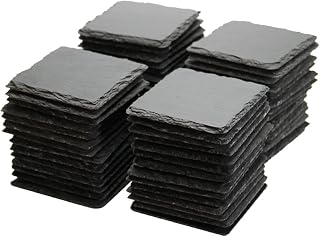 MONKEY SUN 60 Pack 4 x 4 Inch Gorgeous Black Slate StoneCheck price on Amazon
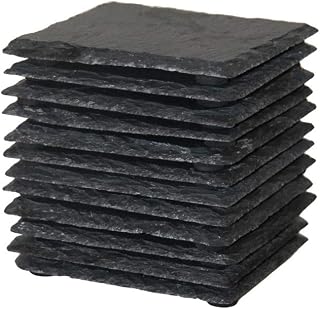 MONKEY SUN 12Pack 4 x 4 Inch Gorgeous Black Slate StoneCheck price on Amazon
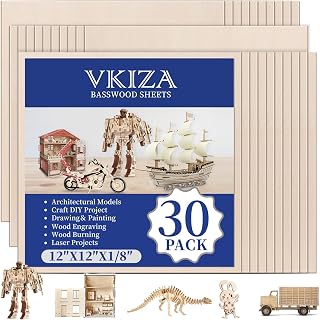 30 Pack Basswood Sheets 12"x12"x1/8"Check price on Amazon
 10 Pack 16x16x1/8 Inch Basswood SheetsCheck price on Amazon
LaserEngraveHQ earns a commission from purchases made through these links, at no extra cost to you. Read our affiliate disclosure.
How to price laser engraving work: the cost lines
| Cost line | What to count | Often forgotten |
|---|---|---|
| Blank | Purchase price per piece, plus spoilage | Shipping on the blank order |
| Machine time | Run time per piece, plus wear on the tube or diode | Setup and focus time |
| Labor | File prep, loading, finishing, packing | Customer messages |
| Packaging | Box, filler, label | Branded extras |
| Fees | Marketplace, payment and ad fees | Fees on shipping charges |
| Overhead | Software, power, workspace, filters | Fume filter replacements |
Fill in each line in a spreadsheet for one product. Use real figures from your own invoices and a stopwatch, not estimates from memory.
Step 1: Count the blank and material
Include the purchase price, shipping on the order, and a small allowance for ruined pieces. If you buy in bulk, divide by the number of usable blanks, not the number purchased.
Step 2: Measure machine time
Time a real job from pressing start to finish. Add focus, placement and cleanup. A machine with a bigger work area lets you run several blanks at once, which lowers time per piece. Compare speeds and bed sizes in our best laser engraver for small business guide. Rated speeds in listings are maximums; real engraving speeds are slower.
Step 3: Value your own time
Labor is where most new sellers undercharge. Count file preparation, customer messages, loading, finishing, packing and trips to the post office. Decide on an hourly rate for yourself and apply it to the time you tracked.
Step 4: Add packaging, fees and overhead
Marketplace and payment fees apply to the full order, including shipping in many cases, so check the current fee schedule on the platform you use. Overhead includes software, electricity, replacement filters and the machine itself. Our fume extractor guide notes that filters are a recurring cost.
Step 5: Set a margin and test the market
Once you have the total cost, add a margin that leaves room for slow weeks, returns and equipment replacement. Then look at what similar shops charge. If your price is far above theirs, find out why: a better material, faster turnaround or stronger photos can justify it. If it is below, you may be underpricing.
A worked example with placeholders
Say a name sign needs one blank, a few minutes of machine time and a few minutes of your own work. Write each as a line: blank cost, machine time multiplied by your machine rate, labor time multiplied by your hourly rate, packaging, and fees as a percentage of the sale. Add the lines, then divide by one minus your margin to get a starting price. Use your own figures: the formula matters more than any example number, and it works for a keychain, a tumbler or a bulk order alike.
Common pricing mistakes
- Pricing from the blank alone: the blank is often the smallest cost.
- Ignoring failed pieces: a burned blank is a cost the other pieces must cover.
- Copying the cheapest competitor: they may be ignoring labor, or may have a bigger machine.
- Not charging for rush orders: speeding up means moving other jobs, so add a fee.
- Never raising prices: blank and fee costs change, so your price should too.
Write your price formula in a spreadsheet and update it when a cost changes. A repeatable formula also makes quoting faster, because you only enter time and quantity. For larger runs, keep the setup fee separate so customers see why small batches cost more per piece than large ones.
Pricing models you can use
- Cost-plus: total cost plus a fixed margin. Simple and safe.
- Tiered by size: small, medium and large versions of the same design.
- Setup fee plus per piece: useful for custom logos and business orders.
- Bulk tiers: lower price per piece for larger batches, because setup is shared.
Pricing custom and business orders
Quote a one-time setup fee for artwork preparation, then a per-piece price. Ask who supplies the blanks. If the customer supplies them, state that you are not responsible for damage from unknown materials, and never accept PVC, vinyl or polycarbonate items.
Review your prices regularly
Revisit costs every few months. Blank prices change, fees change and your speed improves as you get more practiced. If you are still building your product line, see best selling laser engraved products on Etsy and how to start a laser engraving business.
Keep a pricing log
For the first month, write down the blank cost, minutes of machine time, minutes of labor and the price you charged for every order. After twenty entries you will see which products pay for your time and which only look busy. Drop or reprice the weak ones.
When to raise your prices
Raise prices when orders arrive faster than you can fill them, when a cost goes up, or when buyers never ask for a discount. A small increase on new listings is a safe test. Existing customers can keep the old price for a short time, so the change does not feel sudden.
FAQ: lasers and CNC
How much should I charge for laser engraving?
There is no single rate. Add blank, machine time, labor, packaging, fees and overhead, then add a margin and compare with similar listings.
Should I charge by the hour or by the piece?
Most sellers quote per piece for standard products and use a setup fee plus a per-piece price for custom or business orders. Track hourly time internally either way.
How do I price a custom logo job?
Charge a one-time setup fee for artwork preparation and a per-piece price after that. Offer lower prices for larger batches.
Do I include machine cost in my price?
Yes, as overhead. Divide the expected life and replacement cost of the machine across the pieces you expect to make.
Should I match competitors on price?
Use competitors as a check, not a target. If your costs are higher, compete on quality, speed or design instead.
Related: the laser engraver hub, best laser engraver under $1,000 and how to choose a laser engraver.



