3D Printer Adhesion Problems: Causes and Fixes
A plain guide to why prints lift off the bed and how to fix it, from cleaning the plate to picking the right PEI surface.

On this page
Top picks at a glance
As an Amazon Associate I earn from qualifying purchases.
- 1
 Creality Ender 3 Max Neo Bed Upgrade9.6/10View on Amazon
- 2
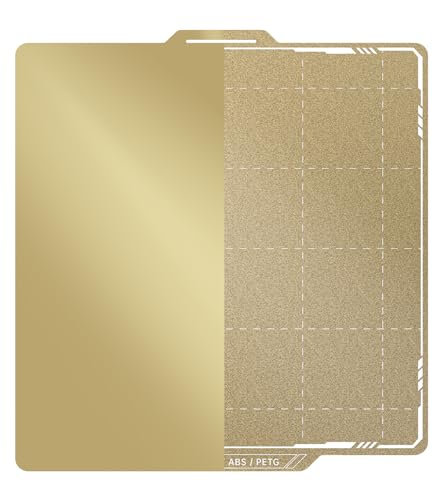 BIQU PyroGrip Smooth PEI+Textured PEI Build Plate9.6/10View on Amazon
- 3
 Comgrow Ender 3 V3 KE PEI Spring Steel 235x235mm9.6/10View on Amazon
- 4
 254x241mm Dual-Sided Steel Build Plate for Prusa9.5/10View on Amazon
3D printer adhesion problems show up the same way almost every time: the first layer curls at the corners, a tall print breaks loose partway through, or a small part slides across the bed while the nozzle keeps printing in thin air. The cause is usually simple, and it sits in the build surface, the first layer, the filament, or the plate itself. This guide walks through each cause and the fix that matches it, then shows the PEI build plates that give prints a surface worth sticking to.
LaserEngraveHQ earns a commission from purchases made through these links, at no extra cost to you. Read our affiliate disclosure.
LaserEngraveHQ earns a commission when readers buy through links on this site, at no extra cost to the buyer.
Creality Ender 3 Max Neo Bed Upgrade
A 310 x 320mm textured PEI sheet with a magnetic sticker kit, made for Ender 3 Max beds and other same-size beds.
Pros
- 310 x 320mm textured PEI surface with a frosted finish for strong grip
- Works with PLA, PETG, PEEK, ABS and other filaments, per the maker
- Kit includes the gold PEI plate and a soft magnet platform sticker
- Installs in less than 2 minutes, per the maker
Cons
- No warranty term is stated
- Sized for Ender 3 Max and same-size beds only
- The magnetic sticker must be stuck to a cold bed before first use
- Textured surface only, with no smooth side
BIQU PyroGrip Smooth PEI+Textured PEI Build Plate
A 257x257mm double-sided plate with smooth PEI on one side and textured PEI on the other, made for Bambu Lab printers.
Pros
- Double-sided plate: smooth PEI on one side, textured PEI on the other
- 257x257mm size fits the listed Bambu Lab P1, P2, X1 and A1 models
- PEI surface stated as flame retardant with high temperature stability
- Flexible spring steel plate bends to pop prints off
Cons
- Fits only the listed Bambu Lab models at 257x257mm
- P2S users must close build plate printing detection before use
- Only the one size is offered
- Needs a printer built for magnetic plates
Comgrow Ender 3 V3 KE PEI Spring Steel 235x235mm
A 235x235mm textured PEI sheet with positioning holes and double handles, made for Ender 3 V3, K1 and other listed models.
Pros
- 235x235mm textured PEI sheet with strong magnetic force at high temperature
- Prints PLA, ABS, ASA, PETG, TPU, Nylon, PA and PC, per the maker
- Positioning holes and double handles keep placement simple
- Lists Ender 3 V3, Ender 3, Ender 3 S1, K1 and ELEGOO Neptune models
Cons
- No warranty term is stated
- 235x235mm size only, so larger beds need a different plate
- Other printers need a size check first
- The frosted texture leaves a matte finish on the bottom of the print
254x241mm Dual-Sided Steel Build Plate for Prusa
A 254x241mm dual-surface plate with smooth PET on one side and textured PEI on the other, made for Prusa printers.
Pros
- Two surfaces in a single plate: smooth PET and textured PEI
- 0.4 mm stainless spring steel resists rust, warping and deformation
- PEI coating withstands temperatures up to 300°C at the material level
- Cleaning guidance states 70–75% isopropyl alcohol or mild soap and water
Cons
- Magnetic base is not included
- 254x241mm size fits the listed Prusa models only
- PET side suits PLA and PETG only, so ABS and PC need the PEI side
- Needs 70–75% isopropyl alcohol or mild soap and water for cleaning, and must be dried fully before printing
What causes 3D printer adhesion problems
A dirty plate is the most common cause. Skin oil, dust and leftover filament residue keep the first layer from gripping, even on a plate that worked well the week before. A plate that looks clean can still carry a thin film, so cleaning belongs at the top of the list whenever adhesion drops off without another change.
The first layer itself is the next place to look. When the nozzle sits too high, the filament lands as a round bead instead of a flattened line, and only a narrow strip touches the plate. When the nozzle sits too low, the filament squeezes out sideways and the line turns rough. Either way the bond is weak and the corners lift as the print cools. Damp filament never quite settles either, and a worn plate causes trouble too: a PEI coating that has been scraped or scrubbed with the wrong cleaner loses the grip it once had.
How to fix 3D printer adhesion problems
Start by cleaning the plate. Wash it with mild soap and water or wipe it with isopropyl alcohol, then dry it fully before printing. The Shion.Kwoo plate (on Amazon) in the gear section below lists 70–75% isopropyl alcohol or mild soap and water for cleaning its surface. Then check the first layer: the lines should look like flattened strips pressed into the plate, not round strands sitting on top. Adjust the nozzle-to-surface distance until the lines merge without ridges.
Dry filament that has picked up moisture, and store it dry between prints. If the plate itself is worn, scratched, or no longer holds prints after cleaning, replace it rather than fighting it with glue or tape. A fresh PEI surface is the fix that lasts.
PEI build plates that help prints stick
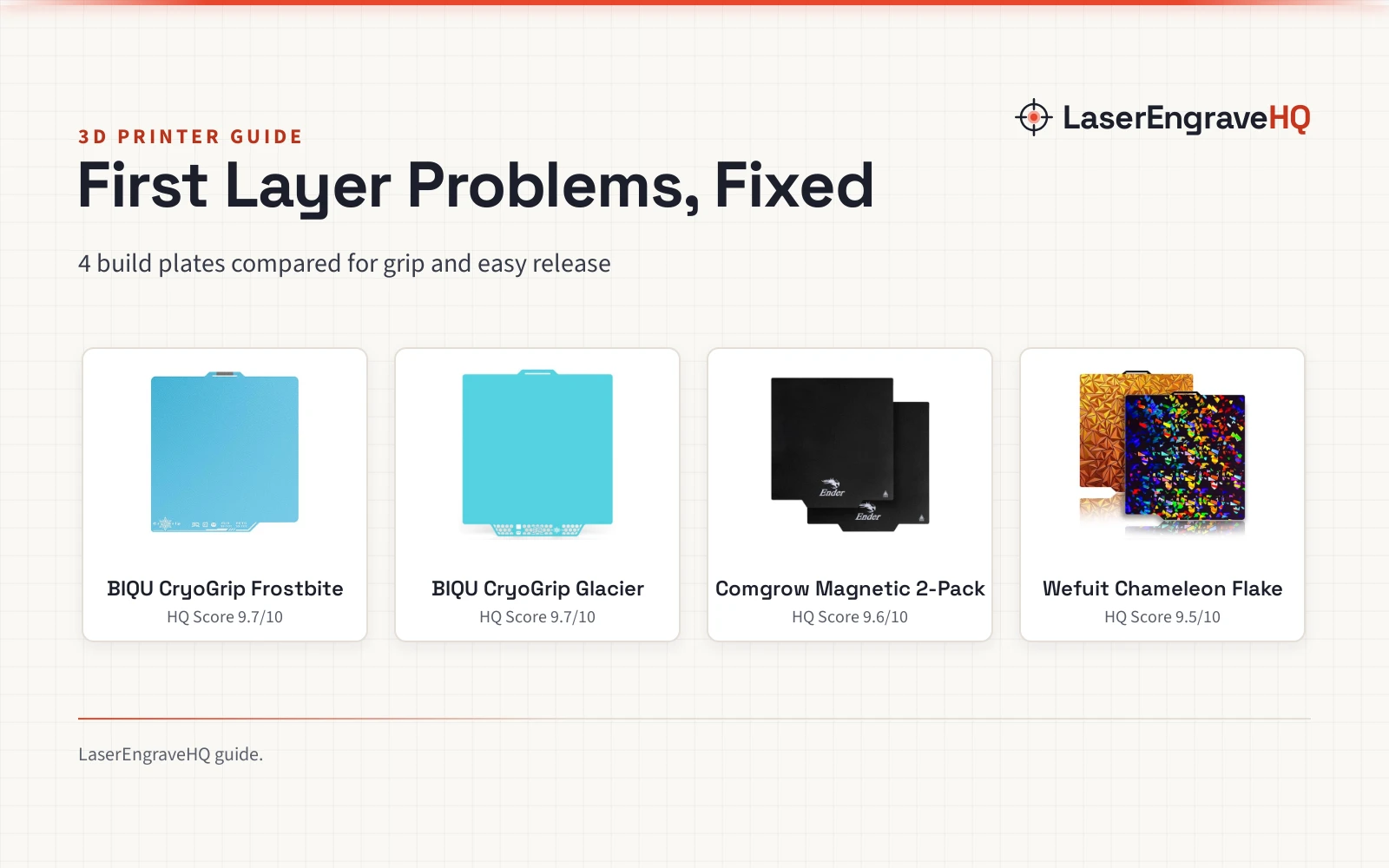
Each plate below gives the first layer the clean, grippy surface it needs to hold while the print cools, so match the size and printer list to your own machine before ordering.
FAQ: lasers and CNC
Why does my first layer keep lifting at the corners?
Corners lift when the first layer never bonded well. The usual suspects are a dirty plate, a nozzle that sits too high, or filament that has picked up moisture. Clean the plate, check the nozzle-to-surface distance, and dry the filament before changing anything else.
Should I clean a PEI plate with isopropyl alcohol?
Yes, on the Shion.Kwoo plate, which lists 70–75% isopropyl alcohol or mild soap and water, then drying fully before printing. That guidance belongs to that plate, so follow your own plate’s maker guidance before using alcohol on it. Keep metal or abrasive tools away from the surface.
Smooth or textured PEI: which side should I use?
Use the side that matches the finish and filament you want. The BIQU plate (on Amazon) offers smooth PEI on one side and textured PEI on the other, and the Shion.Kwoo plate pairs a smooth PET side with a textured PEI side. Textured PEI gives a textured finish on the bottom of the print. The BIQU smooth PEI side leaves the bottom flat, while the Shion.Kwoo smooth PET side has a carbon-fiber pattern that leaves a neat textured finish.
Do I need glue or tape on a PEI build plate?
No, not on the Creality plate, which states that prints go onto the frosted texture surface directly, with no tape and no more glue. That no-glue claim belongs to that plate, so check your own plate’s maker guidance first. A clean PEI surface holds the print on its own, and flexing the plate pops it off after cooling.
Related: our PEI build plate guide explains smooth and textured surfaces in more depth, and the 3D printer hub collects our printer guides. For nozzle care, see how to change a 3D printer nozzle and nozzle temperature by filament type.