Resin 3D Printer for Beginners: Where to Start
A first resin 3D printer comes down to build volume, screen resolution, leveling and resin handling, and this guide explains each one with figures from 3 resin printer listings.

On this page
Top picks at a glance
As an Amazon Associate I earn from qualifying purchases.
- 1
 ANYCUBIC Resin 3D Printer9.7/10View on Amazon
- 2
 ELEGOO Saturn 3 Ultra 12K MSLA 3D Printer9.7/10View on Amazon
- 3
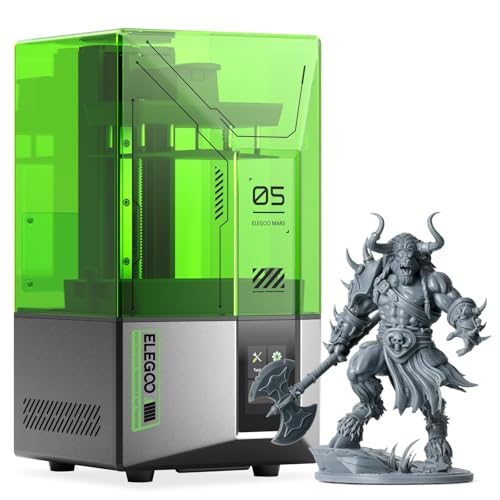 ELEGOO Mars 5 Resin 3D Printer | 4K Mono LCD9.5/10View on Amazon
A shelf of tiny detailed miniatures, a small prototype with smooth curves, or a jewelry master with fine edges, and a filament printer leaves layer lines you can see. A resin 3D printer hardens liquid resin with light, layer by layer, and that setup prints the fine detail a filament machine struggles with. This guide explains resin 3d printer for beginners: what build volume and resolution mean, how leveling and resin handling work, and which of the printers below fits a first setup.
LaserEngraveHQ earns a commission from purchases made through these links, at no extra cost to you. Read our affiliate disclosure.
| # | Product | HQ Score | Buy |
|---|---|---|---|
| 1 | ANYCUBIC Resin 3D Printer | 9.7/10 | Buy on Amazon |
| 2 | ELEGOO Saturn 3 Ultra 12K MSLA 3D Printer | 9.7/10 | Buy on Amazon |
| 3 | ELEGOO Mars 5 Resin 3D Printer | 4K Mono LCD | 9.5/10 | Buy on Amazon |
ANYCUBIC Resin 3D Printer
A 13.6-inch 7K resin printer with a 298 × 164 × 300 mm build volume, resin temperature control and automatic resin level monitoring.
Pros
- 298 × 164 × 300 mm build volume, the largest print size here, for large models or batch printing
- Prints at speeds of up to 60 mm/h, per the maker
- Resin vat with temperature control and automatic resin level monitoring that adds resin as required
- 5 intelligent inspections, including failed print detection and residual resin detection
Cons
- 46 × 46 μm XY pixel size is coarser than the Saturn 3 Ultra at 19 × 24 μm
- Warranty excludes the LCD (3 months) and FEP film
- No Wi-Fi transfer is stated
- Product dimensions of 30.91 x 19.29 x 20.47 inches need a large bench
ELEGOO Saturn 3 Ultra 12K MSLA 3D Printer
A 10-inch 12K resin printer with a 218.88 × 122.88 × 260 mm build volume, Wi-Fi transfer and a 4-point leveling system.
Pros
- 10-inch 12K mono LCD with 11520 × 5120 resolution and 19 × 24 μm XY resolution for fine detail
- 218.88 × 122.88 × 260 mm build volume prints larger models or several small ones at once
- Wi-Fi transfer at 6-10 Mbps on 2.4G and 5G networks, plus a Linux OS with 4G RAM
- 4-point leveling system with no need to repeat leveling after one leveling, per the listing
Cons
- 30.0 pounds and 23.0 x 14.0 x 15.0 inches: needs a sturdy bench and shelf space
- Some parts are covered under warranty for half a year only
- No resin tank capacity is stated
- No print speed is stated
ELEGOO Mars 5 Resin 3D Printer | 4K Mono LCD
A 4K mono LCD resin printer with one-click automatic leveling, residue detection and a build size of 5.65 × 3.53 × 5.91 inches.
Pros
- One-click automatic leveling
- Mechanical sensor with residue detection to protect the LCD screen
- Self-check verifies components before each print
- Overheat protection halts printing and alarms above 80℃ LED temperature
Cons
- No print speed is stated
- Warranty for some parts lasts only half a year
- No build plate locking or pouring spout feature is stated
- Screen size in inches is not stated
Resin 3d printer for beginners: build volume and resolution
Build volume is the largest part the printer can make in one run, and the listings here state it in mm or inches. The ELEGOO Saturn 3 Ultra lists 218.88 × 122.88 × 260 mm, or 8.62 × 4.84 × 10.24 inches, while the ANYCUBIC Photon Mono M7 Max lists 298 × 164 × 300 mm, or 11.73 × 6.46 × 11.81 inches. The ELEGOO Mars 5 lists a print size of 5.65 × 3.53 × 5.91 inches. Match the build volume to the largest part you plan to print, and remember that a larger volume also prints several small models at once. Browse the 3D printers hub for related guides.
Resolution decides how fine the detail comes out. The Saturn 3 Ultra lists a 10-inch 12K mono LCD with a 11520 × 5120 resolution and a 19 × 24 μm XY resolution, while the Photon Mono M7 Max lists a 13.6-inch 7K mono LCD at 6480 × 3600 px with a 46 × 46 μm XY pixel size. The Mars 5 lists a 4K mono LCD. A smaller XY figure means finer detail on the flat plane of each layer, so compare the XY figures when detail matters most. A 9H tempered glass sits above the Saturn LCD and protects the screen from scratches.
The gear: 3 resin printers for a first setup
The printers below cover the 3 sizes in this guide, from the 5.65 × 3.53 × 5.91 in Mars 5 to the 298 × 164 × 300 mm Photon Mono M7 Max, so match the build volume to the largest part you plan to print.
Leveling, Wi-Fi and resin handling
Leveling sets the first layer, and the listings handle it in different ways. The Saturn 3 Ultra lists a 4-point leveling system that is easy to operate, with no need to repeat leveling after one leveling. The Mars 5 lists automatic leveling in its title. Check what the listing states before you buy, since a printer that needs leveling every run adds setup time.
File transfer matters once the printer sits away from the computer. The Saturn 3 Ultra supports Wi-Fi transfer of files at 6-10 Mbps and works with 2.4G and 5G networks, and it runs a Linux OS with 4G RAM. The other listings here do not state Wi-Fi transfer. The Saturn also lists an ACF release liner film with less release tension for faster printing, and a laser-engraved build plate that holds models during printing and releases them easily after.
Resin handling is the daily work. The Photon Mono M7 Max lists a resin vat with temperature control, an automatic system that monitors the resin level and adds resin as required, and a resin tank that holds 1300 ml. Its suspension drip setting holds the print platform at an angle after printing so resin flows back into the tank. The printer also lists 5 intelligent inspections: auto-inspection, residual resin detection, leftover resin monitoring, failed print detection and lifespan management. Keep liquid resin off skin and ventilate the workspace, and see the best respirator filter for resin guide and the best window vent kit for 3D printer guide when you set up.
What to check before you buy
Measure the bench first. The Saturn 3 Ultra lists product dimensions of 23.0 inches by 14.0 inches by 15.0 inches and a weight of 30.0 pounds, while the Photon Mono M7 Max lists 30.91 inches by 19.29 inches by 20.47 inches. Check the warranty too: the Saturn is covered under full warranty for one year after the date of purchase, with some parts covered for half a year, and the Photon Mono M7 Max lists 12 months, excluding the LCD at 3 months and FEP film. The Mars 5 title states no warranty term.
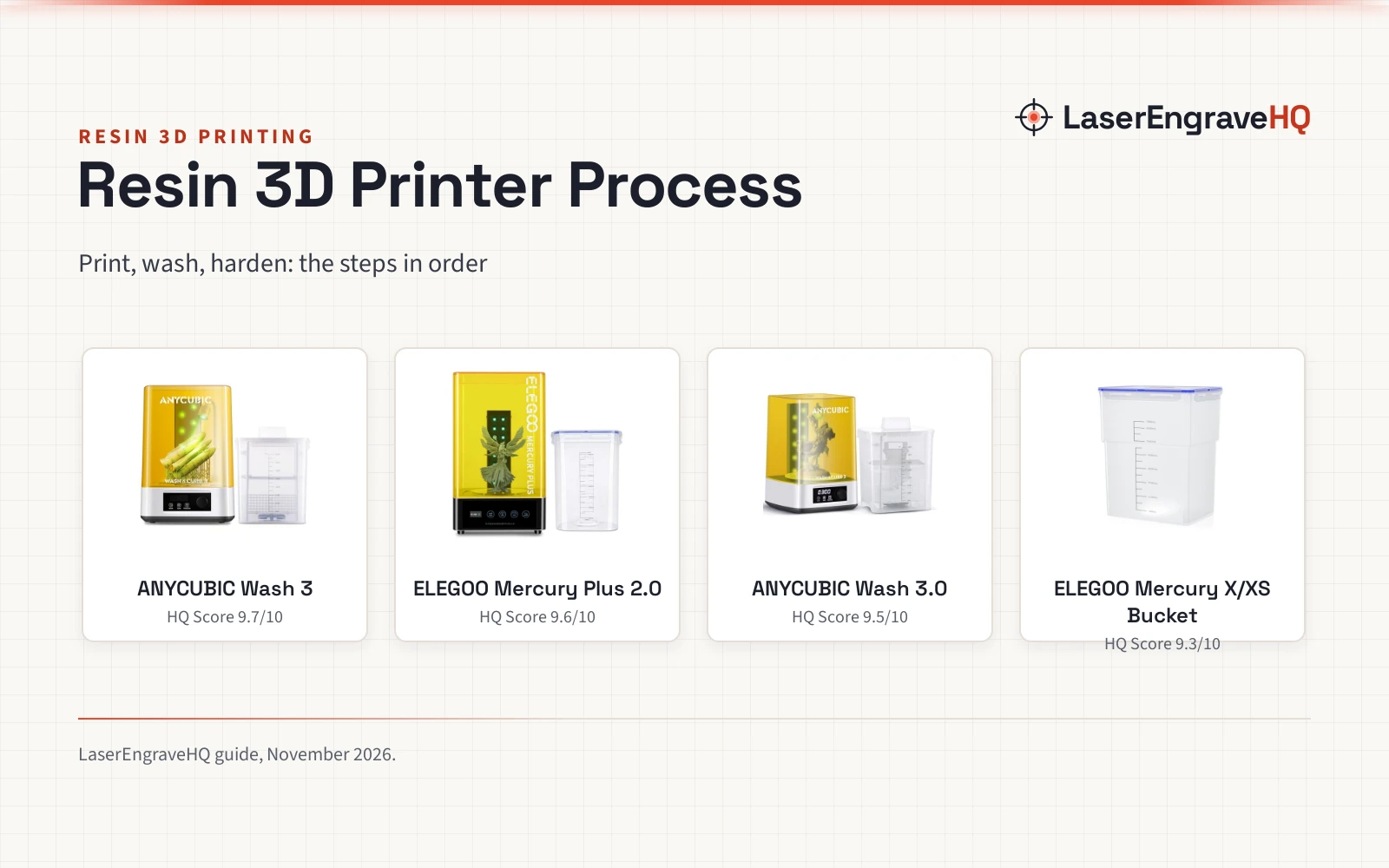
Plan for the extras a resin setup needs. The best resin 3D printer accessories kit guide covers the tools that go with a first printer, and the best isopropyl alcohol for 3D printing guide covers wash supplies. Resin choice matters too: see the hard vs flexible UV resin comparison before you buy your first bottle.
FAQ: lasers and CNC
What size resin 3D printer should a beginner buy?
Match the build volume to the largest part you plan to print. The Mars 5 lists a 5.65 × 3.53 × 5.91 in print size for small models, the Saturn 3 Ultra lists 218.88 × 122.88 × 260 mm for larger work, and the Photon Mono M7 Max lists 298 × 164 × 300 mm for the largest parts in this guide. A larger volume also prints several small models at once.
What does 12K resolution mean on a resin printer?
It is the screen resolution the listing states. The Saturn 3 Ultra lists a 10-inch 12K mono LCD with a 11520 × 5120 resolution and a 19 × 24 μm XY resolution, while the Photon Mono M7 Max lists a 13.6-inch 7K mono LCD at 6480 × 3600 px with a 46 × 46 μm XY pixel size. Compare the XY figures when fine detail matters most.
Does a beginner resin printer need Wi-Fi?
No, Wi-Fi is a convenience, not a requirement. The Saturn 3 Ultra lists Wi-Fi transfer at 6-10 Mbps on 2.4G and 5G networks, which moves files from a computer or mobile device. The other listings here do not state Wi-Fi transfer, so check the listing when wireless transfer matters to you.
How do you level a resin 3D printer?
Follow the manual for the machine you buy. The Saturn 3 Ultra lists a 4-point leveling system with no need to repeat leveling after one leveling, and the Mars 5 lists automatic leveling in its title. The Photon Mono M7 Max listing does not state a leveling system.
What should you check when the printer arrives?
Check that the build plate, resin tank and release film are in the box and fitted, and that the screen is free of scratches. The Saturn lists a 9H tempered glass above the LCD that protects the screen, and its laser-engraved build plate holds models during printing. Read the manual for the machine you buy and follow its setup steps before the first print.
Related: the 3D printers hub, hard vs flexible UV resin and best resin 3D printer accessories kit.