Heat Transfer Vinyl vs Screen Printing: Which One Should You Buy?
Heat transfer vinyl and screen printing compared for custom shirts: how each method works, what each one needs, and which one fits short runs or large runs of one design.

On this page
Top picks at a glance
As an Amazon Associate I earn from qualifying purchases.
- 1
 Cricut Joy Xtra Cutting Machine T-Shirt Making Bundle with9.7/10View on Amazon
- 2
 Sihao A3 DTG & DTF Printer,A3 L1805 Flatbed Printer,Direct to9.7/10View on Amazon
- 3
 Delclynee 15" x 15" Slide Out9.6/10View on Amazon
- 4
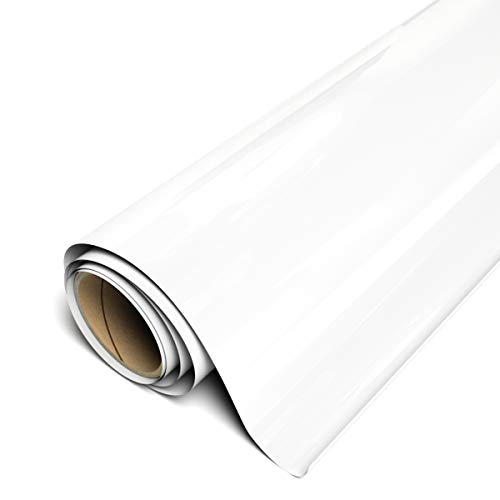 Siser EasyWeed Heat Transfer Vinyl 11.8" x 30ft RollView on Amazon
- 5
 Cricut Value Permanent VinylView on Amazon
- 6Siser EasyWeed Heat Transfer Vinyl 11.8" x 15ft RollView on Amazon
- 7
 HTVRONT White HTV Roll Heat Transfer VinylView on Amazon
- 8
 Frisco Craft Clear Heat Transfer Vinyl Transfer Tape 12" x 50View on Amazon
- 9Siser Easyweed HTV Heat Transfer VinylView on Amazon
Heat transfer vinyl wins for short runs and custom shirts: you cut a design from a vinyl roll, weed away the extra vinyl, and press the design onto the shirt with heat. Screen printing wins for large runs of the same design: you push ink through a mesh screen, a separate screen for each color, and the setup pays off once the screens are made. This heat transfer vinyl vs screen printing guide walks through how each method works, what each method needs, and which method fits your project.
Other machines to compare
 Siser EasyWeed Heat Transfer Vinyl 11.8" x 30ft RollCheck price on Amazon
 Cricut Value Permanent VinylCheck price on Amazon
- Siser EasyWeed Heat Transfer Vinyl 11.8" x 15ft RollCheck price on Amazon
 HTVRONT White HTV Roll Heat Transfer VinylCheck price on Amazon
 Frisco Craft Clear Heat Transfer Vinyl Transfer Tape 12" x 50Check price on Amazon
- Siser Easyweed HTV Heat Transfer VinylCheck price on Amazon
LaserEngraveHQ earns a commission from purchases made through these links, at no extra cost to you. Read our affiliate disclosure.
Heat transfer vinyl is a heat-press material, not a laser material. Never put vinyl in a laser engraver: vinyl releases harmful fumes when lasered and can damage the machine. This guide covers vinyl only as a heat-press method for shirts, tote bags and similar fabric goods.
Heat transfer vinyl vs screen printing: how each method works
Heat transfer vinyl starts as a roll or sheet of vinyl with a heat-sensitive adhesive back. You cut the design with a cutting machine, weed away the vinyl you do not want, place the design on the shirt and press it with heat. The HTVRONT 8 foot roll listing states press settings of 300 to 320 degrees, mid-pressure of 5 to 8 kg and 10 to 15 seconds, then cooling for 1 to 2 minutes before peeling. The vinyl sticks to the fabric, and the maker states the design holds up in the wash without fading, peeling or cracking.
Screen printing starts with a mesh screen for each color in the design. Ink is pushed through the open parts of the mesh onto the shirt, then the ink is set with heat. Each color needs its own screen, so a design with several colors needs several screens, and the setup takes longer than pressing a vinyl design. Once the screens are ready, the same design can be printed again and again with little extra setup.
The practical split is setup against repeatability. Vinyl has almost no setup: cut, weed, press, and the shirt is done. Screen printing has real setup: screens, ink and registration for each color. That setup is why screen printing suits runs where the same design is printed many times, while vinyl suits runs where each shirt is different.
What each method needs in time and materials
Vinyl needs a cutting machine, a roll or sheets of heat transfer vinyl, and a heat press or a household iron. The HTVRONT rolls below measure 12 inches by 8 feet and 12 inches by 20 feet, and the Cricut sampler holds 20 sheets of 12 inches by 12 inches. The HTVRONT rolls are cut on 12 inch by 12 inch and 12 inch by 24 inch cutting mats. A heat press gives steady temperature and pressure; see our best heat press machine with adjustable pressure guide if you are choosing one.
Screen printing needs screens, ink, a squeegee and a way to set the ink with heat. The setup is heavier than a vinyl press, and cleanup takes longer, because ink and screens must be washed between colors and runs. Vinyl cleanup is lighter: weed the scraps and the mat is ready for the next design.
Durability is stated by the makers, not measured here. The HTVRONT 20 foot roll listing states the vinyl held up through more than 50 wash cycles at 40 degrees, 30 minutes per cycle, and the Cricut sampler listing states the iron-on outlasts 25 washes. The HTVRONT 8 foot roll listing states the design holds up in the wash without fading, peeling or cracking, and that its vinyl is SGS certified and safe to wear. Wash figures come from the makers, so treat them as claims to compare, not as promises.
Which shirts and fabrics suit each method
Heat transfer vinyl suits cotton, polyester and cotton blend shirts, athletic mesh fabrics, lycra and spandex, tote bags, sportswear, aprons, hats and pillows, by the HTVRONT listings. The vinyl layer sits on top of the fabric, so it works best on smooth, flat areas that a heat press can reach evenly. If you are choosing between vinyl types, see our heat transfer vinyl vs permanent vinyl guide.
Screen printing suits the same kinds of shirts when the run is large and the design repeats. The trade-off is setup: a small run with a new design each time wastes the screens, while a large run of one design uses them well.
The gear: three heat transfer vinyl listings
The three listings below are all heat transfer vinyl, ranked from the longest roll to the sampler pack. All three are iron-on vinyl for cutting machines and heat presses, and all three are made for shirts and fabric goods.
HTVRONT Heat Transfer Vinyl, 12 inches by 20 feet, Black. The longest roll of the three, with 20 feet of black vinyl for shirts, tote bags, sportswear, aprons, hats and pillows. The listing states the vinyl cuts and weeds easily, sticks to fabric without fading, peeling or cracking, and held up through more than 50 wash cycles at 40 degrees, 30 minutes per cycle. It fits 12 inch by 12 inch and 12 inch by 24 inch cutting mats and works with all cutter machines. Pick it if you press shirts often and want a long roll that lasts through many designs.
HTVRONT HTV Roll, 12 inches by 8 feet, Black. The shorter roll, with the fullest press settings of the three: 300 to 320 degrees, mid-pressure of 5 to 8 kg, 10 to 15 seconds, then cooling for 1 to 2 minutes before peeling. The listing states the vinyl is SGS certified and safe to wear, and that it suits athletic mesh fabrics, cotton, polyester and cotton blend, lycra and spandex. It fits 12 inch by 12 inch and 12 inch by 24 inch cutting mats. Pick it if you want the press settings spelled out before you start.
Cricut Value Iron-On, Rainbow Sampler, 20 sheets of 12 inches by 12 inches. Twenty sheets in popular colors, each 12 inches by 12 inches, or 30.5 cm by 30.5 cm. The listing states the iron-on outlasts 25 washes, is designed for Cricut cutting machines and heat presses, and has a clear, heat-resistant backer for easy pressing. The spec table states no warranty. Pick it if you want color variety for small projects rather than one long black roll.
Common mistakes to avoid
- Pressing vinyl with the wrong settings: the HTVRONT 8 foot roll listing states 300 to 320 degrees, 5 to 8 kg and 10 to 15 seconds, so follow the listing for the vinyl you buy.
- Putting vinyl in a laser engraver: vinyl releases harmful fumes when lasered and can damage the machine.
- Skipping the weed step: vinyl left on the design shows up on the shirt, so weed before pressing.
- Choosing screen printing for a single-shirt run: the screens cost more setup than the shirt is worth.
- Forgetting the fabric: vinyl suits cotton, polyester and blends by the listings, so check the fabric before pressing.
Heat transfer vinyl vs screen printing: the short version
- Pick vinyl for short runs and custom shirts: cut, weed and press.
- Pick screen printing for large runs of one design: make a screen per color, then print.
- Follow the listing for the vinyl you buy for press settings; the HTVRONT 8 foot roll listing states 300 to 320 degrees, 5 to 8 kg, 10 to 15 seconds, cool 1 to 2 minutes.
- Check the fabric: cotton, polyester, blends, mesh, lycra and spandex suit vinyl by the listings.
- Never put vinyl in a laser engraver.
FAQ: lasers and CNC
Can I use heat transfer vinyl on any shirt?
By the listings, vinyl suits cotton, polyester and cotton blend shirts, athletic mesh fabrics, lycra and spandex, and tote bags, sportswear, aprons, hats and pillows. Check the listing for the vinyl you buy, and press a small area first if the fabric is new to you.
How long does heat transfer vinyl last in the wash?
The makers state different figures: the HTVRONT 20 foot roll listing states more than 50 wash cycles at 40 degrees, 30 minutes per cycle, and the Cricut sampler listing states the iron-on outlasts 25 washes. Treat both as maker claims; the listing for the vinyl you buy is the one to follow.
Do I need a heat press, or will an iron work?
The listings describe pressing with heat: the HTVRONT 8 foot roll listing gives press settings for a heat press, and the vinyl is also described as iron-on vinyl. A heat press gives steady temperature and pressure across the design, while a household iron needs care to cover the design evenly.
Can I laser cut heat transfer vinyl?
No. Never put vinyl in a laser engraver. Vinyl releases harmful fumes when lasered and can damage the machine. Cut vinyl with a cutting machine, as the listings state, and use the laser for materials the laser guides list.
Which method suits a large run?
Screen printing, by setup: a screen per color, then the same design prints again and again. Vinyl suits runs where each shirt differs, because each design is cut and pressed on its own.
Related: the heat transfer vinyl vs permanent vinyl guide, best heat press machine with adjustable pressure and teflon sheet vs silicone heat press pad. Also see our sublimation paper vs heat transfer paper comparison.