CNC Router Types: A Buyer’s Guide
Desktop, enclosed and large-format CNC router types compared by work area, spindle power and axis count to help match a machine to a project.

On this page
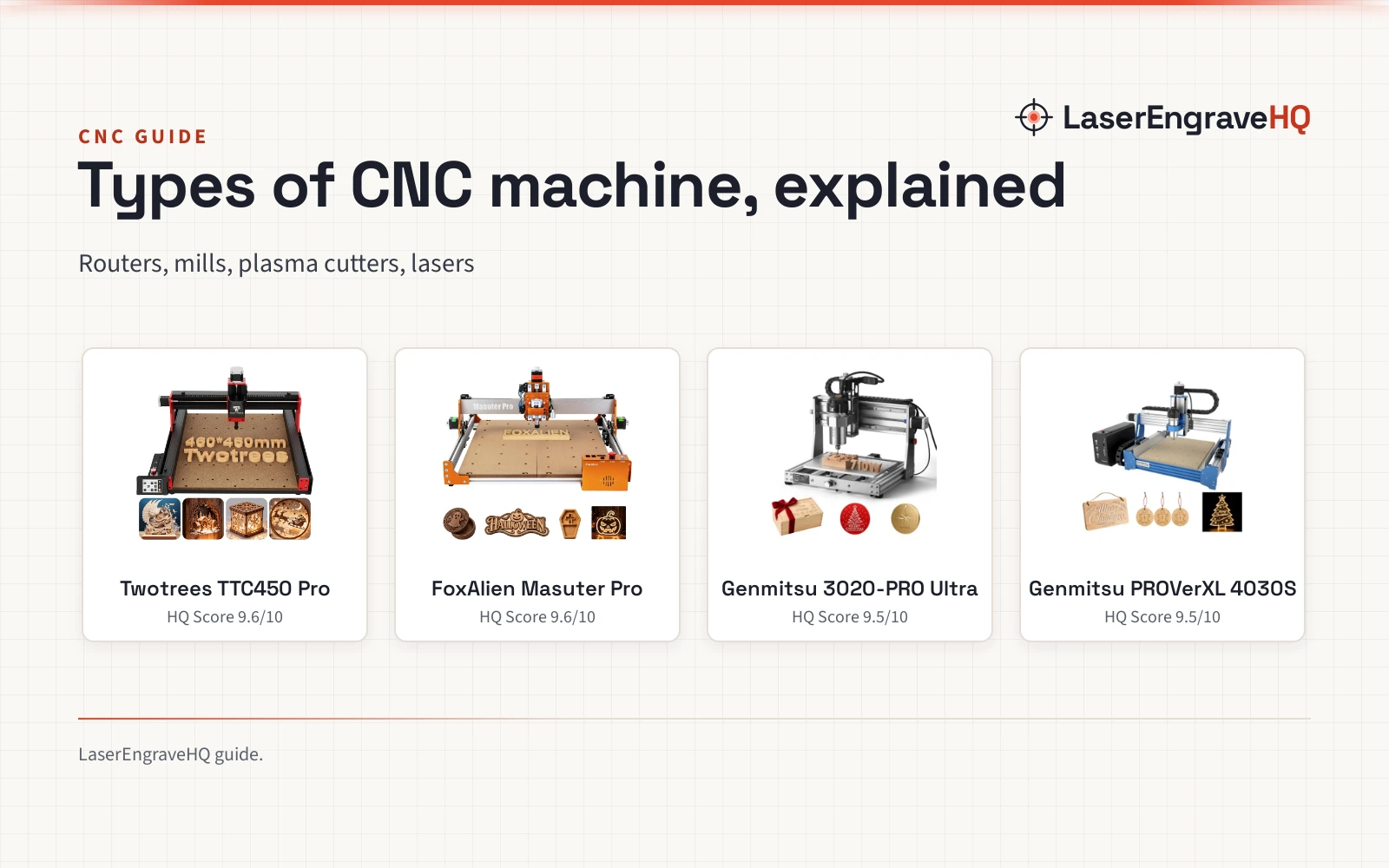
Top picks at a glance
As an Amazon Associate I earn from qualifying purchases.
- 1
 Twotrees TTC450 Pro All-Metal CNC Router Machine with NEMA 579.6/10View on Amazon
- 2
 FoxAlien Masuter Pro 3-Axis CNC Router Machine9.6/10View on Amazon
- 3
 Genmitsu 3020-PRO Ultra CNC Router Machine9.5/10View on Amazon
CNC router types come down to size, enclosure and axis count: a desktop router cuts small parts on a bench, an enclosed mill keeps chips and dust inside, and a large-format router takes long boards and wide panels. Match the type to the size of the parts and the space in the shop, and the rest of the choice follows from work area, spindle power and axis count. This guide explains each type with work-area and spindle figures from current machines.
LaserEngraveHQ earns a commission from purchases made through these links, at no extra cost to you. Read our affiliate disclosure.
Figures in this guide come from the makers’ stated specs for each machine. Work areas and spindle ratings vary by model, so check the manual for the machine in front of you before ordering bits or planning a project.
Step 1: Start with the work area
Work area is the size of the part the machine can cut without moving it, and it is the figure that decides the type. Mini desktop routers suit small parts: the CNCTOPBAOS 1610 PRO (on Amazon) gives a working area of 7.08×3.93×1.77 inches, and the Genmitsu 3018-PROVer V2 (on Amazon) gives 11.2 x 7.1 x 1.6 inches. Desktop routers cover signs and plaques: the Carvera Air gives 11.8 x 7.9 x 5.1 inches, the Genmitsu 3020-PRO MAX V2 (on Amazon) gives 11.8 x 8.1 x 3.1 inches, and the Twotrees TTC450 Ultra (on Amazon) gives 465x465mm. Mid-size desktops include the LUNYEE 4040 Nova (on Amazon) at 400 x 400mm and the Genmitsu 4040-PRO MAX at 16.1 x 15.9 x 3.0 inches, stated as 410 x 405 x 77mm. Large-format routers take long boards and wide panels: the FoxAlien Masuter Pro MAX gives 600x600mm, stated as 23.6 x 23.6 inches, and the FoxAlien XE-Ultra 8080 gives 33x33x4.72 inches.
| Type | Work area | Spindle |
|---|---|---|
| Mini desktop | 7.08×3.93×1.77 inches | 120W, 10000rpm |
| Desktop | 465x465mm | 500W, 8000 to 30000 RPM |
| Enclosed desktop | 11.8 x 7.9 x 5.1 inches | Runout under 0.0004in |
| Large-format | 600x600mm | 500W brushless |
Measure the largest part first, then pick a work area with room around it for clamps and the bit. A work area that only just fits the part leaves no room to hold it down. For more on sizes, see the types of CNC machines guide.
Step 2: Choose enclosed or open
An enclosed router puts the cutting area inside a case, while an open router leaves the work area exposed on the bench. The Carvera Air is fully enclosed, and the maker lists a compact footprint of 19.7 x 17.7 x 17.7 inches, with the enclosure helping to reduce noise and to contain chips and dust. An open machine needs dust control planned around it: the Genmitsu 4040-PRO MAX has an integrated dust plate, and a dust shoe is listed as an upgradeable accessory, while the FoxAlien Masuter Pro MAX lists a strengthened X-axis extrusion to reduce vibration. Enclosed machines suit a shared room or a home workshop where chips on the floor are a problem. Open machines suit a dedicated shop with dust collection already in place. Either way, plan where chips and dust go before the first cut.
Step 3: Match the spindle to the material
Spindle power is stated in watts, and each spindle comes with a stated material list. The CNCTOPBAOS 1610 PRO has a 120W spindle at 10000rpm, with an ER11-3.175mm collet for 0-7mm tools, and lists wood, acrylic, PCB, copper and aluminum. The Twotrees TTC450 Ultra has a 500W spindle, upgradeable to 3000W, at 8000 to 30000 RPM, with an ER11 chuck for 0.5-7mm tools, and lists hardwood, MDF, acrylic, nylon, aluminum, carbon fiber and stainless steel. The FoxAlien Masuter Pro MAX has a 500W brushless spindle for wood, acrylic, plastics and soft metals. The Genmitsu 4040-PRO MAX has a 710W spindle for wood, metal and acrylic. The LUNYEE 4040 Nova has an 800W router at up to 30,000 RPM, with an ER11 collet for 1/4 and 1/8 router bits, for aluminum, wood, acrylic and PCB. The FoxAlien XE-Ultra 8080 takes a 65mm router, a 1.5kW VFD spindle or FA20W, FA40W and FA80W engraving modules, with the spindle not included in the package. Match the stated material list to the project, and check the collet size before ordering bits.
Step 4: Count the axes
A 3-axis router moves the bit in X, Y and Z, which covers flat signs, plaques, cut parts and shallow carving. A 4th axis adds rotary work: the Carvera Air 4th Axis kit gives a rotary work area of 3.6 inch diameter x 7.9 inch length, stated as 9.2cm x 20cm, for cylindrical machining and objects cut on both sides. The FoxAlien Masuter Pro MAX has a dedicated 4th-axis port for rotary engraving, the Genmitsu 4040-PRO MAX lists a 4th-axis rotary module kit as an upgradeable accessory, and the FoxAlien XE-Ultra 8080 has a reserved port for 4th axis. The Twotrees TTC450 Ultra reserves interfaces for fourth-axis expansion. Closed-loop control matters for accuracy at speed: the FoxAlien XE-Ultra 8080 uses 2.6 N.m closed-loop stepper motors at up to 5,000mm/min, and the Carvera Air 4th Axis kit lists closed-loop spindle control from 0 to 13,000 RPM with runout under 0.01mm. If the work is round, such as tumblers or bats, the 4th axis is the feature to look for.
Step 5: Plan safety, dust and noise
Safety on a CNC router starts with the machine’s own stops and switches. The Twotrees TTC450 Ultra has dual limit switches on XYZ axes, a spindle safety switch and an emergency stop function, and is certified by CE, ROHS and FCC. The Genmitsu 3020-PRO MAX V2 has 6pcs XYZ axis limit switches, emergency stop switches and a photoelectric Z-probe. The FoxAlien XE-Ultra 8080 has industrial inductive limit switches on all axes with a 0.5ms response. Wear eye and hearing protection, keep hands clear of the bit, and never leave a running job unattended. Clear chips and dust after the job stops, and keep the work area clear of offcuts and tools. For hearing protection options, see the foam vs silicone earplugs for CNC router guide.
Common mistakes to avoid
- Buying the smallest work area, then needing a bigger one for the next project.
- Choosing a spindle by watts alone without checking the collet and bit sizes.
- Skipping dust control on an open machine.
- Forgetting the 4th axis when the work is round.
- Ordering bits that do not fit the collet.
CNC router types: the short version
- Measure the largest part and pick a work area with room for clamps.
- Choose enclosed for a shared room and open for a dedicated shop with dust collection.
- Match the spindle and the stated material list to the project.
- Add a 4th axis if the work is round.
- Check limit switches, emergency stop and the manual before the first job.
- Order bits that fit the collet.
Everything after that is repetition: check the work area, check the spindle, check the collet, and cut a sample before the real part.
FAQ: lasers and CNC
What size CNC router suits sign work?
Match the work area to the sign size. The CNCTOPBAOS 1610 PRO gives 7.08×3.93×1.77 inches for small signs, the Carvera Air gives 11.8 x 7.9 x 5.1 inches, and the Twotrees TTC450 Ultra gives 465x465mm. For larger signs, the FoxAlien Masuter Pro MAX gives 600x600mm and the FoxAlien XE-Ultra 8080 gives 33x33x4.72 inches.
What is the difference between a 3-axis and a 4-axis CNC router?
A 3-axis router moves the bit in X, Y and Z for flat work. A 4-axis router adds rotary motion for round work: the Carvera Air 4th Axis kit gives a rotary work area of 3.6 inch diameter x 7.9 inch length, stated as 9.2cm x 20cm, for cylindrical machining and objects cut on both sides.
How much spindle power suits aluminum work?
Check the stated material list, not watts alone. The Twotrees TTC450 Ultra lists aluminum with a 500W spindle, the LUNYEE 4040 Nova lists aluminum with an 800W router, and the Genmitsu 4040-PRO MAX lists metal with a 710W spindle. The CNCTOPBAOS 1610 PRO lists aluminum with a 120W spindle for soft metals.
Can a desktop CNC router cut metal?
Some can, within the stated material list. The Twotrees TTC450 Ultra lists aluminum and stainless steel. The LUNYEE 4040 Nova lists aluminum and non-ferrous metal projects. The Carvera Air lists aluminum and brass. The Genmitsu 4040-PRO MAX lists metal.
What work area do desktop CNC routers have?
Desktop work areas in this guide run from 7.08×3.93×1.77 inches on the CNCTOPBAOS 1610 PRO to 33x33x4.72 inches on the FoxAlien XE-Ultra 8080. Mid-size desktops include the LUNYEE 4040 Nova at 400 x 400mm and the Genmitsu 4040-PRO MAX at 16.1 x 15.9 x 3.0 inches.
When does an enclosed CNC router make sense?
An enclosed router suits a shared room: the Carvera Air is fully enclosed, with the enclosure helping to reduce noise and to contain chips and dust. An open machine suits a dedicated shop with dust collection planned around it, such as the Genmitsu 4040-PRO MAX with its integrated dust plate.
Related: the CNC routers hub, best CNC machine for home shop under 800, low cost CNC machine guide for beginners and the cost of a CNC machine guide.