Laser Cutter vs 3D Printer: Which One Should You Buy?
A practical guide comparing laser cutters and 3D printers across materials, production speed, part geometry, safety and workshop workflow.

On this page
Top picks at a glance
As an Amazon Associate I earn from qualifying purchases.
- 1
 xTool S1 40W Laser Cutter and Laser Engraver for Tumblers9.7/10View on Amazon
- 2
 xTool M2 20W Color Craft Laser Engraver9.7/10View on Amazon
- 3
 xTool M2 20W Color Craft Laser Engraver9.7/10View on Amazon
- 4
 xTool P2S 55W CO2 Laser CutterView on Amazon
- 5
 WECREAT Vision Pro 45W Laser Engraver and Cutter with RotaryView on Amazon
- 6
 Twotrees TTS-20 Max 20000mW Laser Engraver and Cutter MachineView on Amazon
- 7
 Longer New Upgrade RAY5 Laser Engraver CutterView on Amazon
- 8
 ATOMSTACK Swift 12W Laser Engraver Cutter for Wood & MetalView on Amazon
- 9
 ACMER S1 Laser Engraver MachineView on Amazon
Choosing between a laser cutter vs 3d printer depends on whether you need flat sheet cutting or solid 3D objects. A laser cutter focuses light to cut and engrave flat wood, acrylic and leather in minutes. A 3D printer deposits filament or hardens resin layer by layer for complex hollow forms. For signs, gifts and flat panels, a laser cutter is faster; for enclosures and prototypes, a 3D printer is ideal.
Other machines to compare
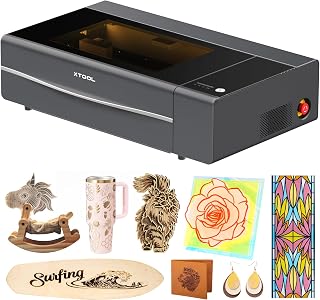 xTool P2S 55W CO2 Laser CutterCheck price on Amazon
 WECREAT Vision Pro 45W Laser Engraver and Cutter with RotaryCheck price on Amazon
 Twotrees TTS-20 Max 20000mW Laser Engraver and Cutter MachineCheck price on Amazon
 Longer New Upgrade RAY5 Laser Engraver CutterCheck price on Amazon
 ATOMSTACK Swift 12W Laser Engraver Cutter for Wood & MetalCheck price on Amazon
 ACMER S1 Laser Engraver MachineCheck price on Amazon
LaserEngraveHQ earns a commission from purchases made through these links, at no extra cost to you. Read our affiliate disclosure.
We do not publish production speeds or income figures, as workshop setups vary. This guide covers mechanical differences, materials and safety.
Step 1: Understand how each machine creates parts
A laser cutter is a subtractive tool vaporizing stock along horizontal X and Y planes for flat profiles or surface artwork, and drinkware with a rotary attachment. A 3D printer is additive, stacking plastic strata or light-solidified photopolymers to create internal channels and hollow overhangs.
Step 2: Compare material compatibility
Laser cutters process flat wood, leather, dark acrylic, and with CO2, clear acrylic and glass; fiber marks bare metal. See our diode vs CO2 laser guide. The maker xTool lists its P2S enclosed CO2 unit with a 55W optical output, cutting black walnut up to 18mm and acrylic up to 20mm in a single pass across a 26″ x 14″ bed. The WIZMAKER Wand lists a 12W output cutting wood up to 8mm across a 300×300mm area, while Artilume states a 7W output cutting basswood up to 4mm across 200x150mm. The maker WECREAT claims a 45W output cutting 25mm wood and 20mm black acrylic in one pass across 22.83″ x 15.75″.
Never laser PVC, vinyl, faux leather, polycarbonate or ABS; vinyl yields corrosive chlorine gas, while ABS emits toxic smoke. Enclosed 3D printers safely melt ABS, PLA and PETG filament.
Step 3: Evaluate production speed and turnaround time
Laser cutters provide rapid flat throughput. For engraving, the maker xTool lists a rated speed up to 600mm/s for the P2S, matching the 600mm/s listed for the WECREAT Vision Pro. The ATOMSTACK Swift 12W lists a rated speed up to 400mm/s across a 300 x 300 mm workspace, while the ELIDOR Z6 states an engraving speed up to 10,000 mm/min. Cutting sheet stock is slower, but tracing outlines takes minutes. A 3D printer traces every layer, taking hours per part.
Step 4: Compare part geometry and dimensional capability
Laser cutters cut flat sheet stock; 3D assemblies require slotted joints or glue. A 3D printer builds true 3D geometry directly from CAD models, including organic curves and moving hinges. Workshops often pair them: 3D printing internal brackets, and laser-cutting acrylic panels. See our guide on CNC router vs laser cutter systems.
Step 5: Review workspace, ventilation and safety requirements
Laser smoke requires outdoor venting or filters. The maker xTool equips the P2S with a 233.3 CFM exhaust fan, and WECREAT lists a 99% odor removal rate; see our fume extractor for laser cutting guide. Open-frame diode cutters belong to Class 4 designations, and enclosed units like the xTool P2S are listed as Class 4 by their makers. Interlocked units like the WECREAT Vision Pro offer Class 1 certified operation. Eyewear protects only with matching OD ratings; the maker ATOMSTACK lists OD4+ glasses with its Swift machine. Read how to choose laser safety glasses and our laser engraver with enclosure review. Keep an extinguisher nearby. 3D printers require ventilation for ABS, and resin requires wash baths.
Step 6: Assess software, learning curve and workflow
Lasers process vector files (SVG, DXF) for cutting and bitmaps (PNG, JPG) for engraving via LightBurn or LaserGRBL with an accessible learning curve. 3D printing requires parametric CAD modeling and slicer toolpaths for infill and support scaffolds.
Step 7: Match the machine to your projects and budget
Choose a laser cutter for customized gifts, drinkware and signs where batch throughput matters; compare picks in our laser engraver for beginners and best laser engraver for small business guides. Choose a 3D printer for prototypes and mechanical parts. Read how to choose a laser engraver and our best CO2 laser cutter for home use guide.
Common mistakes to avoid
- Expecting fast batch output from a 3D printer.
- Laser-cutting PVC or vinyl, which releases corrosive chlorine gas.
- Operating lasers without exhaust ducting or a rated filter.
- Running open-frame lasers without OD-rated safety glasses.
- 3D printing flat shapes that laser-cut in minutes.
Laser cutter vs 3d printer: the short version
- Material: lasers cut flat wood, acrylic and leather; 3D printers use thermoplastics and resin.
- Geometry: lasers cut sheet parts; 3D printers build curves and cavities.
- Speed: lasers finish flat jobs in minutes; 3D printers take hours.
- Safety: vent laser fumes and monitor fire; vent 3D printing odors.
- Software: lasers use planar layouts; 3D printers use CAD and slicers.
- Application: pick lasers for batch products; pick 3D printers for prototypes.
FAQ: lasers and CNC
Why is a laser cutter good for small workshops?
It provides rapid cutting, clean edges and sharp engraving across wood, leather and acrylic for batch production.
Can a laser cutter cut vinyl stickers?
No. Never laser vinyl or PVC; it releases toxic chlorine gas and hydrochloric acid fumes that ruin optics and rails. Use a blade plotter.
How much does a laser cutter machine cost compared to a 3D printer?
Diode lasers and filament 3D printers share entry tiers, while enclosed CO2 cutters represent larger equipment investments. Ongoing expenses include sheet stock or filament.
How do you use a laser cutter for leather crafts?
Place vegetable-tanned leather on a honeycomb bed, apply air assist, and use low power for surface marks and higher power for cutting. Avoid chrome-tanned leather.
Can you use a laser cutter and a 3D printer together?
Yes. Makers print internal chassis brackets, then laser-cut acrylic windows and engraved faceplates.
Which machine is easier for beginners to learn?
Laser software is generally simpler for beginners than parametric 3D CAD modeling, though community files make both accessible.
Related: the laser engraver hub, laser engraver for beginners and best laser engraver for wood. Also see our best laser engraver for small business and best CO2 laser cutter for home use.



