Best Laser Engraver for Christmas Ornaments: 6 Machines for Batches
Six enclosed diode lasers for wood, acrylic and printed ornaments, compared by how many ornaments fit on the bed, cut thickness, cameras and safety features.

On this page
Top picks at a glance
As an Amazon Associate I earn from qualifying purchases.
- 1
 Best for Color OrnamentsxTool M2 20W Color Craft9.7/10View on Amazon
- 2
 Best for Thick CutsCreality Falcon2 Pro S 22W9.6/10View on Amazon
- 3
 Best for Big BatchesCreality Falcon A1 10W9.6/10View on Amazon
- 4
 Best Value EnclosedWoxcker L2 MAX 10W9.5/10View on Amazon
- 5
 Best Small FootprintCarverall A1 Pro 12W9.6/10View on Amazon
- 6
 Laser Engraver 20W Enclosure Laser Cutter 300x300mm LargeView on Amazon
- 7
 ORTUR Laser Master 2 S2 LU2-10A Laser Engraver LaserView on Amazon
- 8
 ORTUR Laser Rotary RollerView on Amazon
- 9
 Twotrees TTS-20 Max 20000mW Laser Engraver and Cutter MachineView on Amazon
The best laser engraver for Christmas ornaments is an enclosed diode laser with enough bed space to run a full sheet of ornaments at once and enough power to cut 3 mm (1/8 in) plywood cleanly. Our top pick is the xTool M2 20W Color Craft, which prints full color and cuts the outline in one setup; if you mostly cut plain wood in volume, the Creality Falcon A1 fits about a dozen 4 in ornaments per run. All six picks here are enclosed, because ornament season means long batches in a home with family around.
LaserEngraveHQ earns a commission from purchases made through these links, at no extra cost to you. Read our affiliate disclosure.
Quick picks
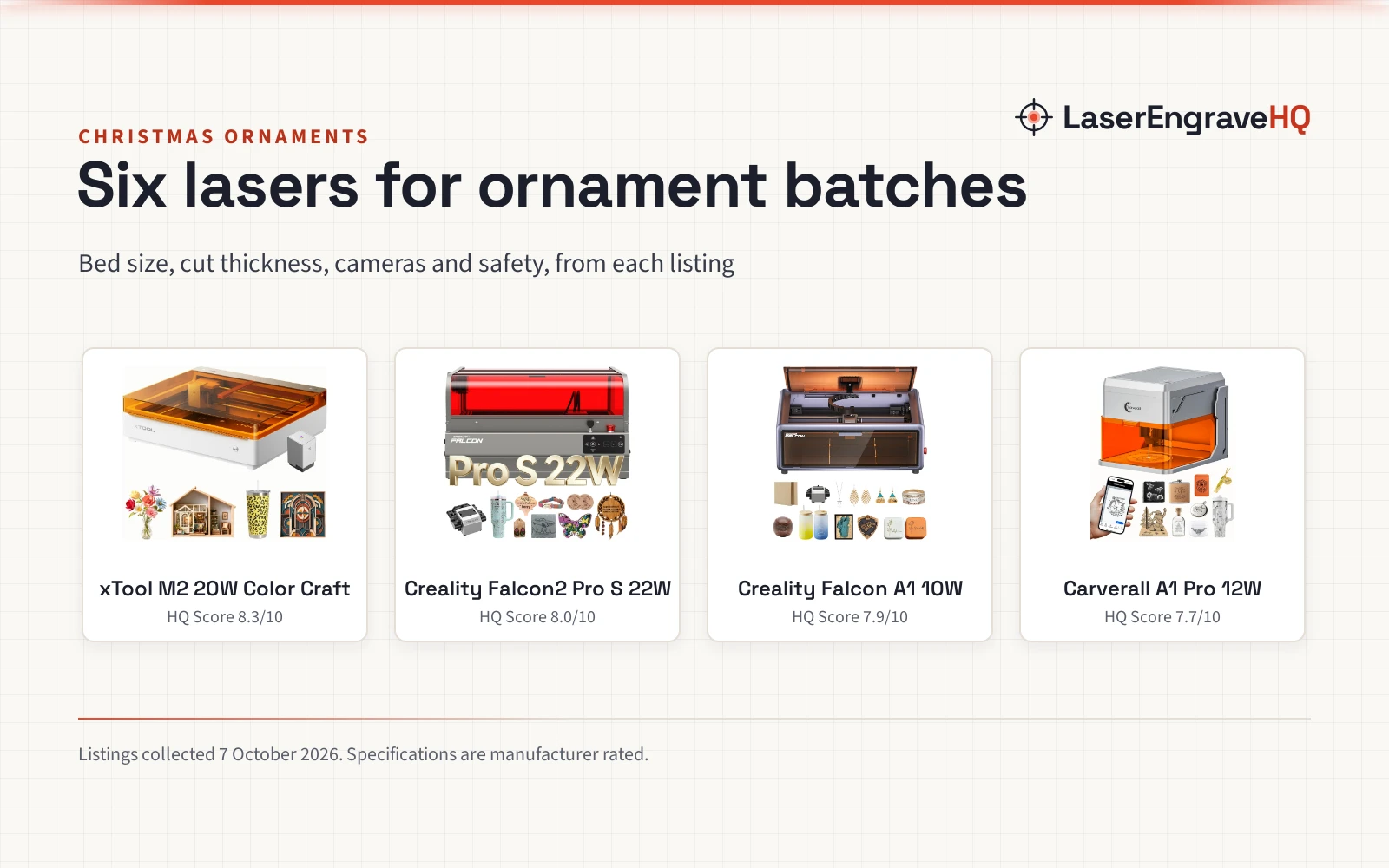
- Best for Color Ornaments xTool M2 20W Color Craft: A 20W enclosed laser with a CMYK inkjet module, so it prints a full-color design and cuts the outline in one setup. Check price on Amazon
- Best for Thick Cuts Creality Falcon2 Pro S 22W: 22W optical output, rated to cut 15 mm basswood and 10 mm black acrylic in one pass, with autofocus and a camera. Check price on Amazon
- Best for Big Batches Creality Falcon A1 10W: A 460 x 346 mm bed fits about a dozen 4 in ornaments per run, with camera positioning and a Class 1 enclosure. Check price on Amazon
- Best Value Enclosed Woxcker L2 MAX 10W: A 300 x 300 mm enclosed 10W with flame detection, tilt stop, lid stop and Wi-Fi, USB, app and offline control. Check price on Amazon
- Best Small Footprint Carverall A1 Pro 12W: A compact Class 1 12W with built-in air assist and a camera, sized for one ornament, tag or keychain at a time. Check price on Amazon
Machines on the list


xTool M2 20W Color Craft Laser Engraver with CMYK
An enclosed 20W diode laser bundled with a CMYK inkjet module, so painted-look ornaments come out of one machine.
Pros
- Prints full color and cuts the outline in one setup, with no hand painting
- Listing states 20,000mW laser output, the strongest stated output in this guide after the Pro S
- Class 1 fully enclosed design with real-time monitoring
- Dual cameras and xTool Studio templates for placing designs on blanks
Cons
- Work area is not stated on the listing
- The 3W infrared module for metal is sold separately
- 43.9 lb, so plan a permanent spot
- No FDA accession number printed

Creality Falcon2 Pro S 22W Enclosed Laser Engraver
A 22W optical diode in an integrated enclosure, built for cutting thick ornament stock and layered designs fast.
Pros
- 22W stated as optical output; the 120,000mW figure is labeled machine power
- Rated one-pass cuts of 15 mm basswood and 10 mm black acrylic
- Z-axis autofocus, camera positioning and air assist built in
- Flame detector, limit switches, safety lock, e-stop and a laser detection cover
Cons
- No warranty term stated
- Work area not stated in the bullets
- 49.3 lb and ships 80% pre-assembled
- Diode light still will not cut clear acrylic

Creality Falcon A1 10W Fully Enclosed Laser
A pre-assembled, fully enclosed 10W with the largest stated bed here and a camera that recognizes material and places designs.
Pros
- 460 x 346 mm bed fits about a dozen 4 in ornaments per run
- Rated 600 mm/s and a one-pass cut of 6 mm wood
- Camera recognizes material and applies settings
- Class 1 enclosure, emergency stop and auto pause when the lid opens
Cons
- Title says 10W but the bullets quote 80,000mW of power, so read 10W as the laser figure
- No warranty term stated
- Roller rotary is a separate Falcon kit
- Listing bars mirror-finish metal and mirrored acrylic

Carverall A1 Pro 12W Mini Laser Engraver
A compact enclosed 12W with a camera and built-in air assist, sized for one ornament, tag or keychain at a time.
Pros
- Built-in air assist and exhaust fan for cleaner cuts
- Camera preview for dragging a design onto the exact spot
- Class 1 enclosure that stops when opened or tilted past 15 degrees
- 1-year warranty and lifetime tech support stated
Cons
- 100 x 100 mm work area: one 4 in ornament per run
- Cut claims of 12 mm plywood come from the brand, not a standard
- Bare metal needs the separate IR head
- No autofocus stated; height is set to one of three positions

Woxcker L2 MAX 10W Enclosed Laser Engraver
An enclosed 10W with a square 300 x 300 mm bed and a full set of stop features, at the low end of the enclosed price range.
Pros
- 300 x 300 mm bed fits about nine 4 in ornaments per run
- Lid-open stop, flame detection, emergency stop, safety lock and 15 degree tilt stop
- Wi-Fi, USB, app and TF-card offline control
- Works with LightBurn, LaserGRBL and CutLabX
Cons
- Warranty field reads only 1, with no unit
- No camera for placing designs on blanks
- Air assist and rotary are optional extras
- Cut thickness is not stated

laservii M1s 12W Class 1 Enclosed Laser Engraver
A 12W enclosed machine with an exhaust port and a starter kit, for small ornament runs and gift tags.
Pros
- Rated to cut 3 to 5 mm plywood, the usual ornament stock
- 305 x 205 mm area and room for items up to 50 mm tall
- Exhaust port and hose included for venting outside
- Kit includes safety goggles, sample materials and tools
Cons
- Warranty field reads only 1, with no unit
- Camera, air assist and rotary are optional add-ons
- Listing cites FDA and UL 62368-1 but prints no accession number
- TF-card use needs an optional display
Other machines to compare
 Laser Engraver 20W Enclosure Laser Cutter 300x300mm LargeCheck price on Amazon
 ORTUR Laser Master 2 S2 LU2-10A Laser Engraver LaserCheck price on Amazon
 ORTUR Laser Rotary RollerCheck price on Amazon
 Twotrees TTS-20 Max 20000mW Laser Engraver and Cutter MachineCheck price on Amazon
Specs compared
| Model | HQ Score | Laser | Work area | 4 in ornaments per run | Rated cut | Camera | Warranty |
|---|---|---|---|---|---|---|---|
| xTool M2 20W Color Craft | 9.7/10 | 20W diode (stated output) + CMYK inkjet | Not stated | Not stated | Not stated | Dual cameras | 1 year |
| Creality Falcon2 Pro S 22W | 9.6/10 | 22W diode (optical) | Not stated | Not stated | 15 mm basswood, 10 mm black acrylic, one pass | Yes | Not stated |
| Creality Falcon A1 10W | 9.6/10 | 10W diode | 460 x 346 mm | About 12 | 6 mm wood, one pass | Yes | Not stated |
| Carverall A1 Pro 12W | 9.6/10 | 12W diode | 100 x 100 mm (3.94 in) | 1 | 12 mm plywood, 8 mm acrylic (brand claim) | Yes | 1 year |
| Woxcker L2 MAX 10W | 9.5/10 | 10W diode | 300 x 300 mm | About 9 | Not stated | No | Unclear |
| laservii M1s 12W | 9.5/10 | 12W diode | 305 x 205 mm | About 6 | 3 to 5 mm plywood | Optional | Unclear |
Specifications are manufacturer rated, as published on each listing and collected 6 October 2026. Ornaments per run is our arithmetic: bed size divided by a 100 mm (about 4 in) round with no gap, so real layouts with spacing fit a little fewer. Cut thickness is what the brand states, usually on its own material in one pass.
What makes the best laser engraver for Christmas ornaments
Ornaments are a different job from signs or tumblers. The pieces are small, you make many of the same design with a different name on each, and most of them are cut out, not only engraved. That shifts what matters on a spec sheet.
Bed size decides your batch
A 4 in round is about 100 mm. On a 460 x 346 mm bed (Falcon A1) that is four across and three down, about 12 per run. A 300 x 300 mm bed (Woxcker) fits about 9, a 305 x 205 mm bed (laservii) about 6, and a 100 x 100 mm machine (Carverall) one at a time. If you plan to sell, the run count matters more than a few extra watts.
Cut power for 3 mm stock
Most ornament blanks and plywood sheets sold for lasers are 3 mm (1/8 in) basswood or birch. Four picks state a cut thickness of 3 mm or more, and stronger lasers do it in one pass at higher speed, which keeps edges lighter. The Falcon2 Pro S, with 22W optical, is the one to choose for layered ornaments in 6 mm stock or black acrylic.
A camera saves blanks
Pre-cut wood rounds, slate pieces and ceramic blanks have to line up with your design. A camera lets you drag the name onto the photo of the real blank instead of measuring by hand. Four picks have one built in; the laservii offers it as an add-on.
Color without painting
Painted ornaments are slow to make by hand. The xTool M2 Color Craft bundle prints CMYK ink onto wood, cardstock, felt or leather and then cuts the outline in the same setup. No other pick here does both.
Enclosure and safety stops
All six are enclosed, and most list a lid stop, a flame sensor or a tilt stop. That matters when batches run for an hour in a kitchen or spare room. An enclosure contains the beam and much of the smoke, but it still needs to vent outside. For more enclosed options outside the holiday angle, see our best enclosed laser engraver guide.
Ornament materials: what works and what does not
| Machine type | Engrave | Cut |
|---|---|---|
| Diode | Yes | Limited |
| CO2 | Yes | Yes |
| Fiber | Limited | No |
| CNC router | Yes | Yes |
Laser-grade birch and basswood plywood cut cleanly. Hardware-store plywood often has glue voids or exterior glues that stop the beam partway through.
Safety: Plywood glue adds fumes to the smoke, so vent outdoors or use a fume extractor. Watch for flare-ups at glue lines.
Wood and plywood are the backbone of ornament season: they engrave dark and cut cleanly on a diode, and our best laser engraver for wood guide covers them in depth. Slate engraves to a pale gray but no laser here cuts it, so buy pre-cut slate rounds. Black or dark opaque acrylic works on a diode; clear and blue acrylic let blue diode light pass through, so they need a CO2 laser. Glass ball ornaments need a coating on a diode, or a UV machine like those in our best UV laser engraver guide.
Plastic shatterproof ornaments, glitter vinyl and faux leather need care: many are PVC or vinyl, which must never be lasered. If you cannot confirm a plastic is acrylic, leave it off the bed. Our material guide lists every common material and its warnings.
Cutting ornaments makes wood smoke and sparks. Use air assist, keep a fire extinguisher within reach, never leave a running job, and vent the enclosure outside or into a fume extractor. Never laser PVC, vinyl or PVC-based faux leather. If your machine is opened while running or you use an open frame, wear glasses rated for your laser’s wavelength (about 450 nm for blue diodes). See the FDA guidance on laser products.
Getting ready for the holiday rush
Order blanks and plywood by the box early, since sellers run out in late November. Build one master file per design with the name as a separate text layer, so each order is a quick edit. Run a small grid of power and speed squares on each new batch of wood before cutting a full sheet; plywood from different lots burns differently. Air assist helps keep cut edges light; see our laser air assist picks for open frames. If you plan to sell, our best laser engraver for small business guide looks at machines for heavier daily use. Not sure which type fits your shop? Try the Machine Finder.
How the scores add up
Each machine is scored out of 10 on performance, build, value, safety and warranty, with the weights published on our How We Pick page. A spec the listing does not publish scores nothing, so machines with no clear warranty term get 0 in that column.
| Product | HQ Score | Perf. /35 | Build /25 | Value /25 | Safety /10 | Warranty /5 |
|---|---|---|---|---|---|---|
| xTool M2 20W Color Craft | 9.7 | 32 | 22 | 20 | 7 | 3 |
| Creality Falcon2 Pro S 22W | 9.6 | 32 | 21 | 19 | 8 | 0 |
| Creality Falcon A1 10W | 9.6 | 29 | 21 | 21 | 7 | 0 |
| Carverall A1 Pro 12W | 9.6 | 27 | 20 | 20 | 7 | 3 |
| Woxcker L2 MAX 10W | 9.5 | 27 | 20 | 21 | 7 | 0 |
| laservii M1s 12W | 9.5 | 28 | 20 | 20 | 7 | 0 |
Scores run from 9.2 to 9.8: each product’s point total is placed on that range, so more points always means a higher score.
FAQ: lasers and CNC
What is the best material for laser-cut Christmas ornaments?
3 mm (1/8 in) basswood or birch plywood made for lasers. It cuts cleanly on a 10W or stronger diode, engraves with good contrast and takes paint or ink. Avoid hardware-store plywood, which often has glue voids.
How many watts do I need to cut wood ornaments?
A 10W diode cuts 3 mm plywood; 20W or more does it faster and handles 6 mm layered pieces. Check that the listing gives optical output, not machine power.
Can a diode laser engrave glass ornaments?
Not on clear glass alone, because blue diode light passes through it. Coat the surface with paint or marking paste first, or use a CO2 or UV laser.
Can I laser plastic ornaments?
Only if you know the plastic is acrylic. Many shatterproof ornaments and decorative films are PVC or vinyl, which must never be lasered because the fumes are hazardous and corrode the machine.
How many ornaments can I make in an hour?
It depends on design detail, power and bed size, so no listing gives a reliable number. A large bed lets you load a full sheet and walk through engraving and cutting in one run, which is the biggest time saver.
Related: how to make laser cut Christmas ornaments, Christmas laser engraving ideas to sell, the laser engraver hub, best laser engraver for beginners, fume extractors and the Machine Finder.



