xTool vs Glowforge: M2 20W vs Aura Compared
Two enclosed Class 1 diode lasers for crafters, compared on power, workspace, materials, software, safety, ventilation, add-ons and support.
 By LaserEngraveHQ Editorial
Updated October 5, 2026
By LaserEngraveHQ Editorial
Updated October 5, 2026
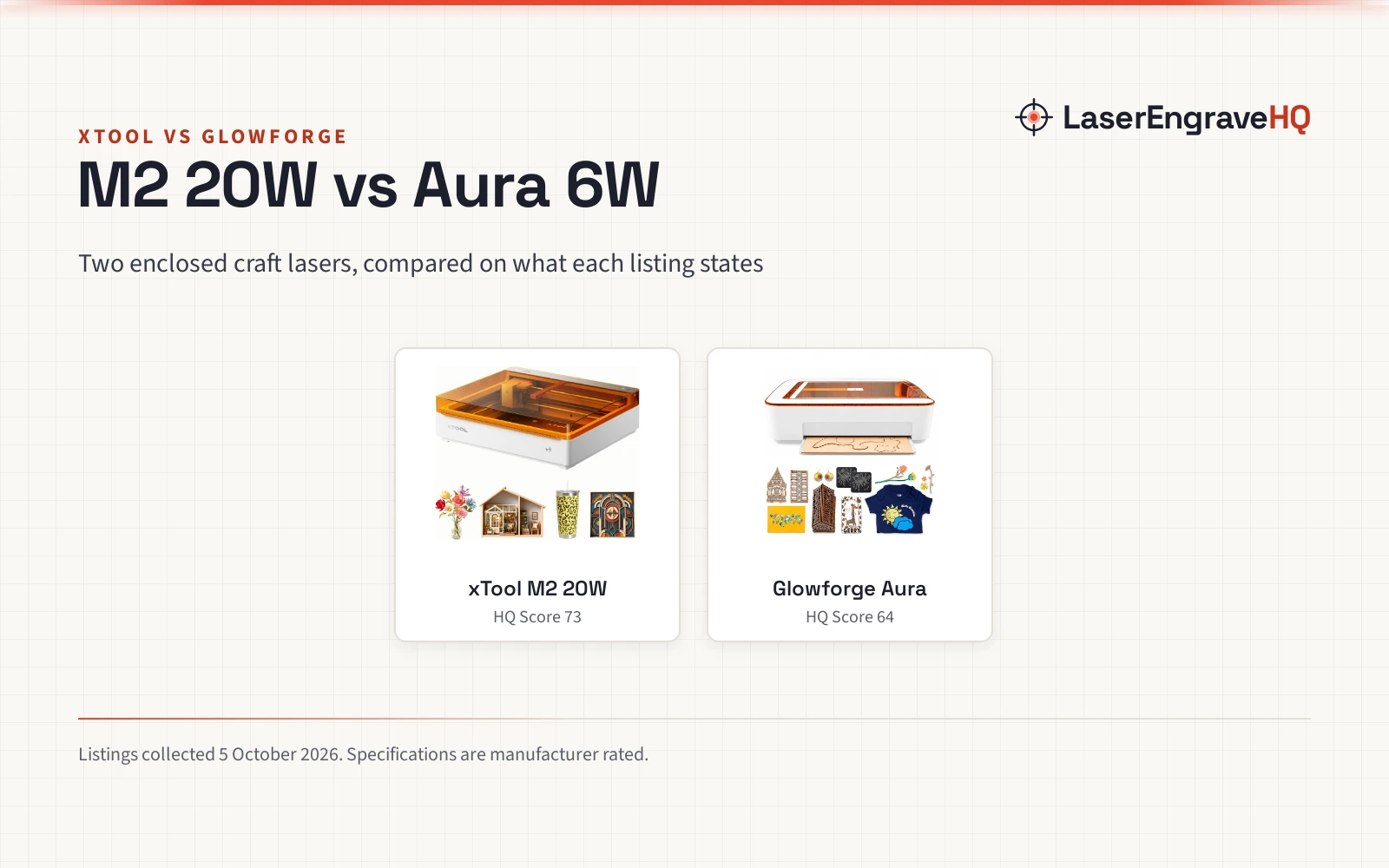
xTool and Glowforge both sell enclosed diode lasers aimed at crafters, families and small sellers who want a safe, app-driven machine rather than an open frame. This comparison puts the xTool M2 20W against the Glowforge Aura, the Glowforge model sold on Amazon, and goes through power, workspace, materials, software, safety and support using what each listing states.
LaserEngraveHQ earns a commission when you buy through links on this page, at no extra cost to you. Read our affiliate disclosure.
Verdict: the xTool M2 20W is the stronger machine, with more than three times the laser power and add-ons for color printing and metal marking. The Glowforge Aura is the gentler start, with a stated 12 x 12 in workspace, a passthrough slot and a guided material system, but less cutting power and a lower rating average. Choose by what you plan to make.
Side by side
| Spec | xTool M2 20W | Glowforge Aura |
|---|---|---|
| HQ Score | 73 | 64 |
| Laser | 20W diode (20,000 mW) | 6W diode, 450 nm |
| Workspace | Not stated in the listing | 12 x 12 in, with passthrough slot |
| Laser class | Class 1, fully enclosed | Class 1 product with an embedded Class 4 laser |
| Cameras | Dual built-in cameras | HD camera, live preview |
| Software | xTool Studio, templates, AI image generator | Web-based Glowforge App, Proofgrade auto settings |
| Add-ons | CMYK inkjet module, 3W infrared, RA3 Lite rotary (sold separately) | Craft Laser Filter (sold separately or in a bundle) |
| Materials the listing excludes | None listed | MDF, PVC vinyl, white, blue and clear acrylic |
| Warranty | 1 year | 12-month limited (stated on Glowforge’s bundle listing) |
| Ratings | 4.4 stars from 21 | 3.5 stars from 195 |
| Weight | 35.9 lb | 41.8 lb (with filter bundle) |
Specifications are manufacturer rated, as published on each listing and collected 5 October 2026.
Laser power and cutting
The M2 runs a 20W diode; the Aura a 6W diode at 450 nm. Both are blue diode lasers, so they work on the same kinds of material, but more power cuts thicker wood in fewer passes and engraves faster. Neither listing gives cut thickness ratings.
Workspace
Glowforge states a 12 x 12 in workspace and a passthrough slot that lets longer material move through the machine. The xTool M2 listing does not state its workspace, so check xTool’s specifications before you plan large pieces.
Materials
Both engrave and cut wood, leather, paper, cardstock, felt and fabric. Glowforge lists exclusions: MDF, PVC-based vinyl, and white, blue or clear acrylic. Clear and blue acrylic exclusions apply to every blue diode laser, the M2 included; see our diode vs CO2 guide. The M2’s optional 3W infrared module adds fine marking on metal and plastic.
Software and ecosystem
Glowforge’s web app runs in a browser on Mac, PC, Chromebook, tablet or phone, and recognizes Proofgrade materials to set power and speed for you. xTool Studio offers templates, an AI image generator and camera placement through dual cameras. Both are designed so beginners can skip trial-and-error on settings.
Safety and enclosure
Both are Class 1 enclosed machines. Glowforge spells out that the Aura contains an embedded Class 4 laser inside an engineered protective enclosure; xTool states Class 1 with real-time monitoring. Neither listing names a specific interlock or flame sensor.
Ventilation
Both make smoke that must go somewhere. Glowforge sells the Craft Laser Filter, with an activated carbon cartridge rated for up to 100 hours depending on use, alone or bundled with the Aura. For the M2, vent outdoors or add a purifier; see our fume extractor guide.
Add-ons and growth
The M2 adds a CMYK inkjet module for print-and-cut, a 3W infrared module and the RA3 Lite rotary, all sold separately. The Aura’s main add-on is the Craft Laser Filter.
Support and warranty
xTool states a 1 year warranty on the M2 listing. Glowforge’s bundle listing states a 12-month limited warranty for the Aura and 6 months for the filter. The Aura’s ratings average 3.5 stars from 195, and the M2 20W’s 4.4 stars from 21, a much smaller sample.
The picks
| Award | Product | HQ Score About the HQ ScoreThe HQ Score runs from 0 to 100 and weighs rated performance, build, value, safety listing, and warranty, using only what the manufacturer and the listing publish. How we pick › | |
|---|---|---|---|
 xTool M2 20W Laser Engraver
|
73/100 | Buy | |
 Glowforge Aura 6W Laser Engraver & Cutter with HD
|
64/100 | Buy |
xTool M2 20W Laser Engraver
An enclosed Class 1 craft laser with a 20W diode, dual cameras and add-on CMYK inkjet and infrared modules.
Pros
- 20W diode, more than three times the Aura's 6W
- Dual cameras for place-and-go positioning
- Expands with a CMYK inkjet for print-and-cut and a 3W infrared module for metal and plastic marking
- Class 1 enclosure with real-time monitoring and a 1 year warranty
Cons
- Workspace not stated in the listing
- Inkjet, infrared and rotary are extra
- Only 21 ratings so far
- No built-in filter; plan venting or a purifier
Glowforge Aura 6W Laser Engraver & Cutter with HD
A compact enclosed 6W diode craft laser with a 12 x 12 in workspace, passthrough slot, HD camera and Glowforge's material ecosystem.
Pros
- 12 x 12 in workspace with a passthrough slot for longer pieces
- HD camera preview and automatic settings for Proofgrade materials
- Clear safety statement: Class 1 product with an embedded Class 4 laser
- Web app runs on Mac, PC, Chromebook, tablet or phone
Cons
- 6W limits cutting depth and speed
- Not for MDF, PVC vinyl, or white, blue or clear acrylic, per Glowforge
- 3.5 stars from 195 ratings
- Craft Laser Filter is extra unless you buy the bundle
Choose the xTool M2 20W if
- You want to cut thicker wood or work faster.
- You may add color printing for stickers and cards, or infrared for metal tags.
- A stated 1 year warranty and newer hardware matter more than a long rating history.
Choose the Glowforge Aura if
- You want a stated 12 x 12 in bed with a passthrough slot.
- You value a browser-based app and automatic settings for Glowforge materials.
- You plan to buy the bundled Craft Laser Filter for indoor use without a window vent.
For more enclosed options, see best enclosed laser engraver.
Class 1 holds only while the enclosure is intact. Never defeat the lid, stay with the machine while it runs, keep a fire extinguisher nearby, ventilate, and never laser PVC or vinyl. See the FDA guidance on laser products.
Frequently Asked Questions
Is xTool better than Glowforge?
Comparing the M2 20W and the Aura, the xTool has more laser power and more add-ons, while the Glowforge has a stated larger workspace with passthrough and a guided material system. Neither is better for everyone.
Can the Glowforge Aura cut acrylic?
Dark acrylic, yes. Glowforge says it is not compatible with white, blue or clear acrylic. That limit applies to blue diode lasers in general.
Do these lasers need ventilation?
Yes. Vent outdoors or use a filter: Glowforge sells the Craft Laser Filter, and third-party fume extractors work with xTool machines.
Can either one engrave metal?
Both mark coated metal. The M2 can add a 3W infrared module for fine marking on bare metal and plastic. For dedicated metal work see best laser engraver for metal.
Which is better for a beginner?
Both are built for beginners. The Aura leans on guided materials and a browser app; the M2 offers more power and room to grow.
Related: how to choose a laser engraver, best laser engraver for beginners, all comparisons and the Machine Finder.
About the author
LaserEngraveHQ Editorial is the editorial team behind LaserEngraveHQ. We research product listings, published specifications, material lists, safety statements and warranty terms, score every pick with the published HQ Score method, and correct errors when readers report them. We do not run our own workshop trials; see How We Pick for exactly how picks are made.