3018 vs 3020 CNC Router: Which One Should You Buy?
Two desktop CNC router platforms compared on spindle power, cutting depth, frame rigidity, work area, controllers, materials and expansion.

On this page
Top picks at a glance
As an Amazon Associate I earn from qualifying purchases.
- 1
 LUNYEE 3018 PRO MAX CNC Machine 500W All-Metal CNC Router9.6/10View on Amazon
- 2
 SainSmart Genmitsu 3020-PRO Ultra CNC Router Machine9.7/10View on Amazon
- 3
 SainSmart Genmitsu 3018-PROVer V2 CNC Router Machine for9.5/10View on Amazon
- 4
 CNC MDF Spoilboard for LUNYEE 3018 CNC Router MachineView on Amazon
- 5
 LUNYEE 3020 Nova CNC Router MachineView on Amazon
- 6
 CNC Spoilboard Surfacing Router Bit 1/4 Inch ShankView on Amazon
- 7
 CNC Spoilboard Surfacing Router BitsView on Amazon
- 8
 CNC Spoilboard Surfacing Router BitView on Amazon
- 9
 CNC Spoilboard Surfacing Router Bit 1/4" ShanView on Amazon
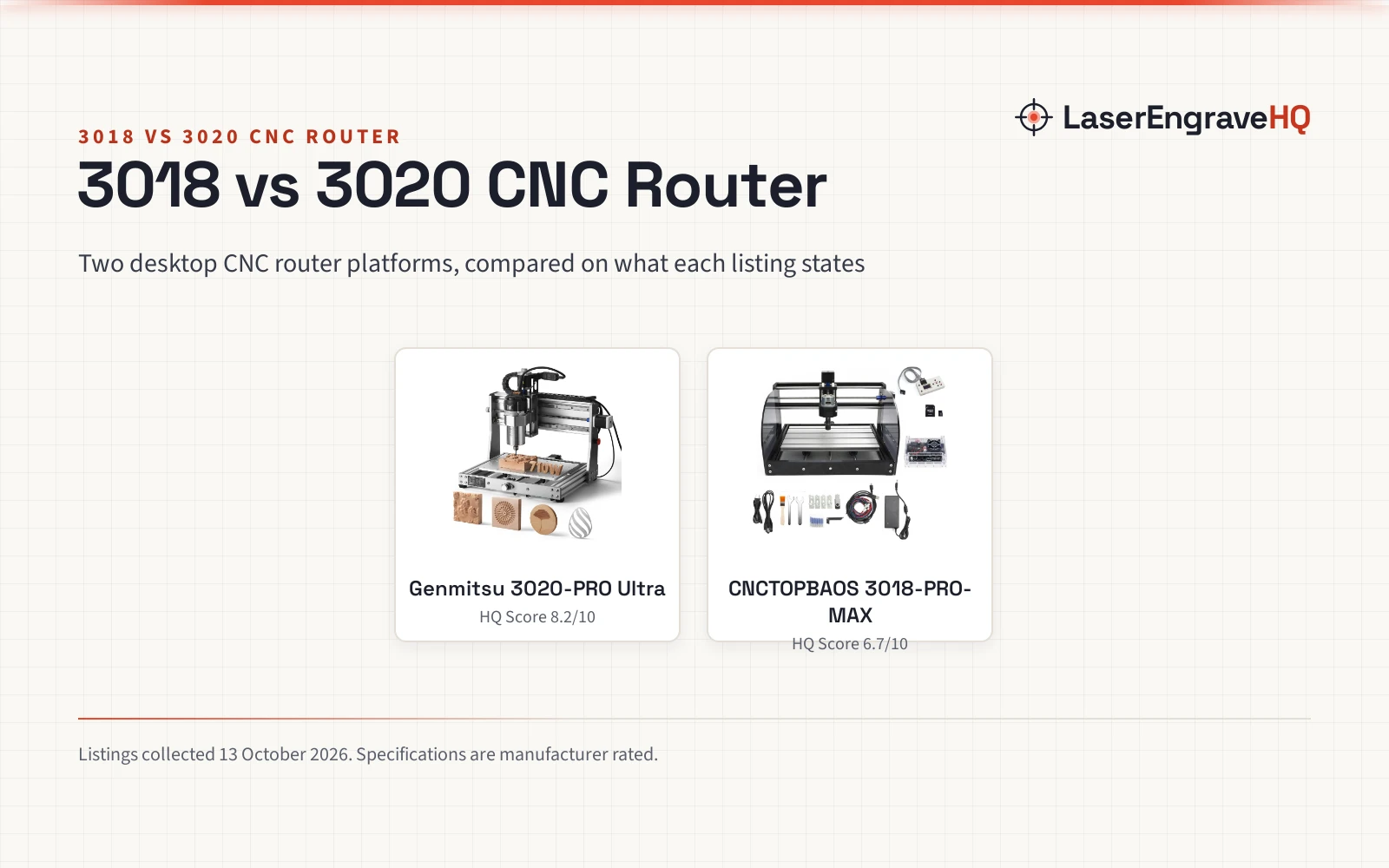
Makers looking to cut custom wood signs, carve acrylic displays, mill prototype circuit boards, or machine aluminum parts often face the 3018 vs 3020 cnc router decision when selecting their first benchtop machine. The 3018 and 3020 designations refer primarily to nominal bed dimensions in centimeters (nominally 30x18cm versus 30x20cm), but individual machines within each category can vary significantly in motor power and construction. This head-to-head comparison examines how these two desktop CNC formats differ in practice, using the CNCTOPBAOS 3018-PRO-MAX and the SainSmart Genmitsu 3020-PRO Ultra as concrete examples to compare spindle power, structural rigidity, work area, and workshop usability based on what each listing states.
LaserEngraveHQ earns a commission from purchases made through these links, at no extra cost to you. Read our affiliate disclosure.
Verdict: pick a 3020 CNC router if you need expanded Y-axis and Z-axis clearance, with the Genmitsu 3020-PRO Ultra example adding a 710W spindle, an all-metal frame, and single-pass aluminum milling capability. Pick a 3018 CNC router if you want an accessible starter format for carving flat wood, plastics, and circuit boards, with the CNCTOPBAOS 3018-PRO-MAX example providing bundled offline control and an open-source GRBL board.
Machines on the list

SainSmart Genmitsu 3020-PRO Ultra CNC Router
An all-metal desktop CNC router with an upgraded 710W spindle, 60mm stepper motors, and single-pass aluminum cutting capability.
Pros
- Upgraded 710W spindle with 6-speed settings from 6500 to 30000 RPM and constant torque control
- Heavy-duty all-metal frame with a 4040 Y-axis profile, dual steel X-axis guides, and machined aluminum spoilboard
- XYZ axes equipped with 60mm stepper motors delivering 7.3 Nm torque for cuts in aluminum up to 1.5mm per pass
- Includes Φ65mm spindle holder and Φ52mm adapter for spindle or laser module swaps
Cons
- No warranty term is stated in the listing
- Φ69mm spindle bracket is sold separately rather than included
- Work area of 11.8 x 8.1 x 3.1 inches remains limited to smaller craft parts
- Motherboard fan and all-metal structure lack an included full dust enclosure

CNCTOPBAOS 3018-PRO-MAX CNC Router Engraver
An entry-level 3-axis mini CNC router with a 120W spindle, GRBL 1.1 control board, and dedicated offline controller.
Pros
- Includes an offline controller with an SD card reader for computer-free G-code execution
- Comes with a 4G USB flash drive containing GRBL software, user manual, and setup instructions
- Control board features an outer protective casing, cooling fan, power switch, and ports for E-stop and limit switches
- ER11 3.175mm collet included, compatible with tooling shanks from 0 to 7mm
Cons
- 120W 775 spindle motor and 0.3 N.m steppers struggle with heavy cuts in rigid materials
- Z-axis travel is limited to 4.5cm (1.8 inches), restricting workpiece thickness
- Listing contains contradictory dimensions between the bullet points and spec table
- No warranty term is stated in the listing
Other machines to compare
 CNC MDF Spoilboard for LUNYEE 3018 CNC Router MachineCheck price on Amazon
 LUNYEE 3020 Nova CNC Router MachineCheck price on Amazon
 CNC Spoilboard Surfacing Router Bit 1/4 Inch ShankCheck price on Amazon
 CNC Spoilboard Surfacing Router BitsCheck price on Amazon
 CNC Spoilboard Surfacing Router BitCheck price on Amazon
 CNC Spoilboard Surfacing Router Bit 1/4" ShanCheck price on Amazon
Side by side
| Product | HQ Score | Spindle Power | Work Area | Stepper Motors | Frame & Bed | Collet |
|---|---|---|---|---|---|---|
| Genmitsu 3020-PRO Ultra | 9.7/10 | 710W (6500-30000 RPM, 6 speeds) | 11.8 x 8.1 x 3.1 inches | 60mm, 7.3 Nm torque on XYZ | All-metal, 4040 Y profile, aluminum spoilboard | 1/8″ ER11 collet |
| CNCTOPBAOS 3018-PRO-MAX | 9.4/10 | 120W (10000 RPM at 24V) | 11.8 x 7.1 x 1.8 inches (30x18x4.5cm) | Nema17 42 (1.33A, 0.3 N.m, 43 oz-in) | Aluminum frame, fixed base | ER11 3.175mm (supports 0-7mm) |
Specifications are manufacturer rated, as published on each listing and collected 13 October 2026.
Spindle power and cutting capability
The primary performance difference between these two specific listings is spindle wattage and cutting capability. The Genmitsu 3020 example features an upgraded 710W spindle running from 6500 to 30000 RPM across 6-speed settings with constant torque control. That stated power level allows the maker to rate single-pass cuts in aluminum up to 1.5mm deep, with stated material compatibility including solid wood, acrylic, carbon fiber, and soft titanium. In contrast, the CNCTOPBAOS 3018 example is equipped with a 775 spindle motor rated at 120W on 24V with a maximum rotational speed of 10000 RPM. While the 3018 listing notes applications on soft copper and aluminum alongside plastic, acrylic, PVC, PCB blanks, and wood, its 120W spindle is suited for light surface engraving rather than aggressive metal milling.
Work area and Z-axis clearance
Bed dimensions dictate workpiece capacity. The Genmitsu 3020 listing publishes a work area of 11.8 x 8.1 x 3.1 inches. The CNCTOPBAOS 3018 listing states a working area of 30x18x4.5cm (11.8 x 7.1 x 1.8 inches) within a 42x35x27cm (16.53 x 13.78 x 10.63 inches) frame. Both machines share an identical 11.8-inch X-axis travel, but the Genmitsu 3020 listing provides 8.1 inches of Y travel against 7.1 inches on the CNCTOPBAOS 3018 example, alongside 3.1 inches of vertical Z clearance compared to 1.8 inches (4.5cm). That additional vertical travel is essential when clamping thicker stock or clearing tall hold-downs. Note an internal contradiction in the CNCTOPBAOS listing: its spec table lists dimensions of 7.09″W x 11.81″H, which conflicts with the frame and work area stated in its bullet points.
3018 vs 3020 CNC router: frame rigidity and stepper drive
Frame rigidity and motor torque determine how each machine handles cutting resistance. In this comparison, the Genmitsu 3020 example utilizes an all-metal construction built around a 4040 Y-axis profile, dual steel X-axis guides, a reinforced X-axis backplate, and a one-piece machined aluminum spoilboard with measuring scales. Its XYZ axes are driven by 60mm stepper motors generating 7.3 Nm of torque. In comparison, the CNCTOPBAOS 3018 example features an aluminum frame with a fixed base, powered by Nema17 42 stepper motors rated at 1.33A and 0.3 N.m (43 oz-in) with 42x42x34 mm dimensions. The heavier metal extrusion profile and stronger stepper motors on the Genmitsu 3020 example provide greater resistance against tool deflection when routing dense stock.
Control electronics and offline operation
Job control methods differ between the two packages. The CNCTOPBAOS 3018 listing includes an offline controller with an SD card reader, enabling manual positioning and file execution without a connected PC, along with a bundled 4G USB flash drive containing GRBL software. Its upgraded GRBL 1.1 control board features an outer casing, integrated cooling fan, physical power switch, and ports for an E-stop button, probe, and X/Y/Z axis limit switches. The Genmitsu 3020 example integrates a cooling fan into its motherboard and eliminates an external power box, connecting over USB, but the listing does not include an offline handheld controller.
Tooling and module expansion
Both machines use the ER11 collet standard, which accepts interchangeable collets for different bit shank diameters. The Genmitsu 3020 example includes a 1/8-inch ER11 collet, along with a Φ65mm spindle holder and a Φ52mm adapter (with optional Φ69mm brackets sold separately). The CNCTOPBAOS 3018 example includes an ER11 3.175mm collet (the metric equivalent of 1/8 inch) and states support for collet sizes from 0 to 7mm. For laser expansion, the CNCTOPBAOS listing notes support for swapping the spindle with a 12V 3-pin PWM module from 0.5W to 20W to mark kraft paper, leather, and wood, while the Genmitsu listing notes compatibility with add-on laser modules.
Assembly and setup
Assembly demands differ between pre-assembled modules and complete DIY kits. The Genmitsu 3020 listing highlights a simplified installation process that takes 15 minutes, assisted by its integrated motherboard design. The CNCTOPBAOS 3018 arrives as a DIY kit requiring structural assembly, motor mounting, and wiring guided by instructions on the included 4G USB flash drive, though the listing leaves total assembly time unstated.
Support and warranty terms
Neither manufacturer publishes a warranty duration on their listing page. The CNCTOPBAOS 3018 listing shows no warranty term in its bullets or spec table. Similarly, the SainSmart Genmitsu 3020 listing leaves warranty coverage unstated. Buyers should verify return windows with the seller prior to purchase.
Choose the Genmitsu 3020-PRO Ultra if
- You need to cut non-ferrous metals like aluminum up to 1.5mm per pass or machine solid hardwoods.
- You require 3.1 inches of Z clearance for deeper stock, thick wasteboards, or tall clamps.
- You want an all-metal frame with 4040 aluminum profiles, 7.3 Nm stepper torque, and a 15-minute stated setup.
Choose the CNCTOPBAOS 3018-PRO-MAX if
- You plan to mill prototype PCBs, engrave plastics, or carve shallow wooden signs.
- You want to operate your router without a connected computer using the bundled offline controller and SD card reader.
- You want a complete starter kit with an included 4G USB flash drive and GRBL control board casing.
Always wear safety glasses when operating a CNC router. Secure workpieces firmly to prevent kickback, keep fingers clear of spinning end mills, and monitor cutting operations to manage dust and chip accumulation. See our CNC router maintenance guide and clamping ideas on a CNC router.
Project Match
- Small PCB milling and prototype isolation routing: Pick the CNCTOPBAOS 3018-PRO-MAX example. Its stated 11.8 x 7.1 x 1.8 inch work area, 10000 RPM spindle, and dedicated probe port are suited for shallow copper isolation routing on small circuit boards.
- Machining structural aluminum brackets and plates: Pick the Genmitsu 3020-PRO Ultra example. Its 710W spindle, 60mm stepper motors delivering 7.3 Nm torque, and rigid 4040 Y-axis profile are rated to cut aluminum up to 1.5mm per pass across an 11.8 x 8.1 x 3.1 inch envelope.
- Carving deep relief plaques and hardwood boxes: Pick the Genmitsu 3020-PRO Ultra example. With 3.1 inches of Z-axis travel compared to 1.8 inches on the 3018 example, it accommodates thicker solid wood and MDF stock alongside taller clamping fixtures.
- Light acrylic tags, plastic signs, and craft engraving: Pick the CNCTOPBAOS 3018-PRO-MAX example. Its stated 11.8 x 7.1 x 1.8 inch work area handles flat plastic, acrylic, PVC, and thin wood blanks for surface engraving with convenient offline controller operation.
FAQ: lasers and CNC
What is the difference between a 3018 and a 3020 CNC router?
The numbers 3018 and 3020 refer to nominal bed dimensions in centimeters: approximately 30 x 18 cm versus 30 x 20 cm, giving the 3020 format more Y-axis travel. In this comparison, the specific machines also differ in build: the Genmitsu 3020 example features an 11.8 x 8.1 x 3.1 inch work area, an all-metal frame with a 4040 Y profile, 60mm steppers with 7.3 Nm torque, and a 710W spindle, while the CNCTOPBAOS 3018 example features an 11.8 x 7.1 x 1.8 inch work area, an aluminum frame, Nema17 steppers with 0.3 N.m torque, and a 120W spindle.
Can a 3018 CNC router cut aluminum?
The CNCTOPBAOS 3018 listing states that it can engrave soft metal like copper and aluminum, but lists cutting specifically for plastic, acrylic, PVC, PCB blanks, and wood. Its 120W spindle and 0.3 N.m steppers are limited to light surface engraving rather than deep milling. For comparison, the Genmitsu 3020 example explicitly rates cuts in aluminum up to 1.5mm in one pass using its 710W spindle and 7.3 Nm stepper motors.
Can a 3020 CNC router run offline without a computer?
Offline operation depends on the specific machine package. In this comparison, the CNCTOPBAOS 3018 listing includes a dedicated offline controller with an SD card reader, allowing operators to position axes and run G-code without a connected computer. The Genmitsu 3020 listing does not include an offline controller, connecting directly over USB.
Which router bit collet size do these machines use?
Both machines use the standard ER11 collet system and include a 1/8-inch (3.175mm) collet. Because ER11 collets are interchangeable, both machines can accept bits with shanks ranging from 0 to 7mm using optional ER11 collet sizes.
Which platform is better for a beginner?
The 3018 example serves beginners who want an accessible entry point with bundled software on a 4G flash drive and offline control for soft materials. The 3020 example is better for beginners who prioritize faster 15-minute assembly, robust metal construction, and sufficient power to cut aluminum and hardwoods from the start.
Related: how to choose a desktop CNC router, desktop CNC machine for beginners, and 3018 CNC setup.