Offline Controller vs PC Control CNC Router: Which One Should You Buy?
Compare offline controllers and PC control for CNC routers to find the right balance of workshop reliability, dust safety, and software flexibility.

On this page
Top picks at a glance
As an Amazon Associate I earn from qualifying purchases.
- 1
 Genmitsu CNC 3018-PRO Router Kit9.5/10View on Amazon
- 2
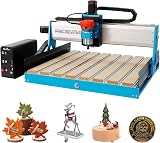 6050 CNC Router Machine9.6/10View on Amazon
- 3
 CNCTOPBAOS 3018-PRO CNC Router Engraving Machine w/GRBL9.5/10View on Amazon
- 4
 FoxAlien CNC Offline Controller for Masuter Pro and Masuter 3View on Amazon
- 5
 Genmitsu Offline ControllerView on Amazon
- 6
 4-Axis USB CNC Offline Controller 7-Inch IPS Touch ScreenView on Amazon
- 7
 GRBL 1.1f CNC Controller 3-Axis CNC Router Machine ControlView on Amazon
- 8
 RATTMMOTOR CNC Controller Board 4 Axis GRBL Controller BoardView on Amazon
Makers carving wooden signs, custom plaques, and decorative parts face a practical workshop decision when configuring their machine: choosing between an offline controller vs pc control cnc router setup. An offline controller is the better choice when your machine operates in a dusty garage or workshop where airborne chips threaten sensitive electronics, allowing you to run jobs reliably without a tethered laptop. Direct computer control is the better choice when you require visual toolpath simulation, interactive digital readouts, real-time feed adjustments, and immediate G-code troubleshooting through software interfaces like Candle or Universal Gcode Sender. The sections below compare both methods across workflow, reliability, and shop safety to help you choose the right setup.
Other machines to compare
 FoxAlien CNC Offline Controller for Masuter Pro and Masuter 3Check price on Amazon
 Genmitsu Offline ControllerCheck price on Amazon
 4-Axis USB CNC Offline Controller 7-Inch IPS Touch ScreenCheck price on Amazon
 GRBL 1.1f CNC Controller 3-Axis CNC Router Machine ControlCheck price on Amazon
 RATTMMOTOR CNC Controller Board 4 Axis GRBL Controller BoardCheck price on Amazon
LaserEngraveHQ earns a commission from purchases made through these links, at no extra cost to you. Read our affiliate disclosure.
Neither control method alters the mechanical cutting precision of your gantry, lead screws, or spindle. Both setups feed identical G-code commands to the machine motion controller. The deciding factors are shop dust protection, physical layout, and how much visual feedback you need while carving blanks.
Step 1: Understand how each interface transmits G-code
Every carving project relies on G-code to direct axis travel, plunge depth, and spindle operation. The core distinction between a standalone controller and computer control lies in how commands reach the machine.
In a tethered setup, your computer connects to the machine control board across a USB cable. G-code sender software reads your saved toolpath file from storage and streams commands sequentially across the serial link. If the operating system sleeps, freezes, or disconnects, execution halts immediately.
An offline controller eliminates the streaming computer. You transfer your G-code file to the offline module via a memory card or local wireless link, and run the job directly. The module streams coordinates straight to the motion processor, running free from external computer operating system crashes.
Step 2: Protect your electronics from workshop dust and vibration
Carving materials like hardwood, MDF, and composite plastics produces fine airborne dust. Your workshop environment plays a central role in deciding which control method keeps hardware safe.
Computers rely on cooling fans that pull ambient air across internal components. In a workshop without commercial dust collection, intake fans pull wood dust directly into delicate electronics, causing heat buildup and potential static shorts. Heavy router vibration on workbenches can also loosen USB connections mid-cut.
Built with solid-state components, directional buttons, dials, or compact display screens, handheld offline modules operate without cooling fans or active air intake vents. Keeping your primary computer in a clean space protects sensitive computer hardware from abrasive airborne dust. For broader equipment advice, read our guide on how to choose a desktop CNC router.
Step 3: Compare setup speed and daily file preparation
Daily efficiency depends on how quickly you move from completed designs in CAM software to active carving on the wasteboard.
Direct computer control provides a seamless digital workflow. After computing toolpaths, you open the G-code file immediately in your sender program. If a preview shows an incorrect depth or toolpath strategy, you can edit the CAM file and reload it within seconds. This rapid iteration benefits prototyping where designs undergo frequent refinement. For software recommendations, review our guide to the easiest software for CNC router users.
Most traditional offline controllers rely on physical card handling. Each time you export G-code, you copy the file to a memory card, carry it to the machine, and select it on the pendant menu. While wireless transfer modules now allow direct mobile uploads on select machines, card-based pendants still require moving physical media between your workstation and the shop. However, once a toolpath is confirmed, running repeated batches of identical items proceeds without touching a computer.
Step 4: Evaluate machine jogging, origin zeroing, and probing
Before starting a carve, you must set workpiece zero coordinates across the X, Y, and Z axes. How you position the cutter depends heavily on your interface.
Tethered computer senders like Candle provide detailed on-screen readouts, clickable jog increments, and macro buttons for electronic Z-probe blocks. Watching digital coordinates move on a large screen helps when setting precise offsets against raw stock edges.
Depending on the model, offline pendants use directional buttons, touchscreens, or rotary dials to jog the gantry. While basic modules move axes in fixed incremental steps with each press, newer designs allow continuous motion during sustained presses or smooth dial rotations. Holding the controller directly beside the machine bed lets you watch the cutter tip meet the workpiece surface without glancing back at an elevated computer screen.
Step 5: Handle mid-job monitoring, feed overrides, and recovery
Carving dense lumber or acrylic requires monitoring cutter engagement and managing unexpected interruptions.
Computer senders excel at visual feedback. During carving, the screen displays a real-time toolpath rendering that shows completed lines against remaining passes. You can adjust feed rate override sliders on the fly to eliminate chatter. If a bit stalls, the sender shows the exact G-code line where motion stopped, making recovery straightforward. Our troubleshooting article on why is my CNC losing steps covers how to diagnose missed coordinates.
Offline controllers typically offer simpler alphanumeric status displays showing active coordinates, elapsed time, and progress percentages, but rarely provide live graphical toolpath visualization or dynamic feed overrides during execution. Finding the exact line to resume an interrupted or aborted cut usually requires inspecting the file on a computer. However, offline modules eliminate risk from operating system updates or background application freezes. For general servicing, see our CNC router troubleshooting guide.
Step 6: Review machine compatibility and match your carving jobs
Physical offline controllers connect to specific mainboard headers, accept defined voltages, and pair with designated machine series. Before buying hardware, verify your control board configuration.
Manufacturer specifications from published listings show the range of available controller hardware:
- Touchscreen controllers: Genmitsu lists an offline controller for the PROVerXL 4030 with a 2.4-inch touchscreen, a 36-volt rating, and a weight of 0.12 kg. FoxAlien lists a 2.4-inch touchscreen LCD module with a weight of 0.13 kg for machines including the Masuter 4040, Masuter Pro, and 3018-SE.
- Button and dial controllers: SainSmart lists a handheld module for 1810-PRO and 3018-PRO machines with a weight of 2.11 ounces. Genmitsu lists a dial-design module for 4040-PRO and 4040 Reno routers featuring 4-axis mode control and a weight of 0.18 kg. Genmitsu also lists an offline controller for the 3018-PROVer V2 measuring 4 by 2.9 by 0.39 inches with a weight of 0.13 kg.
- Integrated boards: CNCTOPBAOS lists a 3 Axis GRBL 1.1F control board with an offline controller supporting 24V DC input, spindles up to 20000rpm, stepper motor current up to 2A with 1.5A recommended, and 1G storage, with an item weight of 8.1 ounces. CNCTOPBAOS also lists an individual 3 Axis controller with 1G storage weighing 2.39 ounces.
- Wireless interfaces: Genmitsu lists the GGW-UART wireless kit with 2.4 GHz Wi-Fi 6, 150 megabits_per_second transfer speed, 1 antenna, a weight of 0.06 kg, a 1 Year Manufacturer warranty, and setup in less than 5 minutes.
Matching your controller to your typical carving jobs comes down to production style and workspace layout. An offline controller suits repeat production, sign making, and compact workshops where bench space is scarce. Once a toolpath is confirmed, you can load the file onto a memory card and execute cuts directly at the machine station without tying up an office workstation. Makers producing batches of cutting boards, plaques, or craft blanks gain peace of mind because jobs cannot be interrupted by computer sleep modes or software updates. Small business owners can compare commercial options in our best CNC router for small business guide.
Direct computer control fits makers producing custom carved reliefs, complex multi-tool projects, or experimental pieces requiring continuous visual monitoring. An interactive sender running alongside the machine delivers real-time feedback, interactive coordinate readouts, and fast toolpath edits. If you are planning a starter setup, exploring the desktop CNC routers category helps balance machine dimensions and workspace space. To evaluate board options, explore our guide on desktop CNC machine for beginners.
Common mistakes to avoid
- Connecting both interfaces at once: Plugging in an offline module while a computer USB cable is connected causes communication conflicts on boards that share a single serial port.
- Placing computers in dust exhaust paths: Setting a laptop near the router without adequate dust extraction exposes intake fans to abrasive wood debris.
- Ignoring computer sleep settings: Running tethered jobs without disabling operating system sleep timers and screen savers risks halted cuts.
- Running unverified files offline: Launching complex toolpaths from a card without prior simulation increases the risk of workpiece errors.
- Forgetting to record work coordinates: Neglecting to note workpiece origin values makes recovering from an interrupted cut or broken bit difficult on basic pendants.
Offline controller vs pc control cnc router: the short version
- Assess your workshop dust levels and available bench space.
- Choose an offline controller if you prioritize dust protection, repetitive production runs, and freedom from computer operating system crashes.
- Choose direct computer control if you require visual toolpath rendering, live digital readouts, and frequent toolpath revisions in CAM software.
- Confirm machine board compatibility, connector types, and input voltage before purchasing a standalone pendant.
- Disable all operating system sleep timers and background update prompts when running tethered USB connections.
- Keep computers separated from cutting debris regardless of which interface you operate.
Both control methods produce accurate, clean carvings when paired with rigid machine frames and appropriate feeds. Select the control method that best matches your workshop environment and project workflow.
FAQ: lasers and CNC
Can an offline controller and a computer be connected at the same time?
On most standard desktop GRBL machines, no. Most entry-level control boards route the USB connection and the offline expansion port through the same serial UART channel on the processor. Connecting both at once causes signal collisions and freezes communication. Unless your controller board features a dedicated hardware selector switch or separate communication channels, disconnect or switch off the offline module before connecting a computer via USB.
Can an offline controller resume a cut if power is interrupted?
Basic offline modules cannot automatically resume a carved path after a complete power outage because coordinate positions in volatile memory reset. If your machine features physical limit switches and you noted your workpiece zero coordinates, you can re-home the router and manually edit the G-code file to resume near the stopping point. Direct computer senders provide clearer coordinate readouts that simplify manual recovery.
What file formats do offline CNC router controllers accept?
Offline modules read standard G-code text files generated by your CAM software, commonly saved with .nc, .gcode, or .tap extensions. Handheld controllers cannot parse raw vector illustrations or CAD project files directly. You must generate toolpaths in CAM software and export the resulting G-code file onto the memory card or transfer it to the module first.
Does an offline controller affect carving speed or cutting accuracy?
No. Cutting feed rates, spindle speed, and dimensional accuracy depend entirely on machine rigidity, stepper motors, lead screws, and the motion parameters stored on the GRBL control board. An offline module simply delivers G-code lines to the board sequentially, identical to how a computer sender streams data.
Which control method is better for beginners setting up a desktop CNC?
Beginners often find computer control easier when learning because visual senders display the loaded toolpath, provide clear coordinate readouts, and show interactive alerts if a command exceeds travel limits. Once familiar with setting origins and executing reliable jobs, switching to an offline controller provides a streamlined workflow that keeps computers away from workshop dust.
Related: the CNC router hub, best desktop CNC for beginners, and CNC router maintenance. Also see our guides on GRBL vs proprietary CNC controller and 3018 CNC setup.



