Honeycomb vs Slat Bed Laser: Which One Should You Buy?
Compare honeycomb and slat beds for laser cutting and engraving to choose the right surface for airflow, material support and clean cut edges.

On this page
Top picks at a glance
As an Amazon Associate I earn from qualifying purchases.
- 1
 Genmitsu L8 Laser Engraver9.7/10View on Amazon
- 2
 Creality Honeycomb Working Table Set 320x320mm Steel9.7/10View on Amazon
- 3
 Upgraded Oxide Coating Honeycomb Laser Bed 440x440mm9.7/10View on Amazon
- 4
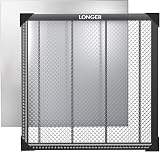 Longer Honeycomb Working TableView on Amazon
- 5
 Update Heat-Resistant Coating Honeycomb Laser BedView on Amazon
- 6
 Artilume Honeycomb Panel 300 x 400mmView on Amazon
- 7
 Puikos Honeycomb Laser Bed 400 x 400 mm Working Table ForView on Amazon
- 8
 Dofiki Honeycomb Laser Bed for Wecreate Vision 20W 40W LaserView on Amazon
- 9
 Creality Honeycomb Laser Bed for Laser Engraver and CutterView on Amazon
When cutting wood signs, acrylic letters, leather patches and craft blanks, choosing between a honeycomb vs slat bed laser comes down to workpiece size, material rigidity and underside scorch marks. Honeycomb beds excel at supporting small cutouts, delicate crafts and thin flexible sheets without sagging. Slat beds provide open airflow and minimal contact area for heavier boards, wide panels and production cutting.
Other machines to compare
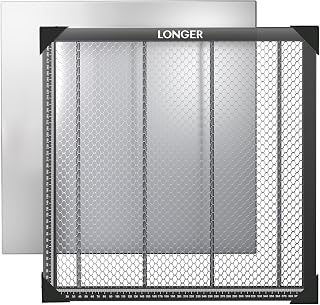 Longer Honeycomb Working TableCheck price on Amazon
 Update Heat-Resistant Coating Honeycomb Laser BedCheck price on Amazon
 Artilume Honeycomb Panel 300 x 400mmCheck price on Amazon
 Puikos Honeycomb Laser Bed 400 x 400 mm Working Table ForCheck price on Amazon
 Dofiki Honeycomb Laser Bed for Wecreate Vision 20W 40W LaserCheck price on Amazon
 Creality Honeycomb Laser Bed for Laser Engraver and CutterCheck price on Amazon
LaserEngraveHQ earns a commission from purchases made through these links, at no extra cost to you. Read our affiliate disclosure.
Both bed styles elevate workpieces above a table so assist air and vapor clear the bottom kerf, but an aluminum or steel backing plate is always required beneath either setup to protect your workbench from laser penetration.
Step 1: Understand how honeycomb and slat beds work
A laser cutting bed holds your workpiece level relative to the focus lens while allowing combustion gases, fumes and laser energy to pass through cleanly.
A honeycomb bed uses an open cellular metal lattice pressed into hexagonal cells that provide continuous contact points. Small cut parts, earrings, keychains and thin veneers remain elevated without dipping or falling through. Manufacturers produce these beds in distinct grid densities: Longer lists a table with 9mm-sized apertures on a 300 x 200 mm frame, Skouphy specifies an 8mm large aperture on its 460x346mm table, and NEJE utilizes a 22mm honeycomb diameter on its 530x850mm bed. For other sizes, see our guide to the honeycomb bed for laser cutter setups.
A slat bed uses parallel vertical metal bars spaced across an open frame. The workpiece rests on the thin upper edges of these upright slats, leaving the space beneath unobstructed from front to back. In larger CO2 laser cutters, makers can slide individual slats out or space them wider apart to match specific cut geometry.
Step 2: Compare airflow and smoke evacuation
Airflow beneath the workpiece dictates how much smoke residue settles on the underside of your cuts. Pressurized assist gas blows vaporized resin downward through the cut kerf, where stagnant smoke deposits soot halos.
Slat beds offer superior exhaust circulation. Because parallel slats leave open channels running the full length of the bed, exhaust fans pull smoke away with minimal restriction, making slats ideal when cutting resinous plywood or thick hardwoods. Review our guide on whether laser engravers need ventilation for airflow requirements.
Honeycomb beds restrict lateral airflow because hexagonal cells create vertical compartments. To keep the bed stable during operation, ATOMSTACK supplies 4 pads with its 15.7″x15.7″ F4N bed for elevation and stability, while Skouphy includes 5 non-slip pads beneath its plate. Pairing your grid with an air pump helps drive smoke straight down through the kerf; see our review of the best laser air assist systems.
Step 3: Evaluate beam backflash and underside scorch marks
Backflash occurs when the laser beam penetrates the material, strikes a metal support below, and reflects upward into the underside of your workpiece, burning scorch marks along the cut line.
On a honeycomb bed, cut lines frequently cross the upper edges of the metal lattice. When cutting sensitive sheet goods like light basswood or paper-backed veneer, backflash marks appear wherever the beam intersects a cell wall. To help manage reflections, Cregrant3D applies a black oxide coating on its 400x400mm steel honeycomb panel to avoid light reflection. For strategies on minimizing blemishes, see our guide on how to prevent burn marks when laser cutting wood.
Slat beds reduce backflash because total contact area is substantially lower. Makers can reposition individual slats so that critical vector paths cut through open air without crossing a metal blade. For delicate acrylic work where edge clarity is vital, eliminating blade contact prevents melted divots; consult our tutorial on how to laser cut acrylic without melting edges.
Step 4: Check workpiece size and material support
Your typical project dimensions determine which bed provides practical workholding. A bed that cannot hold your stock flat leads to focal shift and incomplete cuts.
Honeycomb beds excel with small parts, flexible materials and lightweight sheets. Miniature puzzle pieces, charms and leather patches stay level on the dense grid. On a slat bed, parts smaller than the gap between slats fall through into the scrap tray. Honeycomb beds also support thin craft plywood sheets that tend to warp. Makers can pin bowed materials flat using hold-down hardware: ATOMSTACK includes 6 fixture platens with its F4N table, Cregrant3D provides 5 magnetic suction magnets with its 400x400mm bed, and Skouphy supplies 5 additional magnets to hold sheet stock flat against its iron frame.
Slat beds dominate when handling large, rigid and heavy materials. Cloudray lists a stated load capacity of 5E+1 kg (110 lbs) on its 400x400mm modular aluminum assembly, but thin honeycomb foil can bend under point pressure, whereas rigid metal slats support thick hardwood slabs and cutting boards without flexing. If your shop handles compact machines, our guide to laser engraver for beginners covers entry platforms.
Step 5: Review cleaning, scrap removal and maintenance
Laser cutting produces organic tars and soot that coat support surfaces beneath the cut line, directly impacting productive shop hours.
Honeycomb beds require regular cleaning to maintain airflow. Over prolonged cutting, sticky creosote coats the cell walls, trapping small cut dropouts and creating a fire hazard. Cleaning involves soaking the unit in a degreaser bath and brushing away debris. Cloudray notes in its maintenance instructions to brush away debris from the honeycomb after each use and wipe down the aluminum panel regularly to keep the surface clear. If you operate an enclosed benchtop unit, protect your workspace with a suitable fire extinguisher; review our guide to the best fire extinguisher for laser engraver setups.
Slat beds are considerably easier to maintain. Makers can remove individual blades and scrape accumulated sap or slag with a putty knife. If a slat becomes damaged, you can replace single blades without discarding the bed assembly. Scrap dropouts fall through the slats into a collection tray for quick clearing between jobs.
Step 6: Match the bed style to your project types
Matching your bed to your actual production output avoids workflow bottlenecks and wasted blanks.
Choose a honeycomb bed if your catalog centers on:
- Small jewelry, earrings, ornaments, and keychains that drop through open slats.
- Thin, flexible materials like leather, paper, cardstock, and thin veneers that require uniform multi-point support.
- Warped craft sheets that require hold-down pins or magnets across the bed. See our guide to the best plywood for laser cutting.
- Engraving and cutting mixed jobs where lightweight blanks must stay registered at precise focal height.
Choose a slat bed if your catalog centers on:
- Large signage, architectural panels, and wide cutting board blanks that span broad dimensions.
- Production cutting of thick acrylic and solid hardwoods needing maximum exhaust volume. Explore plastics in our guide to the best acrylic sheets for laser cutting.
- Jobs requiring minimal backflash marks, where you align slats away from cut paths.
- High-volume shops where quick scrape cleaning and fast scrap removal minimize machine downtime.
Step 7: Select your bed accessories and desktop protection
Operating either bed type safely requires companion accessories to protect your work surface, hold blanks, and maintain healthy workshop air.
Always place a protective metal shield beneath your cutting bed to stop beam penetration. Longer includes an aluminum panel with its 17.3″x 17.3″x 0.86″ bed to protect your desk from laser damage, and ATOMSTACK provides a heavy-duty metal tray with its F4N table. In addition, corner guards prevent injury from sharp metal frame edges: Cregrant3D includes 4 corner protectors, and NEJE equips its 530x850mm frame with protective covers at the 4 corners.
Verify workspace air safety and material suitability before starting production runs. Never cut dangerous polymers: avoid PVC, vinyl, PVC-based faux leather, polycarbonate, and ABS, as thermal decomposition releases corrosive gases and hazardous fumes; review our safety guide on materials you should never laser cut. To capture particulates safely, route exhaust outdoors or through a certified filtration system; see our guide to the best fume extractor for laser engraver options. For new setups, explore our guide to laser engraver accessories for beginners.
Common mistakes to avoid
- Placing a honeycomb bed directly onto a tabletop without a metal protection plate underneath.
- Cutting small earrings or charms on a slat bed without a secondary support tray.
- Neglecting resin buildup inside honeycomb cells until creosote creates a fire hazard.
- Cutting warped plywood without hold-down pins or magnets, causing focal drift.
- Ignoring backflash reflection when cutting light woods, veneers, or cast acrylic sheets.
Honeycomb vs slat bed laser: the short version
- Choose a honeycomb bed for small cutouts, lightweight materials, and thin warped sheets needing pin hold-downs.
- Choose a slat bed for large panels, thick hardwoods, and jobs where open airflow and minimal backflash are critical.
- Use a solid metal backing plate beneath either bed to shield your workbench from direct laser penetration.
- Clean honeycomb cells regularly with a degreaser bath to prevent flammable resin accumulation.
- Scrape slat blades individually with a putty knife for quick scrap removal.
- Select modular hybrid beds if your shop alternates between wide signage and miniature craft parts.
FAQ: lasers and CNC
Can I use both a honeycomb and a slat bed on the same laser machine?
Yes. You can place a removable honeycomb panel directly on top of machine slats for small, intricate blanks, then remove it when cutting large panels that benefit from open slat airflow.
How do I prevent honeycomb grid lines from burning the back of my wood?
Apply paper masking tape to the underside of your stock before cutting, tune power settings to avoid excess penetration, or choose a bed with non-reflective coatings like Cregrant3D’s black oxide treatment on its 400x400mm steel grid.
Which laser bed style is easier to keep clean?
Slat beds are much easier to clean. You can pull individual metal slats out and scrape sap off with a putty knife, whereas honeycomb grids require soaking in a degreaser tank to dissolve resin inside the cells.
Do small laser cut parts fall through a slat bed?
Yes. Any part smaller than the spacing between adjacent slats drops into the scrap area. For miniature charms and jewelry, a honeycomb bed is required to keep parts supported flat.
Can I build my own alternative laser bed instead of buying one?
Yes. Makers often build custom supports using aluminum louvers or standoffs on steel sheets. Check out our guide on honeycomb laser bed alternative diy options.
What size honeycomb bed should I buy for my laser?
Select a bed matching your working envelope: reference sizes include 300 x 200 mm from Longer for desktop units, standard 400x400mm tables from Cloudray, Cregrant3D, and Mroy mio, a 460x346mm table from Skouphy with a 430*316mm maximum working area, or large 530x850mm beds from NEJE.
Related: the laser accessories hub, laser safety guide and how to choose a laser engraver. Also see our laser cutter types guide and what materials can a laser engraver cut.