Honeycomb vs Knife Blade Laser Bed: Which One Should You Buy?
A honeycomb bed supports the sheet across a grid with airflow beneath it, while a knife blade bed holds it on rails: how to pick between them, and 4 honeycomb beds compared.

On this page
Top picks at a glance
As an Amazon Associate I earn from qualifying purchases.
- 1
 Genmitsu L8 Laser Engraver9.7/10View on Amazon
- 2
 Creality Honeycomb Working Table 320x320mm & 12 Pcs Laser9.7/10View on Amazon
- 3
 Upgraded Oxide Coating Honeycomb Laser Bed 440x440mm9.7/10View on Amazon
- 4
 ACMER Honeycomb Laser Bed with Aluminum PlateView on Amazon
- 5
 Skouphy 300 x300 mm Heat-Resistant Coating Honeycomb Laser BedView on Amazon
- 6
 Upgraded Oxide Coating Honeycomb Laser Bed 400x300mmView on Amazon
- 7
 Creality Honeycomb Laser Bed 460X346mm Honeycomb WorkingView on Amazon
- 8
 Creality Falcon 10W Laser EngraverView on Amazon
- 9
 Honeycomb Laser Bed Extension 37.4"x 18.1" for D1 D1 ProView on Amazon
Signs, leather patches and cut parts all need the same thing under the sheet: a bed that holds the material flat, lets smoke and heat escape, and keeps the beam from scarring the desktop. The honeycomb vs knife blade laser bed choice starts with two questions: how the bed supports the sheet, and how air moves beneath it. A honeycomb bed supports the sheet across a grid and lets air move beneath it, while a knife blade bed holds the sheet on narrow rails with open space between them. This guide explains how each one behaves, when the honeycomb side fits, and what the honeycomb beds below state about work area, build and extras.
Other machines to compare
 ACMER Honeycomb Laser Bed with Aluminum PlateCheck price on Amazon
 Skouphy 300 x300 mm Heat-Resistant Coating Honeycomb Laser BedCheck price on Amazon
 Upgraded Oxide Coating Honeycomb Laser Bed 400x300mmCheck price on Amazon
 Creality Honeycomb Laser Bed 460X346mm Honeycomb WorkingCheck price on Amazon
 Creality Falcon 10W Laser EngraverCheck price on Amazon
 Honeycomb Laser Bed Extension 37.4"x 18.1" for D1 D1 ProCheck price on Amazon
LaserEngraveHQ earns a commission from purchases made through these links, at no extra cost to you. Read our affiliate disclosure.
Every bed in the gear section below is a honeycomb bed, and no knife blade bed is listed there. The knife blade side is described as the alternative to weigh, not as a listed product, and every figure in this guide comes from a honeycomb listing.
Honeycomb vs knife blade laser bed: the short answer
A honeycomb bed spreads support across a grid, so thin and flexible sheets stay flat instead of sagging between supports. The Cloudray listing states its honeycomb evenly supports thin and flexible materials, preventing sagging or warping and keeping the cut focused. A knife blade bed holds the sheet on rails, so the sheet touches the bed at fewer points. Pick honeycomb when the sheet is thin or flexible, when backside burn marks matter, or when the job needs even support across the work area. Pick a knife blade bed when the sheet is rigid enough to span the rails.
How a honeycomb bed works
A honeycomb bed is a grid of small cells under the sheet. The grid holds the material up while the open cells let smoke and heat move away from the cut, which is why the listings here link the honeycomb shape to cleaner cuts. The ACMER listing states its precision honeycomb grid promotes strong airflow beneath the material, letting smoke and debris escape quickly, and that the design helps minimize scorching, residue buildup and dark burn marks. The Cloudray listing states the honeycomb design promotes smooth airflow beneath the workpiece, helping smoke and heat move away and debris to clear. The bed also guards the desktop: the Cloudray listing states it protects the desktop and workspace and reduces backside burn marks, the ACMER listing states its aluminum backing plate shields the workbench from laser penetration and heat damage, and the Tyvok listing states its grill and base plate protect the tabletop and collect debris.
How a knife blade bed works
A knife blade bed holds the sheet on a row of narrow, upright rails, with open gaps between them. The sheet rests on the thin top edges of the rails, so most of the underside stays clear of the bed. That open layout suits rigid sheets that span the gaps without sagging. The trade is support: a thin or flexible sheet can dip between rails, so the cut can drift out of focus where the sheet sags. No knife blade bed is listed below, so this guide states no work area, thickness or weight for that type.
Which bed fits which job
Match the bed to the sheet and the job. Thin and flexible materials fit the honeycomb side: the Cloudray listing states its bed evenly supports thin and flexible materials and prevents sagging or warping. Signs, models and small-batch projects fit too: the ACMER listing names crafts, signs, models and small-batch projects, and lists wood, acrylic, leather and paper. A knife blade bed fits rigid sheets that hold their shape across open gaps. Either way, check the work area first: the gear section below lists a 400x400mm bed, a 400x300mm bed and a modular bed that builds from 400x100mm panels.
The gear: honeycomb beds in ranked order
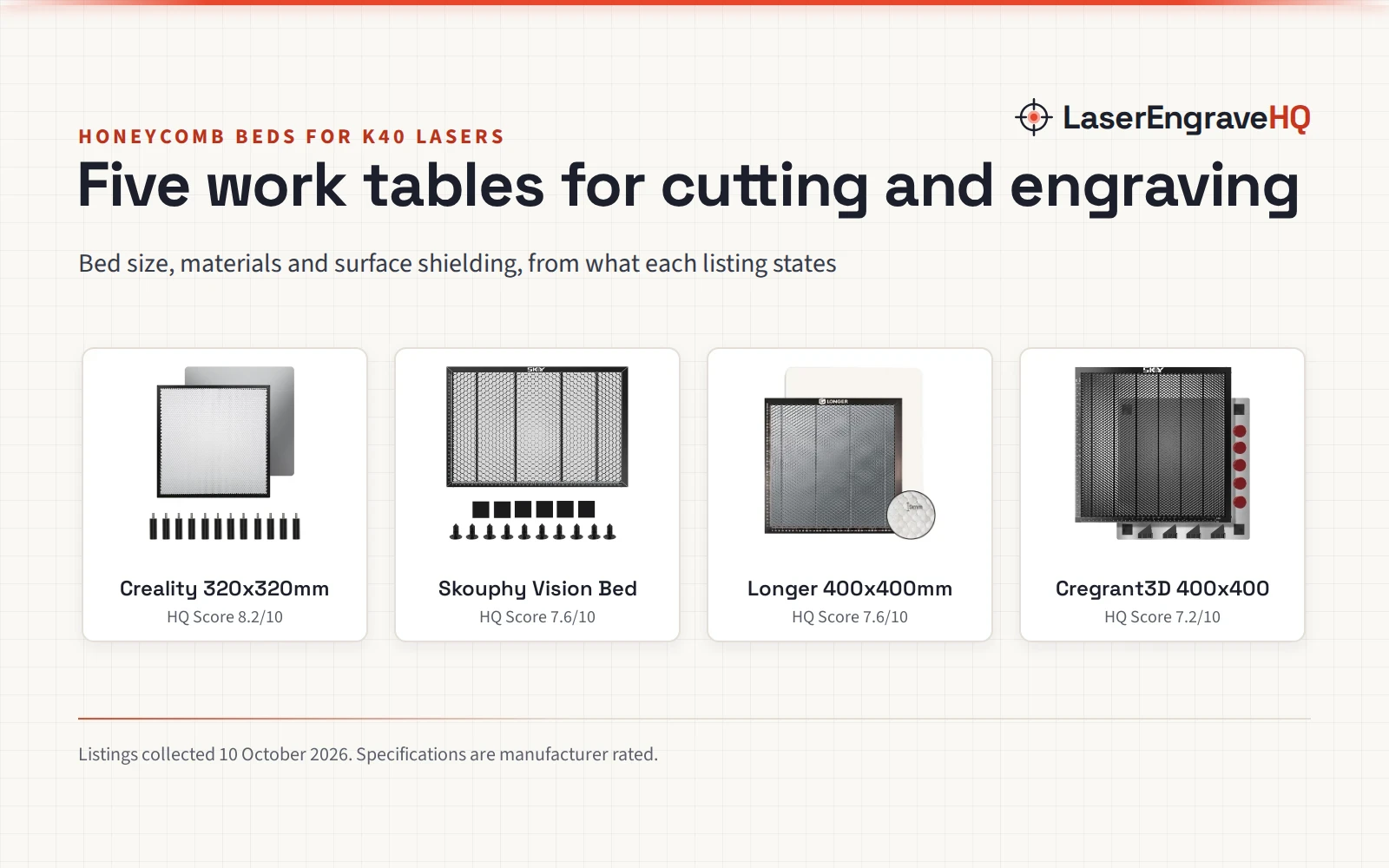
The 4 beds below are listed in ranked order. Each one is a honeycomb bed, and each states a work area, a build and at least one extra that sets it apart.
ACMER Honeycomb Laser Bed
The ACMER bed lists a working size of 400*400*22 mm with X and Y axis rulers in a right-angle scale layout for alignment and measurement. Its solid aluminum backing plate forms a two-layer protection system with the honeycomb, and Four reinforced corner protectors add stability. The listing states compatibility with diode, CO2 and fiber laser machines, names wood, acrylic, leather and paper among the materials, and states a 1 Year warranty. Note the contradiction: the spec table lists product dimensions of 1.0 inches x 1.0 inches x 1.0 inches, against the 400*400*22 mm working size in the bullets; this guide follows the bullets.
Artilume Honeycomb Laser Bed
The Artilume bed lists a working area of 15.7” x 11.8” (400x300mm) with precise measurement marks along the edges. It is built from durable metal steel with a heat-resistant and rust-resistant paint finish, and it needs no installation. The listing states compatibility with Artilume T1 and U1 series and most diode, fiber and infrared laser engravers, and it states a 1 Year Manufacturer warranty.
Tyvok Honeycomb Laser Bed
The Tyvok bed is built from four 400 x 100 mm aluminum alloy panels with an anodized finish, and the panels can be arranged as 400 x 100 mm, 400 x 200 mm, 400 x 300 mm or 400 x 400 mm. With two sets the bed builds to 400*800, and with three sets it builds to 400*1200. Each panel can be replaced on its own, and the listing states tool-free assembly. It states compatibility with CO2, diode and fiber laser engravers.
Cloudray Honeycomb Laser Bed
The Cloudray bed measures 400x400mm with a working area of 15.7″x15.7″ and a honeycomb plate thickness of 2mm, made from aluminum alloy with a black anodized, coated surface. It comes with 4 positioning fixture clamps and 4 aluminum plates, each about 400x100mm, and the package measures about 17″x5.9″x2.7″ with a gross weight of 3.3 lbs. The listing states compatibility with xTool M2 and includes a user manual.
What to check before you buy
Check the work area against the machine: the beds below list 400x400mm, 400x300mm and modular panels that build from 400x100mm. Check the build: anodized aluminum alloy resists corrosion, a backing plate guards the desktop, and corner protectors keep the bed steady. Check the extras: clamps hold thin or irregular pieces flat, rulers speed up alignment, and replaceable panels let you swap a worn section. Check the warranty: 2 of the beds below state a 1 Year warranty, and the other 2 state none. Check compatibility: the listings below state diode, CO2, fiber and infrared machines.
Safety and fumes
A laser bed sits under a beam that cuts, so treat the setup with care. Ventilate the workspace so smoke leaves the room, and never leave a running job unattended. Keep a suitable extinguisher within reach. Never laser PVC, vinyl, PVC-based faux leather, polycarbonate or ABS: those materials can release harmful fumes and damage the machine. Use eyewear only if its listing states an optical density and a wavelength range that matches the laser. For guidance on laser products, check the FDA laser products page.
FAQ: lasers and CNC
Can a honeycomb bed fit a diode laser?
Yes, on the listings here that state it. The ACMER and Tyvok listings state compatibility with diode, CO2 and fiber machines, and the Artilume listing states compatibility with diode, fiber and infrared engravers.
What size honeycomb bed do I need?
Match the bed to the work area of the machine. The ACMER, Tyvok and Cloudray beds list a 400x400mm work area, and the Artilume bed lists 400x300mm. The Tyvok bed builds from 400x100mm panels, so it can be arranged as 400x100mm, 400x200mm, 400x300mm or 400x400mm.
Does a honeycomb bed need cleaning?
Yes. The Cloudray listing states to brush away debris from the honeycomb after each use, and to use a soft cloth or brush to prevent scratching the aluminum surface. Wipe the panel down regularly to maintain reflectivity.
Will a honeycomb bed stop burn marks on the back of the material?
It reduces them, per the listings, rather than removing them outright. The Cloudray listing states the bed reduces backside burn marks, the ACMER listing states its design helps minimize scorching, residue buildup and dark burn marks, and the Tyvok listing states its air duct design minimizes burn marks on the artwork.
Can I make a honeycomb bed bigger later?
The Tyvok listing states that with two sets of platform boards the bed builds to 400*800, and with three sets it builds to 400*1200. Each panel can be replaced on its own, so a worn section can be swapped alone.
Related: the laser engraver hub, best laser engraver for small business and best laser engraver for wood. Also see the how to choose a laser engraver guide. Also see the best fume extractor for laser engraver guide. Also see the laser accessories hub.