Does Air Assist Make a Difference on a Laser Engraver? A Practical Workshop Guide
Air assist makes a significant difference on a laser engraver by preventing burn marks, keeping optics clean, and improving cutting speed and depth.

On this page
Top picks at a glance
As an Amazon Associate I earn from qualifying purchases.
- 1
 Genmitsu L8 Laser Engraver9.7/10View on Amazon
- 2
 ATOMSTACK F40 Air Assist 10-60 L/min Laser Air Support Pump9.6/10View on Amazon
- 3
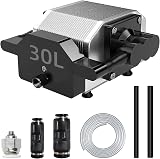 Air Assist for Laser Cutter and Engraver 30L/Min Adjustable9.5/10View on Amazon
- 4
 Air Assist for La-ser Cutter and EngraverView on Amazon
- 5
 Air Assist for Laser CutterView on Amazon
- 6
 ATOMSTACK F80 Air Assist 10-60 L/min Laser Air Support PumpView on Amazon
- 7
 Laser Air AssistView on Amazon
- 8
 CREALITY FALCON 10w Laser Engraver with Air AssistView on Amazon
- 9
 TOOCAA 10W Laser Engraver with Air AssistView on Amazon
Does air assist make a difference on a laser engraver? The direct answer is yes. Adding air assist makes a substantial difference on nearly every laser cutting job and many engraving projects. Directing a continuous stream of pressurized air straight down into the cut line clears away smoke, suppresses open flames, cools the material surface, and shields the laser lens from rising debris. Without airflow, vaporized wood resin settles on the surface as yellow scorching, and dense smoke absorbs laser energy before the beam reaches the cut line. Adding air assist transforms dark, charred kerfs into clean edges, enables deeper cutting with fewer passes, and extends the service life of your optics.
Other machines to compare
 Air Assist for La-ser Cutter and EngraverCheck price on Amazon
 Air Assist for Laser CutterCheck price on Amazon
 ATOMSTACK F80 Air Assist 10-60 L/min Laser Air Support PumpCheck price on Amazon
 Laser Air AssistCheck price on Amazon
 CREALITY FALCON 10w Laser Engraver with Air AssistCheck price on Amazon
 TOOCAA 10W Laser Engraver with Air AssistCheck price on Amazon
LaserEngraveHQ earns a commission from purchases made through these links, at no extra cost to you. Read our affiliate disclosure.
Air assist improves cutting performance significantly, but it does not replace proper exhaust ventilation. An air assist pump directs airflow at the laser focal point to evacuate debris from the kerf, while an exhaust fan or dedicated filter removes smoke from the enclosure and out of your workshop.
Does air assist make a difference on a laser engraver?
To understand why air assist matters, consider what happens when a laser beam strikes an organic material like wood. The optical energy vaporizes the solid surface into combustible gases, ash, and resin droplets. Without airflow, this smoke hovers directly above the cut trench, scattering and absorbing incoming light before it can reach fresh material. At the same time, trapped heat radiates outward, charring the cut edges and risking open flames.
Air assist solves both problems at once. A narrow nozzle delivers pressurized air coaxially with the beam, blowing combustible vapors out of the cut zone while cooling surrounding fibers. The result is a sharp, clean kerf with minimal heat discoloration.
How air assist works at the cutting point
An air assist system consists of an air pump, flexible delivery tubing, and a specialized nozzle fitted around the laser optic. The nozzle channels pressurized air directly downward at the exact spot where the beam meets the workpiece.
This focused airflow performs key mechanical tasks during operation:
- Plume evacuation: The air stream blasts vaporized gases and carbon dust out of the kerf, keeping the beam path clear so optical energy strikes fresh material.
- Thermal management: Constant airflow cools the cut boundary, preventing heat from discoloring or distorting adjacent surface fibers.
- Flame suppression: By diluting volatile gases, the rapid air stream prevents combustion sparks from igniting into open flames on the workpiece.
Preventing burn marks and charring on wood and acrylic
Burn marks are the most common defect on unassisted laser cuts. When cutting plywood or hardwood, natural resins and glues vaporize into sticky smoke. Without airflow, these vapors condense on the cooler top face of the board, leaving dark stains that require extensive sanding to remove.
Air assist drives resin vapors downward through the cut channel instead. When paired with a honeycomb bed for laser cutter setups, the air stream pushes smoke through the open cells beneath the material. For additional finishing strategies, read our guide on how to prevent burn marks when laser cutting wood.
Acrylic cutting also benefits from airflow. Laser cutting acrylic vaporizes plastic polymer chains. Without air assist, heat pools along the cut path, melting edges and causing flaming flare-ups. A controlled air stream cools the molten boundaries and prevents flaming, producing smooth, clean edges on dark and cast acrylic.
Deeper cutting depth and improved efficiency
Air assist directly increases cutting speed and effective penetration depth. When cutting thick material without airflow, carbon buildup and stagnant smoke inside the trench absorb beam energy. As a result, subsequent passes lose efficiency, often explaining why your laser engraver is not cutting through on dense stock.
Manufacturer listings publish clear cutting benchmarks that illustrate what air assist achieves. Longer states that its RAY5 20W machine with an air pump can cut 12mm plywood, 10mm pine board, and 10mm acrylic board at once, and can cut 30mm pine board and 25mm acrylic board across multiple passes. TOOCAA lists its 20W laser cutter with air assist as capable of cutting 12mm pinewood in 1 pass. In the 10W category, LASER TREE lists its laser cutter with an air assist pump cutting through 8mm plywood in 1 pass at a speed of 1.5mm/s. On a smaller kit, Longer specifies a recommended cutting thickness of 3-6mm for its 5W air assist package. These published figures demonstrate how maintaining a clean kerf allows optical power to penetrate thick boards efficiently.
Protecting the laser lens from smoke and resin buildup
The focus lens sits directly above the cut line, right in the natural path of rising soot, heat, and adhesive vapors. Operating without air assist allows smoke to coat the glass with a sticky film.
As soot accumulates, the lens absorbs laser energy instead of transmitting it. This trapped heat can crack the glass optic and degrade beam focus. PYXGLAQ highlights this role on its pump listing, stating that powerful airflow keeps smoke and particles away from the module to protect the lens and extend optical life. Creality Falcon similarly states on its air assist listing that stable airflow protects the lens of the laser module and ensures stable laser energy.
Even with air assist, regular checks remain necessary. Follow our guide on how to clean a laser engraver lens to wipe away minor residue safely without scratching optical coatings.
Airflow settings for cutting versus raster engraving
While maximum airflow benefits deep cutting, engraving requires a balanced approach based on the operation:
- Vector cutting: Slicing through plywood or opaque acrylic requires high airflow to evacuate debris, prevent fires, and leave clean vertical walls.
- Raster engraving: Shading photos, logos, or delicate text demands reduced airflow. High airflow can blow fine dark wood ash across unengraved areas, staining the porous wood grain. Dialing airflow down or turning the pump off allows the exhaust system to pull smoke straight upward.
Adjustable pumps allow users to match airflow to the task. Listing data shows varying flow capacities across models. Longer equips its kit with an adjustable airflow of 10-30L/min, while Creality Falcon features an adjustable knob from 0-22L/Min. For heavy cutting setups, ATOMSTACK lists an adjustable range of 10-60 L/min on its F80 pump. Fixed pumps also serve specific niches; ACMER equips its S2 20W with a 25L/min pump and its S2 Pro 36W with a 30L/min pump, while PYXGLAQ lists a 30L/min pump operating under 36.5 dB of noise, compared to 60dB listed on the Longer kit.
If your machine arrived without a pump, our guide to the best laser air assist compares standalone units by airflow range, noise levels, and hose compatibility.
Workshop safety, ventilation, and material hazards
Air assist acts as an active safety feature by suppressing open flames at the focal point, but it represents only part of workshop safety. Air assist clears smoke away from the cut line, but those fumes remain inside the room unless properly vented. Operators should always pair air assist with an enclosure and active exhaust. Read our guide on do laser engravers need ventilation and explore dedicated filtration in our best fume extractor for laser engraver review.
Eye safety is equally mandatory. Laser safety glasses protect only if their listing specifies an optical density and a wavelength range that matches your machine. Tinted plastic shields without verified ratings are not adequate eye protection. Review our laser safety glasses guide before operating your machine.
Finally, never cut or engrave hazardous materials. Materials such as PVC, vinyl, PVC-based faux leather, polycarbonate, and ABS must never enter a laser workspace. When burned, PVC and vinyl release toxic hydrogen chloride gas that forms hydrochloric acid in the air, damaging gantry components and creating severe respiratory hazards. Review our complete guide to materials you should never laser cut to verify material safety before starting any job.
Common mistakes when using laser air assist
- Running maximum airflow during fine raster engraving, which blows loose soot across clean wood grain.
- Relying on air assist to remove smoke from the workshop instead of running dedicated exhaust ventilation.
- Allowing flexible air delivery tubing to pinch or snag on gantry pulleys during rapid head travel.
- Using workshop compressors without oil and water separators, which sprays oil mist directly onto hot optics.
- Neglecting regular lens inspections after heavy cutting runs.
Summary: key differences air assist makes
- Prevents edge charring and scorched halos by blowing vaporized resins out of the cut zone immediately.
- Shields optical components from rising smoke, preventing premature lens cracking and energy loss.
- Enables deeper penetration and faster cutting speeds by maintaining an unobstructed beam path.
- Quenches flare-ups and suppresses open flames during thick wood and acrylic cutting passes.
- Offers adjustable control so users can dial pressure up for through-cuts or down for crisp surface engraving.
FAQ: lasers and CNC
Does air assist make a difference on a laser engraver when engraving photos?
For photo engraving and fine raster shading on wood, high airflow can blow dark soot across unengraved areas and smudge fine details. On photo projects, lowering airflow to a gentle bleed or switching the pump off yields cleaner, sharper highlights while your exhaust fan pulls smoke upward.
Can you laser cut wood without air assist?
You can cut thin wood without air assist, but the finished quality suffers noticeably. Edges display heavy black charring, resin stains spread across top and bottom faces, and the laser requires slower speeds or extra passes to cut through. Air assist produces cleaner edges that require far less post-processing.
Does air assist prevent fires on a laser cutter?
Air assist suppresses open flames by blowing away combustible gases and cooling the cut trench, but it does not eliminate fire risk entirely. Never leave an operating laser unattended, keep a suitable fire extinguisher within reach, and monitor cutting passes closely.
What airflow rate do you need for laser cutting?
Manufacturer listings publish varying airflow ratings across pump kits. Longer provides an adjustable airflow of 10-30L/min, Creality Falcon lists 0-22L/Min, ACMER equips modules with 25L/min or 30L/min pumps, and ATOMSTACK lists its F80 pump at 10-60 L/min. For cutting tasks, pumps delivering 25L/min or 30L/min provide sufficient air volume to keep the kerf clear of smoke.
Does air assist help when cutting acrylic?
Yes. Air assist blows molten acrylic away from the kerf and suppresses flame flare-ups along the cut line. This cooling action prevents melted plastic from fusing back together behind the laser beam and keeps the cut walls smooth.
Can I use a standard workshop air compressor for air assist?
A workshop air compressor can supply air assist, but it requires an inline moisture filter and oil separator. Standard workshop compressors introduce water droplets and lubricating oil mist into the air line. If sprayed onto a hot laser lens, oil residue will bake onto the glass and destroy the optic. Dedicated diaphragm pumps supply dry, oil-free air without the need for complex filtration.
Related: our laser accessories hub, the 10W laser engraver with air assist roundup, and our best laser engraver for wood guide.