Can a Diode Laser Cut Acrylic: Complete Material and Setup Guide
A complete guide answering whether a diode laser can cut acrylic, covering beam absorption, compatible opaque colors, machine power, and essential safety steps.

On this page
Top picks at a glance
As an Amazon Associate I earn from qualifying purchases.
- 1
 xTool F2 Ultra 60W MOPA & 40W Diode Dual Laser Engraver 100+9.6/10View on Amazon
- 2
 LaserPecker LP5 Smart Dual 20W Fiber + Diode Laser Engraver9.5/10View on Amazon
- 3
 SCULPFUN iCube Ultra Dual 1.2W IR and 12W Diode Laser Engraver9.4/10View on Amazon
- 4
 6 Pieces & 6 Colors Cast Acrylic OpaqueView on Amazon
- 5
 KAITELA Pack of 10 Black Cast Acrylic Sheet 12" x 12" x 1/8"View on Amazon
- 6
 KAITELA Pack of 10 Black Cast Acrylic Sheet 8" x 12" x 1/8"View on Amazon
- 7
 Adrattnay Acrylic Sheets 1/8" ThickView on Amazon
- 8
 Colored Cast Acrylic SheetsView on Amazon
- 9
 Colored Acrylic Sheets 8x12View on Amazon
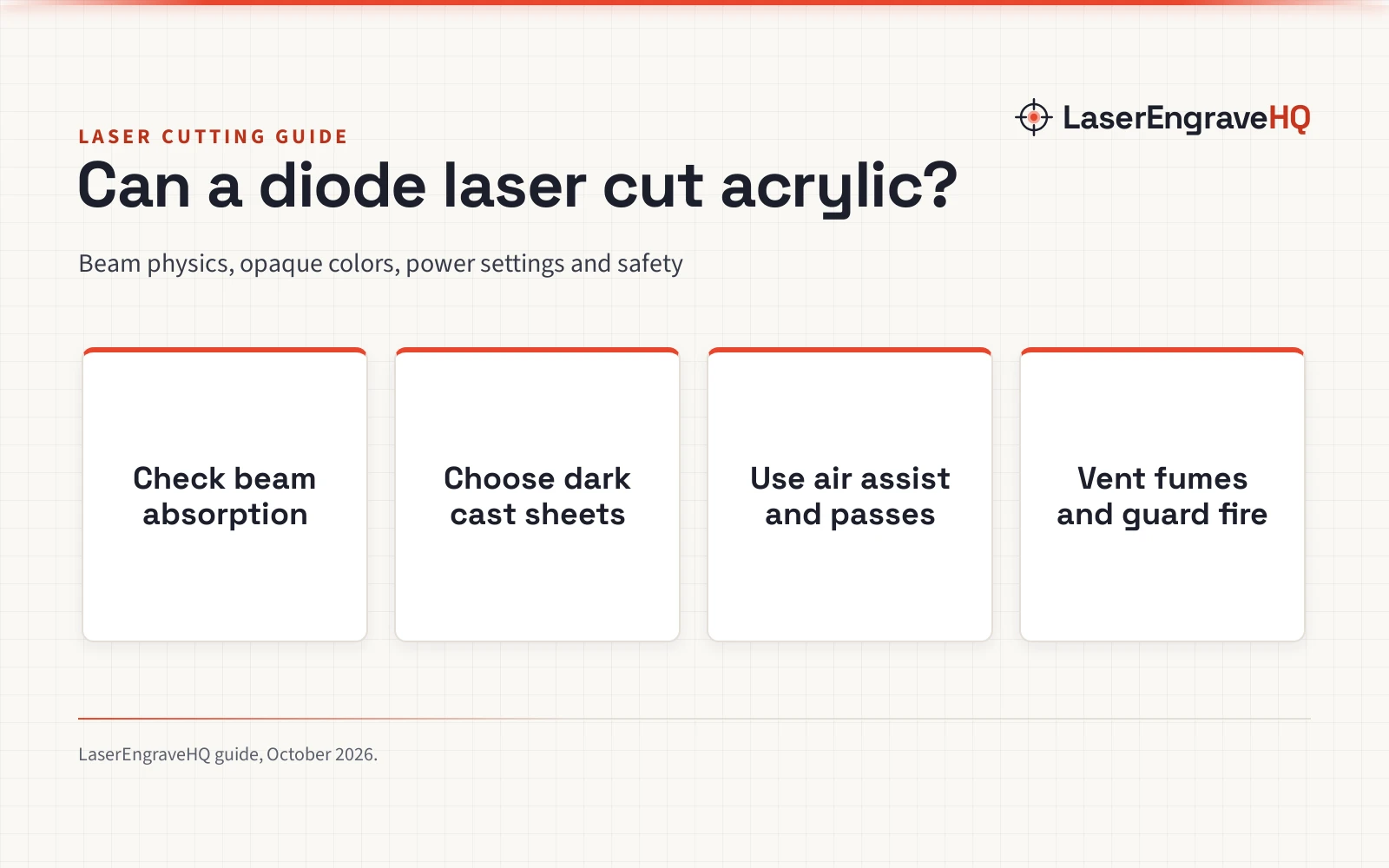
Can a diode laser cut acrylic? The short answer is yes, but only certain opaque colors, while clear acrylic cannot be cut by a diode beam at all. Because a standard diode machine emits visible blue light, the beam passes straight through clear and transparent sheets without heating or vaporizing the plastic. However, with dark, opaque cast sheets like black or dark green, a diode laser cuts cleanly. The sections below explain optical absorption, material choices, machine power, and workshop safety step by step.
Other machines to compare
 6 Pieces & 6 Colors Cast Acrylic OpaqueCheck price on Amazon
 KAITELA Pack of 10 Black Cast Acrylic Sheet 12" x 12" x 1/8"Check price on Amazon
 KAITELA Pack of 10 Black Cast Acrylic Sheet 8" x 12" x 1/8"Check price on Amazon
 Adrattnay Acrylic Sheets 1/8" ThickCheck price on Amazon
 Colored Cast Acrylic SheetsCheck price on Amazon
 Colored Acrylic Sheets 8x12Check price on Amazon
LaserEngraveHQ earns a commission from purchases made through these links, at no extra cost to you. Read our affiliate disclosure.
Never attempt to cut PVC, vinyl, or polycarbonate on any laser cutter. While acrylic cuts cleanly, chlorine-bearing plastics like PVC release corrosive hydrochloric acid gas that ruins machine rails and lenses, while polycarbonate burns with heavy toxic soot and ruins optical components.
Step 1: Understand optical absorption and beam wavelength
Whether a laser can cut a material depends entirely on optical absorption. Diode lasers produce a beam of visible blue light. Clear acrylic is engineered for optical clarity in the visible spectrum, so the blue diode beam transmits directly through the sheet without depositing thermal energy. Instead of vaporizing the plastic along the cut line, the light passes straight through to your work table below.
In contrast, CO2 lasers generate a long-wavelength infrared beam that acrylic absorbs completely regardless of color or transparency. This is why a CO2 tube cuts clear, mirrored, and translucent cast acrylic with ease. To understand how diode hardware compares with gas tubes, read our detailed breakdown of diode vs CO2 laser systems.
Step 2: Choose cast acrylic instead of extruded sheets
Acrylic sheets are made by casting or extrusion. For laser cutting, cast acrylic is generally preferred. Cast sheets are formed by pouring liquid resin between glass plates, yielding a hard, cross-linked molecular structure that vaporizes cleanly into gas during laser cutting, leaving clean, smooth edges without sticky melting.
Extruded acrylic is pushed through rollers, giving it a lower melting threshold that often creates gummy edges, heavy burrs, and re-welding behind the laser head. When sourcing material, choose cast panels. For example, KAITELA lists opaque black cast sheets in 1/8-inch (3 mm) thickness measuring 12 x 12 inches and 8 x 12 inches, noting that cast acrylic maintains structural stability and clean edges during processing. For more blank options, see our guide to acrylic sheets for laser engraving.
Step 3: Select compatible opaque colors and avoid clear stock
Because visible blue light requires color pigments to absorb thermal energy, sheet color dictates cutting success on a diode machine. Opaque black is the easiest color to process because dark carbon pigments absorb blue light rapidly. Dark red and dark green also absorb sufficient energy to vaporize under a focused diode beam. Conversely, blue sheets reflect the blue beam, while white and clear sheets transmit the light rather than absorbing it.
For example, Senbota lists clear cast acrylic sheets at 4 mm thick (5.9 x 5.1 inches) designed for LED light bases, but cutting clear panels like this requires a CO2 machine. In contrast, XLNT TECH states its opaque sheets measure 8 x 8 inches (20 cm x 20 cm) with a thickness of 0.1 inches (2.7 mm to 3.0 mm) across 6 colors including black, dark green, and red, noting they can be engraved and cut on a diode laser. Similarly, YMYKLB specifies 0% light transmittance for its opaque colored sheets in 1/8-inch (3 mm) thickness measuring 12 x 12 inches. When shopping, confirm the material is genuine acrylic: YMYKLB mentions polycarbonate in its listing title despite selling acrylic, and polycarbonate must never be cut on a laser due to toxic fumes. For project ideas involving non-corrosive plastic sheets, see our guide comparing PVC vs acrylic sheet.
Step 4: Check optical power and use air assist
When evaluating whether a machine can cut acrylic, optical output power is what matters, not electrical input power. Inexpensive diode listings frequently advertise electrical input power to make machines sound more capable, but actual cutting performance depends on the focused optical output of the laser diodes.
The maker Gute claims in its listing that diode lasers from 10W to 22W can cut its 1/8-inch (3 mm) cast sheets, though in practice lighter translucent shades still transmit light and resist the blue beam. Even so, suppliers like Adrattnay advise using a CO2 laser rather than a diode unit for their 1/8-inch (3 mm) panels measuring 8 x 8 inches, highlighting that higher wattage makes cutting faster and cleaner. Along with adequate optical power, an air assist system is critical. Directing a steady stream of air through the nozzle down into the kerf suppresses flames, shields the lens from smoke residues, and clears vaporized gases from the channel. For hardware setups, review our diode laser engravers category overview, compare pumps in our laser air assist guide, and consult our budget laser engraver guide.
Step 5: Dial in travel speed, focus, and pass settings
Finding the right cut settings requires balancing travel speed, optical output, and pass count. While higher-power diodes can cut thin opaque acrylic in a single calibrated pass with air assist to maintain a smooth edge, lower-power modules may require multiple passes at moderate speed to penetrate the full thickness without excessive heat buildup.
Precise optical focus is equally essential. Set your laser focal point at the surface of the sheet for the initial cut. Elevating your acrylic panel on an open grid or a metal platform from our honeycomb bed for laser cutter guide allows smoke and pressurized air to vent freely underneath, preventing thermal flashback from scorching the back surface of the plastic.
Step 6: Maintain strict workshop ventilation and fire safety
Laser processing acrylic presents serious fire and fume considerations that every operator must manage. When acrylic vaporizes, it releases methyl methacrylate vapor, a pungent gas with a distinctive sweet chemical smell. While pure acrylic does not produce the hydrochloric acid associated with banned vinyl materials, dense acrylic vapor causes respiratory irritation, headaches, and workshop odor issues. Always vent fumes directly outdoors, or filter exhaust air through an activated carbon and HEPA setup from our fume extractor guide.
Fire safety is equally critical because acrylic vapor is flammable. If the laser beam lingers over an area without adequate air assist, the vapor pocket can ignite. Never leave a running laser job unattended for any reason, keep a suitable fire extinguisher within reach of your workstation, and place a flame-resistant metal barrier beneath your cutting bed. Furthermore, verify your eye protection: eyewear protects only if the listing states an optical density specification and a wavelength range that matches your machine, as uncertified orange plastic covers do not provide adequate eye protection. For certified workshop gear, review our laser safety glasses guide.
Step 7: Remove protective masking and inspect edge quality
Cast acrylic sheets ship with protective paper or film on both faces. Sized blanks like those from XLNT TECH and KAITELA include double-sided masking to prevent scratching during shipping and handling. When sheets arrive with protective paper masking, like on KAITELA panels, keeping the paper in place during cutting helps prevent smoke staining around the kerf. However, if a sheet arrives with thin plastic film, peel it off before cutting to avoid melted film residue along the cut line.
Once cutting finishes, allow the exhaust fan to run for a short duration to clear lingering vapors before opening the enclosure. Remove the cut pieces and peel away any remaining protective masking from both sides. If minor smoke residue appears along the seam, wipe the surface clean using a microfiber cloth dampened with mild soapy water or isopropyl alcohol.
Common mistakes to avoid
- Attempting to cut clear, transparent, or translucent light-colored acrylic with a blue diode beam.
- Processing extruded acrylic instead of cast acrylic, leading to melted and deformed cut edges.
- Cutting without air assist, which increases flame hazards and leaves scorched residue on the cut line.
- Failing to vent methyl methacrylate fumes outdoors or through an activated carbon filter.
- Cutting hazardous plastics like PVC, vinyl, or polycarbonate that generate toxic chlorine gas and ruin laser equipment.
Can a diode laser cut acrylic: the short version
- Confirm your acrylic is cast formulation rather than extruded stock.
- Select opaque black, dark red, or dark green panels; avoid clear, white, or blue sheets.
- Equip your diode module with an active air assist nozzle to suppress flames.
- Place the panel on an elevated honeycomb table to allow heat and fumes to escape below.
- Tune travel speed and pass count to your laser’s wattage to cut cleanly without burning.
- Vent exhaust fumes directly outside and keep a suitable fire extinguisher nearby.
Following these steps ensures clean cut edges while protecting your machine and workshop environment.
FAQ: lasers and CNC
Can a diode laser cut clear acrylic?
No, a diode laser cannot cut clear acrylic. Standard diode lasers emit visible blue light that passes directly through clear acrylic without generating the thermal absorption required to melt or vaporize the plastic. Cutting clear acrylic requires a CO2 laser, whose infrared beam is absorbed by clear polymers.
What colors of acrylic can a diode laser cut?
A diode laser cuts dark, opaque colors effectively. Opaque black is the most reliable color because it absorbs blue light thoroughly. Dark red and dark green sheets can also be cut on moderate-power diode machines. In contrast, blue sheets reflect the blue beam, while white and transparent sheets transmit it, causing cut attempts to fail.
Can you cut acrylic with a diode laser by painting it black?
Coating clear acrylic with black paint, dry-erase marker, or laser marking spray only allows surface engraving. The dark coating absorbs the blue light at the immediate surface, which burns off the coating and marks the top layer of plastic, but the beam cannot penetrate deeper once the surface layer is gone.
Is cast acrylic better than extruded acrylic for laser cutting?
Yes, cast acrylic is significantly better for laser cutting on a diode machine. Cast acrylic has a higher molecular weight and vaporizes cleanly into gas when struck by the laser beam, leaving smooth, clean edges. Extruded acrylic tends to melt, gummy up along the cut line, and re-fuse behind the laser head.
Why is air assist necessary when cutting acrylic?
Air assist delivers a steady stream of air directly to the cutting kerf. When acrylic vaporizes, it creates flammable vapors that can ignite into an open flame. Air assist suppresses flames, cools the cut line to prevent excessive edge melting, and blows vapor away to protect the optical lens from smoke accumulation.
Can a diode laser cut polycarbonate sheets?
No, you should never cut polycarbonate with a laser cutter. Polycarbonate burns rapidly, melts into sticky yellow slag, and releases dense toxic smoke that quickly ruins laser mirrors and optical components. Always verify that your plastic stock is genuine cast acrylic.
Related: the laser engraver hub, our diode vs CO2 laser comparison, acrylic sheets for laser engraving, and the best laser engraver for beginners.