Best Waterslide Decal Paper (2026): 5 Picks for Tumblers and Mugs
5 clear waterslide decal papers for inkjet and laser printers, compared by sheet size, print resolution, surfaces and pack options.

On this page
Top picks at a glance
As an Amazon Associate I earn from qualifying purchases.
- 1
 Best OverallHayes Inkjet Clear A49.5/10View on Amazon
- 2
 Best Laser Printer PickSunnyscopa Laser Clear9.5/10View on Amazon
- 3
 Best for Wide SurfacesJecqbor Inkjet Clear9.4/10View on Amazon
- 4
 Best Pack OptionsSunnyscopa Inkjet Clear9.4/10View on Amazon
A custom tumbler, a photo mug, a candle with a name on it: waterslide decal paper turns a home printer into a small decal shop. You print a design, seal it, soak it, and slide the film onto glass, ceramic or metal. This guide compares the best waterslide decal paper picks for that job, all clear sheets for inkjet or laser printers, and scores each one on what its listing actually states.
LaserEngraveHQ earns a commission from purchases made through these links, at no extra cost to you. Read our affiliate disclosure.
Quick picks
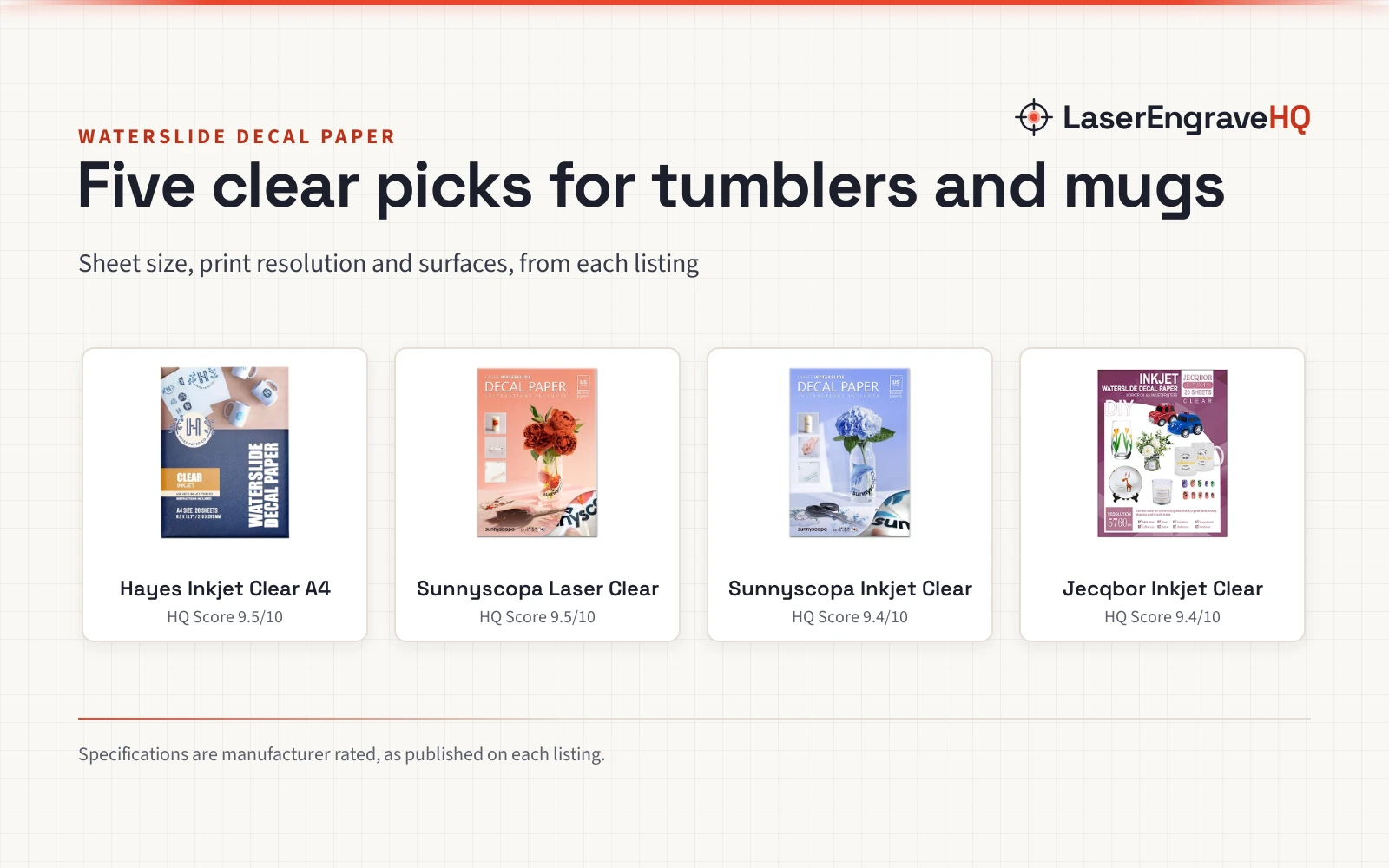
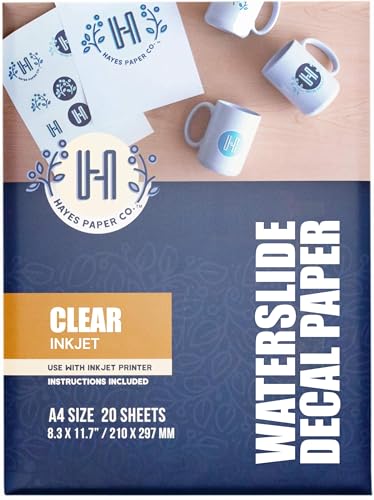
- Best Overall Hayes Inkjet Clear A4: A stated 200gsm sheet, print resolution up to 5760 dpi, and a full seal, soak and slide workflow in the listing. Check price on Amazon
- Best Laser Printer Pick Sunnyscopa Laser Clear: The only laser-printer paper here, in 8.5 x 11 in sheets from a maker listing 30 years in decal paper. Check price on Amazon
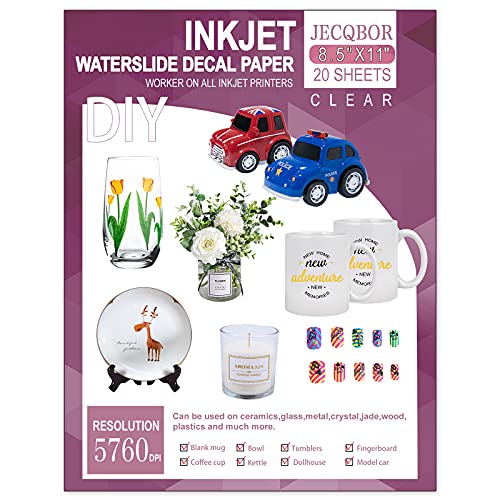
- Best for Wide Surfaces Jecqbor Inkjet Clear: Lists ceramic, glass, metal, wood and plastic, with pigment and dye ink support and up to 5760 dpi. Check price on Amazon
- Best Pack Options Sunnyscopa Inkjet Clear: Packs of 10, 20 and 100 sheets in letter and legal sizes, from a maker listing 30 years in decal paper. Check price on Amazon
Machines on the list
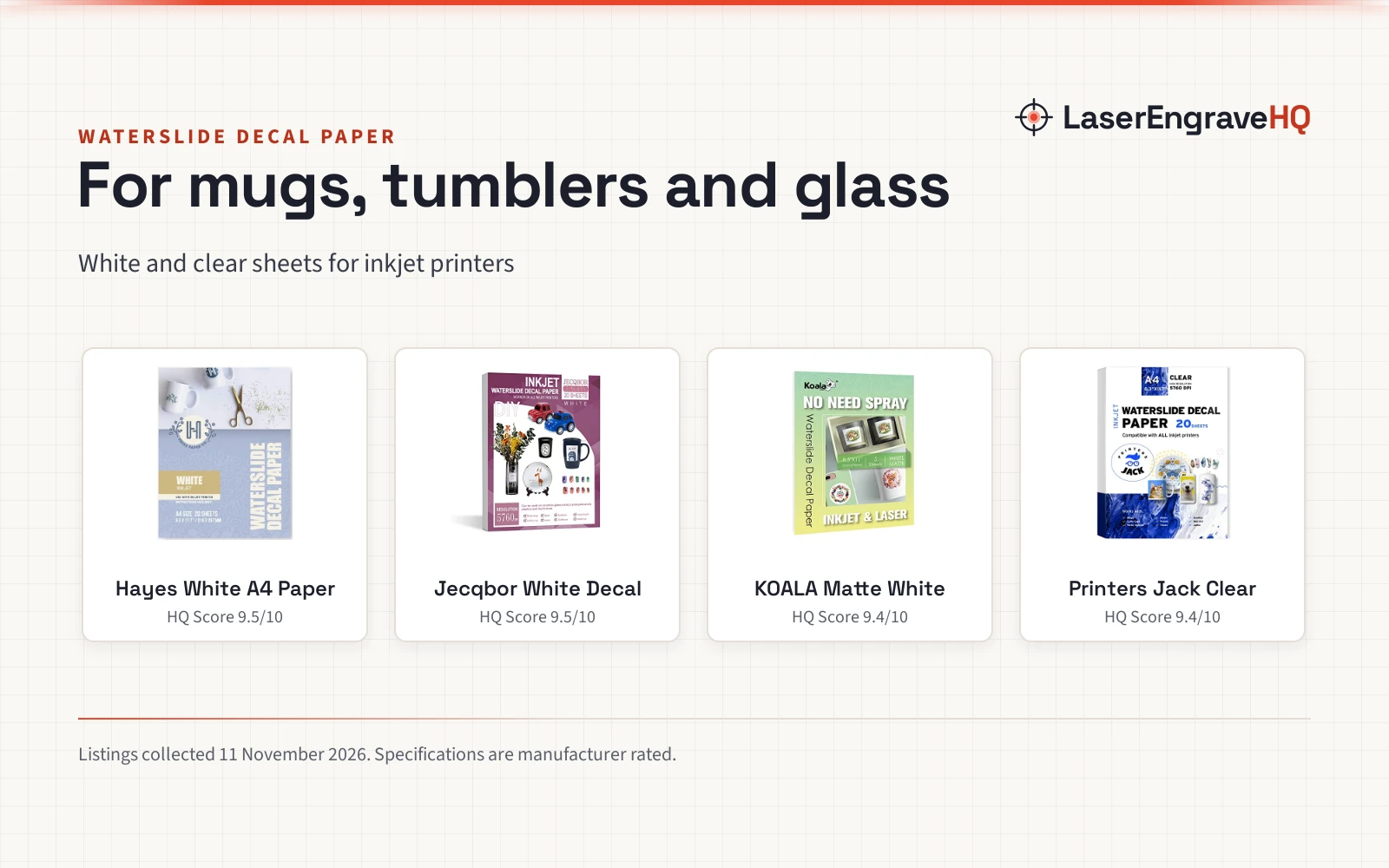
Hayes Waterslide Decal Paper for Inkjet Printers
A clear inkjet paper in A4, 200gsm, with a stated print resolution of up to 5760 dpi and a full seal, soak and slide workflow in the listing.
Pros
- 200gsm sheet weight stated, with print resolution up to 5760 dpi
- Full workflow stated: 3 light coats of clear acrylic spray, then a 50 to 60 second soak
- Names water-based inks as the best match over oil-based inks
- 20-sheet and 100-sheet packs, for small runs and larger batches
Cons
- A4 sheets at 8.25 x 11.7 in, not US Letter size
- Part number reads SFPC-WHITE-INK-20 while the title says Clear
- No pack size between the 20-sheet and 100-sheet packs
- No warranty term in the listing
Sunnyscopa Waterslide Decal Paper for LASER
A clear laser-printer paper in US Letter size, 20 sheets, from a maker that lists 30 years in printable decal paper since 1990.
Pros
- The only laser-printer paper in this guide
- Maker lists 30 years in printable decal paper, since 1990
- Tear resistant and smudge proof claims in the listing
- Packs of 10, 20 and 100 sheets, in letter and legal sizes
Cons
- No print resolution figure in the listing
- No sheet thickness stated
- No warranty term in the listing
- Listing gives no soak time or coat count for the workflow
Sunnyscopa Waterslide Decal Paper for INKJET
A clear inkjet paper in US Letter size, 20 sheets, from the same long-running maker, with tear resistant and smudge proof claims in the listing.
Pros
- Maker lists 30 years in printable decal paper, since 1990
- Tear resistant and smudge proof claims in the listing
- Packs of 10, 20 and 100 sheets, in letter and legal sizes
- Names plates, mugs, tumblers, glass, ceramic, candles and wax as surfaces
Cons
- No print resolution figure in the listing
- Spec table says NumberOfItems 10 while the title says 20 sheets
20 Sheets Waterslide Decal Paper INKJET CLEAR
A clear inkjet paper in 8.5 x 11 in, 20 sheets, rated up to 5760 dpi, for white or light-colored surfaces across a wide list of materials.
Pros
- Print resolution up to 5760 dpi stated
- Pigment and dye inks named as supported
- Widest surface list here: ceramic, glass, metal, wood and plastic
- Customer service stated as available 24 hours a day
Cons
- Works only for white or light-colored surfaces
- No sheet thickness stated
- No warranty term in the listing
- No pack size beyond the 20-sheet pack stated

A-SUB Waterslide Decal Paper for Inkjet Printer
A clear inkjet paper in 8.5 x 11 in, 20 sheets, with stated ink absorption, stable colors and step-by-step instructions in the package.
Pros
- Stated ink absorption for vivid print results
- Colors stated as stable, resisting fading after transfer
- Step-by-step instructions included in the package
- Names mugs, tumblers, candles, phone cases and craft models as uses
Cons
- No print resolution figure in the listing
- No sheet thickness stated
- No warranty term in the listing
- Clear paper for light-colored or transparent surfaces only
Other machines to compare
 Hayes PaperCheck price on Amazon
 100 Sheets Waterslide Decal Paper INKJET CLEARCheck price on Amazon
 20 Sheets Waterslide Decal Paper INKJET WHITE for Dark andCheck price on Amazon
 Water Slide Decal Paper Inkjet 20 Sheets A4 Size PremiumCheck price on Amazon
 Koala Matte Waterslide Decal Paper No Need Spary CoatingCheck price on Amazon
Specs compared
| Model | HQ Score | Printer | Sheet size | Sheets | Print resolution | Surfaces | Warranty |
|---|---|---|---|---|---|---|---|
| Hayes Inkjet Clear A4 | 9.5/10 | Inkjet | A4, 8.25 x 11.7 in | 20 | Up to 5760 dpi | Ceramics, glass, jade, metal, plastics | Not stated |
| Sunnyscopa Laser Clear | 9.5/10 | Laser | 8.5 x 11 in | 20 | Not stated | Plates, mugs, tumblers, glass, ceramic | Not stated |
| Sunnyscopa Inkjet Clear | 9.4/10 | Inkjet | 8.5 x 11 in | 20 | Not stated | Plates, mugs, tumblers, glass, ceramic | Not stated |
| Jecqbor Inkjet Clear | 9.4/10 | Inkjet | 8.5 x 11 in | 20 | Up to 5760 dpi | Ceramic, glass, metal, wood, plastic | Not stated |
| A-SUB Inkjet Clear | 9.3/10 | Inkjet | 8.5 x 11 in | 20 | Not stated | Ceramics, glass, jade, metal, plastics | Not stated |
We give each product’s specs as its manufacturer rates them. Sheet size is the paper size the listing states.
What the listings tell you, and what they leave out
All 5 listings are clear papers in 20-sheet packs, and none states a warranty term. Only the Hayes listing states a sheet thickness, at 200gsm, and only the Hayes and Jecqbor listings state a print resolution, up to 5760 dpi. Sunnyscopa supplies the laser pick and the inkjet pick in this guide, from a maker that lists 30 years in printable decal paper since 1990.
One spec table disagrees with its own title on sheet count and size, and one part number reads SFPC-WHITE-INK-20 while the title says Clear. Trust the title and bullets over the spec table in each case, and read the part number as a labeling quirk.
Buying guide: choosing the best waterslide decal paper
Inkjet or laser
Match the paper to your printer. Laser paper goes in a laser printer, and inkjet paper goes in an inkjet printer. The Sunnyscopa laser pick is the only laser paper in this guide, and the other picks are inkjet papers, so check the title before you buy.
Clear paper and light surfaces
Clear film shows the surface beneath it, so it suits white or light-colored surfaces. Jecqbor and A-SUB state that limit plainly, and the Hayes listing tells you to print on the white glossy side. Dark mugs and tumblers need a paper made for dark surfaces, which none of the picks here claims to be.
Sheet size and pack size
Most picks are US Letter, 8.5 x 11 in, while the Hayes paper is A4 at 8.25 x 11.7 in, so check the size your printer tray holds. Every pick comes as a 20-sheet pack, and Sunnyscopa and Hayes also list larger packs: Sunnyscopa in 10, 20 and 100 sheets, Hayes in 20-sheet and 100-sheet packs.
Seal, soak and slide
Waterslide paper needs a seal coat before it meets water. Hayes states the workflow in full: 3 light coats of clear acrylic spray, let dry, cut, soak for 50 to 60 seconds, slide on, then smooth bubbles with a cloth. The Sunnyscopa listings and A-SUB also name acrylic spray and water as the only extras, with A-SUB adding step-by-step instructions in the package.
What waterslide paper will not do
It will not print in white ink, and clear film will not hide a dark surface. It also will not hold up in water without a seal coat, since the printed design needs acrylic spray to stay put. Treat the seal step as part of the job, not an optional extra.
Project Match
Pair the project with the pick that lists the matching surface, printer type or pack size.
- Photo mugs and tumblers: Hayes Inkjet Clear A4, with a stated 200gsm weight and a full seal and soak workflow.
- Laser-printer decals: Sunnyscopa Laser Clear, the only laser paper in this guide.
- Gifts across many surfaces: Jecqbor Inkjet Clear, for ceramic, glass, metal, wood and plastic.
- Beginner gift projects: A-SUB Inkjet Clear, with step-by-step instructions in the package.
- Big batches of decals: Sunnyscopa Inkjet Clear, in packs of 10, 20 and 100 sheets.
How the scores add up
Each paper is scored on performance, build, value, safety and warranty, with the weights published on our How We Pick page. A spec the listing does not publish scores nothing.
| Product | HQ Score | Perf. /35 | Build /25 | Value /25 | Safety /10 | Warranty /5 |
|---|---|---|---|---|---|---|
| Hayes Inkjet Clear A4 | 9.5 | 32 | 21 | 20 | 0 | 0 |
| Sunnyscopa Laser Clear | 9.5 | 29 | 21 | 21 | 0 | 0 |
| Sunnyscopa Inkjet Clear | 9.4 | 28 | 20 | 21 | 0 | 0 |
| Jecqbor Inkjet Clear | 9.4 | 28 | 19 | 20 | 0 | 0 |
| A-SUB Inkjet Clear | 9.3 | 26 | 19 | 19 | 0 | 0 |
Point totals are scaled so the weakest reads 9.2 and the strongest 9.8, with everything between kept in order.
FAQ: lasers and CNC
What is waterslide decal paper?
It is a printable film that carries a design off its backing paper in water and onto a surface such as glass, ceramic, metal or plastic. You print on it, seal it with clear acrylic spray, soak it, and slide the film onto the object.
How do you use inkjet waterslide decal paper?
Print your design on the glossy side with an inkjet printer, seal it with 3 light coats of clear acrylic spray, let it dry, cut it out, soak it in water for 50 to 60 seconds, then slide the decal onto the surface and smooth out air bubbles with a cloth.
How do you print on waterslide decal paper?
Print on the glossy side with the printer type the paper is made for, inkjet or laser, and use high-resolution settings. Water-based inks are the best match for the Hayes inkjet paper, and the Jecqbor listing names pigment and dye inks.
How do you apply a waterslide decal?
Soak the cut decal in water for 50 to 60 seconds, until the film loosens from the backing paper, then slide it onto the surface, position it while it is still wet, and smooth out air bubbles with a cloth.
How do you use clear waterslide decal paper?
Use it the same way as any waterslide paper, and keep it to white or light-colored surfaces, since the clear film shows the surface beneath it. The Jecqbor and A-SUB listings state that limit for clear paper made for light-colored or transparent surfaces.
Related: the craft machines hub, heat presses and sublimation, and our best sublimation heat transfer paper. Also see our best heat press paper. Also see our best 20 oz tumbler heat press. Also see our best vinyl for cutting machines. Also see our mug vs tumbler for laser engraving. Also see our best printable permanent vinyl.