Best 3D Printer Camera (2026)
Five 3D printer cameras compared by monitoring, detection, time-lapse, app and printer fit, for watching prints from anywhere.

On this page
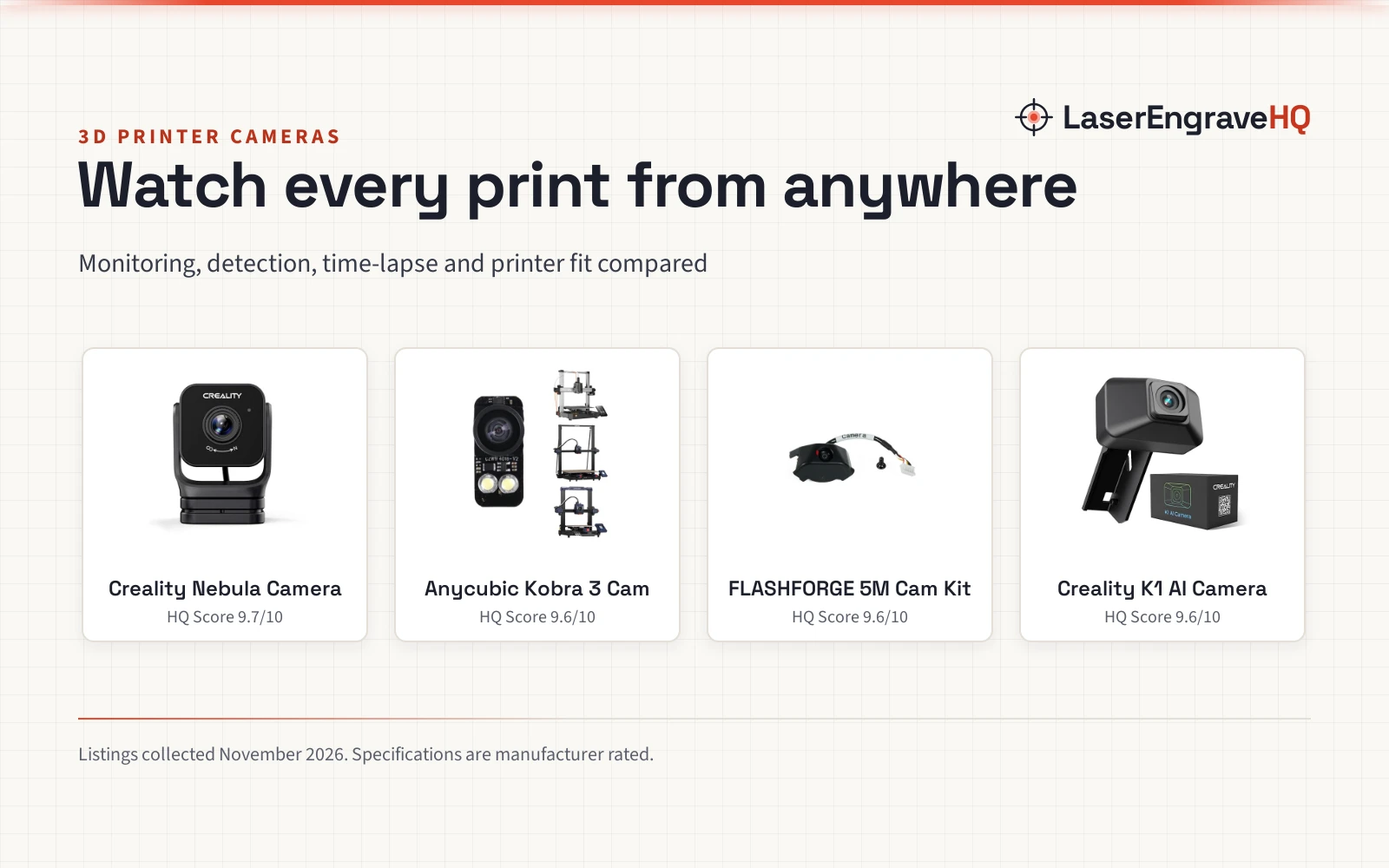
Top picks at a glance
As an Amazon Associate I earn from qualifying purchases.
- 1
 Best OverallCreality Nebula Camera9.7/10View on Amazon
- 2
 Best for KobraAnycubic Kobra 3 Cam9.6/10View on Amazon
- 3
 Best for FlashForgeFLASHFORGE 5M Cam Kit9.6/10View on Amazon
- 4
 Best for K1Creality K1 AI Camera9.6/10View on Amazon
A long print runs for hours, and the worry is not the bottom layer but the layer that fails while the maker is out of the room. The best 3d printer camera watches the print from anywhere, catches a spaghetti failure early and turns the whole job into a time-lapse worth sharing. This guide compares cameras by monitoring, detection, time-lapse, app and printer fit.
LaserEngraveHQ earns a commission from purchases made through these links, at no extra cost to you. Read our affiliate disclosure.
Quick picks
- Best Overall Creality Nebula Camera: Spaghetti detection, time-lapse and Wi-Fi monitoring, working with Sonic Pad, Nebula Pad and many Ender and CR printers. Check price on Amazon
- Best for Kobra Anycubic Kobra 3 Cam: Real-time monitoring for Kobra 3 and Kobra 2 series with a DIY frame and 3 months of after-sale service. Check price on Amazon
- Best for FlashForge FLASHFORGE 5M Cam Kit: Real-time monitoring with spaghetti and nozzle clog detection for Adventurer 5M, 5M Pro and AD5X, with a 7-day warranty. Check price on Amazon
- Best for K1 Creality K1 AI Camera: 1080P HD monitoring with time-lapse for K1, K1 SE and K1 Max, with a reserved camera interface. Check price on Amazon
Machines on the list
Creality Nebula Camera, 3D Printer Camera for 24H
Real-time monitoring, time-lapse and spaghetti detection over Wi-Fi and USB, with the widest printer fit in this guide.
Pros
- Spaghetti detection alerts on printing errors
- Time-lapse photography of the whole print
- Wi-Fi and USB connection to the app
- Works with Sonic Pad, Nebula Pad and many Ender and CR printers
Cons
- No warranty term is stated on the listing
- Manual focus needs setting by hand
- Some models need pairing with Sonic Pad
- No resolution figure is stated
Anycubic Kobra 3 3D Printer Camera,Real-Time
Real-time and remote monitoring for Kobra 3 and Kobra 2 series printers, with a DIY frame and 3 months of after-sale service.
Pros
- Real-time and remote monitoring through the Anycubic APP
- DIY frame can be replaced with a custom frame
- Easy assembly through the USB interface
- 3 months after-sale product service and life-time technical support
Cons
- No time-lapse is stated
- No spaghetti detection is stated
- No resolution figure is stated
- Made for Kobra printers, not other brands
FLASHFORGE Adventurer 5M/5M Pro/AD5X 3D Printer
Real-time monitoring with spaghetti and nozzle clog detection for Adventurer 5M, 5M Pro and AD5X, with plug-and-play setup.
Pros
- Spots spaghetti prints and nozzle clogs in real time
- Remote control through the Flash Maker App
- Plug-and-play setup with no complicated wiring
- Catches errors before they waste filament
Cons
- 7-day warranty is the smallest term in this guide
- Part number names a filament feeding assembly
- No time-lapse is stated
- No resolution figure is stated
Creality K1 AI Camera 1080P HD Camera Compatible
1080P HD monitoring with time-lapse for K1, K1 SE and K1 Max, with a reserved camera interface for easy installation.
Pros
- 1080P high definition images
- Time-lapse videos generated after printing
- Real-time monitoring through Creality Cloud or Creality Print
- Reserved camera interface for effortless installation
Cons
- No warranty term is stated on the listing
- No spaghetti detection is stated
- Made for K1 printers only

FLASHFORGE Camera Kit for Adventurer 5M/Pro/AD5X
The official FLASHFORGE camera kit for Adventurer 5M, 5M Pro and AD5X, with real-time and remote monitoring through the Flash Maker App.
Pros
- Official camera kit for Adventurer 5M, 5M Pro and AD5X
- Remote control through the Flash Maker App
- Easy installation with all necessary components
- Real-time and remote monitoring from anywhere
Cons
- No weight, dimensions or resolution is stated
- No warranty term is stated on the listing
- No spaghetti detection is stated
- No time-lapse is stated
Other machines to compare
 Anycubic Kobra 3 3D Printer CameraCheck price on Amazon
 Creality K1C 3D PrinterCheck price on Amazon
 Creality SPARKX i7 3D Printer with AI Camera MonitoringCheck price on Amazon
- Anycubic Camera Kobra 3 Series 3D Printer CameraCheck price on Amazon
 Creality Official K1C/K1 Max AI CameraCheck price on Amazon
Specs compared
| Model | HQ Score | Video | Detection | Time-lapse | App | Works with | Warranty |
|---|---|---|---|---|---|---|---|
| Creality Nebula Camera | 9.7/10 | HD, manual focus | Spaghetti detection | Yes | Creality Cloud, Wi-Fi | Sonic Pad, Nebula Pad, Ender, CR-10 SE, Halot | Not stated |
| Anycubic Kobra 3 Cam | 9.6/10 | Ultra clear | Not stated | Not stated | Anycubic APP | Kobra 3, Kobra 2 series, Klipper | 3 months |
| FLASHFORGE 5M Cam Kit | 9.6/10 | HD | Spaghetti, nozzle clogs | Not stated | Flash Maker App | Adventurer 5M, 5M Pro, AD5X | 7 days |
| Creality K1 AI Camera | 9.6/10 | 1080P HD | Not stated | Yes | Creality Cloud, Creality Print | K1, K1 SE, K1 Max | Not stated |
| FLASHFORGE AD5M Kit | 9.5/10 | Not stated | Not stated | Not stated | Flash Maker App | Adventurer 5M, 5M Pro, AD5X | Not stated |
Specs are what each manufacturer publishes as its rating on the listing, collected November 2026. Fit is the printer fit the listing states; a camera made for one printer line does not fit another unless the listing states it.
What the listings tell you, and what they leave out
Five 3D printer camera listings were read for this guide. Two are FLASHFORGE kits for the same Adventurer printers, two are Creality cameras for different printer lines, and one is an Anycubic camera for the Kobra series. Two state spaghetti detection, two state time-lapse, and two state a warranty term. One listing gives no weight, dimensions or resolution, and one lists placeholder dimensions of 1.0 x 1.0 x 1.0 in.
Buying guide: the best 3d printer camera
Fit comes first
A camera made for one printer line does not fit another unless the listing states it. The cameras here fit Adventurer 5M, 5M Pro and AD5X on one side, K1, K1 SE and K1 Max on another, and Kobra 3 and Kobra 2 series on a third, while the Nebula works with Sonic Pad, Nebula Pad and many Ender and CR printers. Check the listed fit before ordering.
Spaghetti detection
Two cameras here state spaghetti detection, which spots a failed print and alerts the maker before the filament is wasted. The Nebula names spaghetti detection, and the FLASHFORGE kit names spaghetti prints and nozzle clogs. The rest state no detection, so the maker watches the feed by eye.
Time-lapse
Two cameras here state time-lapse, which turns the whole print into a short video after the job is done. The Nebula and the K1 AI camera both generate time-lapse videos through the app. The rest state no time-lapse.
App and connection
Every camera here works through an app: Flash Maker App, Creality Cloud, Creality Print or the Anycubic APP. The Nebula connects by Wi-Fi and USB, and the Anycubic camera connects by USB. Check the app the listing names, since the camera is only as useful as the phone it talks to.
Resolution and focus
One camera states 1080P high definition, one states ultra clear resolution, and one states high definition with manual focus. The rest state no resolution figure, so compare the listed figures where they exist.
For the printers these cameras watch, browse the 3D printers hub.
A camera watches the print, but it does not stop a failure. Check the print in person as well as on the app, and keep the printer away from flammable material.
Project Match
- Watching long prints from anywhere: all five picks, each with an app and remote monitoring.
- Catching spaghetti failures early: the Nebula and the FLASHFORGE kit, which state spaghetti detection.
- Time-lapse videos of the whole print: the Nebula and the K1 AI camera, which state time-lapse.
- Kobra printers: the Anycubic camera, made for Kobra 3, Kobra 3 Combo, Kobra 3 Max and Kobra 2 series.
- Adventurer printers: the FLASHFORGE kits, made for Adventurer 5M, 5M Pro and AD5X.
How the scores add up
Each camera is scored out of 10 on performance, build, value, safety and warranty, with the weights published on the How We Pick page. A stated safety feature earns safety points, and a concrete warranty term earns warranty points. A spec the listing does not publish scores nothing.
| Product | HQ Score | Perf. /35 | Build /25 | Value /25 | Safety /10 | Warranty /5 |
|---|---|---|---|---|---|---|
| Creality Nebula Camera | 9.7 | 32 | 21 | 21 | n/a | 0 |
| Anycubic Kobra 3 Cam | 9.6 | 28 | 20 | 19 | n/a | 2 |
| FLASHFORGE 5M Cam Kit | 9.6 | 28 | 20 | 20 | n/a | 1 |
| Creality K1 AI Camera | 9.6 | 28 | 20 | 20 | n/a | 0 |
| FLASHFORGE AD5M Kit | 9.5 | 26 | 19 | 19 | n/a | 0 |
HQ Scores live on a 9.2 to 9.8 band: each machine’s weighted point total is projected onto it proportionally, and higher totals always show higher. With no power and no stated safety feature, the safety row shows n/a and the score comes from 90 points.
FAQ: lasers and CNC
What does a 3D printer camera do?
It watches the print in real time from a phone or computer, so the maker can check progress from anywhere. Some cameras also make time-lapse videos of the whole print, and some spot spaghetti failures and alert the maker before the filament is wasted.
Do 3D printer cameras work with any printer?
No. Each camera here fits a listed printer line: the FLASHFORGE kits fit Adventurer 5M, 5M Pro and AD5X, the K1 AI camera fits K1, K1 SE and K1 Max, the Anycubic camera fits Kobra 3 and Kobra 2 series, and the Nebula works with Sonic Pad, Nebula Pad and many Ender and CR printers. Check the listed fit before ordering.
What is spaghetti detection?
Spaghetti detection spots a failed print, where the filament comes out as loose strands instead of a clean layer, and alerts the maker. The Nebula and the FLASHFORGE kit state spaghetti detection, so a failed print can be stopped early.
Do 3D printer cameras need Wi-Fi?
Not all of them. The Nebula connects by Wi-Fi and USB, and the Anycubic camera connects by USB. Check the connection the listing states, and the app it names, since the camera is only as useful as the phone it talks to.
Can a 3D printer camera make time-lapse videos?
Two cameras here state time-lapse: the Nebula and the K1 AI camera, which generate time-lapse videos of the whole print after the job is done. The rest state no time-lapse.
Related: the 3D printers hub, the best 3D printer stand and the Creality Space Pi vs Sunlu S2 filament dryer.