GRBL vs Proprietary CNC Controller: Differences Explained
A practical guide comparing open-source GRBL firmware and proprietary CNC controllers for desktop routers, covering hardware limits, ports, and costs.

On this page
Top picks at a glance
As an Amazon Associate I earn from qualifying purchases.
- 1
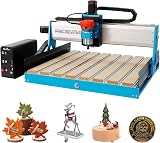 6050 CNC Router Machine9.6/10View on Amazon
- 2
 Genmitsu CNC 3018-PRO Router Kit9.5/10View on Amazon
- 3
 CNCTOPBAOS 3018-PRO CNC Router Engraving Machine w/GRBL9.5/10View on Amazon
- 4
 GRBL 1.1f CNC Controller 3-Axis CNC Router Machine ControlView on Amazon
- 5
 RATTMMOTOR CNC Controller Board 4 Axis GRBL Controller BoardView on Amazon
- 6
 AOLDHYY Doesbot GRBL 1.1 A4988 Control Board CNC ControllerView on Amazon
Choosing between a GRBL vs proprietary CNC controller comes down to firmware flexibility, expansion limits, and overall setup cost. GRBL is open-source motion control firmware that runs on accessible microcontroller boards using standard G-code senders, giving makers low replacement costs and open software compatibility. A proprietary CNC controller pairs closed firmware with dedicated vendor hardware, offering integrated workflows and pre-configured safety routines at the expense of third-party software freedom and modular upgrades. The sections below compare both controller architectures step by step to help you pick the right system for your workshop.
Other machines to compare
 GRBL 1.1f CNC Controller 3-Axis CNC Router Machine ControlCheck price on Amazon
 RATTMMOTOR CNC Controller Board 4 Axis GRBL Controller BoardCheck price on Amazon
 AOLDHYY Doesbot GRBL 1.1 A4988 Control Board CNC ControllerCheck price on Amazon
LaserEngraveHQ earns a commission from purchases made through these links, at no extra cost to you. Read our affiliate disclosure.
Controller boards handle motion planning and electrical signals, but cut quality also depends on machine rigidity, spindle runout, and proper cutting parameters. We compare published controller specifications from stated maker documentation rather than anecdotal claims.
Step 1: Understand how GRBL firmware processes motion
GRBL explained simply is open-source motion control firmware designed to translate standard numerical G-code commands into physical step and direction pulses. Instead of requiring a heavy industrial computer with a parallel port, GRBL runs directly on a compact microcontroller mounted to the router frame. Design files prepared in computer-aided manufacturing software are converted into toolpaths and sent across a USB connection using universal streaming software like Candle or Universal Gcode Sender.
Hardware makers build boards around communication chips that maintain stable serial connections. For instance, CNCTOPBAOS specifies a default communication baud rate of 115200 using a CH340 interface. When a streaming program sends motion blocks, the on-board processor buffers commands, plans acceleration curves, and pulses motor drivers. Because the firmware is open, makers can adjust acceleration constants and steps per millimeter through internal configuration parameters without purchasing vendor-locked licenses. If you are planning an initial machine purchase, our how to choose a desktop CNC router guide covers how frame rigidity interacts with controller capability.
Step 2: Compare hardware architectures and microcontroller power
Controller processing speed directly influences how smoothly a machine handles intricate toolpaths with dense coordinate points. Traditional entry-level GRBL controller boards rely on microcontrollers that generate step frequencies sufficient for routine carving and cutting on desktop frames. These boards receive external DC power, typically through 12V or 24VDC inputs, to supply motor drivers and spindle circuits while logic communication runs over USB or regulated rails.
In contrast, a proprietary CNC controller uses closed silicon and private motion-planning routines developed specifically for that vendor ecosystem. While proprietary architectures eliminate manual firmware configuration, they lock the owner into proprietary firmware release cycles and vendor-exclusive replacement components if the main processing unit malfunctions.
Step 3: Evaluate stepper motor drivers and axis capacity
Motion controllers govern machine positioning by delivering precise current pulses to stepper motors along each linear coordinate. Entry-level GRBL mainboards frequently feature integrated stepper motor drivers. For example, MYSWEETY specifies onboard A4988 stepper motor drivers on its 3 Axis GRBL 1.1f control board. Stepper current capacity determines the size and torque of motors a board can reliably govern.
Component listings establish strict thermal and electrical thresholds for stepper operation. CNCTOPBAOS specifies support for XYZ axes using Nema17 or Nema23 stepper motors, recommending operational current within 1.5A up to a 2A maximum limit with supplementary heat dissipation. Exceeding current thresholds without active cooling leads to thermal shutdown and dropped steps during carving passes. If your machine skips positions during cuts, our guide on why is my CNC losing steps outlines mechanical and electrical remedies. When projects require rotary carving, specialized boards expand axis counts. RATTMMOTOR lists a 4 Axis GRBL controller board that supports X, Y, Z, and A axis engraving simultaneously. While open boards can be swapped affordably if an integrated driver fails, proprietary systems often encase drivers in sealed proprietary enclosures that require expensive vendor-specific replacement units.
Step 4: Check spindle control and peripheral ports
Beyond driving axes, a CNC controller regulates spindle activation, cutting speed, safety interlocks, and auxiliary accessories. GRBL boards translate speed commands into pulse-width modulation signals. For example, CNCTOPBAOS lists 24VDC spindle PWM speed regulation from 0% to 100%, and RATTMMOTOR specifies support for spindles running up to 20000RPM. For lightweight routing and carving tasks, MYSWEETY lists a 150W spindle power specification.
Safety switches and automated accessories require dedicated terminal pins. Standard GRBL boards provide dedicated physical connection ports for emergency stop buttons, XYZ limit switches, and tool-setting probes. For instance, CNCTOPBAOS and RATTMMOTOR list integrated ports for emergency stop switches, tool-setting probes, and XYZ axis limit detection. Closed proprietary controllers generally provide similar peripheral switching, but frequently terminate connections with proprietary multi-pin plugs that require branded accessories rather than generic switches.
Step 5: Compare computer tethering and offline control modules
A classic GRBL setup requires an active computer tethered via a USB cable throughout the entire duration of a milling job. If the host computer enters sleep mode, initiates an automated update, or suffers communication noise across the USB cable, the job halts mid-cut. To prevent computer dependence, makers frequently connect offline control modules that stream toolpaths directly from flash memory.
Offline modules vary from simple button boxes to complete touchscreen displays. FoxAlien lists an offline controller featuring a 2.4 inch touchscreen LCD module that operates without a computer and weighs 0.13 kg. CNCTOPBAOS lists an offline remote hand controller supporting 1G storage capacity across SD card and TF card media for running jobs without computer tethering. For larger machine setups, NYMOLABS lists an offline control module featuring a 7-inch IPS touchscreen with 1024×600 resolution and a total module weight of 680 grams. Closed proprietary controllers routinely integrate handheld pendants or built-in consoles, but replacement pendants carry high price tags compared to open-format offline modules.
Step 6: Weigh software compatibility and workflow freedom
Software freedom represents a central distinction between open and proprietary machine controllers. Because GRBL uses standard G-code dialect, makers can choose from a broad variety of free and commercial CAM tools, streaming programs, and design suites. Free programs such as Candle and Universal Gcode Sender provide real-time coordinate monitoring, feed overrides, and manual jogging across Windows, Linux, and other desktop platforms.
Many makers evaluating budget machines in our best CNC router under 1000 guide prefer GRBL boards because they avoid compulsory software subscriptions. In contrast, a proprietary CNC controller often mandates vendor-specific design environments or locked post-processors. While proprietary software can streamline setup for novices by combining CAD, CAM, and machine control into a single unified window, it leaves owners vulnerable if the maker discontinues software maintenance, alters subscription terms, or terminates cloud server support.
Step 7: Calculate upgrade costs and maintenance longevity
Long-term maintenance costs diverge significantly between open and closed systems. An open GRBL controller board represents a modular component: if a voltage spike damages the board or a motor driver fails, a maker can substitute a replacement board from any reputable manufacturer for a modest expenditure. Terminal blocks using standard pin pitches allow wiring transfers without re-crimping machine cables.
Proprietary controllers offer high convenience during initial assembly because wire harnesses plug directly into labeled ports with keyed connectors. However, if a proprietary control box malfunctions outside its warranty period, the owner must purchase an exact replacement module directly from the machine manufacturer. If the manufacturer ceases production of that model, repairing the machine requires a complete retrofit to an open controller system.
Common mistakes to avoid
- Exceeding recommended stepper driver current limits, such as operating continuous motor loads past 1.5A on boards rated for a 2A maximum without heat sinks.
- Connecting the computer USB data cable before applying primary 24VDC motor power on boards requiring external DC input.
- Relying on an unattended host computer prone to automatic sleep modes rather than using a dedicated offline memory card module for extended jobs.
- Selecting a closed proprietary controller without confirming that your preferred CAM package supports its specific post-processor output.
- Operating a machine without wiring emergency stop buttons and mechanical limit switches into their designated board ports.
GRBL vs proprietary CNC controller: the short version
- Choose GRBL for software independence, universal G-code compatibility, and economical replacement parts.
- Choose a proprietary CNC controller when you want pre-configured plug-and-play setup and vendor support at the cost of modular freedom.
- Select a controller board providing adequate input voltage, such as 24VDC, to power stepper drivers and spindle loads reliably.
- Keep stepper motor current within the maker’s recommended thresholds, matching driver limits to motor ratings to prevent overheating.
- Consider an offline module with SD card storage to isolate machining jobs from computer operating system interruptions.
- Confirm that replacement parts and peripheral sensors use standard pin headers rather than locked proprietary connectors.
Everything after that comes down to matching your spindle power and axis needs to your workshop workload.
FAQ: lasers and CNC
What does GRBL mean in CNC routing?
GRBL explained simply is an open-source firmware program engineered to run on microcontrollers. It translates incoming G-code commands into physical step and direction electrical signals to drive stepper motors and spindles without needing complex external computers.
Can a GRBL controller operate a 4-axis machine?
Standard basic boards handle XYZ linear axes, but expanded units accommodate rotary carving. For example, RATTMMOTOR lists a 4 Axis GRBL controller board that upgrades motion from X, Y, and Z axes to include an A axis for 4-axis engraving.
Do I need a continuous computer connection to run a GRBL machine?
Not if you install an offline module. Manufacturers provide dedicated modules, such as FoxAlien listing a 2.4 inch touchscreen offline module and CNCTOPBAOS listing a 1G card controller, that stream G-code directly to the control board without computer intervention.
What power supply voltage does an entry GRBL controller require?
Most desktop controller listings specify 12V or 24VDC input power, with 24VDC recommended by manufacturers such as CNCTOPBAOS and RATTMMOTOR for their 3 Axis boards.
Which software programs can stream files to a GRBL controller?
GRBL communicates via standard serial protocols supported by universal open-source and free streaming programs, including Candle and Universal Gcode Sender, across a standard USB connection.
Why do some commercial shops prefer proprietary CNC controllers?
Proprietary controllers offer pre-configured hardware integration, dedicated customer service channels, and unified software workflows that save configuration time for production facilities that prioritize convenience over modular hardware repairability.
Related: the CNC router hub, best desktop CNC for beginners and how to choose a desktop CNC router. Also see our why is my CNC losing steps. Also see our CNC feeds and speeds for beginners.



