10W vs 20W Laser Engraver: Differences Explained
A practical guide comparing 10W and 20W laser engravers across cutting depth, processing speed, detail precision, workshop safety and overall value.

On this page
Top picks at a glance
As an Amazon Associate I earn from qualifying purchases.
- 1
 TOOCAA 10W Enclosed Laser Engraver for Tumblers9.6/10View on Amazon
- 2
 xTool M2 20W Color Craft Laser Engraver9.7/10View on Amazon
- 3
 Longer Laser Engraver Air Assist kit for RAY5 10W/20W9.3/10View on Amazon
- 4
 Creality 10W Laser EngraverView on Amazon
- 5
 Genmitsu Laser Engraver Kortek 10W 10000mWView on Amazon
- 6
 Creality Falcon 10W Laser EngraverView on Amazon
- 7
 ATOMSTACK 10W Laser EngraverView on Amazon
- 8
 Creality Laser Engraver Machine 10W Output PowerView on Amazon
- 9
 Creality Falcon 10W Laser Engraver MachineView on Amazon
Choosing between a 10W vs 20W laser engraver comes down to balancing fine detail engraving against sheet cutting. A 10W diode laser provides a smaller beam spot that excels at fine text and photo engraving on wood, leather, slate and coated metal. A 20W diode laser cuts thicker material in fewer passes and handles dark engraving at higher speeds. For personalized gifts, 10W delivers crisp results, while makers cutting wooden goods or running production batches benefit from 20W optical power.
Other machines to compare
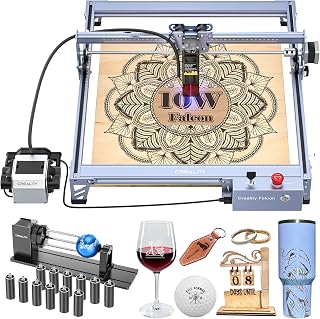 Creality 10W Laser EngraverCheck price on Amazon
 Genmitsu Laser Engraver Kortek 10W 10000mWCheck price on Amazon
 Creality Falcon 10W Laser EngraverCheck price on Amazon
 ATOMSTACK 10W Laser EngraverCheck price on Amazon
 Creality Laser Engraver Machine 10W Output PowerCheck price on Amazon
 Creality Falcon 10W Laser Engraver MachineCheck price on Amazon
LaserEngraveHQ earns a commission from purchases made through these links, at no extra cost to you. Read our affiliate disclosure.
In this guide, 10W and 20W refer strictly to optical output power, not electrical input draw. Always compare optical wattage when evaluating cutting capability, as wall draw reflects machine power consumption rather than laser beam energy.
Step 1: Understand optical output power versus electrical input draw
Optical wattage measures usable laser light delivered to the workpiece, while electrical power measures total wattage drawn from the wall outlet for motors, boards and fans. Read our guide on optical power vs electrical power for details.
Creality lists a 72000mW machine input power, also specified as 72W power, for its Falcon series while delivering 10W of optical output. Similarly, xTool lists 10000mW laser output for its 10W module. A 20W laser engraver draws higher wall power to drive multiple combined diodes, delivering 20W of optical output.
Step 2: Compare cutting depth and single-pass performance
Cutting capability highlights the difference between these power levels. Creality lists its 10W Falcon cutting 5mm basswood or 3mm black acrylic in one pass. LASER TREE lists its 10W module cutting 8mm plywood in one pass at 1.5mm/s with a 45mm focal length. Genmitsu lists its 10W Kortek cutting up to 10mm of wood and opaque acrylic. Longer claims its RAY5 10W cuts 20mm (0.8 inches) wood and 30mm (1.2 inches) acrylic, though without stating pass counts.
A 20W diode delivers higher optical energy to cut denser stock in fewer passes at higher speeds. See our guides on how thick can a 10W diode laser cut and how thick can a 20W diode laser cut.
Step 3: Compare engraving speed and job completion times
For surface engraving, a 10W laser achieves rapid traverse rates. Creality lists speeds up to 10,000mm/min on its 10W Falcon, Longer lists up to 24,000mm/min on RAY5, and LASER TREE lists up to 25,000mm/m, including surface marking on 304 stainless steel at 300mm/s.
However, dark engraving requires concentrated heat. A 10W head must slow down to burn dark lettering in hardwood, whereas a 20W module maintains higher travel speeds for deep burns. For light outlines, both run at similar speeds due to gantry limits, but 20W speeds up dark fills substantially.
Step 4: Compare beam spot size and fine detail precision
A 10W laser holds an edge in fine detail resolution. Diode lasers reach higher power by combining multiple diode beams. A 10W module combines fewer emitters, focusing down to a tighter spot. Creality lists a 0.06mm spot from a 6-lens array on its 10W Falcon, Longer specifies a 0.06×0.06mm spot, and Genmitsu lists ±0.01mm repeatability with 35mm motors on Kortek.
Combining additional diodes for 20W creates a slightly larger, rectangular focal spot. A 10W module yields crisper results for micro-text and photo engravings. Learn more in our guide on lines per inch in laser engraving.
Step 5: Compare safety, enclosures and ventilation demands
Both 10W and 20W lasers emit hazardous blue radiation. Always wear eyewear certified for optical density and wavelength matching your diode, as outlined in our laser safety glasses guide.
Safety configurations differ: xTool lists its M2 as an enclosed Class 1 machine, while Genmitsu lists Class 1 certification with tilt-stop and an emergency switch on Kortek 10W. Open frames like Creality Falcon and LASER TREE are Class 4 devices. Vaporizing thicker stock generates more smoke, so use an active pump from our laser air assist guide and an exhaust from our fume extractor guide. Never process PVC, vinyl, faux leather with PVC, polycarbonate or ABS due to toxic, corrosive gases.
Step 6: Assess workflow volume and workshop requirements
Workspace and project volume should drive your machine choice. Genmitsu lists its portable Kortek 10W with a 200x150mm area at 2.65 lbs (1.2 kg). LASER TREE offers 300x300mm, Longer RAY5 features 400x400mm (expandable to 850mm x 400mm), Creality Falcon provides 15.7 x 16.3 inches with a 500x500mm honeycomb panel, and xTool lists its enclosed M2 at 41.4 pounds.
Our overview of diode laser engravers explains desktop setups. If you make occasional gifts or coasters, 10W is plenty. For batch production of ornaments or craft kits, 20W cuts cycle times. Read how to choose a laser engraver for help selecting workspace gear.
Step 7: Decide whether 20W is worth it over 10W
Deciding whether is 20w worth it over 10w depends on your daily projects. For surface engraving, slate coasters, leather patches and occasional thin wood cutouts, a 10W laser engraver delivers ideal precision at lower cost.
Upgrading to 20W is worth the investment if you regularly cut plywood, MDF or dark acrylic. Higher optical power cuts thicker stock in fewer passes at faster speeds, reducing edge charring and saving substantial time on production batches.
Common mistakes to avoid
- Assuming electrical input (such as 72000mW or 72W) equals optical laser cutting power.
- Attempting to cut clear acrylic or transparent glass with a blue diode laser.
- Choosing 20W exclusively for photo engraving without considering beam spot enlargement.
- Operating open-frame Class 4 units without certified eye protection or ventilation.
- Processing hazardous materials like PVC, vinyl, polycarbonate or ABS.
- Cutting dense wood without air assist, causing charred edges.
10W vs 20W laser engraver: the short version
- A 10W diode laser has a smaller spot for fine detail and photo engraving.
- A 10W machine cuts thin wood and dark acrylic cleanly at modest speeds.
- A 20W diode laser cuts thicker sheet materials in fewer passes.
- A 20W machine speeds up dark raster fills and wood engraving.
- A 20W head has a slightly larger beam kerf than a 10W head.
- Choose 10W for detail work; upgrade to 20W for regular cutting and batch production.
FAQ: lasers and CNC
Can a 10W laser cut through plywood?
Yes. A 10W laser cuts craft plywood cleanly with air assist. Creality lists cutting 5mm basswood in one pass, while LASER TREE lists cutting 8mm plywood in one pass at 1.5mm/s with a 45mm focal length. Denser plywood requires multiple passes. See how thick can a 10W diode laser cut.
Can a 20W laser cut thicker acrylic than a 10W laser?
A 20W laser cuts dark acrylic in fewer passes. Creality lists cutting 3mm black acrylic in one pass, while Longer claims cutting up to 30mm acrylic without stating pass counts. Neither machine cuts clear acrylic, as blue diode light passes through transparent plastics. See can a diode laser cut acrylic.
Does a 20W laser engraver engrave faster than a 10W laser?
A 20W laser engraver finishes dark wood burns faster because higher power delivers necessary energy at faster travel speeds. On light outlines, both operate at similar speeds due to gantry limits.
Can a 10W or 20W diode laser engrave metal?
Blue diode lasers cannot cut metal, but can mark coated metal, anodized aluminum and stainless steel. LASER TREE lists surface marking on 304 stainless steel at 300mm/s with 10W, and Genmitsu offers an optional 1W infrared module. Bare aluminum without an oxide layer cannot be marked. Read can a diode laser engrave metal.
Is a 10W laser better for photo engraving than a 20W laser?
Yes. A 10W module combines fewer diodes, achieving a smaller spot such as 0.06mm on Creality or 0.06×0.06mm on Longer. This tighter spot provides sharper resolution for photographic wood engravings.
Is 20W worth it over 10W for a beginner?
For hobbyists personalizing gifts and drinkware, 10W provides ample power on a budget. If you plan to sell layered signs, craft kits or cut thick stock, 20W prevents bottlenecks.
Related: the laser engraver hub, our guide to the best laser engraver for wood and our guide to the best laser engraver for small business.



