Where to Find Laser Cut Files and SVG Designs: A Practical Sourcing Guide
A practical guide to finding laser cut files and SVG designs across digital marketplaces, free vector libraries, community groups, and software catalogs.

On this page
Top picks at a glance
As an Amazon Associate I earn from qualifying purchases.
- 1
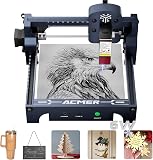 ACMER S1 6W Laser Engraver Machine9.5/10View on Amazon
- 2
 ACMER S1 Laser Engraver Machine9.4/10View on Amazon
- 3
 Artilume Laser Engraver 3000mW Laser Engraving Machine9.3/10View on Amazon
Knowing where to find laser cut files and svg designs comes down to several primary avenues: curated digital marketplaces, dedicated free vector repositories, laser manufacturer software libraries, and maker community forums. Reliable sources provide clean vector paths with closed outlines, clear commercial licensing terms, and proper layer separation for cutting, engraving, and scoring. Sourcing your cut files from reputable platforms saves time during vector cleanup and prevents ruined material at the laser bed.
LaserEngraveHQ earns a commission from purchases made through these links, at no extra cost to you. Read our affiliate disclosure.
Always inspect the licensing terms included with any vector download before producing items for sale. Free personal-use files often prohibit commercial physical products, while commercial licenses may still restrict sharing, distributing, or reselling the digital vector assets.
Step 1: Search commercial digital marketplaces for laser cut designs
Commercial digital marketplaces represent the most popular starting point when sourcing project plans, decorative items, and functional assemblies. Independent vector illustrators sell digital patterns across platforms such as Etsy, Design Bundles, Creative Fabrica, and dedicated designer storefronts. When building an engraving catalog, consulting the best selling laser engraved products on Etsy reveals the product styles that consistently attract buying interest.
Professional designers optimize files for laser cutters by organizing vector elements into distinct stroke colors and providing assembly guides. When browsing commercial listings, favor sellers who display photographs of finished, physically cut products rather than synthetic digital mockups. Physical samples confirm that the designer assembled the piece, verified tab joints, and proved the structural balance of the object.
Step 2: Download curated free vector files and community templates
When you want to practice cutting, build shop fixtures, or assemble basic enclosures, numerous websites offer curated collections of free laser files. Dedicated repositories such as MakerCase and Boxes.py provide algorithmic generators that produce finger-jointed boxes, sliding lids, and parametric enclosures based on the dimensions and material thickness you enter, compensating for kerf directly in the output file.
General vector archives such as FreePatternsArea and public maker repositories host decorative templates, silhouette artwork, and puzzle plans. Starting with utility jigs or decorative signage from these collections pairs well with the project suggestions in our guide to laser engraving projects for beginners. Always budget time to open free downloads in vector software to clean up line paths, close open nodes, and remove duplicate stacked vectors before cutting.
Step 3: Source ready designs from manufacturer software libraries
Proprietary software suites from machine makers, such as xTool Creative Space and Glowforge Print, feature curated project hubs with templates tailored to specific laser models. Independent control programs such as LightBurn offer art library managers that allow operators to store, catalog, and reuse design assets locally. For creators coordinating file artwork with hardware controllers, our guide to laser engraving software for beginners explains how to import and format these vector layouts effectively.
Community exchanges hosted within these software ecosystems allow operators to publish their own cut patterns with notes on focal heights and assembly order. Sourcing designs directly through machine software reduces format translation errors, though operators must still verify that the dimensions fit within the working area of their specific model.
Step 4: Check commercial licensing terms and usage rights
Acquiring a digital vector file does not automatically grant the legal right to sell items created with that artwork. Personal use agreements permit cutting items for private enjoyment, home decoration, or gifts, but forbid selling physical items. Commercial licenses allow you to produce and sell physical goods cut from the design, making them essential if you operate a workshop or sell crafts online. If you are equipping a commercial workspace to produce batch orders, our guide to the best laser engraver for small business covers machine selection for consistent production runs.
Even under commercial terms, designers almost universally prohibit redistributing, sharing, or reselling the digital design files themselves. Furthermore, public vector sites frequently host unauthorized silhouettes of copyrighted characters, corporate logos, and sports emblems. Cutting items bearing protected trademarks for retail sale exposes your business to infringement claims. Stick to original vector illustrations, licensed commercial typography, and royalty-free ornamental elements.
Step 5: Inspect vector paths and prepare designs for clean cutting
Once you download a digital design, opening and inspecting the artwork in vector editing software is essential before sending instructions to the laser. Cut files rely on vector graphics, where mathematical vectors define line coordinates. Our breakdown of laser engraver file types explains how vector formats differ from raster bitmaps during machine execution. If the design includes custom lettering, ensure all type has been converted to vector outlines rather than live text, following the principles in our guide to the best fonts for laser engraving.
Open the file in software such as Inkscape, Adobe Illustrator, CorelDRAW, or LightBurn to inspect the node structure. Look for unclosed paths, overlapping duplicate strokes that cause unnecessary burning, and stray anchor points. In standard laser workflows, assign distinct colors or layer settings for raster engraving, vector scoring, and vector cutting, ensuring internal cutout details process before outer borders so loose parts do not shift on the support bed.
Workshop safety remains paramount whenever you prepare new materials for cutting. Never cut PVC, vinyl, PVC-based faux leather, polycarbonate, or ABS with a laser system. These materials produce corrosive fumes, heavy soot, or toxic vapors that damage mechanical rails, optical lenses, and electronic components. In line with OSHA workshop ventilation standards, always operate an active exhaust system or certified fume extractor vented outdoors, wear safety glasses matched to your laser beam wavelength, and keep an appropriate fire extinguisher beside your workstation throughout every cutting session.
Common mistakes to avoid
- Skipping node inspection: Sending uninspected files directly to the laser can lead to double cuts along shared lines, burned edges, or incomplete cutouts.
- Ignoring material thickness variations: Downloading slotted patterns without measuring your actual sheet thickness leads to loose joints or failed assemblies.
- Using personal-use files for commercial sale: Selling physical products made from personal-use downloads violates designer copyright agreements.
- Trusting synthetic digital mockups: Purchasing designs illustrated only by computer renderings increases the risk of receiving unverified slot tabs.
- Cutting prohibited plastics: Placing prohibited materials such as PVC, vinyl, or polycarbonate under a laser beam damages equipment through corrosive vapors or heavy soot.
- Leaving the laser unattended: Cutting flammable materials such as wood and acrylic carries an inherent fire risk requiring continuous operator supervision.
Where to find laser cut files and svg designs: the short version
- Search commercial marketplaces for professionally prepared designs with verified assembly instructions and physical project photos.
- Explore online parametric generators and curated free vector repositories for utility boxes and basic project silhouettes.
- Browse integrated manufacturer software libraries for ready-to-run project templates pre-mapped to your machine settings.
- Review digital licensing agreements to ensure you hold commercial selling rights for finished physical products.
- Open vector files in design software to inspect nodes, close open paths, and eliminate duplicate vector strokes.
- Configure engraving fills, interior score marks, and perimeter cut paths to ensure internal cutout features process before outer borders.
FAQ: lasers and CNC
What is the difference between an SVG file and a cut file?
An SVG, or Scalable Vector Graphic, is a standardized file format that stores visual artwork as mathematical vector paths rather than fixed pixels. A cut file refers to any vector design organized specifically for cutting machines, featuring clean closed outlines, distinct operational layers, and proper kerf allowances. While cutting paths for lasers rely on vector formats such as SVG, DXF, or AI, decorative SVGs often require node cleanup and stroke reordering before they function properly as cut files.
Can I legally sell physical items made from free laser files?
You can legally sell physical items only if the creator explicitly includes a commercial license with the download. Many free repositories provide files under personal-use licenses or creative commons terms with non-commercial restrictions, which prohibit selling physical goods. Always check the accompanying license file or host terms before offering items for sale.
Why does my laser software fail to open certain SVG files?
Laser software can fail when opening SVG files that contain unsupported attributes, such as raster clipping masks, embedded bitmap textures, or live text fonts that have not been converted into vector curves. You can resolve most import errors by opening the file in a free editor like Inkscape, converting all text to paths, breaking apart compound paths, and saving as a standard SVG.
Which software programs can open and edit laser cut vector files?
Makers commonly use vector graphics software such as Inkscape, Adobe Illustrator, and CorelDRAW to create and edit vector cut files. Control suites like LightBurn also include robust vector creation and editing tools inside the machine interface, allowing you to modify slot widths, weld overlapping shapes, and assign layer colors.
Do laser cut files require adjustments for material thickness?
Slotted designs and interlocking boxes require careful adjustment for material thickness. Standard sheet materials like plywood and acrylic frequently deviate from nominal labeled thicknesses. If a digital design features slots intended for a specific sheet thickness, inserting a board of differing thickness causes joints to fit poorly. Always measure your stock sheet with calipers and adjust slot widths in software before cutting.
Where can I find free laser files for commercial use?
Parametric box generators such as MakerCase and Boxes.py allow commercial use of the utility patterns they generate. Additionally, community sections on manufacturer platforms and select independent designer blogs periodically publish promotional free vector files with commercial licenses included. Always confirm that license terms permit commercial physical production before manufacturing items for retail.
Related: our laser engraver hub, the best laser engraver for wood guide, and our directory of laser software.



