Sewing and Embroidery Machine for Beginners: What to Look For
A sewing and embroidery machine for beginners, judged on field size, built-in designs, hoops and software, with 4 machines compared.

On this page
Top picks at a glance
As an Amazon Associate I earn from qualifying purchases.
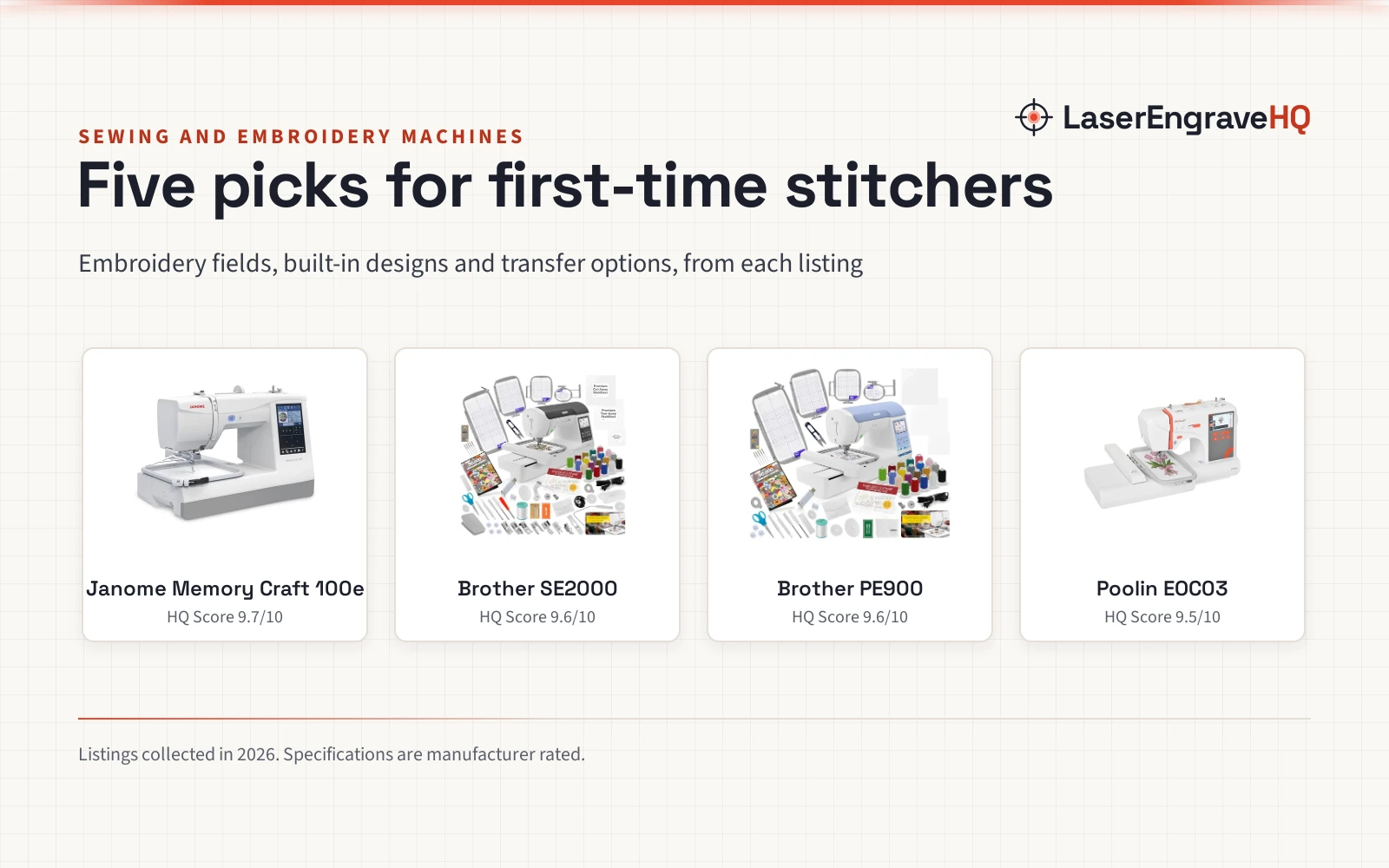
- 1
 Janome Memory Craft 1000 Embroidery Sewing Machine9.8/10View on Amazon
- 2
 Brother NQ3550W Sewing & Embroidery Machine9.7/10View on Amazon
- 3
 Brother SE2000 5" x 7" Combo Embroidery & Sewing9.6/10View on Amazon
- 4
 SINGER® Smart HD 9120™ Sewing Machine9.5/10View on Amazon
A new sewing project usually starts with a hem or a patch, and a sewing and embroidery machine for beginners turns that project into monograms, applique and gifts with names on them. A combo machine sews the seam and then embroiders the design in the same sitting, so a beginner learns a single machine for both jobs. The guide below sets out what to look for, then the machines that fit a beginner.
LaserEngraveHQ earns a commission from purchases made through these links, at no extra cost to you. Read our affiliate disclosure.
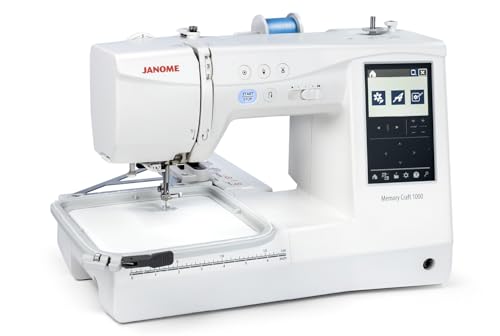
Janome Memory Craft 1000 Embroidery Sewing Machine
A computerized combo for a maker who wants garment sewing and embroidery from one machine, and a skip for anyone who wants wireless file transfer.
Pros
- 300 stitches, 241 designs and 12 one-step buttonholes.
- 3 fonts for monogramming and lettering.
- Optical bobbin monitoring and automatic thread cutting.
- Easy hoop tightening with a lever-based two-stage system.
Cons
- No wireless connection is stated.
- Embroidery field is smaller than the Smartstitch field.
- No USB file transfer is stated.
- 3.5 inch screen is smaller than the Smartstitch 7 inch screen.
Brother NQ3550W Sewing & Embroidery Machine
A sewing and embroidery combo with a 6 x 10 in embroidery field, 258 built-in designs, 291 stitches and a magnetic hoop, with wireless and a full-color touchscreen.
Pros
- Largest embroidery field here at 6 x 10 in
- 258 built-in designs plus 800+ with the BES Blue software
- 199 built-in digitized fonts
- Magnetic 5 x 7 in hoop with 6 magnets, for materials up to 2MM thick
Cons
- No warranty term is stated
- Heaviest here at 28.0 lb
- 800+ designs need the BES Blue software, not the machine alone
- No stitch speed is stated
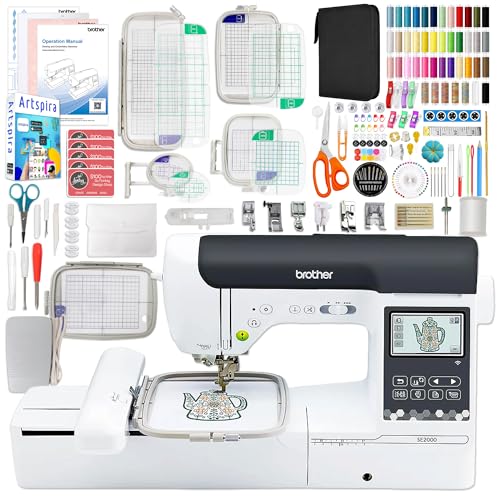
Brother SE2000 5" x 7" Combo Embroidery & Sewing
A 5 x 7 in sewing and embroidery combo with a 5-piece hoop set, 135 built-in designs, 103 stitches and a 230+ piece accessory kit, with wireless and the Artspira app.
Pros
- 5-piece hoop set: 5 x 7 in (2x), 12 x 5 in, 4 x 4 in, 1 x 2.5 in
- 230+ piece accessory kit in the bundle
- 135 built-in designs and 103 stitches
- Wireless LAN with Artspira app and iBroidery
Cons
- No warranty term is stated
- Smaller field than the NQ3550W at 5 x 7 in
- Smaller screen at 3.2 x 1.8 in
- No magnetic hoop is stated
SINGER® Smart HD 9120™ Sewing Machine
An app-controlled sewing machine with 200+ stitches and an optional embroidery attachment.
Pros
- 200+ stitches with app preview and adjustment
- Built-in needle threader and drop and sew bobbin
- Speed control lever and start and stop button
- Eco Mode sleep after 20 minutes of inactivity
Cons
- Embroidery attachment sold separately, not included
- No buttonhole count is stated
- Warranty term is 1 year, shorter than the 25-year listings
- No extension table is stated
Sewing and embroidery machine for beginners: what to look for
The embroidery field, the built-in designs and stitches, the hoop set, and the screen and software decide the machine. The field sets the largest design the machine can stitch in one hooping, the designs and stitches set what it can make without a computer, and the hoop set decides how many sizes it covers out of the box.
Start with the field. The machines here state 6 x 10 in, 5 x 7 in and 5.5 x 5.5 in fields, and a larger field takes larger designs like jacket backs without re-hooping. Then check the screen: a full-color touchscreen shows the design where it will stitch, and on-screen editing positions, rotates, reflects and traces it before the needle drops.
Designs, stitches and fonts on board
Built-in designs are the library that comes with the machine. The NQ3550W lists 258 built-in designs plus 800+ more with the BES Blue software, and 199 built-in digitized fonts for lettering. The SE2000 lists 135 built-in designs, and the Janome lists 241 designs with 300 built-in stitches. The SINGER lists 200+ stitches, and the SE2000 lists 103 stitches against the NQ3550W’s 291.
Count the designs against the projects in mind. A beginner who wants lettering needs the fonts, and a beginner who wants ready designs needs the built-in library. The SE2000 bundle adds 500 Sofontsy designs on cards, each card good for up to 30+ designs, for a beginner who wants a wider library from the start.
Hoops, software and the extras
Hoops decide what fits under the needle. The NQ3550W includes a magnetic 5 x 7 in hoop with 6 magnets for materials up to 2MM thick, plus embroidery frames in 10 x 6 in and 5 x 7 in. The SE2000 bundle includes a 5-piece hoop set: 5 x 7 in twice, then 12 x 5 in, 4 x 4 in and 1 x 2.5 in. The Janome lists an easy hoop tightening system and a 5.5 x 5.5 in max area.
Software and wireless decide how designs reach the machine. The NQ3550W includes BES Blue software with wireless, and the SE2000 runs wireless with the Artspira app and iBroidery. Programmed thread trimming on the NQ3550W cuts jump stitches and both threads at the end of each color, so a beginner spends less time trimming by hand.
The machines for the job
Each machine below handles a part of the first-timer’s job, from the largest field and fullest library to the widest hoop set and the app-controlled SINGER, so match the machine to the projects in mind.
Common mistakes to avoid
- Buying the biggest field before knowing which projects need it.
- Forgetting the hoop sizes when the project is larger than the field.
- Skipping the manual and the quick-start guides in the box.
- Ordering designs before checking what the machine already holds.
- Judging a combo by stitch count alone, without checking the embroidery field.
Sewing and embroidery machine for beginners: the short version
- Pick the field for the largest design in mind: 6 x 10 in, 5 x 7 in or 5.5 x 5.5 in here.
- Count the built-in designs, stitches and fonts.
- Check the hoop set and the screen.
- Match the machine to the projects, then learn it on a practice piece.
FAQ: lasers and CNC
What embroidery field size does a beginner need?
The machines here state 6 x 10 in, 5 x 7 in and 5.5 x 5.5 in fields. A larger field takes larger designs in one hooping, like jacket backs on the 6 x 10 in field, while a 5 x 7 in field covers monograms and small patches. Pick the field for the largest design in mind.
How many built-in designs do these machines hold?
The NQ3550W lists 258 built-in designs plus 800+ with the BES Blue software, the SE2000 lists 135, and the Janome lists 241. The SINGER title states 200+ stitches rather than a design count. Count the library against the projects in mind before buying.
Do these machines cut jump stitches by themselves?
The NQ3550W lists programmed thread trimming that cuts jump stitches and both threads at the end of each color. The other listings state no thread trimming, so check the listing for the machine in mind.
What comes in the box with a combo machine?
The NQ3550W includes feet, needles, bobbins, a knee lifter and embroidery frames in 10 x 6 in and 5 x 7 in. The SE2000 bundle adds a 230+ piece accessory kit with a 5-piece hoop set. The Janome and SINGER listings give only the title, so their boxes are not stated.
Can a beginner use a sewing and embroidery combo?
Yes. The NQ3550W and SINGER titles call their machines beginner friendly, and both Brothers run wireless and have touchscreens. Start with the quick-start guides in the box and a practice piece before the first real project.
Related: the sewing and embroidery machine hub, best beginner embroidery machine, best computerized embroidery machine and best magnetic hoop for embroidery machine.