Cricut EasyPress vs Heat Press: Which One Should You Buy?
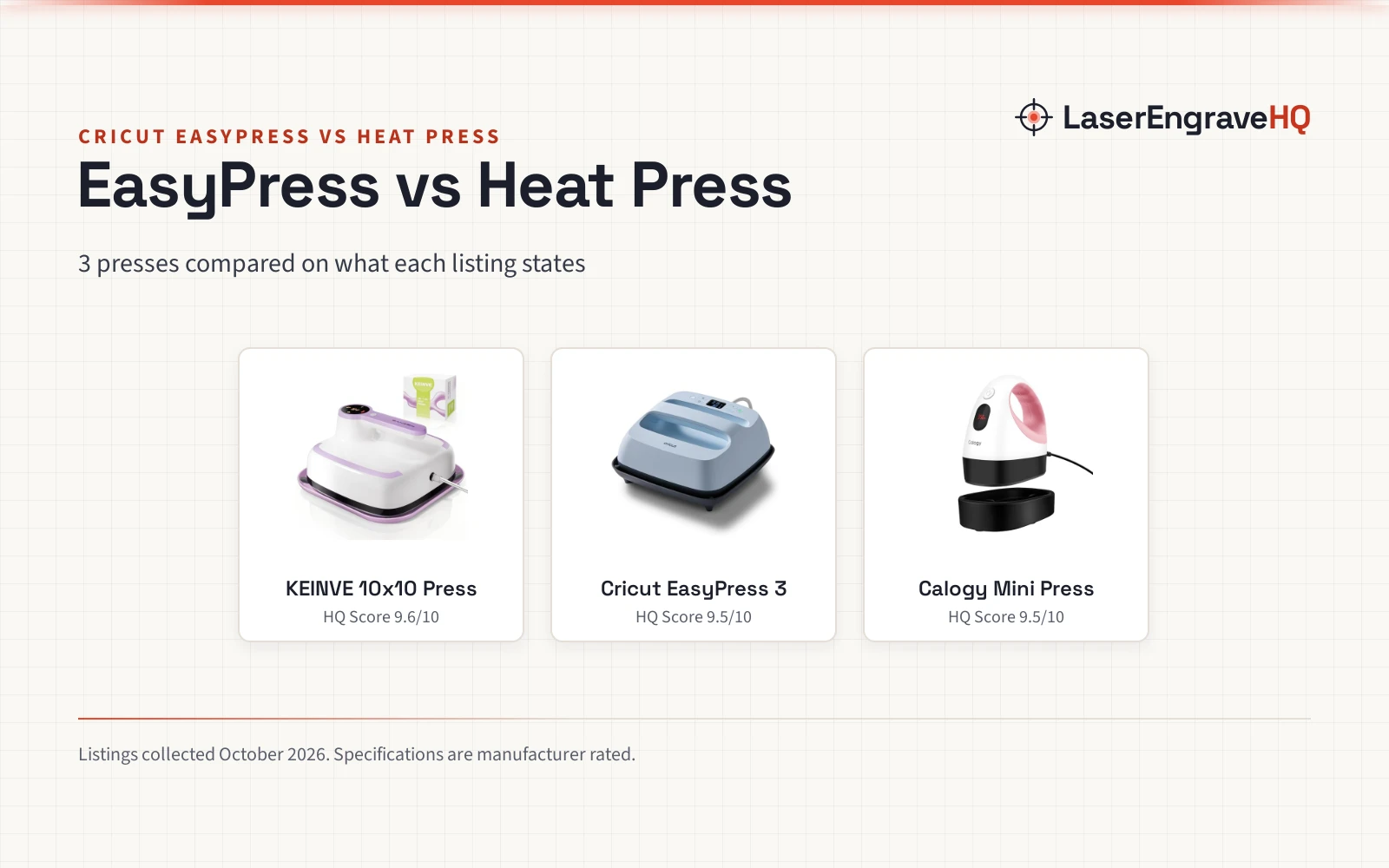
A Cricut EasyPress example and two heat press examples compared by plate size, temperature control, timer, safety shut-off and warranty, with listing gaps marked.

On this page
A maker pressing shirts, tote bags and pillowcases for a small shop faces a simple choice between a guided press and a general press. The cricut easypress vs heat press question turns on control, plate size and safety features, not on brand alone. The listings below show where each side states its case clearly and where a listing leaves a figure out.
As an Amazon Associate I earn from qualifying purchases. LaserEngraveHQ earns a commission from purchases made through these links, at no extra cost to you. Read our affiliate disclosure.
Verdict: pick the Cricut EasyPress example for app control and a stated top temperature. Pick a heat press example for auto shut-off, with the KEINVE example for a timer and larger plates and the Calogy example for small items. Neither side wins on every stated figure.
Machines on the list
| # | Product | HQ Score | Buy |
|---|---|---|---|
| 1 |  KEINVE 10"x10" Heat Press Machine | 9.6/10 | Buy on Amazon |
| 2 |  Cricut EasyPress® 3-9 in x 9 in | 9.5/10 | Buy on Amazon |
| 3 |  Calogy Mini Heat Press, Heat Transfer Machine | 9.5/10 | Buy on Amazon |
KEINVE 10"x10" Heat Press Machine
Heat press with a 10 x 10 inch plate, a built-in timer and LED display, and auto shut-off after more than 10 minutes idle, listed for clothes and bags.
Pros
- 10"x10" plate for T-shirts, blankets, tote bags and pillowcases
- Built-in timer and LED display for press accuracy
- Auto shut-off after more than 10 minutes idle, with overheat protection
- 1 Year warranty stated
Cons
- No top temperature figure is stated
- Spec table lists 8.0 x 8.0 x 3.0 inches while the title and bullets state a 10"x10" plate
- No app or Bluetooth control is stated
- Even results rely on moving the press back and forth like ironing, per the listing
Cricut EasyPress® 3-9 in x 9 in
EasyPress with a 9 in x 9 in ceramic-coated plate, Bluetooth connection to the Cricut Heat app, and temperature control up to 400℉ (205°C), for T-shirts, tote bags, pillows and aprons.
Pros
- Temperature control up to 400℉ (205°C)
- Bluetooth connection to the Cricut Heat app
- Ceramic-coated heat plate
- Compatible with iron-on (HTV), Infusible Ink and sublimation products
Cons
- No auto shut-off or timer is stated
- No insulated safety base is stated
- Plate size is 9 in x 9 in, smaller than the KEINVE example plate
- Machine size of 14.41 inches x 13.46 inches x 7.83 Inches needs storage space
Calogy Mini Heat Press, Heat Transfer Machine
Mini heat press with a 2.87 x 4.43 inch plate, 3 temperature levels, an insulated safety base and auto power off after 15 mins of inactivity, for small or unique projects.
Pros
- 3 temperature levels from 284 ℉ to 356 ℉
- Auto power off in 15 mins of inactivity, with an insulated safety base
- LED display showing real-time temp, with ℃ / ℉ switching
- Mini size for unusually small or unique projects, including hats, caps, masks and socks
Cons
- No concrete warranty term is stated
- No timer is stated
- Heat plate of 2.87 x 4.43 inches, the smallest plate here
- 1 button control needs repeated presses to adjust temp or switch units
Side by side: Cricut EasyPress vs heat press
| Spec | KEINVE 10×10 Press | Cricut EasyPress 3 | Calogy Mini Press |
|---|---|---|---|
| HQ Score | 76 | 67 | 63 |
| Plate | 10″x10″ heat plate | 9 in x 9 in ceramic-coated plate | 2.87 x 4.43 inch heat plate |
| Temperature control | Temp/Time button; no top figure stated | Precise control up to 400℉ (205°C) | 3 levels: 284 ℉, 320 ℉, 356 ℉ |
| Timer | Built-in timer and LED display | Not stated | Not stated |
| Auto shut-off | After more than 10 minutes idle | Not stated | In 15 mins of inactivity |
| App or Bluetooth | Not stated | Bluetooth to Cricut Heat app | Not stated |
| Materials | Most HTV | Iron-on (HTV), Infusible Ink, sublimation | Heat transfer projects |
| Listed uses | Clothes and bags | T-shirts, tote bags, pillows, aprons | T-shirts, hats, bags, masks, socks |
| Warranty | 1 Year | 1 Year | Not stated |
Specifications are manufacturer rated, as published on each listing and collected 3 November 2026.
Plate size and projects
The KEINVE example plate measures 10″x10″, listed for T-shirts, blankets, tote bags and pillowcases. The Cricut example plate measures 9 in x 9 in, listed for basic T-shirts, tote bags, pillows and aprons. The Calogy example plate measures 2.87 x 4.43 inches, listed for unusually small or unique projects.
Temperature control
The Cricut example lists precise temperature control up to 400℉ (205°C). The Calogy example lists 3 levels: Low 284 ℉, Medium 320 ℉ and High 356 ℉. The KEINVE example lists a Temp/Time button with + / – buttons and states no top temperature figure. A top-temperature comparison with the KEINVE example stays unclear, since that figure is not stated for it.
Timer and safety shut-off
The KEINVE example lists a built-in timer and auto shut-off after more than 10 minutes idle, with overheat protection. The Calogy example lists auto power off in 15 mins of inactivity and an insulated safety base. The Cricut example states no timer and no auto shut-off. For shut-off, both heat press examples state a figure and the Cricut example states none; for a timer, only the KEINVE example states one.
Software and ecosystem
The Cricut example connects to the Cricut Heat app via Bluetooth connection. The KEINVE example uses a Temp/Time button with + / – buttons and a Start light that turns green when ready. The Calogy example uses only 1 button for temp, unit, power on and power off.
Support and warranty
The Cricut example states a 1 Year Warranty Against Manufacturer Defects. The KEINVE example states a 1 Year warranty. The Calogy listing gives no concrete warranty term. The KEINVE example also lists friendly support for issues.
Choose the Cricut EasyPress if
- You want app control through the Cricut Heat app.
- You want a stated top temperature of 400℉ (205°C).
- You press HTV, Infusible Ink and sublimation products.
Choose a heat press if
- You want auto shut-off, and a built-in timer as listed for the KEINVE example.
- You want a larger plate, such as the KEINVE example plate.
- You press small or unique items, such as the Calogy example plate.
For more options, see heat presses and sublimation and craft machines.
Stay with the press while it runs and let the plate cool before packing it away. Auto shut-off is listed for the Calogy and KEINVE examples, not for the Cricut example.
Project Match
- T-shirts and tote bags: the Cricut and KEINVE examples list both.
- Blankets and pillowcases: the KEINVE example lists blankets and pillowcases.
- Hats, caps, masks and socks: the Calogy example lists hats, caps, masks and socks for small or unique projects.
- Pillows and aprons: the Cricut example lists pillows and aprons.
FAQ: lasers and CNC
Is a Cricut EasyPress a heat press?
The Cricut example is listed as an EasyPress with app control, while the Calogy and KEINVE examples are listed as heat presses with button controls.
Which press here lists a timer?
The KEINVE example lists a built-in timer and LED display. The Cricut and Calogy examples state no timer.
Which press here lists the largest plate?
The KEINVE example plate measures 10″x10″. The Cricut example plate measures 9 in x 9 in. The Calogy example plate measures 2.87 x 4.43 inches.
Do these presses list auto shut-off?
The KEINVE example lists auto shut-off after more than 10 minutes idle. The Calogy example lists auto power off in 15 mins of inactivity. The Cricut example states no auto shut-off figure.
Related: clamshell vs swing-away heat press, heat press vs iron, best T-shirt heat press machine and sublimation vs heat transfer vinyl.