Creality Falcon2 Pro Review: Pros, Cons and Who It Is For
A research-based look at the Creality Falcon2 Pro S, a 40W enclosed desktop diode laser: what the specs mean, who it suits, and who should skip it.

On this page
Top picks at a glance
As an Amazon Associate I earn from qualifying purchases.
- 1
 Creality Falcon2 Pro S 22W Laser Engraver9.6/10View on Amazon
- 2
 Creality Falcon2 Pro S 40W Enclosed Diode Laser Cutter and9.4/10View on Amazon
- 3
 Creality Falcon 2 Pro S 22 Laser Engraver with Air Assist9.6/10View on Amazon
- 4
 Creality Falcon A1 Pro 20W Laser EngraverView on Amazon
- 5
 Creality 10W Laser EngraverView on Amazon
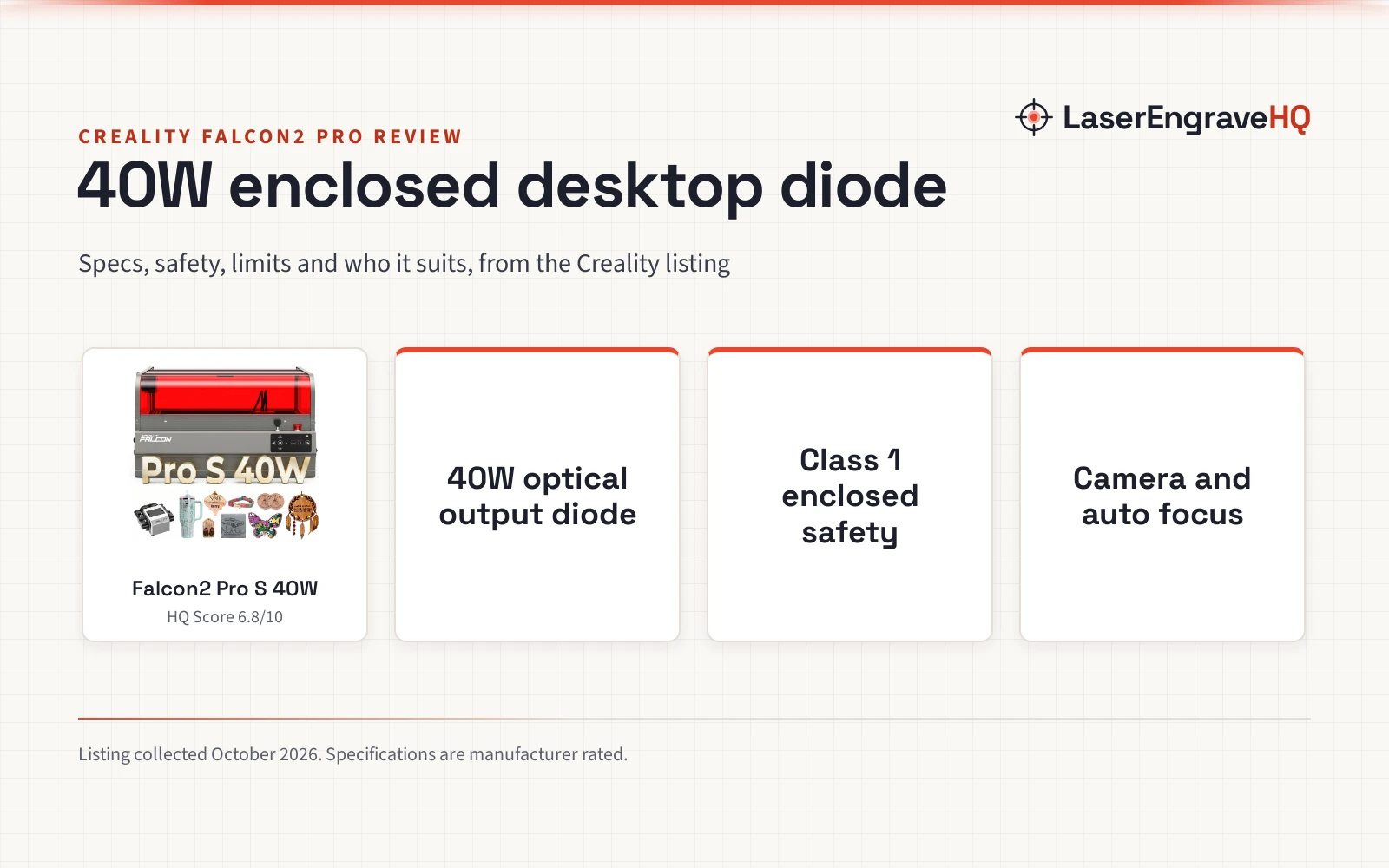
This Creality Falcon2 Pro review examines an enclosed 40W desktop diode laser cutter built for makers who want workshop-grade cutting power inside a protective enclosure. It pairs a 40W optical output diode with Class 1 safety, an integrated camera, and Z-axis auto focus, making it a capable tool for small production runs. We have not used the machine ourselves; this review is based on Creality’s Amazon listing and the specs Creality publishes there.
LaserEngraveHQ earns a commission from purchases made through these links, at no extra cost to you. Read our affiliate disclosure.

Creality Falcon2 Pro S 40W Enclosed Diode Laser
A 40W enclosed diode laser with Class 1 safety, integrated camera positioning, Z-axis auto focus, air assist, and a slide-out drawer.
Pros
- 40W optical output with rated 600 mm/s speed for batch production
- Class 1 fully enclosed metal frame with five stated safety protections
- Built-in camera and Z-axis auto focus for positioning blanks
- Includes air assist and a pull-out debris drawer for easier cleaning
Cons
- No warranty term is stated on the listing
- Work area and machine dimensions are not stated on the listing
- Diode light will not cut clear or blue acrylic
- High 240000mW electrical power draw requires a dedicated outlet
Other machines to compare
 Creality Falcon A1 Pro 20W Laser EngraverCheck price on Amazon
 Creality 10W Laser EngraverCheck price on Amazon
Creality Falcon2 Pro review: the short verdict
The Falcon2 Pro S 40W sits in a distinct niche among desktop diode cutters. Most desktop diode engravers ship as open-frame gantries that operate as Class 4 devices, requiring eye protection for everyone in the room and separate fume management. Creality builds the Falcon2 Pro S as an integrated desktop unit with a full metal frame, transparent protective cover, and Class 1 safety certification. Its 40W optical output delivers substantial cutting capability on wood and opaque acrylic, supported by a rated speed of up to 600 mm/s and bundled air assist.
For small workshops and home studios, the built-in camera and Z-axis auto focus solve real workflow bottlenecks. You can position artwork directly over material blanks using a live USB computer preview without manual measuring. However, the listing leaves several basic specifications unstated: it omits the work area dimensions in millimeters or inches, does not publish exterior dimensions or weight, and provides no warranty term. Buyers who need verified bed dimensions before purchasing should note these gaps.
Key specs
| Spec | Falcon2 Pro S 40W | Feature Type | Notes |
|---|---|---|---|
| Laser source | 40W optical output diode | Laser module | High-power diode module for cutting |
| Machine power | Up to 240000mW | Electrical input | High power draw requires dedicated circuit |
| Laser safety class | Class 1 certified | Enclosure safety | Fully enclosed structure with protective viewing window |
| Work area | Not stated | Cutting bed | Listing omits bed dimensions in mm and inches |
| Rated speed | Up to 600 mm/s | Speed | Manufacturer rated maximum movement speed; deep cutting runs much slower |
| Stated cutting depth | 20 mm basswood, 30 mm black acrylic, 0.1 mm thin metal | Cutting limits | Manufacturer rated one-pass depths; 30 mm claim specifies black acrylic |
| Camera system | Built-in camera in shield | Alignment | USB connection to computer for overhead positioning preview |
| Focus system | Z-Axis auto focus | Automation | One-key focal height adjustment |
| Safety protections | Five features | Hardware safety | Flame detector, dual limit switches, safety lock, e-stop, laser cover |
| Air assist | Air assist included | Cut quality | Blows smoke and debris away from the cut line |
| Debris cleanup | Built-in debris drawer | Maintenance | Pull-out tray collects fallout during operation |
| Assembly claim | 80% pre-assembled, 10-minute setup | Setup | Shipped mostly assembled for rapid setup |
| Warranty | Not stated | Support | No warranty term stated on the listing |
Specifications are manufacturer rated, as published on the Creality listing and collected 10 October 2026. Creality lists the diode output as 40W optical output and machine power as up to 240000mW, so the 40W figure is optical output power, while 240000mW reflects total electrical machine power draw.
The machine
What the Falcon2 Pro does well
40W optical output and cutting depth
The core selling point of this machine is optical power. A 40W optical output module represents the high-power tier for desktop diode cutters, offering serious material penetration. The listing claims one-pass cutting through 20mm basswood, 30mm black acrylic, and 0.1mm thin metal sheets. It also features auto cut through path compensation and a maximum rated speed up to 600 mm/s for engraving and travel. For craft businesses producing wooden decor, layered signs, or acrylic goods, 40W optical output cuts substantially faster than lower-power diodes.
Class 1 enclosed safety
Safety containment is the most important structural feature of the Falcon2 Pro S. Creality surrounds the gantry with a fully enclosed metal structure and a fireproof fiber cover, paired with a transparent viewing window. The listing specifies Class 1 certification alongside five distinct safety features: a flame detector, dual wire limit switches, a safety lock, an emergency stop button, and a laser detection cover. This enclosure contains smoke so it can be vented out through an exhaust port, reduces operating noise, and protects operators from stray laser radiation during ordinary cutting jobs.
Camera alignment and auto focus
Aligning designs on irregular blanks is one of the most tedious workshop chores. Creality mounts a camera above the center of the workspace inside the protective shield. Connected to a computer via USB, the camera provides an overhead preview so users can position graphics directly onto blanks on screen. Coupled with Z-axis auto focus and one-key control, the system eliminates manual focal height adjustments and reduces alignment scrap.
Air assist and debris management
High-power laser cutting produces charred edges and smoke residue unless assisted by positive airflow. The Falcon2 Pro S includes air assist to blow combustion gases and charred debris away from the laser focus point. Below the cutting surface, a built-in metal debris drawer catches cut pieces and fallout during operation. Operators can pull the drawer out and empty it quickly, keeping the enclosed chassis clean and reducing maintenance downtime.
Limitations
- Bed dimensions not stated. The listing describes a large workspace for batch processing, but never specifies the actual work area in millimeters or inches. Buyers cannot verify whether a standard plywood sheet fits without asking the seller directly.
- No warranty stated. The Amazon listing does not publish a warranty period. Because high-power diode modules and power supplies represent significant investments, buyers should clarify warranty terms before purchasing.
- Acrylic color restrictions. Diode lasers emit blue light, which passes straight through clear, colorless, and blue acrylic without being absorbed. Those materials require a CO2 laser. Creality’s 30mm acrylic cut rating is stated specifically for black acrylic, which absorbs the blue wavelength effectively.
- Heavy electrical power draw. Creality lists machine power at up to 240000mW. That electrical consumption means the unit draws notable wattage and should run on a stable, dedicated workshop power outlet.
- Thin metal claims. The listing rates cutting at 0.1mm thin metal sheets. That thickness describes ultra-thin metal foil, not structural plate. Makers seeking to fabricate metal parts need a fiber laser or mechanical CNC router.
Which Falcon2 Pro version to buy
Creality offers several models across its Falcon family, ranging from lower-power open-frame units to high-power enclosed machines. The 40W Falcon2 Pro S reviewed here is built specifically for users who prioritize deep cutting, faster batch speeds, and built-in enclosure safety. If your workload consists purely of light surface engraving on soft timber or card, a lower-power module will accomplish the task while saving money. If you regularly cut thicker basswood sheets or dark acrylic panels, the 40W optical output is well worth the step up.
Falcon2 Pro S vs open-frame Falcon2
The standard Falcon2 is an open-frame diode engraver. Open-frame models leave the moving laser gantry exposed, meaning everyone inside the room must wear protective eyewear, and the operator must supply an external ventilation tent or ducting shroud to manage fumes. The Falcon2 Pro S upgrades this concept into a fully integrated Class 1 desktop appliance. With its full metal chassis, fireproof enclosure, transparent viewing lid, emergency stop, and interlock safety features, it provides a much cleaner, enclosed workshop setup that contains fumes for external extraction.
Who should buy it, and who should skip it
Buy it if you want a powerful 40W optical output diode cutter inside a factory-built Class 1 enclosure, value camera positioning and Z-axis auto focus for batch jobs, and need clean cutting on wood and dark acrylic without building a separate enclosure box.
Skip it if you need a confirmed work area size before buying, plan to cut clear or blue acrylic, require heavy metal cutting, or want a formal warranty term published on the listing. A fully enclosed laser engraver with published bed dimensions or a CO2 laser cutter for home use will serve those jobs better.
Alternatives
Shoppers considering enclosed desktop machines should review our roundup of the best enclosed laser engraver models to compare footprint and stated work areas. If your projects rely heavily on clear acrylic, glass, or stone cutting, see our diode vs CO2 laser comparison. Craft sellers scaling commercial production can check the best laser engraver for small business guide, while anyone purchasing a cutting tool should consult how to choose a laser engraver.
The Falcon2 Pro S listing states Class 1 certification with an integrated enclosure, flame detection, dual limit switches, and safety interlocks. When servicing the unit or if operating with the enclosure open, diode radiation presents severe eye risks. Always wear certified laser protective glasses matched to diode laser wavelengths. Laser cutting wood and acrylic produces airborne particulates and smoke; always vent exhaust outside or through a dedicated fume purifier. Never cut PVC, vinyl, ABS, or polycarbonate, as these materials release hazardous chlorine gas and corrosive fumes. Review FDA (CDRH) laser safety standards and OSHA workshop guidance before operating.
FAQ: lasers and CNC
What are the Creality Falcon2 Pro specs?
The Creality Falcon2 Pro S listing states a 40W optical output diode laser, 240000mW machine power, rated speed up to 600 mm/s, Class 1 safety certification, a built-in camera, Z-axis auto focus, and bundled air assist. Work area dimensions are not stated on the listing.
Is the Creality Falcon2 Pro a Class 1 laser?
Yes. The listing states Class 1 certification. It incorporates a fully enclosed metal chassis, fireproof fiber cover, transparent viewing window, flame detector, dual wire limit switches, safety lock, emergency stop button, and laser detection cover.
Can the Creality Falcon2 Pro cut metal?
The listing claims one-pass cutting on 0.1mm thin metal sheets. This applies only to extremely thin foil. Diode lasers cannot cut structural sheet metal, steel plate, or thick aluminum.
Can the Falcon2 Pro cut clear acrylic?
No. Diode laser beams pass directly through clear, colorless, and blue acrylic without being absorbed. Cutting clear acrylic requires a CO2 laser. Creality’s 30mm acrylic cutting claim is specified exclusively for black acrylic, which absorbs the blue diode beam.
What is the work area of the Falcon2 Pro S?
The Amazon listing does not state the work area dimensions in millimeters or inches. While it advertises a large workspace for batch positioning, Creality omits the exact cutting bed measurements from the listing specifications.
Related: the laser engraver hub, the diode laser hub and fume extractors.