Can Cooler Sublimation: Blanks and Supplies Guide
Can cooler sublimation turns a blank can cooler into a printed gift. This guide covers blanks, press settings and the gear for each step.

On this page
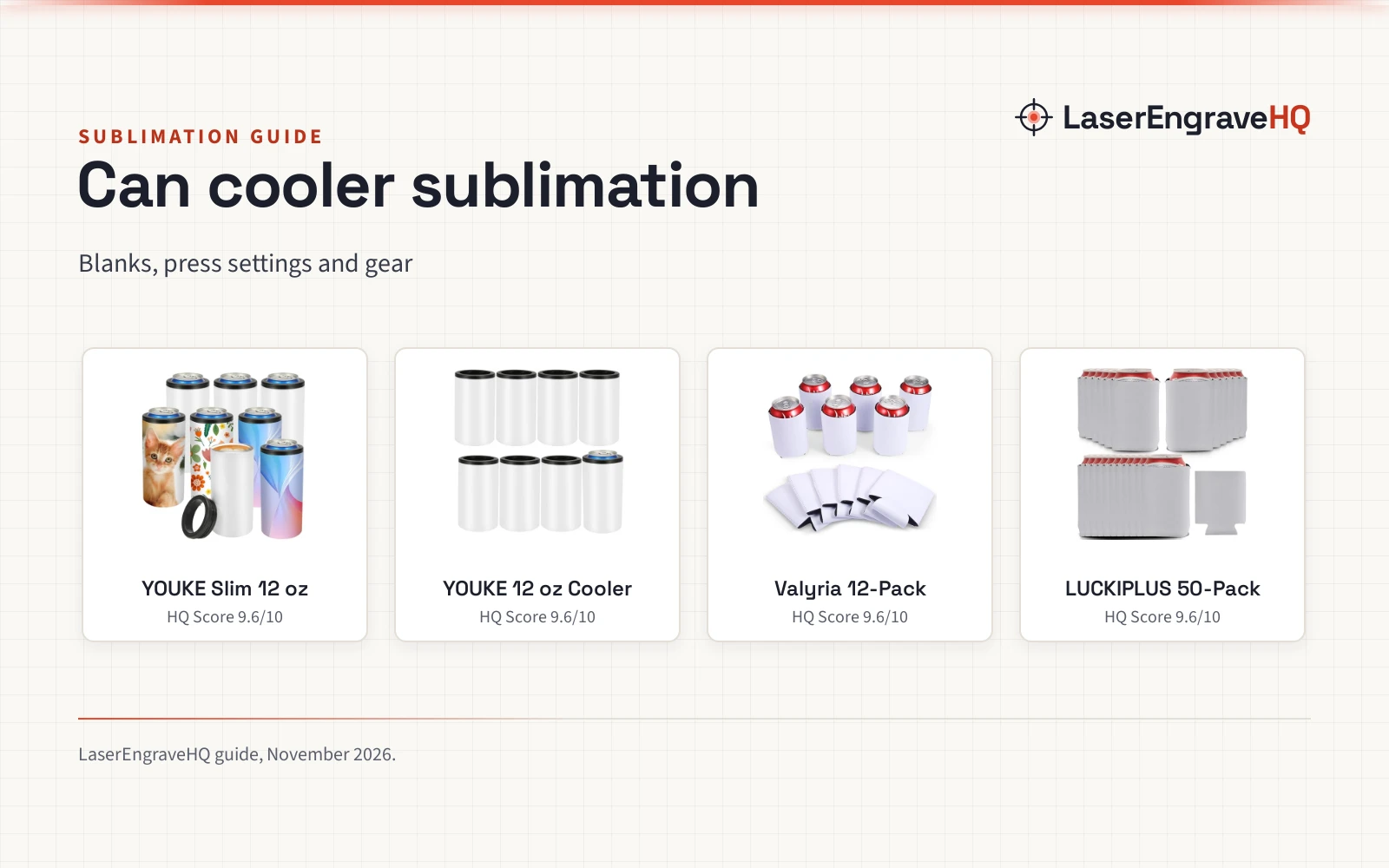
Top picks at a glance
As an Amazon Associate I earn from qualifying purchases.
- 1
 8 Pack Sublimation Slim Skinny Can Cooler Blank9.6/10View on Amazon
- 2
 8 Pack Sublimation Can Cooler Blank Sublimation9.6/10View on Amazon
- 3
 Sublimation Blanks Can Coolers9.6/10View on Amazon
- 4
 LUCKIPLUS Black Beer Can Coolers Neoprene Can9.6/10View on Amazon
Can cooler sublimation turns a blank stainless or neoprene can cooler into a printed gift with a heat press. You print the design, wrap it around the blank, press it with heat and time, and the heat transfers the ink onto the blank. This guide covers the blanks, the press settings the makers state, and the gear for each step.
LaserEngraveHQ earns a commission from purchases made through these links, at no extra cost to you. Read our affiliate disclosure.
8 Pack Sublimation Slim Skinny Can Cooler Blank
A stainless steel slim can cooler with a sublimation coating, ready for a mug press, that holds 12 oz skinny cans.
Pros
- Sublimation coating, ready for a mug press
- Double vacuum insulated and sweat-free
- Fits 12 oz skinny cans
- 8-pack with a stated 90-day warranty
Cons
- Does not fit Heineken slim cans
- Does not fit bottles
- No press time or temperature stated
- Slim cans only
8 Pack Sublimation Can Cooler Blank Sublimation
A stainless steel can cooler with a sublimation coating and a stated press setting of 356F for 60 seconds, that holds 12 oz cans.
Pros
- Sublimation coating, ready for a mug press
- Double vacuum insulated and sweat-free
- Press setting stated: 356F, 60 seconds
- 8-pack with a stated 30-day warranty
Cons
- 30-day warranty, shorter than the 90 days on the slim model
- White is the only color stated
- 8 pieces per pack, fewer than the 12- and 50-packs here
- Only one press setting stated
Sublimation Blanks Can Coolers
A 12-pack of neoprene sleeves in 4 colors with a stated press setting of 428F for 20 seconds, that fits 12 oz cans.
Pros
- 12 pieces in 4 colors
- Press setting stated: 428F for 20 seconds
- Neoprene body with tight side seams
- Folds flat for storage
Cons
- No warranty term is stated
- Soft neoprene sleeve, not a hard cooler
- 12-pack mixes 4 colors
- Only stated to fit most 12 oz cans
LUCKIPLUS Black Beer Can Coolers Neoprene Can
A 50-pack of blank 3 mm neoprene sleeves for iron-on personalizing, with stitched seams and a collapsible body.
Pros
- 3 mm neoprene with stitched seams
- 50-pack for batches and party favors
- Blank all around, including the bottom, for personalizing
- Collapsible for storage
Cons
- No warranty term is stated
- No press time or temperature stated
- Slight color differences between batches are stated
- No sublimation coating stated; use iron-on transfer
Step 1: Pick the right blank
Start with the can you want to cool: a slim skinny can needs a slim cooler and a standard can needs a standard cooler. Stainless steel coolers with a sublimation coating take a printed design in a mug press, while neoprene sleeves take a design with heat and fold for storage. Our craft machines hub lists the machines that handle these blanks.
Pack size matters once you sell: a small pack suits a first batch, a larger pack suits a party favor order. A white blank shows the design as printed, while a colored sleeve changes how light colors read.
Step 2: Set the press time and temperature
The makers state two press settings for these blanks. Valyria lists 220C (428F) for 20 seconds for its neoprene sleeves, and YOUKE lists 356F for 60 seconds for its standard stainless cooler. The slim YOUKE and the LUCKIPLUS sleeves (on Amazon) state no press setting, so do not borrow a setting from another blank; check the maker listing for the setting for that blank. A best mug heat press for sublimation holds a round blank evenly around its curve.
Set the press on a heat-proof surface, keep hands clear of the hot plates, and let the press cool before you move it. Never leave a hot press unattended.
Step 3: Press and cool
Print the design on sublimation paper, wrap it around the blank and press it for the time and temperature the maker lists. Use best heat press paper that fits your printer, and keep the design flat against the blank so the edges print evenly. Let the blank cool before you handle it, then check the print in good light.
The gear for can cooler sublimation
The blanks below cover the slim, standard and bulk sleeve cases, and the press settings come from the makers of the standard cooler and the Valyria sleeves (on Amazon).
Common mistakes to avoid
- Buying a slim cooler for a standard can.
- Pressing without a stated setting.
- Using a flat press on a round blank.
- Handling the blank before it cools.
- Ordering a mixed-color pack for one color.
Can cooler sublimation: the short version
- Match the blank to the can: slim or standard.
- Pick stainless with a coating or a neoprene sleeve.
- Use the press setting the maker lists.
- Wrap the design, press, then let the blank cool.
- Check the print before you pack the order.
FAQ: lasers and CNC
Can you sublimate on a can cooler?
Yes, if the cooler has a sublimation coating or a sleeve that takes heat transfer. Stainless coolers with a coating work in a mug press, and neoprene sleeves take a printed design with heat.
What temperature do you press a can cooler at?
It depends on the blank. Valyria lists 220C (428F) for 20 seconds for its neoprene sleeves, and YOUKE lists 356F for 60 seconds for its standard stainless cooler. Use the setting your blank’s maker lists.
Do you need a mug press for can cooler sublimation?
A mug press suits round blanks because it holds the design against the curve, and the YOUKE coolers are made for one.
Can you sublimate on neoprene can coolers?
The neoprene sleeves here are blanks made for personalizing with heat. Valyria lists a press setting of 220C (428F) for 20 seconds. LUCKIPLUS gives iron-on transfer as the way to personalize its sleeves.
What size can cooler fits a standard can?
A standard 12 oz can needs a standard cooler, such as the YOUKE 12 oz model, and a slim 12 oz can needs a slim cooler. Check the can size in the listing before you order.
Related: the craft machines hub, the best mug heat press for sublimation guide and the best blank stainless steel tumblers in bulk guide.