Best Thermal Transfer Printer (2026): 4 Picks for Shipping Labels
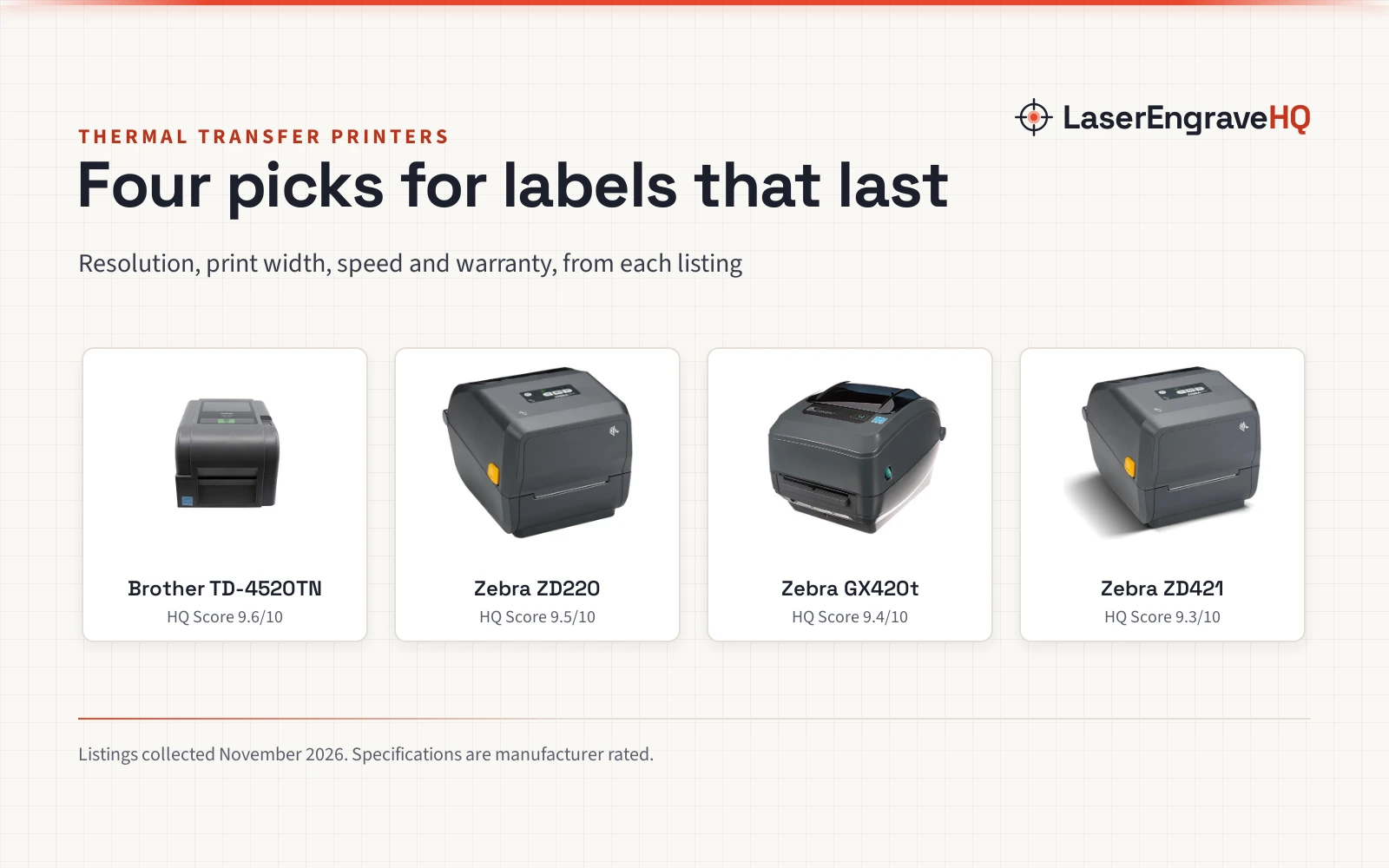
Four thermal transfer printers for shipping labels, barcodes and product tags, compared by resolution, print width, speed, connections and warranty.

On this page
Top picks at a glance
As an Amazon Associate I earn from qualifying purchases.
- 1
 Best OverallBrother TD-4520TN9.6/10View on Amazon
- 2
 Best for Shipping LabelsZebra ZD2209.5/10View on Amazon
- 3
 Best with a PeelerZebra GX420t9.4/10View on Amazon
- 4
 Best Basic PickZebra ZD4219.3/10View on Amazon
Shipping labels, barcode labels and product tags all start in the same place: a printer that turns a roll of labels into finished stock ready to stick, scan and ship. A best thermal transfer printer does that work with a ribbon and heat rather than ink, so the print stays readable through handling, storage and transit. This guide compares the printers below on the details that decide which one fits a small business: resolution, print width, print speed, connections and warranty.
LaserEngraveHQ earns a commission from purchases made through these links, at no extra cost to you. Read our affiliate disclosure.
Quick picks
- Best Overall Brother TD-4520TN: 300 dpi, up to 5 ips, USB, serial and Ethernet, and a 2-year Premier Limited Warranty. Check price on Amazon
- Best for Shipping Labels Zebra ZD220: Prints 4×6 shipping labels at 4 ips with 203 DPI and a single button for feed and pause. Check price on Amazon
- Best with a Peeler Zebra GX420t: A built-in peeler separates labels from the liner, with USB, serial and Ethernet and a 4-inch print width. Check price on Amazon
- Best Basic Pick Zebra ZD421: A 203 dpi desktop printer with a 4-inch print width and USB connectivity. Check price on Amazon
Machines on the list
Brother TD-4520TN Thermal Transfer Label Printer
A 300 dpi thermal transfer label printer with USB, serial and Ethernet connectivity, print speeds up to 5 ips and a 2-year Premier Limited Warranty.
Pros
- 300 dpi prints clean, crisp text and scannable barcodes
- Up to 5 ips print speed
- Ethernet LAN, USB, host USB and RS232C serial interfaces
- Prints from Windows, Mac and Linux computers
Cons
- No built-in label peeler is stated
- The 11.0 by 8.0 inch body needs a fixed desk spot
- No direct thermal mode is stated
- Buyers who print from a computer over USB may not need the serial and Ethernet interfaces
Zebra ZD220 Thermal Transfer Shipping Label
A compact thermal transfer printer for 4x6 shipping labels at 203 DPI and 4 ips, with USB connectivity, a single button for feed and pause, and a 2-year warranty.
Pros
- Prints 4x6 shipping labels at 4 ips with 203 DPI resolution
- Single LED indicator and single button for feed and pause
- Dual-wall frame built for busy retail, office or home office use
- Print DNA Basic software helps streamline label printing for order shipments
Cons
- USB only; no serial or Ethernet connection is stated
- No built-in label peeler is stated
- No direct thermal mode is stated
- The 4x6 label size suits shipping labels rather than large product tags
Zebra GX420t Thermal Transfer Label Printer
A renewed thermal transfer label printer with a built-in peeler, a 4-inch print width, 203 DPI resolution and USB, serial and Ethernet connectivity.
Pros
- Built-in peeler separates labels from the liner for high-volume labeling
- USB, serial and Ethernet connectivity for PCs, POS systems and warehouse workstations
- Prints barcode labels, shipping labels, asset tags, receipts and product identification labels
- Also supports direct thermal printing with compatible media
Cons
- Sold renewed rather than new
- The warranty covers 90 days
- The 14.3 by 10.4 inch body needs a fixed desk spot
- Buyers who print labels now and then may not need the built-in peeler
ZEBRA ZD421 Thermal Transfer Desktop Printer 203
A desktop thermal transfer printer with 203 dpi resolution, a 4-inch print width and USB connectivity.
Pros
- 203 dpi print resolution
- 4-inch print width
- USB connectivity
- Desktop printer from Zebra
Cons
- No warranty term is stated
- USB only; buyers who need Ethernet or serial should look at the Brother or GX420t picks
- No label peeler is stated
- Buyers who print shipping labels in volume may want the stated 4 ips of the ZD220
Other machines to compare
 ZEBRA ZD421 Thermal Transfer Desktop Printer 300 dpi PrintCheck price on Amazon
 Zebra Technologies ZT411 Thermal Transfer Industrial PrinterCheck price on Amazon
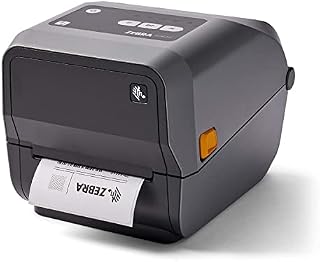 Zebra ZD620t Thermal Transfer Label PrinterCheck price on Amazon
 DETONGER DT5150P 300DPI Industrial Thermal Transfer LabelCheck price on Amazon
 JADENS Bluetooth Thermal Shipping Label PrinterCheck price on Amazon
 Labeer Bluetooth Thermal Shipping Label PrinterCheck price on Amazon
Specs compared
| Model | HQ Score | Resolution | Print width | Print speed | Connectivity | Warranty |
|---|---|---|---|---|---|---|
| Brother TD-4520TN | 9.6/10 | 300 dpi | Not stated | Up to 5 ips | USB, serial, Ethernet | 2 years |
| Zebra ZD220 | 9.5/10 | 203 DPI | 4-inch | 4 ips | USB | 2 years |
| Zebra GX420t | 9.4/10 | 203 DPI | 4-inch | Not stated | USB, serial, Ethernet | 90 days |
| Zebra ZD421 | 9.3/10 | 203 dpi | 4-inch | Not stated | USB | Not stated |
We give each product’s specs as its manufacturer rates them; listings read 20 November 2026. Print width is the widest label the maker states, and print speed is the rated speed where the maker states a speed.
How the picks are scored
Each printer is scored on performance, build, value, safety and warranty, with the weights published on the How We Pick page. A spec the listing does not publish scores nothing.
| Product | HQ Score | Perf. /35 | Build /25 | Value /25 | Safety /10 | Warranty /5 |
|---|---|---|---|---|---|---|
| Brother TD-4520TN | 9.6 | 32 | 21 | 20 | 0 | 3 |
| Zebra ZD220 | 9.5 | 28 | 20 | 21 | 0 | 3 |
| Zebra GX420t | 9.4 | 28 | 19 | 18 | 0 | 1 |
| Zebra ZD421 | 9.3 | 26 | 19 | 19 | 0 | 0 |
Point totals are scaled so the weakest reads 9.2 and the strongest 9.8, with everything between kept in order.
What the listings tell you, and what they leave out
Two of the listings state a 2-year warranty, and the GX420t lists a 90-day limited warranty. The ZD421 names no warranty term. Print speed is stated for two picks, the Brother at up to 5 ips and the ZD220 at 4 ips, and resolution is stated for every pick: 300 dpi for the Brother and 203 dpi for the Zebra picks.
Connectivity is the other gap: the Brother and the GX420t list USB, serial and Ethernet, while the ZD220 and the ZD421 list USB alone.
Condition is stated for the GX420t only: it is sold renewed, while the other listings do not state a condition. The 90-day warranty is the trade-off for the peeler and the connections.
Buying guide: choosing the best thermal transfer printer
Thermal transfer vs direct thermal
A thermal transfer printer prints with a ribbon and heat, which makes the print durable on labels that are handled, stored and shipped. A direct thermal printer prints on heat-sensitive media with no ribbon and no ink. The GX420t supports both modes with compatible media, so it covers barcode labels that need to last and receipts that do not.
Resolution and print speed
Resolution is measured in dpi, and it decides how fine the text and barcodes print: the Brother prints at 300 dpi, and the Zebra picks print at 203 dpi. Speed is measured in ips, or inches per second: the Brother is rated up to 5 ips and the ZD220 at 4 ips. For barcode labels that must scan reliably, resolution matters more than speed.
Print width and label size
Print width is the widest label a printer can print. The GX420t and the ZD421 print at a 4-inch width, and the ZD220 prints 4×6 shipping labels. Match the width to the labels in use: shipping labels, barcode labels, asset tags and product tags all fit a 4-inch width, so check the label size before ordering.
What to check before ordering
Read the warranty term, the condition and the label types before ordering. Two picks carry a 2-year warranty, the GX420t carries a 90-day limited warranty and is sold renewed, and the ZD421 names no warranty term. The GX420t lists barcode labels, shipping labels, asset tags, receipts and product identification labels, while the ZD220 lists labels, receipts, tags and passes.
Project Match
Pair the job with the pick that lists it:
- Shipping labels: the ZD220 prints 4×6 shipping labels at 4 ips, and the GX420t adds a built-in peeler.
- Barcode labels and asset tags: the GX420t prints both, and the Brother prints barcodes at 300 dpi.
- Receipts and passes: the ZD220 prints receipts, tags and passes, and the GX420t prints receipts.
- Product identification labels: the GX420t prints product identification labels.
- Warehouse printing: the Brother integrates with warehouse and manufacturing software, and the GX420t connects to warehouse workstations.
FAQ: lasers and CNC
Is a thermal printer worth it?
For a small business that prints shipping labels, barcodes or product tags in volume, yes: thermal transfer printing needs no ink or toner, and the print stays readable through handling and storage. For a business that prints a label now and then, a standard office printer may do.
How to print to a thermal printer
Connect the printer over USB, serial or Ethernet, load the labels and the ribbon, and send the job from the software the maker supplies or names. The ZD220 connects over USB and includes Print DNA Basic software, and the Brother connects over USB, serial and Ethernet and integrates with warehouse and manufacturing software.
What is the difference between thermal transfer and direct thermal printing?
Thermal transfer printing uses a ribbon and heat to print on labels, and the print is made to last through handling and storage. Direct thermal printing uses heat-sensitive media with no ribbon. The GX420t supports both modes with compatible media, so it covers durable barcode labels and plain receipts.
How to fix a thermal printer that prints faded labels
Check the ribbon and the media first: thermal transfer printing needs the right ribbon and label stock for the job, and the wrong match prints light. Check the print speed and the resolution settings in the software, and clean the print head as the maker instructs. If the print stays faded, ask the maker before ordering a new ribbon or new media.
Related: the small business gear hub, shipping label sizes, and Avery label sizes. Also see the best label maker for crafting. Also see the best label maker for addresses. Also see the best handheld inkjet printer. Also see the best inkjet printer for crafters.