Label Maker vs Thermal Label Printer: Which One Should You Buy?
A label maker and a thermal label printer serve different jobs: small organizing labels on the spot, or 4x6 shipping labels through the day, compared on size, resolution, connectivity and warranty.

On this page
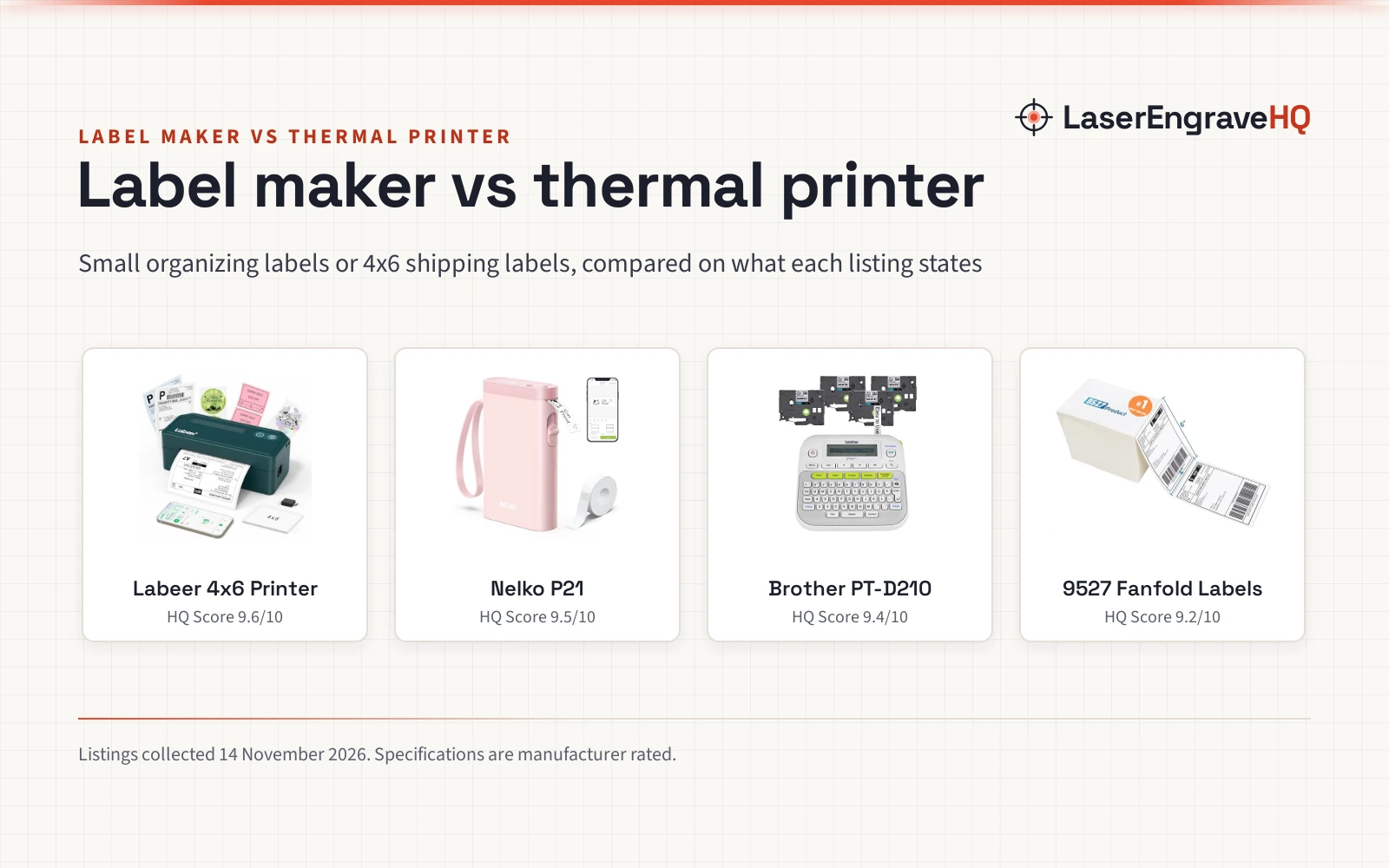
Top picks at a glance
As an Amazon Associate I earn from qualifying purchases.
- 1
 Labeer Bluetooth Thermal Shipping Label Printer9.6/10View on Amazon
- 2
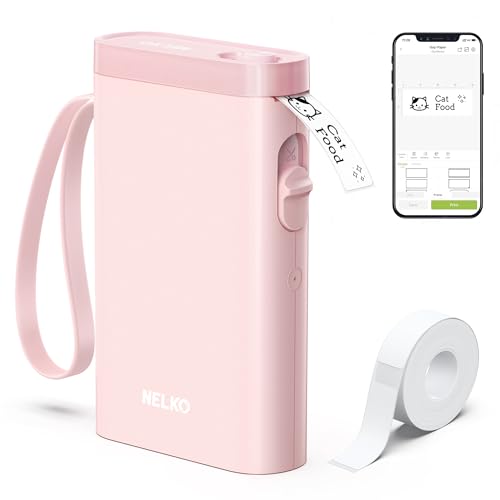 Nelko P21 Label Maker Machine with Tape9.5/10View on Amazon
- 3
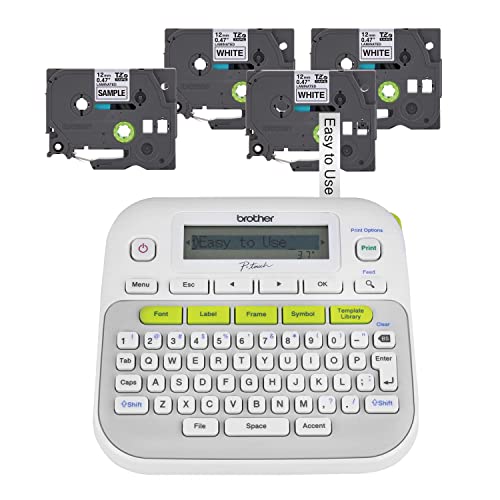 Brother P-Touch, PTD210, Easy-to-Use Label Maker9.4/10View on Amazon
- 4
 9527 Product Fanfold 4 x 6 Direct Thermal Labels9.2/10View on Amazon
A shelf of jars, a stack of shipping boxes and a drawer of cables all need labels that stay readable. The label maker vs thermal label printer question comes down to where the label goes and how many you print.
LaserEngraveHQ earns a commission from purchases made through these links, at no extra cost to you. Read our affiliate disclosure.
Verdict: pick a label maker for small organizing labels at home, in the office or at school, and pick a thermal label printer for 4×6 shipping labels at a packing desk. The Labeer printer suits shipping volume, while the Nelko P21 suits pocket printing from a phone.
The picks: label maker vs thermal label printer
Labeer Bluetooth Thermal Shipping Label Printer
A Bluetooth thermal shipping label printer for 4x6 labels, with 203 DPI direct thermal printing, auto calibration and FlashLabel Pro app support.
Pros
- 203 DPI direct thermal printing without ink, toner or ribbons
- Handles 4x6, 4x4, 4x2 and 2x1 labels, from 1.57 to 4.41 in wide
- Bluetooth and USB, with Windows, macOS, ChromeOS, Linux, iPhone and Android
- Auto calibration with paper-out and jam detection
Cons
- Power source is not stated in the listing
- The 7.2 x 2.64 x 3.15 in body is a desk printer, not a pocket device
- Phone printing runs through the FlashLabel Pro app
- Label widths start at 1.57 in, so the narrow tapes of a label maker do not fit here
Nelko P21 Label Maker Machine with Tape
A pocket Bluetooth label maker with 203 DPI direct thermal printing, a built-in rechargeable battery and an app with templates, icons and borders.
Pros
- 203 DPI direct thermal printing without ink or toner
- Bluetooth printing from iOS and Android phones with 750+ templates
- Built-in rechargeable battery and a pocket-size design
- Prints monochrome labels, with color labels from color pattern tapes
Cons
- Does not work with computers
- Not compatible with Google Pixel phones running Android 14
- Charging adapter not included
- Continuous label tapes are not supported
Brother P-Touch, PTD210, Easy-to-Use Label Maker
A portable label maker with one-touch keys, a preview display and 4 included tapes, running on 6 AAA batteries or an optional AC adapter.
Pros
- One-touch keys with a preview display before printing
- 4 tapes included: 1 sample and 3 full-length black on white tapes
- Tape widths of 12mm, 9mm, 6mm and 3.5mm
- Brother TZe laminated tapes are water-resistant and fade-resistant
Cons
- 6 AAA batteries are sold separately
- AC adapter and protective case are optional extras
- Print resolution is not stated in the listing
- No phone app is named in the listing
9527 Product Fanfold 4 x 6 Direct Thermal Labels
A stack of 500 fanfold 4 x 6 in direct thermal shipping labels with a perforated line and strong adhesive for boxes and envelopes.
Pros
- 500 labels per stack in a 4 x 6 in size with a perforated line
- Strong adhesive for corrugated boxes and envelopes
- Compatible with Zebra, MUNBYN and other direct thermal printers
- Fanfold format with no sheet waste or jams
Cons
- Labels only: no printer is included
- Not compatible with Dymo printers, Brother printers or laser and inkjet printers
- No warranty term is stated
- One size only: 4 x 6 in labels in this stack
Other machines to compare
 Labeer Bluetooth Thermal Shipping Label PrinterCheck price on Amazon
 HKHKPI Bluetooth Thermal Label PrinterCheck price on Amazon
 Nelko Bluetooth Thermal Shipping Label PrinterCheck price on Amazon
 Phomemo Bluetooth Shipping Label PrinterCheck price on Amazon
 Phomemo Bluetooth Thermal Label PrinterCheck price on Amazon
 Gloryang Bluetooth Thermal Shipping Label PrinterCheck price on Amazon
Side by side
| Spec | Labeer 4×6 Printer | Nelko P21 | Brother PT-D210 | 9527 Fanfold Labels |
|---|---|---|---|---|
| HQ Score | 68 | 65 | 57 | 34 |
| Type | Thermal label printer | Label maker | Label maker | Direct thermal labels (supply) |
| Print resolution | 203 DPI | 203 DPI | Not stated in the listing | Not a printer; labels only |
| Label size | 1.57 to 4.41 in wide; 4×6, 4×4, 4×2, 2×1 | 14x40mm, 14x50mm, 14x75mm | Tape widths 12mm, 9mm, 6mm, 3.5mm | 4 x 6 in (100mm x 152mm) |
| Connectivity | Bluetooth and USB | Bluetooth | Not stated in the listing | Not a printer; labels only |
| Power | Not stated in the listing | Built-in rechargeable battery | 6 AAA batteries (sold separately) | Not a printer; labels only |
| Warranty | 1 Year Manufacturer | 1 year | One-year limited | Not stated in the listing |
Specs are what each manufacturer publishes as its rating on the listing, collected 14 November 2026.
Print size and resolution
Both the Labeer and the Nelko state 203 DPI direct thermal printing. Size separates them: the Labeer prints labels from 1.57 to 4.41 in wide, including 4×6, 4×4, 4×2 and 2×1, while the Nelko prints fixed lengths of 14x40mm, 14x50mm and 14x75mm. The Brother takes tape widths of 12mm, 9mm, 6mm and 3.5mm.
Where each side works
The Nelko listing names home, office and school uses: clothes, food storage, mailings, notebook tags and price tags. The Brother listing names file folders, supplies and clothes storage, with tapes for cables, photos and iron-on use on clothes. The Labeer listing names small business, home, office, online sellers, warehouse and shipping, with shipping, return and address labels plus barcode and inventory labels. The 9527 labels suit corrugated boxes and envelopes.
Connectivity and apps
The Nelko connects to iOS and Android phones by Bluetooth through the Nelko app. The Labeer prints from Windows by Bluetooth or USB, from macOS, ChromeOS and Linux by USB, and from iPhone and Android by Bluetooth through the FlashLabel Pro app. The Brother works from its own one-touch keys and preview display, and the listing names no phone app.
Power and portability
The Nelko carries a built-in rechargeable battery and slips into a pocket, per the maker, while the Brother runs on 6 AAA batteries, sold separately, or an optional AC adapter. The Labeer listing states no power source, and its 7.2 x 2.64 x 3.15 in body is a desk printer. The Nelko is the only one of the four whose listing states a built-in rechargeable battery.
Labels and supplies
The Nelko takes color pattern label tapes for color labels, and the listing states continuous label tapes are not supported. The Brother bundle includes 1 sample tape and 3 full-length black on white tapes, with water-resistant and fade-resistant TZe laminated tapes. The Labeer takes roll and fanfold thermal labels.
Support and warranty
The Nelko listing states a 1 year warranty, the Labeer listing states a 1 Year Manufacturer warranty, and the Brother listing states a one-year limited warranty with free phone support for the life of the product.
Choose a label maker if
- You print small labels for jars, folders, cables and bins.
- You want a pocket device or a standalone keyboard, not a desk printer.
- You print from a phone or from the device itself.
Choose a thermal label printer if
- You print 4×6 shipping labels through the day.
- You want to print shipping, return and address labels without ink, toner or ribbons.
- You print from Windows, macOS, ChromeOS, Linux, iPhone or Android.
FAQ: lasers and CNC
Which is better, a label maker or a thermal label printer?
Neither side wins for everyone. A label maker suits small organizing labels at home, in the office or at school, while a thermal label printer suits 4×6 shipping labels at a packing desk.
Can a label maker print shipping labels?
Not the two label makers here. The Nelko prints fixed lengths of 14x40mm, 14x50mm and 14x75mm, and the Brother takes tape widths up to 12mm. For a 4×6 shipping label, the Labeer thermal printer is the pick here.
Do thermal label printers need ink?
The Labeer prints by direct thermal technology without ink, toner or ribbons. It prints with heat on thermal labels, so there is no ink to replace.
Can these devices print labels from a phone?
Yes, with the Nelko and the Labeer. The Nelko connects by Bluetooth to iOS and Android phones, and the Labeer prints from iPhone and Android through the FlashLabel Pro app.
What labels work with a thermal label printer?
Direct thermal labels in a size the printer states. The 9527 stack gives 500 fanfold 4×6 direct thermal labels, compatible with Zebra, MUNBYN and other direct thermal printers, not with Dymo, Brother, laser or inkjet printers.
Related: best label maker for small business, best shipping label printer, thermal label printer vs inkjet label printer and the small business gear hub.