Best Barcode Label Printer (2026): 5 Picks for Shipping Labels
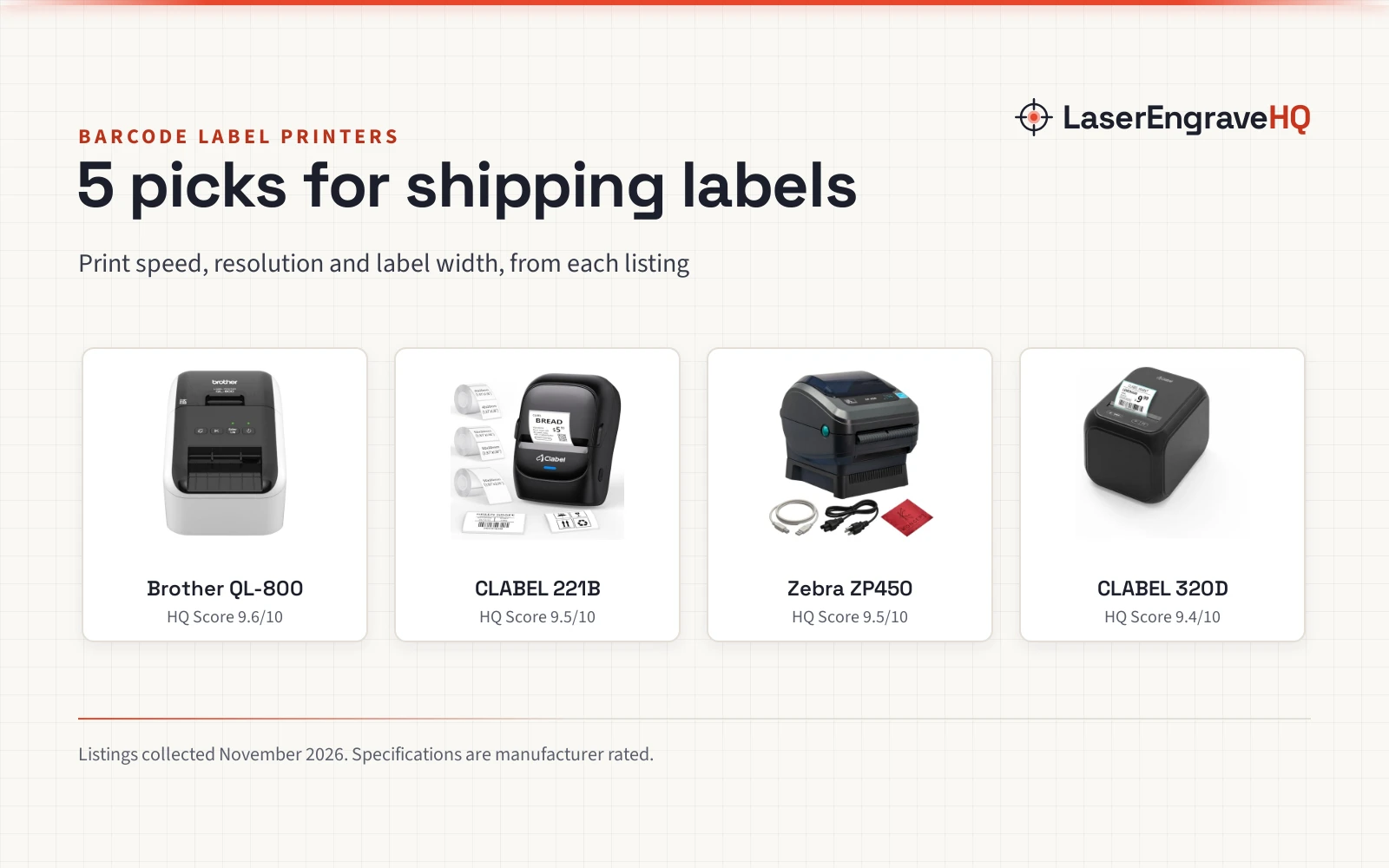
5 direct thermal barcode label printers for shipping labels, compared by print speed, resolution, label width, connectivity and warranty.

On this page
Top picks at a glance
As an Amazon Associate I earn from qualifying purchases.
- 1
 Best OverallBrother QL-8009.6/10View on Amazon
- 2
 Best PortableCLABEL 221B9.5/10View on Amazon
- 3
 Best for ShippingZebra ZP4509.5/10View on Amazon
- 4
 Best Desktop PickCLABEL 320D9.4/10View on Amazon
A barcode label printer turns a roll of labels into scannable barcodes, shipping labels and price tags without a sheet of stickers or a bottle of ink. This guide compares the best barcode label printer picks for a small business shipping bench: direct thermal printers that print on demand, connect by USB or Bluetooth, and take the label rolls a seller reaches for at the bench. Every figure below comes from the maker for that printer, and the ranking follows the scores in the compare table.
LaserEngraveHQ earns a commission from purchases made through these links, at no extra cost to you. Read our affiliate disclosure.
Quick picks
- Best Overall Brother QL-800: 93 labels per minute, 300 dpi, black and red printing, an auto-cutter and a 2-year warranty. Check price on Amazon
- Best Portable CLABEL 221B: A 2-inch Bluetooth printer with 3 label rolls in the box, no brand lock-in and a 1-year warranty. Check price on Amazon
- Best for Shipping Zebra ZP450: 5 ips at 203 dpi, USB, Serial and Parallel, and label types for UPS and FedEx. Check price on Amazon
- Best Desktop Pick CLABEL 320D: 203 dpi, Bluetooth and USB, a 40×30 mm roll in the box and a 1-year warranty. Check price on Amazon
Machines on the list
Brother QL-800 High-Speed Professional Printer
A high-speed thermal label printer that prints 93 labels per minute at 300 dpi in black and red, with an auto-cutter and DK pre-sized labels.
Pros
- 93 labels per minute at 300 dpi resolution
- Black and red printing from one printer
- Built-in auto-cutter for clean label finishing
- Works with Windows and Mac, and prints from Word, Excel and Outlook
Cons
- Built around Brother Genuine DK pre-sized labels
- USB connection only, with no wireless option in the listing
- At 2.5 lb, heavier than the 0.5 lb CLABEL 221B
- Prints in black and red only
CLABEL 221B 2" Bluetooth Thermal Label Printer
A portable 2-inch Bluetooth thermal label printer with 3 label rolls in the box, no brand lock-in, and an app with templates, icons and fonts.
Pros
- Prints 2-inch labels from 25 to 50 mm wide rolls
- Bluetooth for Android and iOS phones, plus USB for computers
- No RFID lock, so any standard thermal label rolls work
- 3 label rolls in the box, with templates, icons and fonts in the app
Cons
- Does not support iPad
- No print speed or resolution in the listing
- 2-inch width only; wider labels need a larger printer
- Phone printing needs the Clabel Trade app
ZP450 Zebra Direct Thermal Label Barcode Printer
A compact desktop direct thermal printer that prints 5 ips at 203 dpi, connects by USB, Serial and Parallel, and handles UPS and FedEx label types.
Pros
- 5 ips print speed at 203 dpi resolution
- USB, Serial and Parallel connectivity
- Double-walled construction for busy work areas
- Handles UPS, FedEx and other label types
Cons
- 90-day warranty, shorter than the 1-year and 2-year terms in this guide
- Monochrome output only
- USB, Serial and Parallel only, with no wireless connection in the listing
- No label roll is stated as included
CLABEL Desktop Thermal Barcode Label Printer
A desktop 2 to 3 inch thermal barcode label printer with 203 dpi printing, Bluetooth and USB, and a 40x30 mm label roll in the box.
Pros
- 203 dpi printing with a high-speed chip
- Bluetooth and USB connectivity
- No lock to proprietary consumables; thermal paper from different brands works
- Clabel Trade app with templates, QR codes, barcodes and tables
Cons
- No print speed figure in the listing
- Only 1 label roll in the box
- Desktop design, with no battery or portable use in the listing
- Label width tops out at 3 inch

DYMO LabelWriter 550 Series Label Printer
A direct thermal label printer that prints precise quantities with no ink or toner, using authentic DYMO labels with automatic label recognition.
Pros
- Direct thermal printing with no ink or toner to buy
- Prints precise quantities, with no sheet-label waste
- Automatic recognition of DYMO labels
- BPA-free labels on FSC certified paper, in plastic-free packaging
Cons
- Works only with authentic DYMO labels
- No warranty term in the listing
- No print speed or resolution in the listing
- At 2.8 lb, heavier than the 2.5 lb Brother QL-800 and the 0.5 lb CLABEL 221B
Other machines to compare
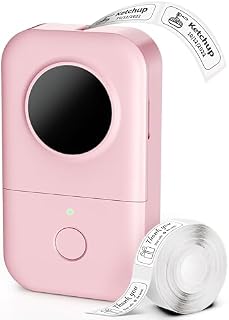 Phomemo Label MakerCheck price on Amazon
 JADENS Bluetooth Thermal Shipping Label PrinterCheck price on Amazon
 Labeer Bluetooth Thermal Shipping Label PrinterCheck price on Amazon
 Thermal Shipping Label Printer 4x6 Bluetooth Label Maker forCheck price on Amazon
 Rongta Bluetooth Shipping Label PrinterCheck price on Amazon
Specs compared
| Model | HQ Score | Print speed | Resolution | Label size | Connectivity | Warranty |
|---|---|---|---|---|---|---|
| Brother QL-800 | 9.6/10 | 93 labels per minute | 300 dpi | Continuous tapes up to 3 ft | USB | 2 years |
| CLABEL 221B | 9.5/10 | Not stated | Not stated | 25 to 50 mm | Bluetooth, USB | 1 year |
| Zebra ZP450 | 9.5/10 | 5 ips | 203 dpi | Not stated | USB, Serial, Parallel | 90 days |
| CLABEL 320D | 9.4/10 | Not stated | 203 dpi | 2 to 3 inch | Bluetooth, USB | 1 year |
| DYMO LabelWriter 550 | 9.3/10 | Not stated | Not stated | Not stated | Not stated | Not stated |
Specs are what each manufacturer publishes as its rating on the listing, collected 20 November 2026. Speed is the rated print speed, resolution is the rated dots per inch, and “Not stated” means the listing gives no figure for it.
What the listings tell you, and what they leave out
A warranty term appears in the Brother, CLABEL and Zebra listings, while the DYMO listing states no warranty. Print speed appears in the Brother and Zebra listings only, and resolution appears in the Brother, CLABEL 320D and Zebra listings. Label width appears in the CLABEL listings, and the Brother listing gives continuous tape length instead. The listings agree on one thing: every printer here is direct thermal, so none of them needs ink or toner.
Buying guide: choosing a best barcode label printer
Direct thermal printing
Every printer in this guide prints by heat on thermal paper, with no ink, toner or ribbon to buy. That keeps running costs to the label rolls, but it also means the labels themselves carry the print, so buy rolls made for direct thermal printers and keep them away from heat. The DYMO and CLABEL printers show the choice clearly: DYMO prints only on authentic DYMO labels, while CLABEL takes any standard thermal rolls.
Print speed and resolution
Speed is the rated labels per minute or inches per second from the maker, and resolution is the rated dots per inch. The Brother QL-800 lists 93 labels per minute at 300 dpi, the highest rated speed in this guide, while the Zebra ZP450 lists 5 ips at 203 dpi. The CLABEL 320D lists 203 dpi with no speed figure, and the DYMO and CLABEL 221B listings give no speed or resolution figure, so compare them on width, connectivity and what comes in the box instead.
Label width and rolls
Width decides what the printer can print. The CLABEL 221B takes rolls from 25 to 50 mm wide and comes with 3 rolls, while the CLABEL 320D takes 2 to 3 inch labels and comes with 1 roll of 40×30 mm labels. The Brother QL-800 takes DK pre-sized labels and continuous tapes up to 3 ft for banners and long labels. The DYMO LabelWriter 550 prints precise quantities of DYMO labels, and the Zebra ZP450 handles UPS and FedEx label types.
Connectivity and software
The Brother QL-800 connects by USB and prints from Word, Excel and Outlook on Windows and Mac, with no added software. The CLABEL printers connect by Bluetooth to Android and iOS phones through the Clabel Trade app, and by USB to a computer, with templates, QR codes and barcodes in the app. The Zebra ZP450 connects by USB, Serial and Parallel, which suits a bench with older gear. Pick the connection that matches the device that will print.
What a barcode label printer will not do
A barcode label printer prints labels; it does not print documents or photos, and the direct thermal printers in this guide print in black, or in black and red on the Brother. It will not print on plain paper, and it will not take sheet labels. If the job is full-color product packaging, look at a color printer instead, and if the job is a wide-format shipping label, check the label width first.
How the scores add up
Each printer is scored on performance, build, value, safety and warranty, with the weights published on the How We Pick page. A spec the listing does not publish scores nothing.
| Product | HQ Score | Perf. /35 | Build /25 | Value /25 | Safety /10 | Warranty /5 |
|---|---|---|---|---|---|---|
| Brother QL-800 | 9.6 | 32 | 21 | 21 | 0 | 4 |
| CLABEL 221B | 9.5 | 28 | 20 | 21 | 0 | 3 |
| Zebra ZP450 | 9.5 | 29 | 21 | 20 | 0 | 2 |
| CLABEL 320D | 9.4 | 27 | 19 | 20 | 0 | 3 |
| DYMO LabelWriter 550 | 9.3 | 23 | 19 | 16 | 0 | 0 |
HQ Scores live on a 9.2 to 9.8 band: each machine’s weighted point total is projected onto it proportionally, and higher totals always show higher.
FAQ: lasers and CNC
What is a Brother label maker?
A Brother label maker is a thermal printer from Brother for labels, such as the QL-800 in this guide. The QL-800 prints 93 labels per minute at 300 dpi in black and red, with an auto-cutter, DK pre-sized labels and continuous tapes up to 3 ft.
How long is a label?
It depends on the label and the printer. The CLABEL 320D comes with a roll of 40×30 mm labels, the CLABEL 221B takes rolls from 25 to 50 mm wide, and the Brother QL-800 takes continuous tapes up to 3 ft for long labels and banners.
Do label makers have different fonts?
Yes. The CLABEL 221B app offers templates, icons and fonts without extra cost, so the fonts come from the app rather than the printer itself. Check the app for the fonts it offers before buying.
Do barcode label printers need ink?
No. Every printer in this guide is direct thermal, so it prints by heat with no ink or toner. The DYMO LabelWriter 550, the Zebra ZP450, the CLABEL 221B and the CLABEL 320D all state direct thermal printing, and the Brother QL-800 is a thermal label printer.
Related: see the best thermal transfer printer guide for shipping labels, the best mailing label printer picks, the shipping label size chart, the how to print shipping label guide, and the small business gear category for more seller gear.